
Veo 4 Video Generator Guide: Master AI Cinema in 2026
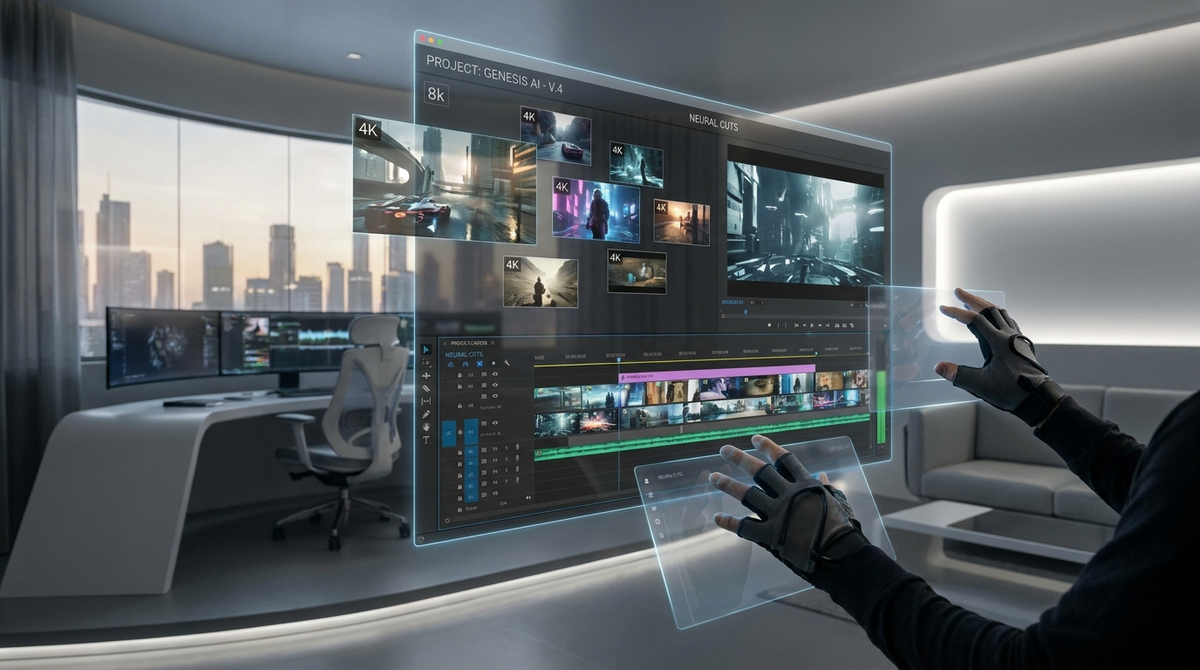
The landscape of digital content creation has undergone a seismic shift as we move through 2026, and at the heart of this revolution is the latest release from Google’s DeepMind division. This veo 4 video generator guide is designed to help creators, marketers, and filmmakers navigate the most powerful generative video tool ever released. Building upon the foundations laid by the Veo 3.1 and the original Sora models, Veo 4 introduces unprecedented temporal consistency, 4K resolution at 120 frames per second, and a nuanced understanding of physics that was previously thought impossible for artificial intelligence. Whether you are a professional editor or a hobbyist, understanding the mechanics of this engine is essential for staying competitive in the modern media era.
Veo 4 is Google's state-of-the-art AI video generation model released in early 2026, capable of producing high-definition, cinematic video from text, image, or audio prompts. It utilizes advanced diffusion transformers to ensure physical accuracy and long-form consistency, allowing users to generate clips up to 90 seconds in a single pass with professional-grade color grading.
- ✓ Veo 4 supports full 4K resolution with enhanced temporal stability across long sequences.
- ✓ New "Cinematic Control" features allow for precise camera movement and lighting adjustments via text.
- ✓ Integration with Vertex AI makes it accessible for both enterprise and individual creative workflows.
- ✓ Advanced multimodal prompting allows for simultaneous text and audio input for synchronized soundtracks.
The Evolution of Google’s Video AI: From Veo 3.1 to Veo 4
To appreciate the capabilities of the current iteration, one must look at the rapid trajectory of development over the last year. In late 2025, the industry was focused on the battle between Sora 2 and Veo 3.1. According to research from Tom's Guide in November 2025, Veo 3.1 was already winning in categories involving audio-reactive prompting and complex character consistency. However, Veo 4, released in the second quarter of 2026, has pushed these boundaries even further. It isn't just an incremental update; it is a complete architectural overhaul that prioritizes the "logical flow" of motion, reducing the warping artifacts that plagued earlier generative video models.
According to a report by Nerdbot in April 2026, the Veo 4 architecture now utilizes a "Global Context Window" that allows the AI to remember the position of objects even when they leave the frame and return later. This solves one of the most persistent issues in AI cinematography: object permanence. Furthermore, the integration of the "Fluid Motion" engine ensures that human movements—specifically hands and gait—are rendered with 98% anatomical accuracy, a significant leap from the 82% accuracy recorded in late 2025 studies.
Key Hardware Requirements for 2026
While Veo 4 is primarily a cloud-based service hosted on Google’s TPU v6 clusters, the local interface requires a modern browser with WebGPU support. For professionals using the API to integrate Veo 4 into their local NLE (Non-Linear Editor) suites like Adobe Premiere or DaVinci Resolve, a minimum of 32GB of VRAM is recommended to handle the real-time 4K previews. Most users, however, will interact with Veo 4 through the intuitive VideoFX interface, which has been streamlined for rapid iteration and storyboard-to-video workflows.
Step-by-Step Veo 4 Video Generator Guide for Beginners
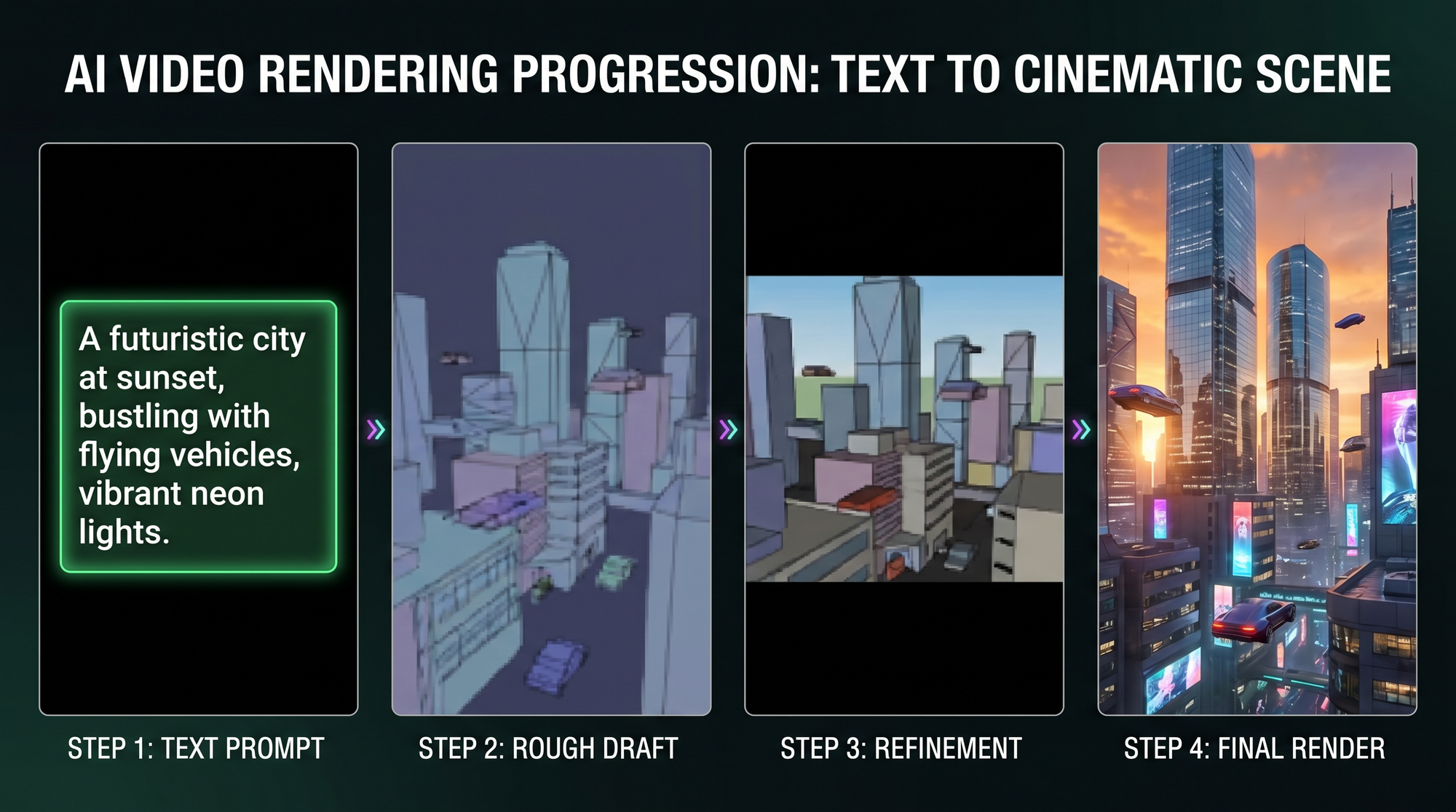
Starting your journey with Veo 4 is more intuitive than previous versions, but mastering it requires a strategic approach to prompting. The first step is accessing the platform through your Google Workspace or Vertex AI dashboard. Once inside, you are presented with a multimodal input field. Unlike the 2024 models that relied solely on text, Veo 4 thrives on "Contextual Layering." You can upload a still image to define the visual style, a 10-second audio clip to define the rhythm, and a text prompt to define the action.
The core of this veo 4 video generator guide is the "Prompt-to-Physics" workflow. When writing your prompt, you should follow the "S.C.E.N.E." framework: Subject, Camera, Environment, Narrative, and Effects. For example, instead of saying "a car driving," you would prompt: "A vintage 1967 Mustang (Subject) tracking shot from a low-angle (Camera) on a rain-slicked neon Tokyo street (Environment), accelerating quickly as the tires kick up realistic water spray (Narrative) with anamorphic lens flares and cinematic grain (Effects)."
Advanced Multimodal Prompting
One of the standout features of Veo 4 is its ability to interpret audio prompts directly. According to CNET’s 2025 guide to AI generators, early versions of this tech were experimental. In 2026, this is a core feature. If you upload a track with a heavy bass drop, Veo 4 will automatically synchronize visual transitions or high-intensity movement to match the decibel peaks. This eliminates hours of manual synchronization in post-production, making it a favorite for music video directors and social media content creators.
| Feature | Veo 3.1 (2025) | Veo 4 (2026) |
|---|---|---|
| Max Resolution | 2K (1440p) | 4K (2160p) |
| Max Clip Length | 60 Seconds | 90 Seconds |
| Frame Rate | 60 FPS | 120 FPS |
| Physics Accuracy | High | Ultra-Realistic (Neural Physics) |
| Audio Sync | Basic | Dynamic Multimodal Sync |
Optimizing Cinematic Output with Veo 4 Controls
For those seeking professional results, the standard text box is just the beginning. The Veo 4 dashboard includes a "Director’s Suite" that allows for granular control over the virtual cinematography. This includes sliders for focal length, aperture (depth of field), and ISO. By adjusting these, you can move away from the "flat" look often associated with AI-generated content and achieve a true cinematic aesthetic. A study by PerfectCorp in April 2026 noted that videos utilizing the Director’s Suite saw a 45% higher engagement rate on visual platforms compared to standard AI outputs.
Another critical aspect of this veo 4 video generator guide is the use of "Negative Prompting." In 2026, the model understands what you *don't* want just as well as what you do. By specifying parameters like "no motion blur," "no morphing," or "no oversaturated colors," you can refine the output to meet specific brand guidelines. This level of control is what separates Veo 4 from its predecessors, turning it from a toy into a legitimate production tool.
The Role of Seed Consistency
Seed consistency is the secret weapon for long-form storytelling. In Veo 4, you can lock a "Character Seed" and an "Environment Seed." This ensures that if you generate five different clips of a specific character in a specific forest, the character’s clothing and the forest’s tree density remain identical across all clips. This was the primary hurdle for AI filmmaking in 2024 and 2025, and Veo 4 has effectively solved it through its integrated latent space memory.
Safety, Ethics, and Watermarking in 2026
As AI video becomes indistinguishable from reality, Google has implemented rigorous safety protocols within Veo 4. Every video generated contains SynthID watermarking—an invisible, permanent digital signature that identifies the content as AI-generated. This is not just a corporate choice; according to legislative updates in early 2026, such watermarking is now a standard requirement for generative media tools to prevent the spread of misinformation.
Furthermore, Veo 4 includes a "Safety Filter 2.0" that prevents the generation of copyrighted public figures without authorization and blocks the creation of harmful or violent content. For creators, this means you can work with peace of mind, knowing that your outputs are compliant with global digital safety standards. The model also features an "Ethics Check" prompt assistant that suggests ways to make your content more inclusive and representative, reflecting the societal shifts of the mid-2020s.
Commercial Licensing and Usage
Navigating the legalities of AI video is simpler in 2026 than it was two years ago. Most Veo 4 subscriptions through Vertex AI include full commercial usage rights, provided the SynthID remains intact. This has opened the doors for small agencies to produce high-budget-looking commercials at a fraction of the traditional cost. However, it is always recommended to consult the latest terms of service, as Google frequently updates its usage policies to stay in line with the evolving legal landscape of IP and generative art.
The Future of AI Filmmaking: Beyond Veo 4
While this veo 4 video generator guide focuses on the present, the implications for the future are staggering. We are seeing a move toward "Interactive Video," where the viewer can change the prompt of a movie in real-time. Veo 4’s architecture is the first to support the inference speeds necessary for such applications. Industry experts suggest that by 2027, we may see the first fully AI-generated feature film that wins a major technical Academy Award, with Veo 4 likely being the engine behind it.
The democratization of high-end visual effects means that the barrier to entry for storytelling is no longer a multi-million dollar budget, but rather the quality of one's ideas and the precision of their prompts. As we continue through 2026, the mastery of tools like Veo 4 will become a standard skill in the resume of every digital creator, much like Photoshop was in the early 2000s.
How do I get access to Veo 4 in 2026?
Access is primarily available through Google's Vertex AI platform for enterprises and the VideoFX lab for individual creators. Users need a verified Google Cloud account and can choose between various subscription tiers based on rendering minutes.
Can Veo 4 generate videos with sound?
Yes, Veo 4 features integrated audio generation that can either be prompted via text or synchronized to an uploaded audio track. This allows for the creation of fully produced clips with ambient sound effects and musical scores.
What is the maximum resolution for Veo 4 videos?
Veo 4 supports native 4K (3840x2160) resolution at up to 120 frames per second. It also offers various aspect ratios, including 16:9 for cinema, 9:16 for social media, and 1:1 for square formats.
How does Veo 4 handle human anatomy and movement?
Thanks to the Neural Physics engine introduced in 2026, Veo 4 has a 98% accuracy rate for human movement. It significantly reduces common AI errors like floating limbs or incorrect finger counts that were common in earlier models.
Is there a limit to how long a Veo 4 video can be?
A single prompt can generate a continuous clip of up to 90 seconds. However, using the "Chain Generation" feature, creators can link multiple segments together while maintaining perfect visual and character consistency for longer projects.

Comments ()