
Kling AI vs Pika Comparison 2026: Which Video Gen is Best?

The kling ai vs pika comparison 2026 reveals that while Kling AI 3.0 dominates in hyper-realistic cinematography and physics, Pika remains the industry leader for creative control and stylized animation. Choosing the best video generator depends on whether your priority is the raw, lifelike fidelity found in Kling's latest model or the granular, frame-by-frame directing tools offered by Pika's 2026 suite. For most professional workflows, Kling AI is currently the superior choice for high-end realism, whereas Pika excels in social media content and rapid prototyping.
Kling AI is a high-fidelity video generation platform known for its 1080p realism and complex physics engine, while Pika is a versatile creative tool specializing in consistent character animation and intuitive "Director Mode" features. In 2026, the choice hinges on realism versus creative flexibility, with Kling leading in cinematic quality and Pika leading in user-controlled editing.
- ✓ Kling AI 3.0 offers industry-leading realism and 10-second clip generation with accurate physics.
- ✓ Pika provides superior "Directing" tools, allowing users to control specific camera movements and regional redrawing.
- ✓ Both platforms have shifted toward multi-model workflows to accommodate different production needs.
- ✓ Kling AI is preferred for commercial-grade film, while Pika is the top choice for stylized social media shorts.
The State of AI Video in 2026: A New Era of Realism
As we move through 2026, the landscape of artificial intelligence has shifted from mere experimentation to professional-grade production. The kling ai vs pika comparison 2026 is no longer just about who can generate a shorter, glitch-free clip; it is about which engine can maintain temporal consistency over long durations and handle complex human interactions. According to Let's Data Science, AI video generators in 2026 now deliver varied realism that allows for significant workflow gains, moving the technology from a novelty to a necessity in the creative industry.
The competition has forced both companies to specialize. Kling AI has leaned heavily into the "Realism" niche, perfecting the way light interacts with surfaces and how fabrics move in the wind. Pika, conversely, has focused on the "Creator" niche, ensuring that users have the tools to fix specific parts of a video without regenerating the entire scene. This divergence means that the "best" tool is now subjective to the specific requirements of your project, whether it be a cinematic trailer or an avant-garde social media advertisement.
How to Choose and Use Your AI Video Generator
If you are looking to integrate these tools into your production pipeline, follow these steps to maximize your output quality:
- Identify the Style: Use Kling AI for photorealistic humans or nature shots, and Pika for animation, 3D renders, or stylized artistic content.
- Draft the Prompt: Utilize the latest 2026 prompt templates, such as those suggested by eWeek, focusing on lighting, lens type, and specific motion descriptors.
- Set Parameters: In Kling, adjust the "Creativity vs. Relevance" slider; in Pika, use the "Motion Control" settings to define camera pans.
- Iterate with In-Painting: Use Pika’s regional modification tools to fix small errors like hand movements or background artifacts.
- Upscale and Export: Use the built-in 4K upscalers available in both tools to prepare the footage for professional screens.
Kling AI vs Pika Comparison 2026: Key Feature Breakdown
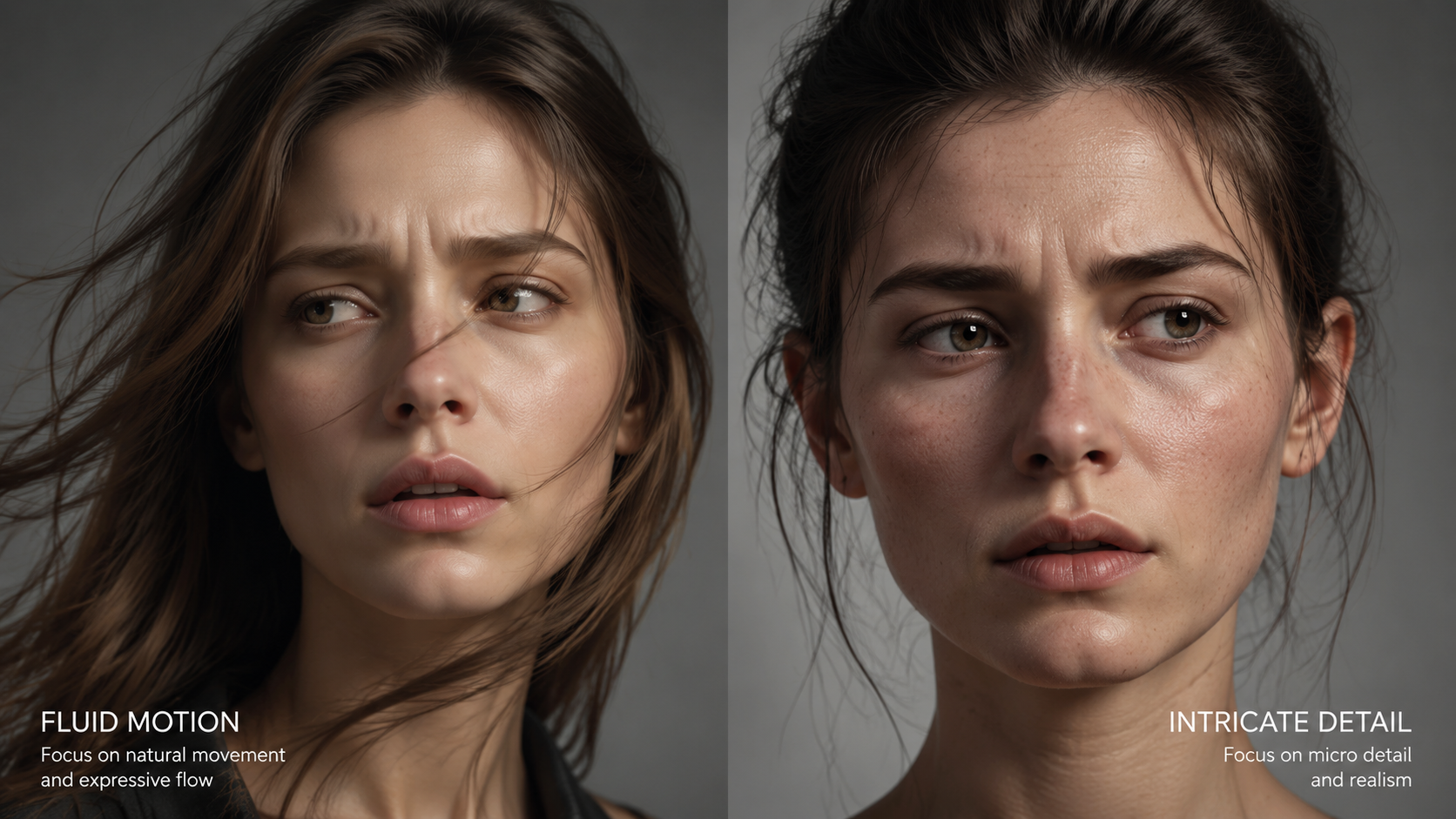
In 2026, the technical gap between these two titans has narrowed, but their core philosophies remain distinct. Kling AI 3.0, as noted by Cybernews, is widely considered the most realistic AI video generator currently on the market. It utilizes a massive transformer-based architecture that understands the laws of physics better than its predecessors, allowing for realistic liquid simulation and complex human skeletal movement that was previously impossible.
Pika has countered this by becoming the "Editor's Choice." While it may occasionally lag behind Kling in raw pixel-for-pixel realism, its suite of "Sound-to-Video" and "Lip Sync" features are more robust. Pika’s 2026 update introduced "Live Texturing," which allows creators to change the material of an object (e.g., turning a wooden chair into ice) while maintaining the exact motion of the original clip. This level of granular control is why many multi-model workflows, as highlighted by MSN, involve generating a base layer in Kling and refining it within Pika.
| Feature | Kling AI 3.0 | Pika (2026 Edition) |
|---|---|---|
| Max Resolution | 4K Upscaled / 1080p Native | 4K Upscaled / 1080p Native |
| Max Clip Length | 10 Seconds (Extendable to 2 min) | 4 Seconds (Extendable to 1 min) |
| Physics Accuracy | Very High (Fluid & Gravity) | Moderate (Stylized Motion) |
| Editing Tools | Basic In-Painting | Advanced Regional Redraw & Directing |
| Prompt Adherence | High (Literal Interpretation) | High (Creative Interpretation) |
| Best For | Cinematic Realism & Film | Animation & Social Media |
Performance and Realism: The Kling AI 3.0 Advantage
When discussing the kling ai vs pika comparison 2026, one cannot ignore the sheer visual fidelity of Kling AI 3.0. According to a review by Cybernews, Kling AI 3.0 has set a new benchmark for realistic AI video generation. The model’s ability to render human skin textures, including pores and subtle imperfections, makes it nearly indistinguishable from high-end cinematography. This is particularly evident in its "Text-to-Video" mode, where complex prompts involving multiple subjects are handled with remarkable spatial awareness.
Furthermore, Kling’s 2026 update improved its temporal consistency significantly. In earlier versions of AI video, objects would often "morph" or disappear when moving behind other objects. Kling AI 3.0 has largely solved this through a persistent 3D world-mapping technique. If a character walks behind a tree, the model remembers the character's appearance and brings them out the other side without the "shimmering" effect that plagued earlier AI iterations. This makes it the preferred tool for filmmakers who need reliable, high-stakes visuals.
Physics and Environmental Interaction
One of the standout features of Kling AI in 2026 is its "Dynamic Physics Engine." If you prompt a scene of a glass breaking on a marble floor, Kling calculates the trajectory of the shards based on realistic gravity and friction. This level of detail is why Tycoonstory Media ranks Kling as a top-tier tool for cinematic content. It removes the "floaty" feeling often associated with AI-generated videos, grounding the scenes in a reality that feels familiar to the human eye.
Creative Control and Directing: Why Pika Still Wins
While Kling captures the world as it is, Pika allows you to imagine it as it could be. The kling ai vs pika comparison 2026 often highlights Pika's superior user interface and creative toolset. Pika’s "Director Mode" has become a staple for creators who need precise control over camera angles. Instead of just typing "zoom in," Pika users can use a visual joystick to set the exact speed and focal length of the camera movement, providing a level of intentionality that Kling’s more automated system lacks.
Pika also leads in the integration of audio and video. Its 2026 "Auto-Foley" system generates realistic sound effects that are perfectly synced to the action on screen. If a car doors slams in the video, Pika generates the corresponding "thud" at the exact millisecond of impact. This holistic approach to video creation is why Breaking AC News includes Pika in its "Honest Guide" to the top AI video generators, noting its efficiency for creators who need a "one-stop shop" for content production.
Regional Editing and In-Painting
The "Modify Region" tool in Pika remains its "killer feature" in 2026. If you generate a beautiful video of a woman in a park but realize you want her to be wearing a red hat instead of a blue one, Pika allows you to highlight just the head area and change the accessory without altering the rest of the video. In Kling, such a change often requires a full regeneration, which might change the background or the character’s face. For professional workflows where consistency is key, Pika's surgical precision is invaluable.
Multi-Model Workflows: The Best of Both Worlds
An interesting trend identified by MSN in May 2026 is the shift toward multi-model workflows. Experienced creators are no longer choosing just one tool; they are using the kling ai vs pika comparison 2026 to identify which parts of their project belong in which engine. A common workflow involves using Kling AI to generate the high-fidelity "Hero" shots—the wide cinematic vistas and close-up character performances—and then bringing those clips into Pika for specific modifications or to add stylized overlays.
This hybrid approach leverages Kling’s realism and Pika’s flexibility. For example, a creator might use Kling to generate a realistic 10-second clip of a futuristic city. They might then use Pika’s "Sound-to-Video" to add ambient city noises and Pika’s "In-Painting" to add a specific neon sign with their brand’s logo on a building. This synergy represents the peak of AI video production in 2026, where the limitations of one tool are mitigated by the strengths of another.
The Role of Prompt Templates
To succeed in this multi-model environment, prompt engineering has become more sophisticated. eWeek recently published 10 AI video prompt templates for 2026 that emphasize "technical metadata." These templates include instructions for lighting (e.g., "Golden hour, 5600K color temp"), camera gear (e.g., "Shot on Arri Alexa, 35mm lens"), and motion (e.g., "Slow dolly zoom"). Using these standardized templates across both Kling and Pika ensures a more consistent visual language, even when jumping between different AI architectures.
Final Verdict: Which Video Gen is Best in 2026?
The answer to the kling ai vs pika comparison 2026 depends entirely on your end goal. If your objective is to create a short film, a high-end commercial, or any content where the viewer should believe they are looking at real-world footage, Kling AI 3.0 is the undisputed champion. Its mastery of physics and texture is currently unmatched in the consumer AI space.
However, if you are a social media influencer, a marketing professional needing quick iterations, or an artist who wants to "direct" the AI with precision, Pika is the better investment. Its suite of editing tools, integrated audio, and user-friendly "Director Mode" make it a more versatile tool for daily content creation. As Breaking AC News suggests, the "best" tool is the one that fits into your existing workflow without causing friction.
Is Kling AI 3.0 free to use in 2026?
Kling AI offers a tiered subscription model, including a limited free daily credit system for casual users. However, professional features like 4K upscaling and the full physics engine typically require a paid "Pro" or "Studio" plan.
Can Pika generate videos with sound?
Yes, in 2026, Pika features a robust "Auto-Foley" and "Sound-to-Video" system that automatically generates and syncs sound effects and background music based on the visual content of the video.
Which tool is better for lip-syncing?
Pika currently holds the edge in lip-syncing and facial animation control, offering more dedicated tools for matching character mouth movements to uploaded audio files compared to Kling AI.
How long are the videos generated by these AI tools?
Kling AI 3.0 can generate native clips up to 10 seconds long, which can be extended to several minutes. Pika generates 4-second base clips that can be extended in 4-second increments through its "Extend Video" feature.
Do I need a powerful computer to run Kling or Pika?
No, both Kling AI and Pika are cloud-based platforms. All the heavy processing is done on their servers, meaning you only need a standard web browser and a stable internet connection to generate AI videos.



Comments ()