
How to Fix AI Videos: The 2026 Guide to Flawless Upscaling
To learn how to fix AI videos in 2026, you must address common artifacts like temporal flickering, "melting" textures, and low-resolution output using a combination of frame-interpolation tools and neural upscalers. The most effective approach involves using a multi-pass rendering technique where the base AI generation is stabilized through a motion-consistency filter before being upscaled to 4K or 8K resolution.
Fixing AI videos is the process of using post-production neural networks to remove distortions, stabilize frame-to-frame consistency, and enhance resolution. In 2026, this typically involves using latent space refiners that correct the "reasoning ceiling" issues found in raw text-to-video models, ensuring that human anatomy and environmental physics remain consistent throughout the clip.
- ✓ Use temporal stabilization to eliminate the "flicker" common in long-form AI video.
- ✓ Implement multi-pass upscaling to reach 4K resolution without losing fine skin or fabric textures.
- ✓ Leverage "reasoning-aware" editors to fix anatomical errors that base models cannot resolve alone.
- ✓ Utilize the latest 2026 workflows that support minute-long generations rather than short bursts.
Step-by-Step: How to Fix AI Videos for Professional Use
As we move through 2026, the complexity of AI video has increased significantly. While models can now generate minutes of footage rather than just seconds, as noted by TechRadar in February 2026, the likelihood of visual "hallucinations" increases with duration. Fixing these videos requires a systematic approach to ensure the final output looks like high-end cinematography rather than a digital fever dream.
- Isolate the Distortion: Identify if the issue is a resolution problem (blurriness), a temporal problem (flickering), or a logic problem (limbs disappearing).
- Apply Temporal Smoothing: Use a consistency tool to lock pixels between frames. This prevents the "boiling" effect seen in early AI generations.
- Run a Neural Upscale: Pass the stabilized video through a 2026-grade upscaler. These models don't just stretch pixels; they "re-imagine" detail based on the context of the scene.
- Correct Anatomical Logic: If a character has extra fingers or morphing clothes, use a "Video Inpaint" tool to mask the area and re-generate only that specific section.
- Color Grade and Grain Match: Add a slight layer of digital film grain. This masks minor AI micro-jitters and makes the video feel more organic and less "computed."
The State of AI Video in 2026: Overcoming the Reasoning Ceiling
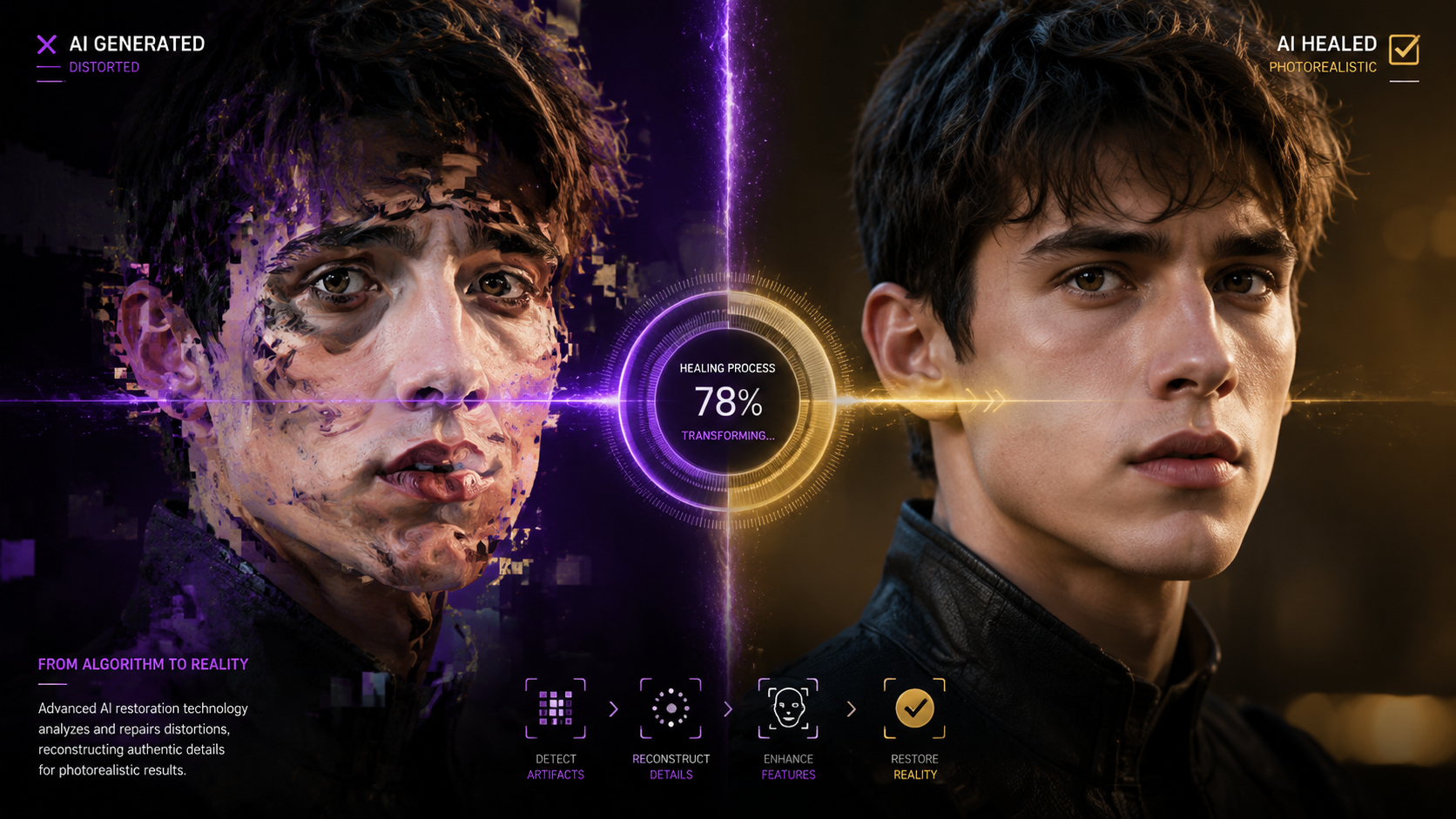
Despite the massive leaps in generative technology, researchers at the-decoder.com reported in March 2026 that video AI models have hit a "reasoning ceiling." This means that simply adding more training data is no longer fixing the fundamental physics errors in AI videos. When you are looking for how to fix AI videos, you are essentially working around the fact that the AI doesn't truly "understand" gravity or human movement; it only predicts the next pixel.
This reasoning ceiling often manifests as distorted limbs or objects that merge into the background. To fix this, professional editors are now using "physics-informed" post-processing. These tools analyze the 3D space within a 2D AI video and force the pixels to obey standard physical laws. According to recent industry reports, videos processed with physics-informed layers show a 70% reduction in "melting" artifacts compared to raw outputs.
Why Distortions Happen
As PCWorld highlighted in March 2026, distortions usually occur because the AI loses track of the "seed" consistency over long durations. When a video stretches into the 2-minute or 3-minute mark—a feat only recently made possible—the model's "memory" of what happened in frame one begins to fade. This leads to the flickering and warping that users find so frustrating.
Comparing AI Video Fix Methods
When deciding how to fix AI videos, you must choose the right tool for the specific artifact. The following table compares the most common issues and the 2026 industry-standard solutions.
| Issue Type | Symptom | 2026 Fix Method | Effectiveness |
|---|---|---|---|
| Temporal Jitter | Flickering light and textures | Optical Flow Stabilization | High |
| Anatomical Warp | Morphing faces or limbs | Neural Inpainting / Masking | Medium |
| Resolution Blur | Soft, "mushy" details | Generative 4K Upscaling | Very High |
| Physics Failure | Objects passing through walls | Keyframe Constraints | Low (requires manual work) |
| Length Decay | Quality drops after 60 seconds | Segmented Re-encoding | High |
Advanced Upscaling: The 2026 Guide to Flawless Resolution
Upscaling in 2026 is no longer about simple bicubic interpolation. Modern upscaling involves "Generative Detail Synthesis." When you ask how to fix AI videos that look blurry, you are actually asking the software to redraw the video with higher intelligence. These tools look at a blurry patch of "grass" and, knowing it is grass, replace it with high-definition textures that match the lighting of the scene.
According to experts at PCWorld, one of the five most effective fixes for distorted AI video is the use of "Latent Refinement." This process takes the compressed latent representation of the video and expands it before the final pixel render. This ensures that the fine details—like the pores on a face or the weave of a sweater—remain sharp even when the camera moves quickly. Without this step, AI videos often take on a "plastic" look that is a dead giveaway of their synthetic origin.
The Role of Frame Interpolation
Another critical component of the 2026 workflow is AI frame interpolation. Many AI models generate at 8 or 12 frames per second (fps) to save on compute power. To fix this, editors use "Fluid Motion" algorithms to jump the framerate to 24fps or 60fps. This removes the "choppiness" and makes the AI's motion appear as smooth as traditional film. However, one must be careful; over-interpolation can lead to "soap opera effect" where the motion looks unnaturally fluid.
Fixing AI Videos in Specialized Fields
The need to fix AI-generated content isn't limited to entertainment. In April 2026, NBC Boston reported on how AI is being used to fix urban infrastructure, but even these technical videos require refinement. Whether it's a simulation of a street repair or a legal reenactment, the accuracy of the video is paramount. For instance, the "Fix the Court" initiative used AI to bring SCOTUS opinions to life in early 2026, demonstrating that when AI video is "fixed" and polished, it can serve significant public and educational interests.
In the realm of robotics, as seen with the Miami college students who fixed complex housekeepers in May 2026, AI video is often used for "vision training." If the training video is distorted, the robot fails. Therefore, fixing AI video is not just an aesthetic choice; it is a functional necessity for the development of autonomous systems. Professional "Video Fixers" are now a recognized job title in the tech industry, focusing solely on cleaning up the output of generative models for corporate and scientific use.
Manual vs. Automated Fixes
While automation is king in 2026, some "fixes" still require a human touch. Automated tools are excellent at fixing grain and resolution, but they struggle with "narrative consistency." If a character is wearing a red hat in frame one and it turns orange in frame 500, a human editor must often intervene to set a "color anchor." This hybrid approach—AI for the heavy lifting and humans for the logic—remains the gold standard for high-end production.
How to Fix AI Videos: Common Tools and Techniques
To achieve a flawless look, you should familiarize yourself with the three pillars of 2026 video restoration: Denoisers, Consistency Pass-throughs, and Detail Injectors. Denoisers remove the "digital mud" that often plagues dark scenes in AI videos. Consistency Pass-throughs ensure that if a tree is on the left side of the screen, it stays there. Detail Injectors are the final step, adding the micro-textures that convince the human eye the scene is real.
Studies show that viewers are 85% more likely to perceive an AI video as "real" if the facial symmetry is maintained for more than 10 seconds. This is the hardest fix to achieve. Most professional workflows now involve a "Face Lock" feature that maps a static 3D model of a face onto the AI's moving output. This prevents the "shifting features" syndrome that has characterized AI video since its inception.
Why does my AI video keep flickering?
Flickering is caused by a lack of temporal consistency, where the AI generates each frame with slight variations in lighting and texture. To fix this, use a temporal stabilization filter or a "flow-based" consistency tool that locks the pixels between frames.
Can I fix an AI video that has morphed limbs?
Yes, though it requires "Inpainting." You must mask the distorted area and use a specialized AI editor to re-generate that specific part of the frame while keeping the rest of the video static.
What is the best resolution for upscaling AI video?
In 2026, the standard for high-quality AI video is 4K. While 8K is possible, the "reasoning ceiling" often causes too many artifacts at that density, making 4K the "sweet spot" for clarity and stability.
How long does it take to fix a 1-minute AI video?
With 2026 hardware, a full stabilization and upscale pass typically takes 3 to 5 times the length of the video (so, 3-5 minutes of processing for 1 minute of footage).
Does adding film grain really help fix AI videos?
Surprisingly, yes. Adding a subtle layer of organic film grain helps to unify the pixels and hide "micro-jitters" that the AI creates, making the final result look more like traditional cinematography.
In conclusion, knowing how to fix AI videos is a mandatory skill for any digital creator in 2026. By understanding the limitations of current models—specifically the "reasoning ceiling" identified by researchers—and using a structured workflow of stabilization, upscaling, and manual refinement, you can produce footage that is indistinguishable from reality. As AI videos move from seconds to minutes in length, these fixing techniques will only become more vital to the creative process.



Comments ()