
AI Video Editor vs Traditional Editor in 2026
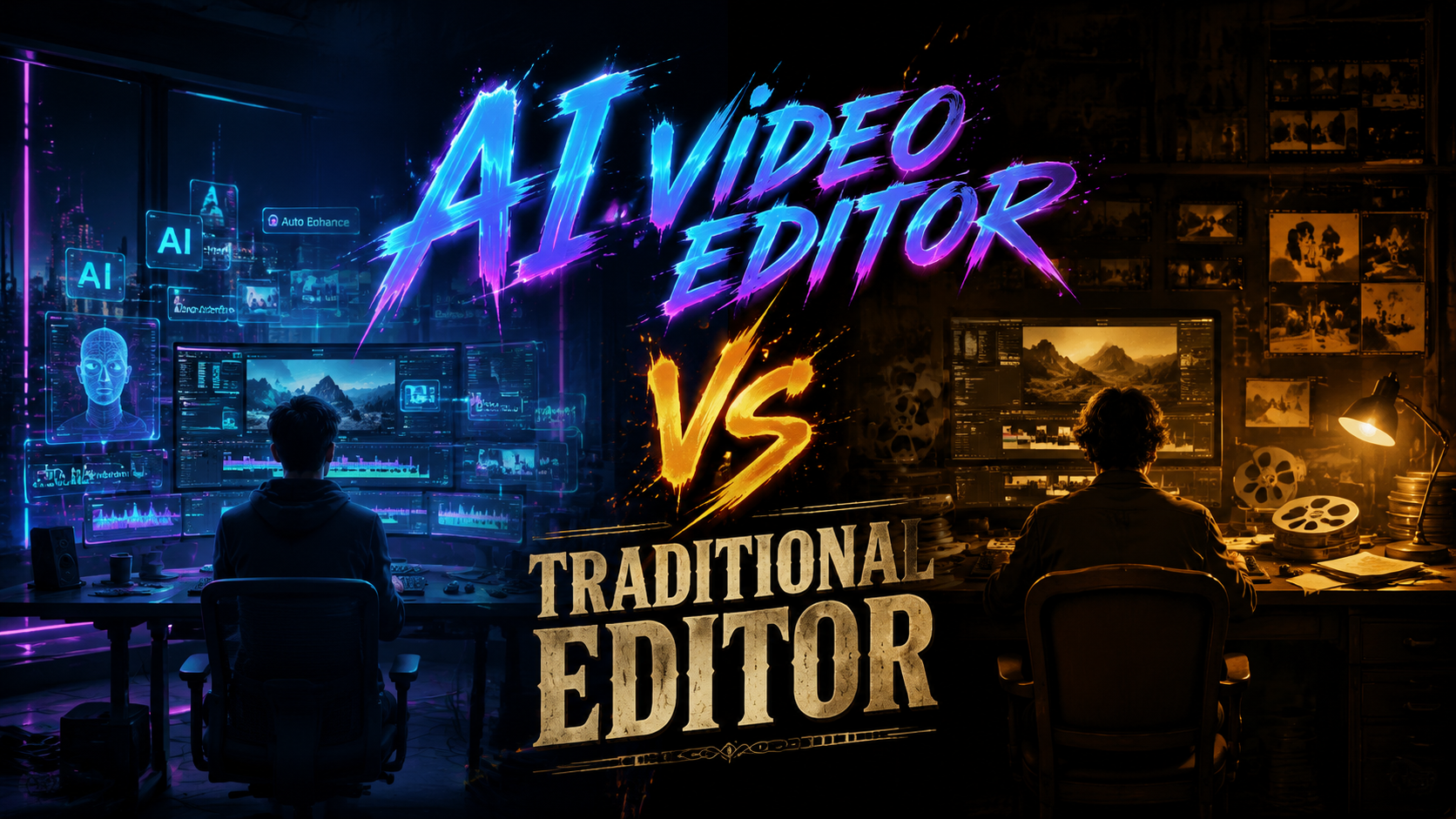
In 2026, the debate between AI video editors and traditional editors has shifted from a question of capability to a matter of workflow preference. An ai video editor vs traditional editor comparison reveals that AI-powered tools now handle up to 80% of routine editing tasks—scene detection, color grading, and audio syncing—in a fraction of the time, while traditional editors still reign supreme for narrative nuance, custom effects, and fine-grained creative control. The choice ultimately depends on your project's complexity, deadline, and how much artistic direction you need to retain.
TL;DR: While AI video editors like Adobe Firefly Quick Cut, CapCut with Gemini integration, and Buzzy's new platform can complete basic edits in seconds, traditional editors still offer superior precision for complex, narrative-driven projects. For most creators in 2026, a hybrid approach—using AI for rough cuts and manual editing for finishing touches—delivers the best balance of speed and quality.
An AI video editor is a software tool that uses generative machine learning models to automate tasks such as scene detection, color grading, audio syncing, and even narrative structuring. In 2026, these tools have matured to handle the majority of routine editing work, but they still lack the intuitive creative judgment that human editors bring to storytelling and nuanced visual artistry.
- ✓ AI video editors in 2026 can reduce editing time by up to 70% for standard projects compared to manual workflows
- ✓ Traditional editors remain essential for complex narrative storytelling, custom visual effects, and brand-specific creative direction
- ✓ Major platforms like CapCut (via Gemini partnership), Adobe Firefly Quick Cut, and Buzzy ($20M funding) are driving rapid innovation
- ✓ Voice-controlled editing through Google Gemini Omni Flash is reshaping the user interface landscape for AI editing tools
- ✓ A hybrid workflow—AI for rough cuts and automated tasks, manual editing for polish—is the recommended approach for most creators in 2026
The Rise of AI Video Editing in 2026
The video editing landscape has undergone a seismic shift in 2026, with artificial intelligence moving from a novelty feature to a core component of mainstream editing suites. According to Tech Times, Google launched Gemini Omni Flash in late May 2026, bringing voice-controlled AI video editing directly into conversational AI workflows. This development marked a turning point, allowing editors to issue commands like "trim the intro to three seconds" or "add a cinematic color grade" entirely through voice.
The market has responded with significant investment. citybiz reported that Buzzy raised $20 million in funding led by Redpoint Ventures to launch its AI video editing platform, signaling strong investor confidence in the space. Meanwhile, Adobe Firefly launched Quick Cut AI Video Editor in February 2026, as covered by The Tech Buzz, bringing Adobe's generative AI expertise to rapid video trimming and assembly. These launches have accelerated the conversation around ai video editor vs traditional editor workflows, forcing creators to re-evaluate their toolchains.
For the average content creator, the barrier to entry has never been lower. AI-powered tools now handle complex tasks like multi-camera syncing, automatic subtitle generation, and even AI-driven storyboarding. However, the rise of these tools has also sparked a counter-movement among professional editors who argue that creativity cannot be fully automated. This tension defines the current state of the industry and makes the ai video editor vs traditional editor discussion more relevant than ever.
AI Video Editor vs Traditional Editor: Core Differences
To make an informed decision, it helps to see the key differences laid out side by side. The table below compares the most important factors across both approaches based on the 2026 tooling landscape.
| Feature | AI Video Editor (2026) | Traditional Editor |
|---|---|---|
| Speed of rough cuts | Seconds to minutes (automated) | 30 minutes to hours (manual) |
| Learning curve | Low – voice and text prompts | High – timeline, keyframes, shortcuts |
| Creative control | Moderate (constrained by AI model) | Complete (every pixel adjustable) |
| Best for | Social clips, vlogs, quick turnarounds | Films, documentaries, branded content |
| Cost (monthly) | $10–$30 (AI features included) | $20–$80 (full creative suite) |
| Voice control support | Yes (Gemini Omni Flash, CapCut+Gemini) | Limited or none |
| AI scene detection | Built-in, high accuracy | Manual or plugin required |
| Narrative intuition | Basic story suggestions | Human creative judgment |
This comparison makes one thing clear: AI editors excel at speed and accessibility, while traditional editors offer unmatched creative freedom. The gap is narrowing, however. According to Gadget Flow, the comparison between Wondershare Filmora and VEGAS Pro in 2026 shows that even mid-range tools now integrate AI features that were once exclusive to high-end suites. Filmora, for instance, offers AI-powered motion tracking and auto-reframing, while VEGAS Pro retains its traditional timeline strength with layered AI assistance.
The practical implication is that the line between AI and traditional editing is blurring. Most modern editors are hybrid tools, but the key differentiator remains the degree of automation versus manual control. Understanding where your project falls on this spectrum is the first step to choosing the right workflow.
Key Players Transforming the AI Video Editing Landscape
Google Gemini Omni Flash and Voice-Controlled Editing
Google's Gemini Omni Flash, launched in late May 2026, represents a paradigm shift in how editors interact with their software. As reported by Tech Times, this technology brings voice-controlled AI video editing to the forefront of conversational AI. Editors can now describe edits in natural language—"zoom in on the speaker when he gestures" or "apply a warm filter to the sunset scene"—and the AI executes the command instantly. This removes dozens of mouse clicks and keyboard shortcuts from the editing workflow, dramatically speeding up the process for solo creators and small teams.
CapCut and Gemini Partnership: Creator Tools Go AI-Native
The partnership between CapCut and the Gemini app, announced in May 2026, brings AI video and image editing directly into the Gemini ecosystem. According to nokiapoweruser.com, this integration allows users to edit videos using natural language prompts within the Gemini interface, then export directly to CapCut for further refinement. Techgenyz described these as "stunning creator tools" that lower the barrier for mobile-first content creators who want professional-grade results without a steep learning curve.
Buzzy, Adobe Firefly, and the Funding Boom
Buzzy's launch of an AI video editing platform with $20 million in funding from Redpoint Ventures, as reported by citybiz, underscores the venture capital community's confidence in AI-driven creativity tools. Buzzy focuses on automated narrative construction, where users input raw footage and a brief description, and the AI assembles a rough cut with music, transitions, and color grading. Adobe Firefly's Quick Cut AI Video Editor, launched in February 2026, takes a similar approach but leverages Adobe's deep expertise in professional color science and motion graphics. Both tools aim to reduce the time from raw footage to publishable video from hours to minutes.
How AI Video Editors Are Transforming Workflows
AI video editors are not just speeding up existing workflows—they are creating entirely new ways to approach video production. The most transformative change is the shift from timeline-based editing to prompt-based editing. Instead of manually cutting clips on a timeline, editors describe the desired outcome, and the AI assembles the sequence. This is particularly powerful for content creators who produce high volumes of short-form video for platforms like TikTok, Instagram Reels, and YouTube Shorts.
Another major transformation is in collaboration. AI editors can now generate multiple versions of a video simultaneously—different aspect ratios, alternative music tracks, or varied pacing—allowing teams to A/B test content at scale. According to Techgenyz, the CapCut-Gemini partnership enables creators to edit collaboratively within a conversational interface, where multiple users can suggest changes via text or voice, and the AI merges the feedback into a unified edit. This is a radical departure from the traditional model where one editor controls the timeline.
Here is a step-by-step workflow for adopting an AI-first editing approach in 2026:
- Import raw footage into your chosen AI editor (e.g., CapCut with Gemini, Adobe Firefly Quick Cut, or Buzzy).
- Describe your desired edit using natural language or voice commands—include details like pacing, style, music genre, and target platform.
- Let the AI generate a rough cut automatically, applying scene detection, transitions, color grading, and audio sync.
- Review the AI-generated edit and identify sections that need manual adjustment or creative refinement.
- Switch to manual mode for fine-tuning—adjust keyframes, add custom graphics, tweak audio levels, and refine narrative pacing.
- Export multiple versions for different platforms, using AI presets for aspect ratio and format optimization.
- Iterate with voice commands to make quick revisions without rebuilding the timeline from scratch.
This hybrid workflow combines the speed of AI with the precision of human judgment, and it is the approach adopted by most professional editors in 2026 who want to stay competitive without sacrificing quality.
Traditional Editing: Strengths That Remain Unmatched
Despite the rapid advancements in AI video editing, traditional editors still hold several critical advantages. The most important is narrative intuition—the ability to understand story arc, emotional pacing, and subtext. AI models can analyze patterns and suggest edits based on training data, but they cannot truly understand why a scene works emotionally. A human editor knows when to hold a pause for dramatic effect, when a subtle color shift changes the mood, or when a cut feels jarring even though the AI says it's "optimal."
Another area where traditional editors excel is custom visual effects and motion graphics. While AI can apply preset transitions and effects, complex compositing, rotoscoping, and multi-layer animation still require manual expertise. Tools like VEGAS Pro, as noted in the Gadget Flow comparison, maintain their strength in deep timeline control and plugin ecosystems that allow editors to create bespoke visual experiences. For high-end commercial work, documentaries, and feature films, this level of control is non-negotiable.
Finally, client collaboration and revision workflows remain a challenge for AI editors. Traditional editing suites offer robust versioning, reference monitors, and collaborative review tools that allow clients to mark specific frames with notes. AI editors often struggle with iterative feedback loops, especially when clients ask for nuanced changes like "make the transition feel more energetic" or "soften the color grade without losing contrast." Human editors interpret these subjective requests intuitively, while AI models may produce inconsistent results across revision cycles.
Choosing the Right Tool for Your Needs in 2026
Selecting between an AI video editor and a traditional editor depends on three factors: project type, turnaround time, and required creative control. For social media content, internal training videos, or personal vlogs, an AI-first tool like CapCut with Gemini or Adobe Firefly Quick Cut can deliver publishable results in minutes. The voice-controlled features of Gemini Omni Flash make these tools especially appealing for solo creators who work alone and need to maximize efficiency.
For professional projects such as brand commercials, documentaries, or narrative short films, a traditional editor or a hybrid approach is still the best choice. Even with AI assistance, the creative director or editor needs to maintain control over the final cut. The Gadget Flow comparison between Wondershare Filmora and VEGAS Pro highlights that many professionals are adopting a middle ground—using AI for rough cuts and automated tasks, then switching to a traditional timeline for the finishing pass. This approach leverages the speed of AI without sacrificing the nuance of human creativity.
Budget also plays a role. AI editors in 2026 typically cost between $10 and $30 per month for full AI feature access, while traditional suites range from $20 to $80 per month. For teams producing high volumes of content, the AI route offers significant cost savings in editing time alone. However, for studios that bill by the hour, the investment in a skilled human editor using a traditional suite often yields a higher-quality product that commands premium rates. The ai video editor vs traditional editor decision ultimately comes down to aligning your toolchain with your creative and business goals.
The Future of Video Editing: A Hybrid Approach
The most successful video editors in 2026 are those who embrace a hybrid workflow. They use AI to handle the repetitive, time-consuming tasks—scene detection, transcription, rough assembly, color matching—and reserve their creative energy for the decisions that truly require human judgment: narrative pacing, emotional beats, and brand-specific visual identity. This approach maximizes both speed and quality, allowing editors to take on more projects without burning out.
Google's Gemini Omni Flash, the CapCut-Gemini partnership, Adobe Firefly Quick Cut, and Buzzy's platform all point toward a future where AI handles the "grunt work" of editing, while humans focus on storytelling. According to Tech Times, voice-controlled editing is expected to become the default interface for video editing within the next two years, further reducing the technical barrier to entry. This will likely lead to an explosion of content volume, making it even more important for professional editors to differentiate themselves through creative vision and narrative expertise.
Ultimately, the debate of ai video editor vs traditional editor is not about one replacing the other—it is about editors learning to wield both tools effectively. The best editors of 2026 are not those who cling to tradition or those who blindly adopt AI; they are the ones who know when to let the AI run and when to take the reins. As the technology continues to evolve, that human-machine partnership will define the next era of video storytelling.
Frequently Asked Questions
What is the main difference between an AI video editor and a traditional editor in 2026?
An AI video editor automates tasks like scene detection, color grading, and audio syncing using machine learning, while a traditional editor requires manual control over the timeline, keyframes, and every creative decision. AI editors prioritize speed and accessibility; traditional editors prioritize creative control and narrative nuance.
Can AI video editors completely replace human editors in 2026?
No. While AI editors can handle up to 80% of routine editing tasks, they still lack the intuitive understanding of story arc, emotional pacing, and subjective creative judgment that human editors bring. A hybrid workflow that combines AI automation with human refinement is the most effective approach for professional projects.
Which AI video editor is best for beginners in 2026?
CapCut with Gemini integration and Adobe Firefly Quick Cut are excellent choices for beginners. Both offer natural language and voice-controlled editing, making them accessible without requiring deep technical knowledge. Buzzy's platform is also beginner-friendly, especially for social media content creators.
How does voice-controlled editing work with Google Gemini Omni Flash?
Google Gemini Omni Flash allows editors to give voice commands in natural language, such as "trim the intro to three seconds" or "apply a cinematic color grade." The AI processes the command and executes the edit automatically, eliminating the need for manual timeline manipulation for many routine tasks.
Is a traditional editor still worth the investment for professional work in 2026?
Yes, especially for complex projects like commercials, documentaries, and feature films. Traditional editors offer unmatched control over custom effects, multi-layer compositing, and narrative pacing. Many professionals use a hybrid approach—AI for rough cuts and traditional tools for the finishing pass—to get the best of both worlds.
What is the cost difference between AI and traditional video editors in 2026?
AI video editors typically cost between $10 and $30 per month for full AI feature access. Traditional editing suites range from $20 to $80 per month. However, the time savings from AI automation can significantly reduce overall production costs, especially for high-volume content creators.
Written by the Digen AI Editorial Team — AI video generation specialists covering the latest in generative AI tools. Learn more about Digen AI.



Comments ()