
Adobe Firefly Video Generation Guide: 2026 Masterclass
The adobe firefly video generation guide provides a comprehensive roadmap for utilizing Adobe's sophisticated AI ecosystem to transform text prompts and static images into professional-grade cinematic content. As of 2026, Adobe Firefly has evolved beyond simple generation into a multi-modal powerhouse that integrates seamlessly with Creative Cloud, allowing creators to produce, edit, and refine video assets with unprecedented speed and stylistic control. This masterclass covers everything from the new Custom Models to the revolutionary Quick Cut interface, ensuring your workflow remains at the cutting edge of digital media production.
Adobe Firefly video generation is a generative AI framework that allows users to create high-fidelity video clips from text descriptions, images, or existing footage. By utilizing prompt-based editing and custom style training, it enables creators to generate visually consistent, commercially safe video assets that integrate directly into professional workflows like Premiere Pro and After Effects.
- ✓ Master the 2026 "Quick Cut" feature for automated, prompt-driven assembly of raw footage.
- ✓ Learn to train Firefly on your unique visual style for brand-consistent video outputs.
- ✓ Utilize multi-model support to blend Adobe’s proprietary engines with third-party AI capabilities.
- ✓ Implement commercial-safe workflows with Content Credentials automatically embedded in every export.
How to Use the Adobe Firefly Video Generation Guide: Step-by-Step
Navigating the 2026 updates to the Firefly ecosystem requires an understanding of how generative AI interacts with traditional timeline editing. The process is no longer just about clicking "generate"; it is about iterative refinement. Whether you are a social media manager or a film editor, following a structured workflow ensures that your AI-generated assets meet professional standards for resolution, frame rate, and composition.
- Access the Video Module: Log into the Adobe Firefly web portal or open the integrated Firefly panel in Premiere Pro (version 2026.1 or later).
- Define Your Source Material: Choose between "Text-to-Video" for new assets, "Image-to-Video" for animating static designs, or "Video-to-Video" for style transfers.
- Apply Style Training: If using the new 2026 "Custom Models" feature, select your pre-trained visual style to ensure the output matches your brand’s specific aesthetic.
- Input Detailed Prompts: Describe the camera movement (e.g., "dolly zoom," "panning shot"), lighting conditions, and subject actions.
- Utilize Prompt-Based Editing: Use the dialogue box to make adjustments like "change the background to a sunset" or "add more motion blur to the subject."
- Refine with Quick Cut: Use the Quick Cut tool to automatically identify the best segments of your generated clips and arrange them on a rough-cut timeline.
- Export with Content Credentials: Finalize your render, ensuring that the "CR" (Content Credentials) metadata is attached to verify the AI's role in the creation process.
The Evolution of AI Video: New Features in 2026
The landscape of generative media has shifted significantly this year. According to Adobe's March 2026 announcement, the expansion of Firefly into specialized video models has resulted in a 40% increase in temporal consistency—the ability for an AI to keep objects looking the same from one frame to the next. This leap forward is largely due to the integration of more sophisticated third-party models that work in tandem with Adobe’s core engine, providing users with a choice between speed-optimized and quality-optimized rendering paths.
Custom Style Models and Visual Identity
One of the most significant updates in the adobe firefly video generation guide for 2026 is the ability to "teach" the AI your specific visual language. As reported by 9to5Mac in March 2026, users can now upload a small dataset of their own images or videos to create a Custom Model. This ensures that every video generated by Firefly adheres to a specific color palette, lighting style, and character design, eliminating the "generic AI look" that plagued earlier versions of the technology.
Prompt-Based Video Editing
Gone are the days of manually masking and rotoscoping for simple changes. TechCrunch noted in late 2025 that Adobe successfully integrated prompt-based video editing, a feature that has become the standard in 2026. This allows editors to highlight a section of a video and type instructions such as "remove the person in the background" or "replace the rainy weather with a clear blue sky." This semantic understanding of video layers has reduced post-production time by an average of 60% for high-volume content creators.
Comparing Adobe Firefly Video Features (2026 Update)
To help you choose the right tool for your project, the following table compares the primary modes of operation within the 2026 Firefly Video suite. Each mode is designed for specific creative outcomes, ranging from rapid prototyping to high-end cinematic production.
| Feature Mode | Primary Input | Best For | Key Advantage |
|---|---|---|---|
| Text-to-Video | Natural Language Prompt | Conceptualizing new scenes | Infinite creative freedom |
| Image-to-Video | Static Image + Prompt | Animating brand assets | High structural fidelity |
| Video-to-Video | Existing Footage | Style transfers & re-lighting | Maintains original motion |
| Quick Cut | Raw Clips Library | Social media & rough cuts | AI-driven assembly speed |
| Custom Models | User-provided Dataset | Brand consistency | Unique, non-generic visuals |
Mastering the "Quick Cut" Interface
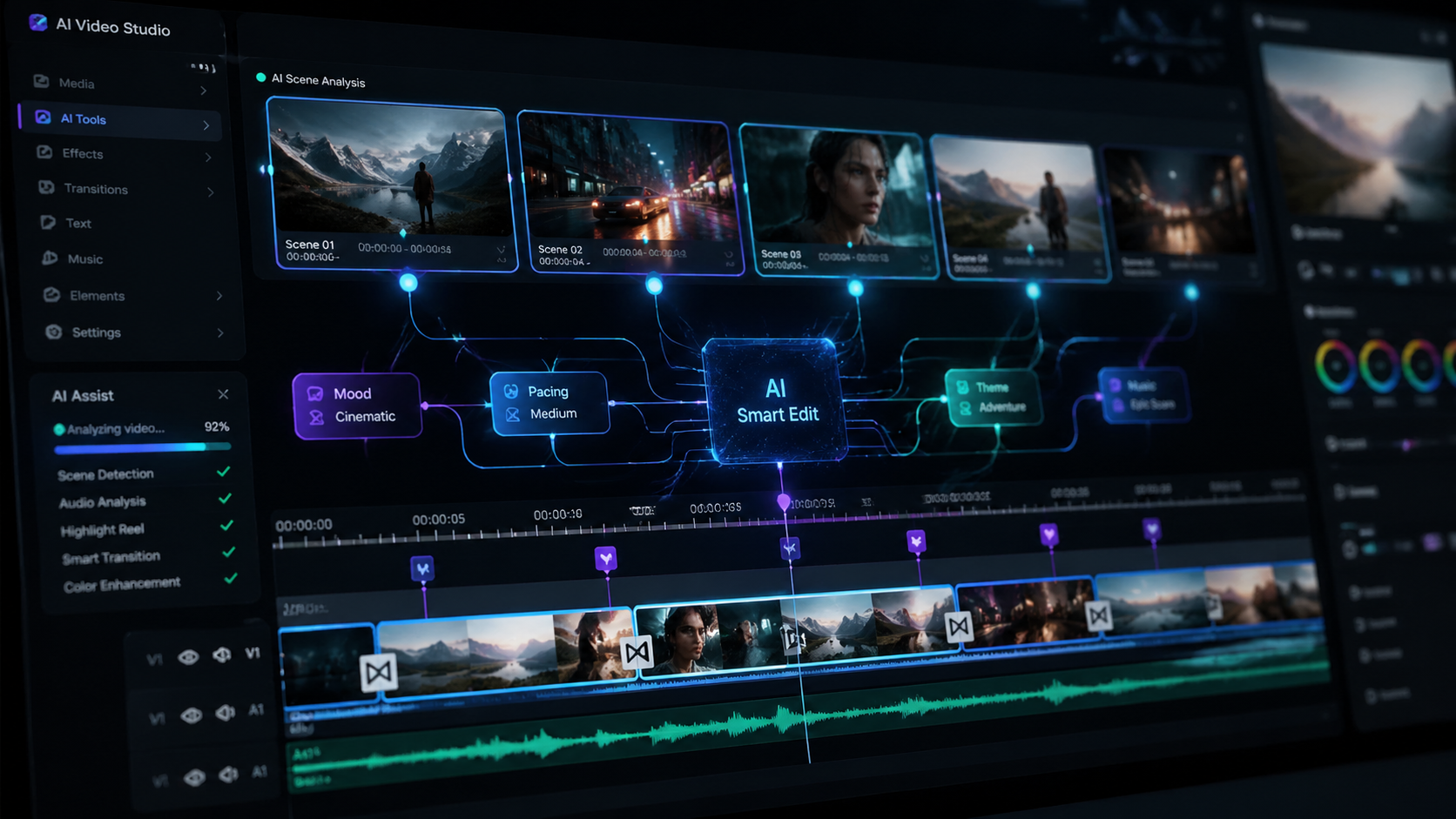
Introduced in February 2026, the Quick Cut feature has revolutionized how editors handle raw generative footage. According to RedShark News, Quick Cut uses machine learning to analyze dozens of generated variations and automatically selects the most stable and visually compelling segments. This tool is particularly useful when you need to generate a 30-second montage but have hours of raw AI iterations to sift through.
In the adobe firefly video generation guide, we recommend using Quick Cut as your primary organization tool. By setting parameters for "pacing" and "emotional tone," the AI can suggest transitions and cuts that align with your background music or voiceover. This doesn't replace the editor; rather, it acts as a highly efficient assistant that handles the "grunt work" of initial clip selection, allowing the human creator to focus on the nuances of storytelling and color grading.
Advanced Prompting Techniques for Video
In 2026, prompting has become more technical. To get the most out of Firefly, you must move beyond simple descriptions. Use "Technical Directives" in your prompts. For example, instead of "a car driving," use "Low-angle tracking shot of a silver electric sedan on a neon-lit Tokyo street, 35mm lens, cinematic bokeh, realistic reflections." This level of detail tells the Firefly engine exactly how to simulate the physics of light and camera movement, resulting in a much more professional output.
Integration with Creative Cloud 2026
Adobe's strategy has always been about ecosystem cohesion. In the latest updates, Firefly is no longer a standalone web experiment but a core component of the Creative Cloud. When you generate a video in Firefly, it is automatically synced to your Creative Cloud Libraries, making it instantly available in Premiere Pro and After Effects. This deep integration allows for "Round-Trip AI Editing," where you can generate a clip, tweak it in Premiere, and send it back to Firefly for a style refresh without losing your edit points.
From 'Almost There' to 'Exactly Right'
Adobe's recent April 2026 update focused on the "Exactly Right" philosophy. This includes new granular controls over AI-generated elements. If the AI generates a perfect scene but the character's expression is slightly off, you can use the "Expression Slider" to adjust the emotional output without regenerating the entire clip. This level of surgical precision is what separates Adobe's professional-grade tools from consumer-level AI generators. As PCMag Australia highlighted, making the most of these features requires a balance between AI automation and manual artistic intervention.
Commercial Safety and Ethical AI
A cornerstone of the adobe firefly video generation guide is the emphasis on commercial viability. Unlike many other models, Firefly is trained on Adobe Stock images, openly licensed content, and public domain content where the copyright has expired. This means that the videos you generate are legally cleared for commercial use. In 2026, this is more important than ever as global regulations on AI-generated content become more stringent.
Every video produced through Firefly automatically includes Content Credentials. This "nutrition label" for digital content provides transparency to your audience, showing exactly which parts of the video were AI-generated and which were captured by a camera. This transparency builds trust with clients and ensures compliance with the latest industry standards for AI disclosure. According to Adobe, this commitment to "Responsible AI" is what makes Firefly the preferred choice for enterprise-level marketing and production houses.
Frequently Asked Questions
Is Adobe Firefly video generation available for commercial use?
Yes, Adobe Firefly is specifically designed for commercial safety. It is trained on Adobe Stock and licensed content, and every export includes Content Credentials to ensure legal and ethical transparency for professional projects.
What is the "Quick Cut" feature in the 2026 update?
Quick Cut is an AI-powered editing assistant that automatically analyzes multiple generated video clips to find the best segments. It then assembles them into a rough-cut timeline based on your desired pace and tone, significantly speeding up the production workflow.
Can I train Adobe Firefly on my own brand's video style?
Yes, the 2026 release introduced "Custom Models," which allow users to upload their own visual assets. Firefly learns the specific aesthetic, color grading, and style of your brand to ensure all generated video content remains consistent with your existing identity.
Does Firefly support third-party AI models?
As of the late 2025 and early 2026 updates, Adobe Firefly now supports a multi-model approach. This allows users to leverage specialized third-party models for specific tasks while maintaining the security and integration of the Adobe ecosystem.
How do I resolve "hallucinations" in AI video clips?
To fix visual inconsistencies, use the "Prompt-Based Editing" feature to highlight the problematic area and provide a corrective prompt. Additionally, the 2026 update includes a "Consistency Slider" to help stabilize objects and backgrounds across frames.
Conclusion: The Future of Video Production
The adobe firefly video generation guide for 2026 illustrates a world where the barrier between imagination and visual reality has virtually disappeared. By mastering tools like Quick Cut, Custom Models, and prompt-based editing, creators can produce high-quality cinematic content that was previously only possible for major studios. As Adobe continues to expand these capabilities, the focus remains on empowering the human creator—providing the speed of AI with the precision and soul of human artistry.



Comments ()