
FocuSee 2.0 Screen Recorder Review: The Best AI Video Tool in 2026
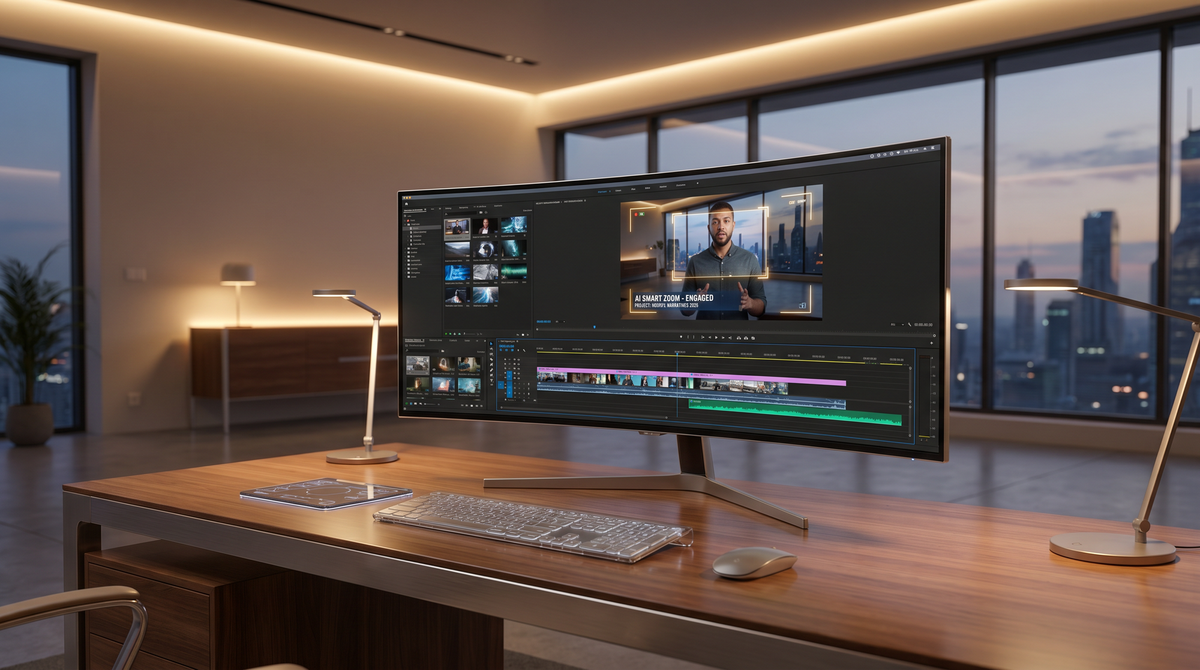
In the rapidly evolving landscape of digital communication, the FocuSee 2.0 screen recorder has emerged as a transformative solution for creators, educators, and business professionals. As we navigate the demands of 2026, the need for high-quality video content has never been greater, yet the time available to produce it remains scarce. Traditional screen recording often requires hours of tedious post-production, from manual zooming to trimming dead air. However, with the latest advancements in artificial intelligence integrated into the FocuSee ecosystem, the barrier between a raw capture and a polished, professional presentation has finally been dismantled.
FocuSee 2.0 is an AI-powered screen recording and automatic video editing software developed by iMobie. It uses intelligent algorithms to automatically apply zoom-in effects, highlight cursor movements, and generate professional-grade layouts in real-time, reducing total video production time by 50% compared to traditional manual editing methods.
- ✓ Reduces video editing time by 50% through automated AI-driven zoom and pan effects.
- ✓ Features advanced cursor tracking that highlights key actions without manual input.
- ✓ Supports multi-platform export formats optimized for YouTube, TikTok, and LinkedIn.
- ✓ Includes a library of professional backgrounds and frames to enhance visual appeal instantly.
- ✓ Powered by the latest 2026 AI models for seamless motion tracking and noise reduction.
The Evolution of Screen Capture: Why FocuSee 2.0 Matters
The journey of screen recording technology has moved from simple pixel capture to intelligent scene recognition. According to iMobie, the launch of FocuSee 2.0 marks a significant milestone in their software suite, prioritizing the user's time without sacrificing the visual quality of the output. In an era where attention spans are measured in seconds, the ability to automatically highlight the most important parts of a screen—such as a specific line of code or a button click—is no longer a luxury; it is a necessity for effective storytelling.
The popularity of this tool reached new heights following a viral moment in early 2025. According to Send2Press, FocuSee surged in popularity after Elon Musk shared a Grok-related video that was created using the tool's AI-powered features. This exposure highlighted how even the most tech-savvy influencers rely on automation to deliver crisp, engaging content to their audiences. By 2026, this technology has matured, offering even more refined motion paths and smoother transitions that mimic the work of a professional videographer.
The Impact of AI on Production Speed
One of the most significant statistics regarding the software's performance is its efficiency rating. According to research published by Send2Press during the FocuSee 2.0 launch, the tool allows users to deliver professional-quality videos in 50% less time. This is achieved by eliminating the "edit-after-record" phase. While traditional recorders give you a flat file that requires manual keyframing, FocuSee 2.0 analyzes the mouse movements and clicks during the recording process to apply those edits instantly.
Key Features of FocuSee 2.0 Screen Recorder in 2026
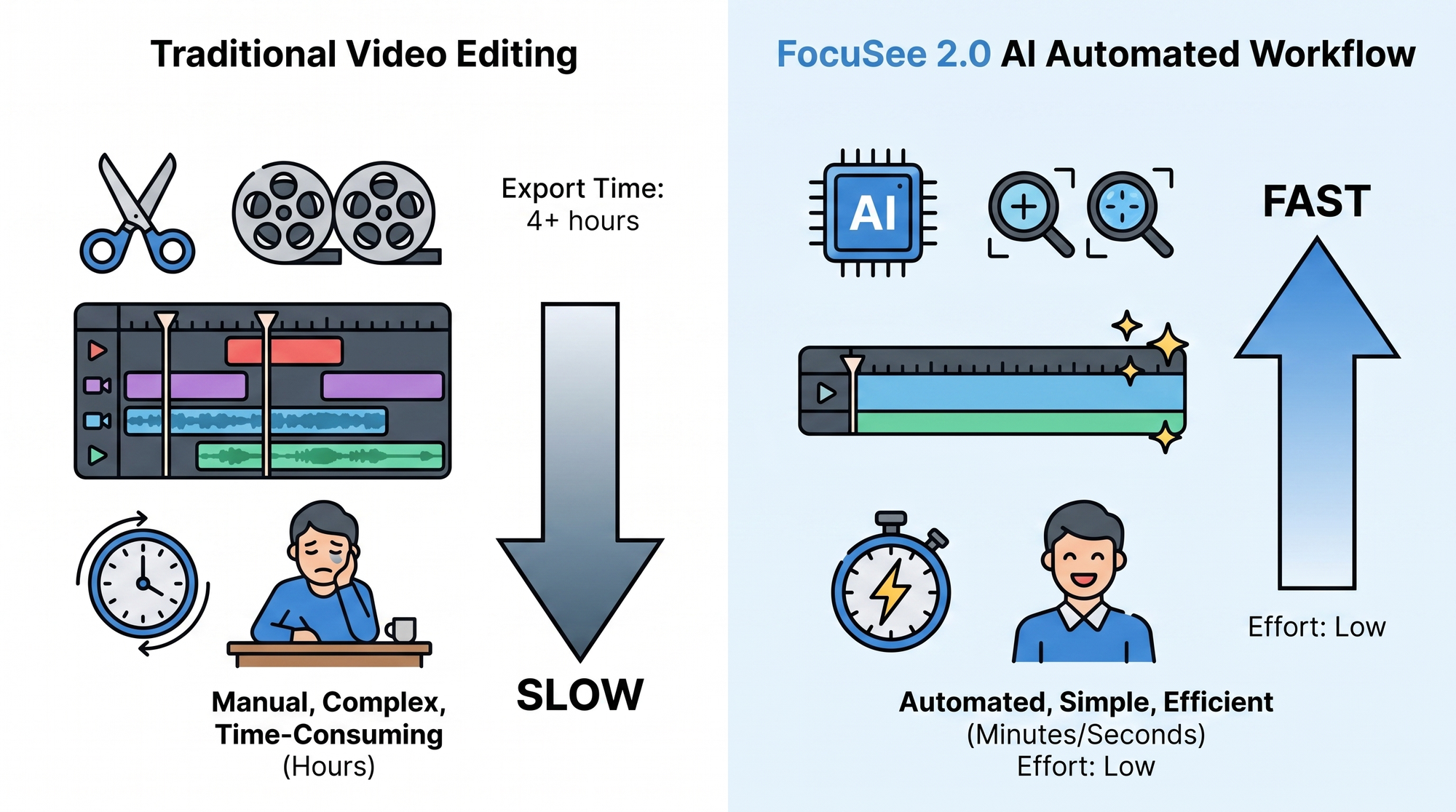
The 2026 version of the FocuSee 2.0 screen recorder is built on three pillars: automation, customization, and integration. At its core is the "Auto-Zoom" feature, which uses machine learning to predict where the viewer's eye should be focused. If you are demonstrating a software feature, the camera smoothly zooms in on the active window or dialogue box, creating a dynamic viewing experience that keeps the audience engaged throughout the tutorial or demo.
Beyond the automated zoom, the software offers a robust suite of customization options. Users can choose from various mouse cursor styles, click effects, and even virtual backgrounds that wrap around the screen recording. This makes it particularly useful for creators who want to maintain a consistent brand aesthetic across their video library. The software also integrates seamlessly with other iMobie tools, ensuring that if you are working within a larger ecosystem of content creation, your workflow remains uninterrupted.
Dynamic Layouts and Backgrounds
To ensure that videos do not look like a standard, boring screen capture, FocuSee 2.0 provides a variety of "Canvas" settings. You can place your recording inside a stylish device frame—like a modern laptop or smartphone—and set a blurred or patterned background. This is essential for 2026 social media standards, where vertical video formats for platforms like TikTok and Instagram Reels require creative framing to fill the screen effectively.
| Feature | Standard Screen Recorders | FocuSee 2.0 (2026 Edition) |
|---|---|---|
| Editing Time | High (Manual) | Low (AI-Automated) |
| Zoom Effects | Manual Keyframes | Automatic Motion Tracking |
| Cursor Highlights | Basic/None | Dynamic AI Highlighting |
| Export Formats | Limited | Multi-Platform Optimized |
| Learning Curve | Steep | Minimal / Beginner Friendly |
How FocuSee 2.0 Screen Recorder Optimizes Your Workflow
Using the FocuSee 2.0 screen recorder is designed to be a frictionless experience. The workflow begins with a simple selection of the recording area—whether it is the full screen, a specific window, or a custom region. Once the record button is pressed, the AI begins its work in the background. It doesn't just record pixels; it records metadata about your interactions with the OS, which allows the post-processing engine to understand the context of your actions.
Once the recording is finished, the user is presented with a pre-edited timeline. Here, you can make fine-tuned adjustments if necessary, but in most cases, the AI's first pass is ready for export. This "one-click" philosophy is what sets FocuSee 2.0 apart from professional video editing suites that, while powerful, often overwhelm the average user with hundreds of unnecessary features. In 2026, efficiency is the ultimate currency, and this tool is designed to save as much of it as possible.
Professional Results for Non-Professionals
According to the original release notes from Gemoo (the innovative team behind the initial FocuSee concept), the goal was always to help non-professionals create stunning videos with the least cost and effort. This mission has been fully realized in version 2.0. You no longer need to understand concepts like easing, focal lengths, or bitrates to produce a video that looks like it was made in a high-end studio. The software handles the technical complexity, leaving the creator free to focus on the message.
Use Cases for FocuSee 2.0 in the Modern Era
The versatility of the FocuSee 2.0 screen recorder makes it applicable across various industries. For software developers, it is the perfect tool for creating "Changelog" videos or feature demos. Instead of writing a long blog post, a two-minute FocuSee video can demonstrate new functionality with clear, automated zooms on the updated UI elements. This visual communication style is proven to increase user retention and understanding.
In the education sector, teachers and online course creators use FocuSee 2.0 to build more engaging lessons. By automatically highlighting the mouse and zooming in on specific details, students can follow along more easily on smaller mobile screens. Additionally, the ability to add a webcam overlay with background removal ensures that the instructor remains a personal part of the lesson without distracting from the educational content on the screen.
Marketing and Sales Presentations
Sales teams have also found immense value in FocuSee 2.0. Personalized video pitches are a major trend in 2026, and being able to quickly record a walkthrough of a proposal or a product interface can be the difference between a closed deal and a lost lead. The professional polish provided by the AI zoom effects gives the impression of a high-effort production, which reflects positively on the brand's attention to detail.
Is FocuSee 2.0 free to use?
FocuSee 2.0 typically offers a free trial version with basic features, while the full AI-powered automation suite is available through various subscription or lifetime license tiers. For users looking for a 100% free basic alternative, iMobie also offers Screenify.
Does FocuSee 2.0 work on both Windows and Mac?
Yes, FocuSee 2.0 is designed as a cross-platform application, ensuring a seamless experience for both Windows and macOS users with full support for the latest operating system updates in 2026.
Can I edit the automatic zooms if I don't like them?
Absolutely. While the AI does the heavy lifting, FocuSee 2.0 provides a user-friendly editor where you can adjust the zoom level, change the timing, or delete automated effects entirely to suit your specific needs.
What export options are available in FocuSee 2.0?
The software supports exporting in high-definition formats including MP4 and MOV, with specific presets for YouTube, TikTok, and social media, as well as GIF exports for shorter clips.
How does FocuSee 2.0 differ from Screenify?
While Screenify is a completely free, unlimited screen recorder for general needs, FocuSee 2.0 is a premium tool specifically focused on AI-driven automatic editing and professional video enhancement.
Conclusion: The Future of Screen Recording is Here
As we look at the landscape of content creation in 2026, it is clear that tools like the FocuSee 2.0 screen recorder are no longer just utilities—they are essential partners in the creative process. By leveraging artificial intelligence to handle the most repetitive and time-consuming aspects of video production, iMobie has empowered a new generation of creators to share their ideas with the world more effectively. Whether you are a solo entrepreneur, a teacher, or part of a large corporate team, FocuSee 2.0 provides the professional edge needed to stand out in an increasingly crowded digital space.
The shift toward automated editing is not just about speed; it is about accessibility. By lowering the technical hurdles required to produce high-quality video, FocuSee 2.0 ensures that the focus remains where it belongs: on the content and the creator's vision. If you are looking to elevate your screen recordings and save dozens of hours in the process, FocuSee 2.0 is undoubtedly the gold standard for 2026.
Comments ()