
Veo AI Free: How to Access Google’s Video AI in 2026
The landscape of digital content creation has undergone a seismic shift as we move through 2026. For creators, marketers, and casual users, the quest for high-quality video tools has led to a singular destination: Google’s latest generative model. If you are looking for Veo AI free access, the timing could not be better. With the recent release of Veo 3.1 and its lightweight counterpart, the barriers to entry for professional-grade video synthesis have finally vanished, allowing anyone with a standard Google account to harness the power of cinematic AI generation.
Veo AI free is a service provided by Google that allows users to generate high-definition videos using the Veo 3.1 Lite model. Accessible via Google Vids and the Gemini interface, it offers monthly free credits to all users, enabling the creation, editing, and sharing of AI-generated video content without a paid subscription in 2026.
- ✓ Veo 3.1 Lite is now the primary model for cost-effective, high-speed video generation.
- ✓ All standard Google users receive a monthly allotment of free generation credits as of April 2026.
- ✓ Integration with Google Vids allows for free AI avatars, music via Lyria 3, and full video editing.
- ✓ Veo 3.1 supports cinematic 1080p resolution and understands complex directorial prompts.
The Evolution of Veo AI Free Access in 2026
As of early 2026, Google has fundamentally changed how users interact with generative media. The transition from experimental labs to mainstream utility is complete. According to Chrome Unboxed, Veo 3.1 AI video generation is now free for all Google users, marking a significant milestone in the democratization of creative technology. This move ensures that the sophisticated capabilities once reserved for enterprise partners are now available to the public, fostering a new era of visual storytelling.
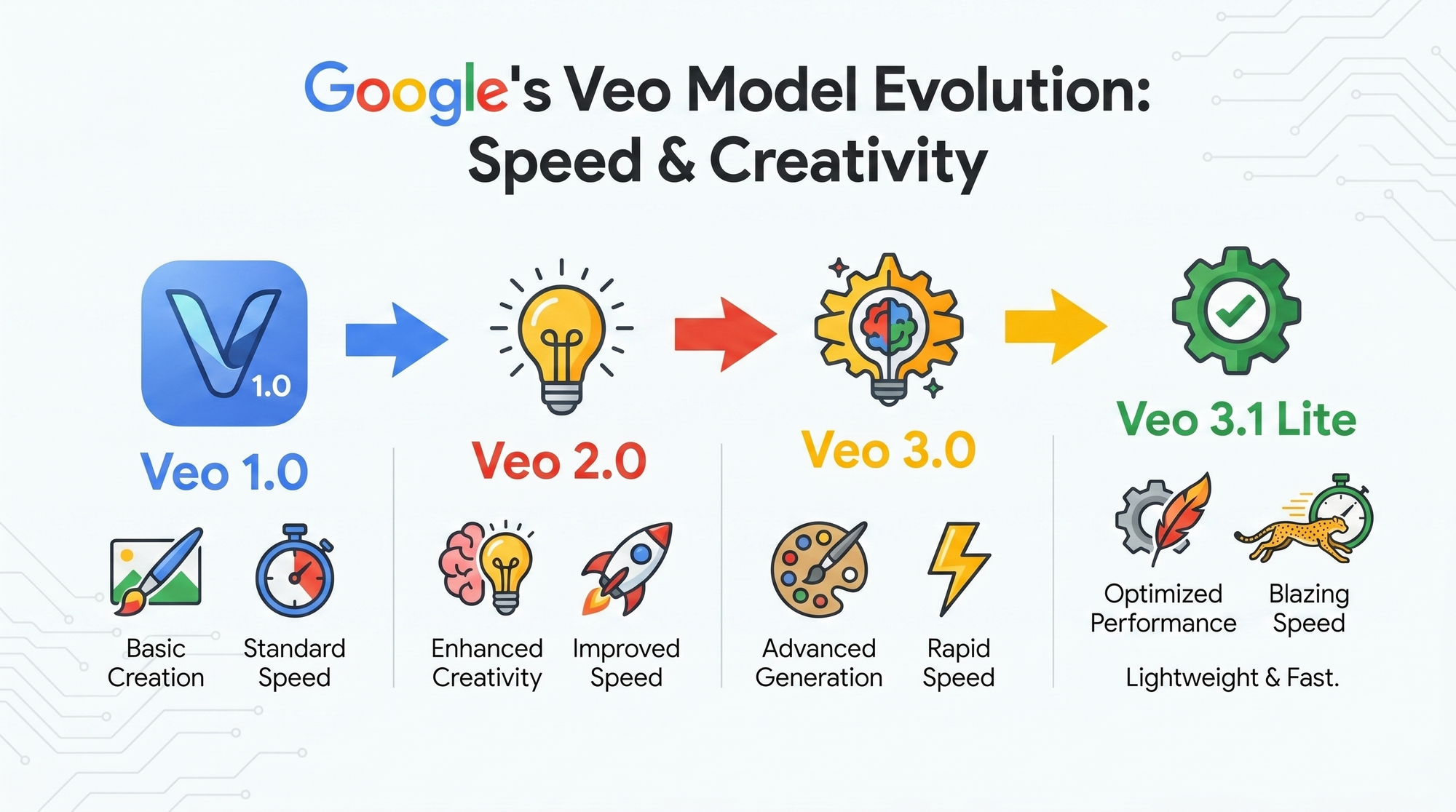
The core of this free offering lies in the Veo 3.1 Lite model. Released in late March 2026, this version is optimized for efficiency without sacrificing the visual fidelity that the Veo brand is known for. By reducing the computational overhead required for each frame, Google has made it possible to offer Veo AI free tiers that are both sustainable for the provider and powerful for the user. Whether you are a student working on a presentation or a small business owner creating social media ads, the Lite model provides a robust foundation for high-quality output.
Key Features of Veo 3.1 Lite
The 3.1 Lite model isn't just a "stripped-down" version of the flagship; it is a precision-engineered tool designed for speed. According to blog.google, Veo 3.1 Lite is their most cost-effective video generation model to date. It excels at understanding natural language prompts, allowing users to specify camera angles, lighting conditions, and even specific artistic styles like "cinematic noir" or "vibrant 3D animation." The model also features improved temporal consistency, meaning objects and characters remain stable across the duration of the clip, a major hurdle that AI video has finally cleared in 2026.
How to Use Veo AI Free in Google Vids
One of the most seamless ways to experience Veo AI free is through Google Vids, the AI-powered video creation app for work. In April 2026, Google announced that Vids would receive a massive update, incorporating Veo 3.1 directly into its workflow. This integration allows users to generate video segments, add AI-generated music via the Lyria 3 engine, and even insert AI avatars to narrate their content—all at no additional cost for standard users.
According to The Tech Buzz, the synergy between Google Vids and Veo 3.1 allows for a "one-stop-shop" experience. You can start with a simple prompt in the Vids interface, and the AI will suggest a storyboard, generate the necessary b-roll using Veo, and even suggest a soundtrack. This level of automation was unheard of just two years ago, but in 2026, it is the standard for efficient communication. The free tier includes a generous number of monthly "generative actions," which reset at the start of every billing cycle, ensuring that casual users always have access to the latest tech.
Integrating Lyria 3 and AI Avatars
The free experience isn't limited to just moving pictures. As reported by PPC Land, Google Vids now includes free music generation and AI avatars alongside Veo 3.1. This means your Veo AI free project can have a custom-composed score that perfectly matches the mood of your video. The AI avatars are particularly useful for corporate training or educational content, where a consistent presenter is needed but filming a human subject is not feasible. These avatars use the same underlying technology as Veo to ensure realistic lip-syncing and natural body movements.
Comparing Veo 3.1 Tiers
To help you understand what you get with the Veo AI free version versus the professional options, we have compiled a comparison of the current 2026 model offerings.
| Feature | Veo 3.1 Lite (Free) | Veo 3.1 Pro (Paid) | Veo 3.1 Enterprise |
|---|---|---|---|
| Resolution | Up to 1080p | Up to 4K Ultra HD | 8K Custom Scaling |
| Max Clip Length | 10 Seconds | 60 Seconds | Unlimited (Modular) |
| Generation Speed | Standard | Priority/Instant | Dedicated Compute |
| Monthly Credits | Limited (Free Allotment) | High/Unlimited | Custom Usage |
| Commercial Rights | Personal/Small Scale | Full Commercial | Full Commercial + Indemnity |
Maximizing Your Veo AI Free Credits
Since the Veo AI free access operates on a monthly credit system, it is important to use those credits wisely. According to gHacks, Google opens Veo 3.1 access to all users with a specific monthly quota. To get the most out of your allowance, it is recommended to use the "Preview" feature before committing to a full video generation. Previews typically show a low-resolution storyboard or a single-frame render, allowing you to tweak your prompt without consuming a full video credit.
Another tip for 2026 creators is to leverage the "Edit" functions within Google Vids. Instead of generating a brand-new video for every small change, use the AI-assisted editing tools to modify existing clips. This might include changing the color grading or adding text overlays, which often do not count against your primary generation quota. By being strategic with your prompts—using specific keywords for lighting, motion, and style—you can ensure that your first render is exactly what you need, saving your free credits for more ambitious projects.
Directing the AI: Pro-Level Prompting
To truly excel with the Veo AI free model, you must think like a director. Instead of a simple prompt like "a cat in a garden," try something more descriptive: "A cinematic close-up of a ginger cat stalking through a lush, sun-drenched lavender field, 4k detail, shallow depth of field, soft morning light, 24fps." The Veo 3.1 engine is trained to understand these technical cinematic terms, and providing this level of detail helps the model produce a high-quality result on the first try, maximizing the value of your free monthly access.
The Future of Free AI Video Generation
Looking ahead into the remainder of 2026 and beyond, the trend is clear: generative AI is becoming a utility rather than a luxury. The move by Google to offer Veo 3.1 for free suggests a long-term strategy to integrate AI video into the everyday fabric of the internet. Just as Google Docs revolutionized word processing by making it free and collaborative, Veo AI free is doing the same for video production. We can expect further optimizations in the Lite models, potentially bringing even higher resolutions and longer durations to the free tier by 2027.
Furthermore, the ethical considerations of AI video have been addressed through sophisticated watermarking. According to blog.google, every video generated through the free or paid tiers of Veo 3.1 includes SynthID, an invisible digital watermark that identifies the content as AI-generated. This ensures that while creativity is free and accessible, it remains responsible and transparent, protecting the digital ecosystem from misinformation while empowering creators to push the boundaries of what is possible.
Is Veo AI really free to use in 2026?
Yes, Google has made Veo 3.1 Lite free for all users with a standard Google account. This access is provided through a monthly credit system that allows for the generation of high-quality video clips at no cost.
Where can I access the Veo AI free tools?
You can access Veo AI free through the Google Vids application, the Gemini web interface, and the Vertex AI platform for developers using the Lite model. It is fully integrated into the Google Workspace ecosystem.
What are the limitations of the free version of Veo?
The free version primarily uses the Veo 3.1 Lite model, which has a cap on resolution (1080p) and clip duration (typically 10 seconds per generation). Users are also limited by a monthly credit quota that resets every 30 days.
Can I use free Veo AI videos for my YouTube channel?
Yes, videos generated through the free tier can be used for personal projects and small-scale social media content. However, users should check the latest 2026 Terms of Service regarding commercial monetization for large-scale productions.
Does the free version include AI music and avatars?
Yes, as of the April 2026 update, Google Vids includes access to Lyria 3 for music generation and a selection of AI avatars that can be used alongside Veo-generated video content for free.
Comments ()