
10 Top Rated AI Video Editing Software Tools for 2026
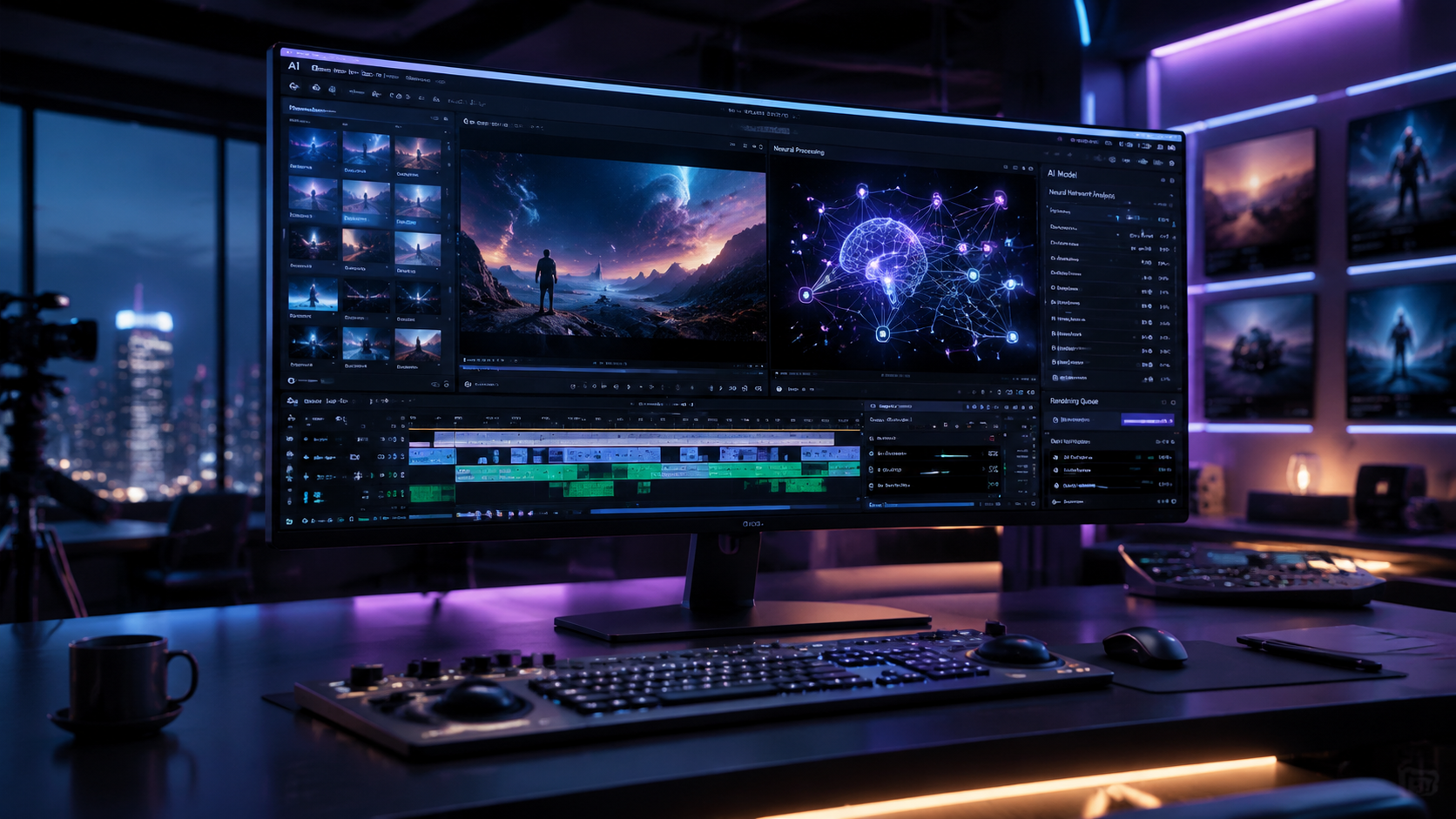
Choosing the top rated ai video editing software in 2026 requires looking beyond simple filters and transitions to find tools that offer true generative intelligence and workflow automation. The current landscape of video production has shifted toward platforms that can automatically script, edit, and color-grade footage using neural networks. Whether you are a creative professional or a social media creator, the best AI video tools of 2026 prioritize ease of use without sacrificing the granular control required for high-end cinematic output.
Top rated ai video editing software is a category of digital tools that utilizes machine learning and generative AI to automate complex post-production tasks like object removal, color matching, and transcript-based editing. In 2026, leading solutions include Adobe Premiere Pro’s Firefly integration, DaVinci Resolve’s Neural Engine, and specialized generative platforms like Sora and Runway Gen-3.
- ✓ AI video editing now allows for text-to-video generation and seamless object manipulation in real-time.
- ✓ Professional-grade tools like DaVinci Resolve and Premiere Pro have fully integrated generative AI into their core timelines.
- ✓ Cloud-based editors are now capable of 8K rendering thanks to decentralized GPU processing.
- ✓ User accessibility has reached a peak, where "anyone can use" high-end software according to 2026 industry reviews.
How to Select and Use Top Rated AI Video Editing Software
Navigating the vast market of AI-driven tools can be overwhelming for beginners and veterans alike. The process has evolved from manual frame-by-frame cutting to intent-based editing. According to TechRadar, the shift in 2026 is toward "creative partnership," where the software suggests edits based on the emotional pacing of the audio track and the visual composition of the raw clips.
To get the most out of these modern tools, follow these steps to integrate AI into your creative workflow:
- Define Your Source Material: Determine if you are starting with raw footage or if you need the AI to generate b-roll from text prompts.
- Ingest and Transcribe: Upload your media to a tool that supports automatic transcription. This allows you to edit video by simply deleting or moving text in the transcript.
- Apply Generative Fill: Use AI tools to expand the background of a shot or remove unwanted objects (like microphones or bystanders) with a single click.
- Automate Color Grading: Utilize "Neural Matches" to instantly sync the color profile of a smartphone clip with a professional cinema camera.
- Export with AI Upscaling: Finalize your project by using AI to upscale low-resolution footage to 4K or 8K while maintaining sharpness and reducing noise.
Comparison of the Best AI Video Tools for 2026
With so many options available, comparing the specific capabilities of each software is essential for finding the right fit for your budget and hardware. As noted by CNET in their April 2026 review, the distinction between "generators" and "editors" has blurred significantly this year.
|
| Software Name | Primary AI Feature | Best For | Platform |
|---|---|---|---|
| Adobe Premiere Pro (2026) | Firefly Generative Extend | Creative Professionals | Desktop (Win/Mac) |
| DaVinci Resolve 19.5 | Neural Engine Magic Mask | Colorists & Filmmakers | Desktop / iPad |
| Runway Gen-3 Pro | Multi-Motion Brush | Experimental Visuals | Web-Based |
| CapCut AI Pro | Auto-Shorts Generation | Social Media Creators | Mobile / Desktop |
| Descript 2026 | Underlord AI Assistant | Podcasters & YouTubers | Desktop / Web |
1. Adobe Premiere Pro: The Industry Standard Reimagined
Adobe Premiere Pro remains at the top of the list for 2026 due to its deep integration of Adobe Firefly. This year, the software introduced "Generative Extend," which allows editors to add frames to the beginning or end of a clip to perfectly time a transition. This feature solves the age-old problem of a clip being just a few frames too short for a specific beat in the music.
Advanced Object Manipulation
One of the most impressive updates in the 2026 version is the "Object Addition and Removal" tool. Unlike previous iterations that required complex masking, the new AI engine can identify objects within a moving shot and replace them with context-aware textures. PCMag’s 2026 review highlights that this feature alone can save professional editors dozens of hours in rotoscoping and clean-up work.
Text-Based Editing 2.0
The top rated ai video editing software must include robust text-based tools. Premiere Pro has refined its transcript-based workflow, allowing users to search for specific emotions or "dead air" within a sequence. The AI can now automatically identify filler words and awkward pauses across multiple camera angles, creating a rough cut of an interview in seconds rather than hours.
2. DaVinci Resolve 19.5: The King of AI Color and Audio
DaVinci Resolve has long been the favorite of Hollywood colorists, but its 2026 update focuses heavily on the "DaVinci Neural Engine." According to TechRadar, the 2026 version is the most stable release for creative professionals who need to work with massive 8K RAW files. The software uses AI to track faces and skin tones, applying consistent grades even as lighting conditions change throughout a scene.
IntelliTrack AI Point Tracking
The new IntelliTrack feature uses machine learning to provide industry-leading tracking for both color grading and Fairlight audio. In 2026, this means you can "attach" a sound source to a moving object in a 3D space, and the AI will automatically adjust the panning and volume to match the object's position on screen. This creates an immersive spatial audio experience with minimal manual input.
Ultra-Fast Masking
The Magic Mask tool has been upgraded in 2026 to recognize specific garments and features. Editors can now select "blue shirt" or "left hand" and the AI will create a perfect mask that follows the movement through the entire clip. This level of precision is why it remains a top rated ai video editing software for high-end commercial production.
3. Runway Gen-3: The Leader in Generative Video
Runway continues to push the boundaries of what is possible with generative AI. As noted by eWeek in April 2026, Runway Gen-3 offers "stunning results" that are nearly indistinguishable from filmed footage. It is no longer just a tool for generating short clips; it is now a full-featured creative suite that allows for precise control over camera movement and character consistency.
Multi-Motion Brush Control
A standout feature for 2026 is the Multi-Motion Brush. This allows users to paint over specific areas of a static image and assign different types of motion to each. For example, you can make the clouds drift slowly to the left while a river flows rapidly to the right, all while the camera performs a cinematic "dolly zoom" effect generated entirely by AI.
Consistent Character Modeling
One of the biggest hurdles in AI video has been maintaining character consistency. Runway’s 2026 update includes "Character Reference" tools. By uploading a single image of a person, the AI can generate that character in any environment or pose, making it a viable tool for storyboarding and even final production in animated shorts.
4. Luma Dream Machine: High-Fidelity Cinematic AI
Luma AI’s Dream Machine has become a favorite for creators who need high-fidelity, physics-accurate video generation. G2 Learn Hub’s 2026 report ranks it among the top 7 AI generators because of its ability to handle complex light interactions and reflections. It is particularly effective for creating b-roll that looks like it was shot on high-end anamorphic lenses.
The 2026 version of Dream Machine includes a "Director Mode" where users can specify focal lengths and f-stops. This bridge between traditional cinematography and AI generation is what sets it apart. According to Luma AI, their latest model was trained on millions of hours of cinematic footage to understand the "language of film," resulting in edits that feel intentional rather than randomized.
5. CapCut: The AI Powerhouse for Social Media
While often seen as a mobile app, CapCut’s 2026 desktop and web versions have become formidable competitors in the professional space. Amateur Photographer notes that it is one of the programs "literally anyone can use" to achieve professional results. Its primary strength lies in its "Auto-Reframe" and "Auto-Caption" features, which are powered by a localized version of ByteDance’s latest LLM.
One-Click Viral Content
CapCut’s "Long Video to Shorts" feature is a game-changer for 2026. The AI analyzes a long-form video (like a podcast or a vlog), identifies the most engaging segments based on viewer retention patterns, and automatically crops them for vertical viewing. It even adds dynamic, animated captions and trendy transitions without any user intervention.
6. Descript: The Best for Narrative and Voice
Descript has redefined the "top rated ai video editing software" category by focusing on audio-first editing. In 2026, its "Underlord" AI assistant acts as a virtual producer. It can suggest where to add b-roll, identify when a speaker is off-script, and even regenerate a user's voice to fix a misspoken word using its "Overdub" technology.
Studies show that Descript can reduce the editing time for interview-style content by up to 70% compared to traditional NLEs (Non-Linear Editors). For 2026, they have introduced "Eye Contact Correction," which uses AI to make it appear as though the speaker is looking directly at the camera, even if they were reading from a script or looking at a side monitor during the recording.
7. InVideo AI: Rapid Prototyping and Marketing
InVideo AI has become the go-to platform for marketing teams that need to produce high volumes of content. The 2026 platform allows users to input a simple prompt, such as "Create a 30-second ad for a mountain bike," and the software will script the video, find relevant stock footage, add a voiceover, and sync it all to music in under two minutes.
The "Custom AI Brand Kits" feature in 2026 ensures that every generated video adheres to a company's specific color palette, font choice, and tone of voice. This level of brand consistency is why eWeek listed it as a top choice for stunning results in corporate environments.
8. Wondershare Filmora 15: AI for Every Skill Level
Filmora 15, released in early 2026, targets the "prosumer" market. It offers a middle ground between the simplicity of CapCut and the complexity of Premiere Pro. Its standout AI feature this year is the "AI Copilot," which allows users to ask questions like "How do I make this look like a 90s home movie?" and the software will automatically apply the necessary effects and color LUTs.
Filmora's AI Portrait mode has also seen significant improvements. It can now remove backgrounds from complex subjects—like people with curly hair or translucent clothing—with nearly 99% accuracy, a feat that previously required manual green-screen setups.
9. Sora (OpenAI): The Future of Text-to-Video
By 2026, OpenAI’s Sora has moved out of limited beta and into the hands of creative professionals. While it is primarily a generator, its integration with existing editing suites via plugins makes it a "top rated ai video editing software" component. Sora’s ability to understand complex physical interactions—like a glass shattering or liquid pouring—is still the gold standard for generative content.
According to CNET, Sora's 2026 release includes "Edit by Text" functionality. Users can take a generated video and say, "Change the car to a vintage red convertible," and the AI will modify the existing scene while keeping the environment and lighting consistent.
10. Clipchamp: The Best Integrated Windows AI
For Windows users, Microsoft’s Clipchamp has evolved into a powerful AI-driven editor. In 2026, it is fully integrated with Copilot, allowing for voice-command editing. It is particularly effective for quick business presentations and educational content. The "Auto-Compose" feature uses AI to analyze your media and suggest a polished narrative structure, making it the easiest entry point for those new to video editing.
Frequently Asked Questions About AI Video Editing
What is the best AI video editor for beginners in 2026?
CapCut and Clipchamp are widely considered the best for beginners. They offer intuitive "one-click" AI features that automate the most difficult parts of editing, such as captioning and reframing, without requiring a steep learning curve.
Can AI video editing software replace human editors?
In 2026, AI is viewed as a powerful assistant rather than a replacement. While it can handle repetitive tasks like rotoscoping and transcription, the creative vision, storytelling, and emotional nuance still require a human touch.
Is there a free top rated ai video editing software?
Yes, many tools like CapCut and the basic version of DaVinci Resolve offer robust AI features for free. However, advanced generative features often require a subscription to cover the high cost of GPU processing.
What hardware do I need for AI video editing in 2026?
While cloud-based tools like Runway run on any browser, desktop software like Premiere Pro and DaVinci Resolve benefit greatly from modern GPUs with dedicated AI tensor cores. A minimum of 32GB of RAM is recommended for 4K AI workflows.
How does AI improve video quality?
AI improves quality through processes like super-resolution upscaling, frame interpolation for smoother motion, and neural noise reduction. These tools can take old or low-quality footage and make it look like it was shot on modern equipment.



Comments ()