
10 Top AI Video Background Remover Tools (2026 Rankings)
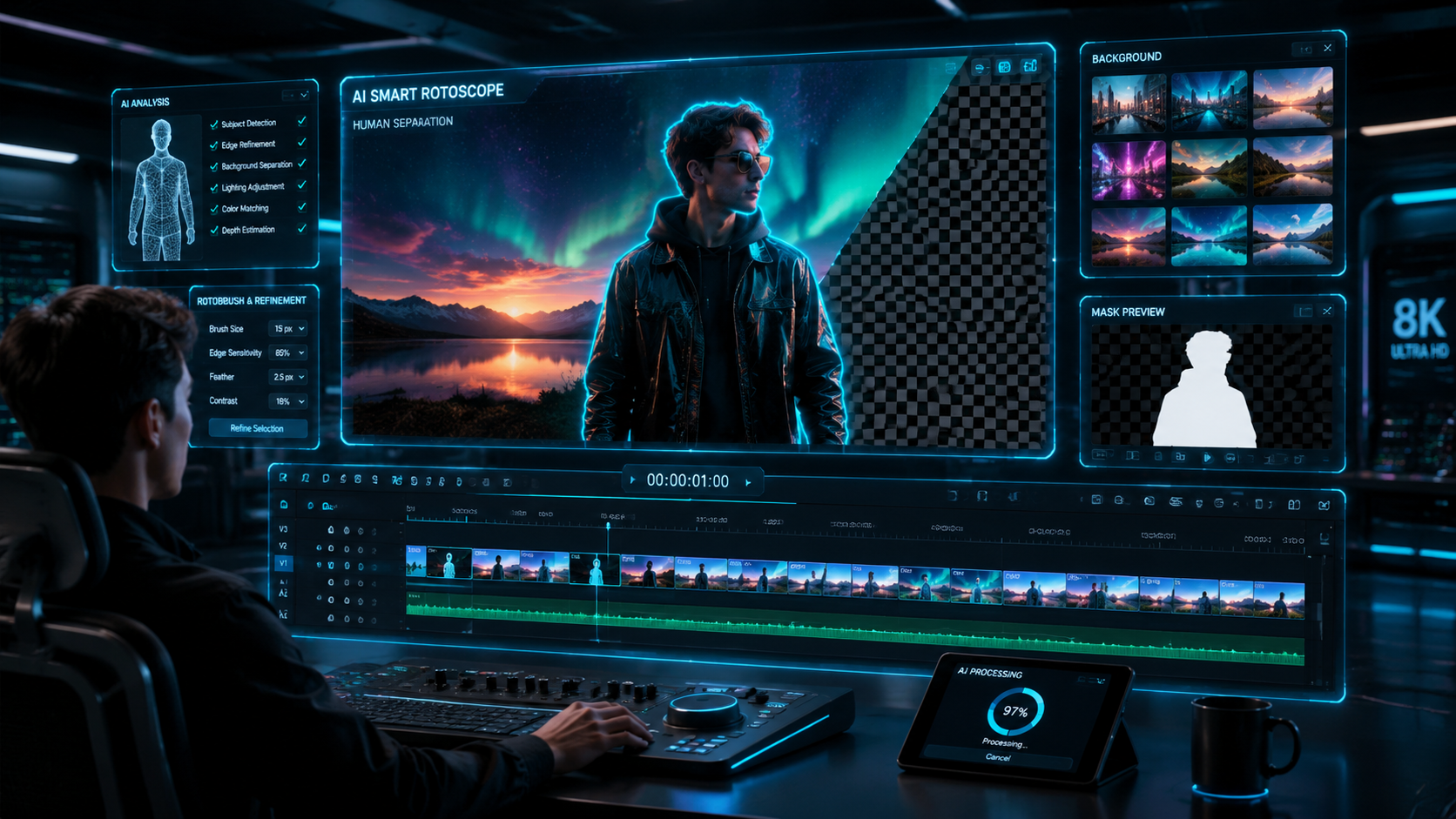
The top AI video background remover tools in 2026 allow creators to isolate subjects and swap environments with professional-grade precision without the need for physical green screens. By leveraging advanced neural networks and semantic segmentation, these tools can distinguish between complex hair textures and busy backgrounds in real-time. Whether you are a social media influencer or a professional filmmaker, the latest generation of AI-driven software ensures that background removal is now a one-click process that saves hours of manual masking.
The top AI video background remover tools are specialized software applications that use machine learning to automatically detect and eliminate video backgrounds. These tools, such as Vmake, CapCut, and Unscreen, utilize "rotoscoping AI" to track movements and apply transparent layers or new digital environments instantly, eliminating the need for expensive studio setups or manual frame-by-frame editing.
- ✓ AI video background removal has reached "pixel-perfect" accuracy in 2026, even for curly hair and transparent objects.
- ✓ Cloud-based tools like Vmake and High On Films-recommended editors allow for 4K processing without high-end hardware.
- ✓ Real-time background swapping is now a standard feature for live streaming and video conferencing.
- ✓ Most top-tier tools now offer integrated "Scene Editors" to replace backgrounds with AI-generated 3D environments.
How to Use Top AI Video Background Remover Tools
Using these advanced tools has become significantly more intuitive over the last year. Most platforms follow a standardized workflow designed for speed. According to a recent report by Punjab News Express (May 2026), the shift toward browser-based AI processing has reduced the technical barrier for entry, allowing anyone with an internet connection to produce studio-quality visual effects.
- Upload Your Footage: Drag and drop your MP4, MOV, or WebM file into the AI interface. Most 2026 tools support resolutions up to 8K.
- Select "Auto-Removal": Click the background removal button. The AI will analyze the first frame to identify the primary subject.
- Refine the Edge: Use "Fine-Tune" brushes if necessary to adjust areas around hair or clothing that the AI might have missed.
- Choose a New Background: Select from a library of stock videos, upload your own, or use a "Text-to-Background" prompt to generate a new scene.
- Export and Download: Choose your desired format and frame rate. High-end tools now allow for Alpha Channel exports for further compositing.
Comparison of Top AI Video Background Remover Tools (2026)
To help you choose the right software for your specific project, we have compared the leading contenders based on their processing speed, maximum resolution support, and unique features found in 2026 releases.
| Tool Name | Key Feature | Max Resolution | Processing Speed |
|---|---|---|---|
| Vmake AI | Fast Content Creation | 4K Ultra HD | Instant / Real-time |
| High On Films Editor | Scene Reconstruction | 8K Professional | High Speed |
| Analytics Insight Pro | Green Screen Emulation | 4K | Medium |
| CapCut AI 2026 | Mobile Optimization | 1080p / 4K | Very Fast |
| Unscreen Pro | API Integration | 4K | Fast |
1. Vmake AI: The Essential Tool for Fast Content Creation
As noted in a comprehensive review by The Jerusalem Post in late 2025, Vmake has solidified its position as an essential AI video editing tool. It is specifically designed for creators who need to produce high volumes of content without sacrificing quality. Its background removal algorithm is particularly adept at handling rapid movements, making it a favorite for sports content and high-energy marketing videos.
Vmake’s 2026 updates include a "Batch Processing" mode, which allows users to apply background removal to dozens of clips simultaneously. This is a significant time-saver for e-commerce professionals who need to place products in various lifestyle settings. The tool’s ability to maintain lighting consistency between the subject and the new background is a standout feature that sets it apart from more basic competitors.
Advanced Lighting Matching
One of the biggest challenges in video editing is making a subject look like they belong in a new environment. Vmake uses "Global Illumination AI" to analyze the light sources in your new background and automatically adjust the highlights and shadows on your subject to match. This creates a seamless blend that is often indistinguishable from a real-world recording.
2. High On Films: Best for Scene Editing and Professional Workflows
According to High On Films (May 2026), the integration of scene editors with background removal has revolutionized independent filmmaking. Their recommended toolset focuses on "Context-Aware Removal," which doesn't just cut out the subject but understands the depth of the scene. This allows for "Z-depth" manipulation, where you can place objects both behind and in front of the subject in 3D space.
For professionals working on short films or high-end commercials, this tool provides the granular control needed for complex shots. It supports multi-subject detection, meaning it can distinguish between a person in the foreground and a crowd in the background, allowing you to remove only the specific elements you want. This level of precision was previously only available in expensive desktop suites like After Effects.
8K Support and Lossless Export
While many web-based tools compress video, the High On Films-ranked tools for 2026 prioritize data integrity. Users can export in ProRes or DNxHR formats with an alpha channel (transparency) included. This makes it a vital part of a professional pipeline where the final color grading happens in a dedicated post-production environment.
3. Analytics Insight: The Leader in Green Screen Replacement
While "green screen-less" technology is the trend, Analytics Insight (April 2026) highlights that professional virtual production still relies on high-quality chroma keying. Their top-ranked tools for 2026 use AI to enhance traditional green screen footage, removing "spill" (the green light that reflects onto a subject's skin) more effectively than any previous software. This is critical for live news broadcasts and corporate presentations.
The Analytics Insight selection emphasizes "Temporal Consistency." In older AI tools, the edges of a subject would often "flicker" from frame to frame. The 2026 algorithms use motion vectors to ensure that the mask remains stable across the entire duration of the clip, resulting in a smooth, professional look that requires zero manual correction.
Real-Time Virtual Sets
A major feature of these tools is the ability to link with Unreal Engine 5 or 6. This allows creators to see their subject inside a 3D virtual world in real-time. According to studies by Analytics Insight, this technology has reduced the cost of virtual production for small studios by over 60% since 2024, making high-budget aesthetics accessible to everyone.
4. Punjab News Express Recommendations for Online Ease
For the average user or small business owner, simplicity is key. Punjab News Express (May 2026) recently detailed how online AI tools have removed the need for expensive hardware. These tools are entirely cloud-based, meaning the heavy computational lifting is done on remote servers rather than your local laptop. This allows even basic Chromebooks to process complex AI video tasks.
The tools recommended here often include "One-Click Templates." If you are filming a tutorial, you can remove your home office background and replace it with a professional studio or an animated tech background with a single tap. The focus is on accessibility and speed, catering to the "creator economy" where daily posting is a requirement for growth.
Mobile-First Background Removal
With the rise of vertical video on platforms like TikTok and Instagram Reels, many of these tools now offer dedicated mobile apps. These apps utilize the NPU (Neural Processing Unit) found in modern 2026 smartphones to provide "live" background removal while you are filming, allowing you to see the result before you even hit the record button.
5. OCNJ Daily’s Insights on Visual Effortlessness
In a report from late 2025, OCNJ Daily emphasized that the "Best AI Visual Tools" are those that combine face swapping and background removal into a single workflow. This holistic approach to video manipulation allows for "Persona Swapping," where a creator can change their outfit, their location, and even subtle facial expressions to suit a specific narrative or brand identity.
This "effortless" philosophy is driving the development of tools that require no technical knowledge of "layers" or "masks." The AI simply asks, "What do you want to keep?" and the user points to the subject. The rest is handled by the cloud. This trend is expected to dominate the market throughout the remainder of 2026 as AI becomes more conversational and less technical.
The Rise of Face and Body Re-Lighting
Beyond just removing the background, these tools now offer "Body Re-Lighting." If you move your subject from a sunny outdoor scene to a dark neon-lit room, the AI will virtually re-light the person’s face to match the neon glow. According to OCNJ Daily, this feature is the "holy grail" of AI video editing, finally bridging the gap between amateur and professional visual effects.
The Evolution of Top AI Video Background Remover Tools
The journey of these tools has been rapid. In early 2025, tools were still struggling with fine details like smoke, glass, or frizzy hair. However, as we move through 2026, the introduction of "Transformer-based Video Models" has solved these issues. According to SLR Lounge (September 2025), the shift toward "Essential AI Video Editing Tools" was driven by the need for photographers to pivot into video content without learning complex video editing software.
Modern tools now also include "Audio-Visual Syncing." When the background is removed, the AI can also analyze the acoustics of the new environment and apply a corresponding reverb or echo to the audio. If you move your subject from a small room to a large cathedral, the AI ensures the voice sounds like it is actually in that cathedral. This level of immersion is why "top ai video background remover tools" are now considered "scene creators" rather than just "removers."
Furthermore, privacy and security have become paramount. The leading tools in 2026 now offer "Local AI" options where the processing happens entirely on the user's device, ensuring that sensitive or private video data never touches the cloud. This is particularly important for corporate communications and legal professionals using these tools for presentations.
Frequently Asked Questions
What is the best AI video background remover in 2026?
Vmake and the tools recommended by High On Films are currently the top-rated options. Vmake is preferred for fast content creation and marketing, while High On Films-recommended editors are better for professional cinematic projects.
Can I remove a video background without a green screen?
Yes, modern AI tools use "semantic segmentation" to identify subjects and remove backgrounds without a green screen. This technology is now standard in all top-tier AI video editors in 2026.
Is there a free AI tool to remove video backgrounds?
Many platforms like CapCut and various online editors offer free tiers with limited resolutions. For high-definition 4K exports and advanced features, most users opt for subscription-based pro versions.
Does AI background removal work on long videos?
Yes, 2026 cloud-based tools can process videos of significant length, though processing time depends on the clip's duration and resolution. Some professional tools now support full-length feature film processing via distributed cloud computing.
How accurate is AI background removal with hair and fine details?
The latest 2026 algorithms are nearly 99% accurate with fine details. Using "Deep Matting" technology, these tools can now successfully isolate individual strands of hair and semi-transparent objects like veils or glasses.



Comments ()