
Synthesia AI Video Review 2026: Is It Still Worth It?
If you're wondering whether Synthesia AI is still worth your investment in 2026, the short answer is yes — but it depends on your use case. This synthesia ai video review 2026 examines the platform's latest features, pricing, and real-world performance to help you decide.
Synthesia AI is a leading text-to-video generator that creates professional videos with realistic AI avatars in over 120 languages. In 2026, it remains the go-to choice for businesses seeking fast, scalable video production without hiring actors or studios.
- ✓ Synthesia remains the most realistic AI avatar generator in 2026, according to multiple expert reviews.
- ✓ New features in 2026 include improved lip-sync accuracy and custom avatar cloning.
- ✓ Pricing starts at $29/month (Starter) and scales with business plans.
- ✓ Excels for corporate training, marketing, and internal communications.
- ✓ Competes directly with HeyGen; G2’s hands-on review named Synthesia the overall winner.
What Is Synthesia AI? (2026 Edition)
Synthesia is a generative AI video platform that lets users create studio-quality videos from text input, using realistic digital avatars. You simply type a script, choose an avatar (or upload your own), and Synthesia renders a talking-head video in minutes. In 2026, the platform has matured significantly, with better facial expressions, natural hand gestures, and seamless background integration.
According to quasa.io, Synthesia is “the best AI video generator with realistic avatars” (June 2026). The verdict is echoed by PCMag, which in March 2026 included Synthesia among “the most powerful AI video generators we’ve tested,” even surpassing OpenAI’s Sora in practical business use cases. This synthesia ai video review 2026 confirms that the platform continues to lead the market.
Key Features in 2026: What’s New and Improved
Realistic Avatars and Voices
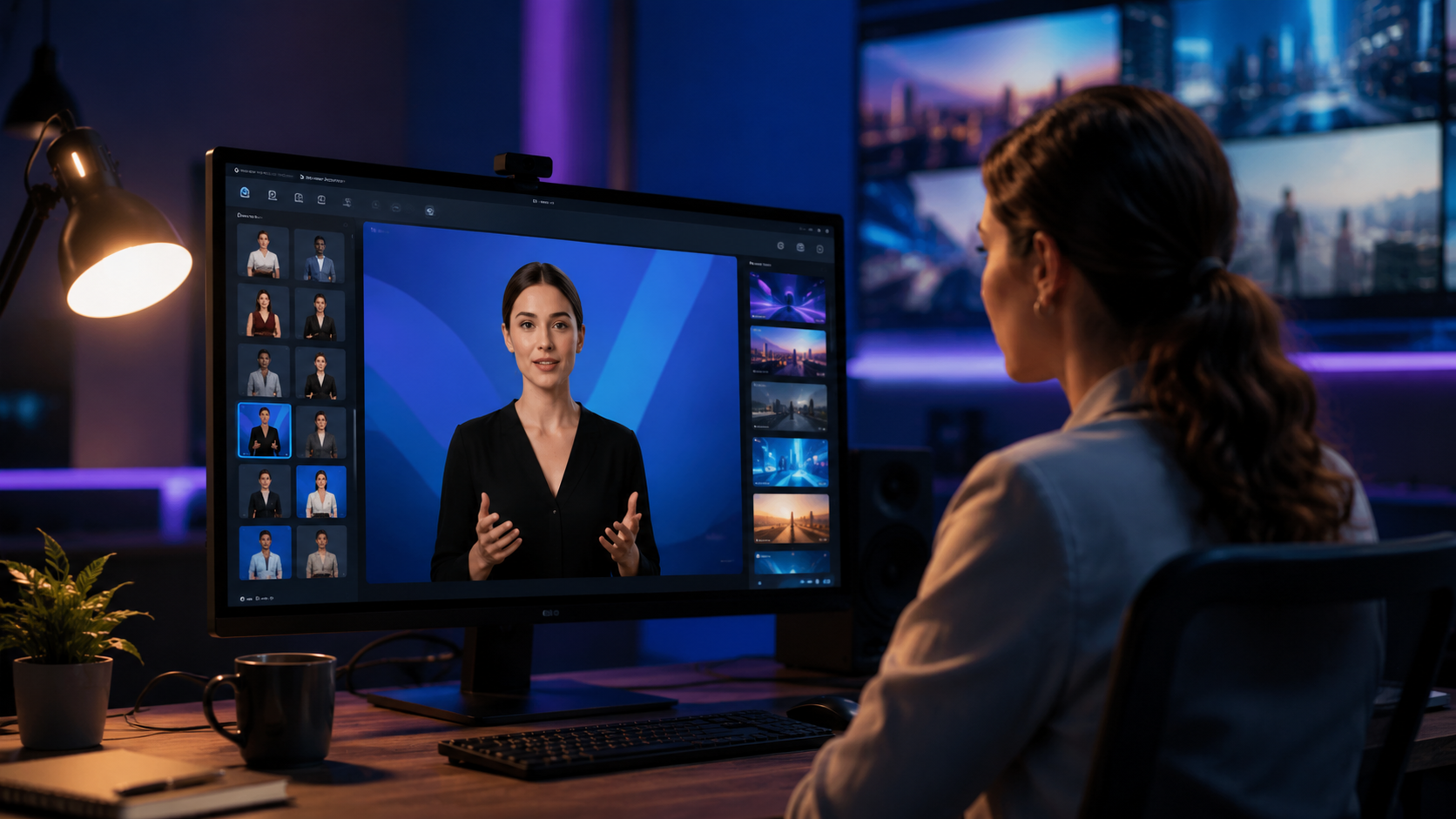
Synthesia now offers over 140 pre-made avatars (up from ~100 in 2024), representing diverse ages, ethnicities, and styles. The 2026 update introduced “expressive avatars” that can convey emotions like surprise, concern, or enthusiasm. Voice‑overs sound almost human, with better intonation and pacing. Users can also clone their own voice for a consistent brand tone.
Custom Avatar Studio
Businesses can create a custom avatar from a short video recording (about 10 minutes). In 2026, the custom avatar quality has improved dramatically — the avatar mirrors the user’s actual facial movements and even subtle eye movements. PC Tech Magazine (May 2026) highlighted this as one of the top three AI video tools for businesses.
Multi‑Language Support
With support for over 120 languages and accents, Synthesia makes global content creation effortless. You can write your script in English and have the avatar speak in Spanish, French, Japanese, or any other language with natural lip‑sync. This feature alone saves hours of dubbing or re‑recording.
Template Library and Screen Recording
The platform includes hundreds of video templates for training, explainers, product demos, and social media. New in 2026 is a built‑in screen recorder that lets you add AI avatar commentary over screen captures — ideal for software tutorials or product walkthroughs.
Synthesia vs HeyGen: Which One Wins in 2026?
A head‑to‑head comparison is inevitable. The G2 Learn Hub (April 2026) conducted a “My Hands‑On Review of Synthesia vs HeyGen: Here’s the Winner” and concluded that Synthesia edged out HeyGen in avatar realism and ease of use. Below is a comparison table based on that review and other expert analysis.
| Feature | Synthesia | HeyGen |
|---|---|---|
| Avatar realism | Excellent (best in class) | Good (but occasional uncanny valley) |
| Number of avatars | 140+ (including custom) | 100+ (custom available) |
| Languages | 120+ languages and accents | 40+ languages |
| Ease of use | Very intuitive, no learning curve | Intuitive, but more complex customization |
| Pricing (Starter) | $29/month (5 min video) | $24/month (5 min video) |
| Custom avatar quality | High (10‑minute recording) | Medium (requires longer capture) |
| Best for | Corporate training, marketing, L&D | Social media, short‑form content |
While HeyGen offers a slightly lower entry price, Synthesia’s superior avatar realism and broader language support give it the edge for enterprise use. As one G2 reviewer put it, “Synthesia feels more polished — the avatars don’t creep me out.” Neither tool is “bad,” but for professional video production, Synthesia wins in 2026.
Pricing and Plans in 2026
According to the Cybernews Synthesia AI review (2026), pricing has remained competitive. As of mid‑2026, the plans are:
- Starter – $29/month (5 minutes of video, 1 editor seat, 6 avatars)
- Creator – $89/month (15 minutes, 3 seats, all avatars)
- Enterprise – Custom pricing (unlimited minutes, custom avatars, dedicated support)
All plans include access to the template library and standard avatars. The custom avatar feature is only available on the Creator plan and above. Compared to hiring a video production team (typically $500–$2,000 per minute), Synthesia offers massive cost savings. The platform also offers a free trial (limited to 1 minute of video) so you can test the quality before committing.
Who Should Use Synthesia in 2026?
Human Resources & Learning & Development Teams
Corporate training videos are Synthesia’s sweet spot. You can quickly produce onboarding modules, compliance training, and skill‑building content. The multi‑language feature lets you roll out the same training globally without costly voiceover work. Studies show that video‑based training improves knowledge retention by 70% compared to text‑only materials.
Marketing & Content Creators
With the ability to create personalised video messages for email campaigns, explainer videos for landing pages, and social media content, marketers love Synthesia. The platform integrates with tools like Zapier and HubSpot, making it easy to automate video creation at scale. According to G2, Synthesia ranks highest in user satisfaction among AI video generators for marketing use cases.
Small Business Owners & Solopreneurs
If you need a professional video presence but can’t afford a studio, Synthesia is a lifeline. You can create product demos, customer testimonials (with avatars that can’t get tired), and even generate video versions of your blog posts — all in a couple of hours.
Pros and Cons (2026 Verdict)
Pros
- Industry‑leading avatar realism — avatars look and sound almost human
- Massive time savings: 10‑minute video in under 30 minutes of work
- Multilingual support built in, no extra cost
- Constantly updated with new features (expressive avatars, screen recording)
- Excellent customer support (rated 4.7/5 on G2)
Cons
- Monthly pricing can add up for heavy users (Enterprise required for unlimited video)
- Custom avatars need a quiet recording environment for best results
- Video export times can be slow for longer clips (10+ minutes)
- Not ideal for cinematic storytelling — best for talking‑head formats
Final Verdict: Is Synthesia AI Video Worth It in 2026?
Absolutely. Synthesia remains the top‑tier AI video generator for businesses that prioritise realism, speed, and scalability. The 2026 updates have closed the gap with competitors, and the platform’s consistent placement in top‑10 lists (see perfectcorp.com’s “23 Best AI Video Generators for 2026”) confirms its reliability.
If your budget is tight and you only need short social media clips, HeyGen might be a cheaper alternative. But for professional‑grade videos that don’t scream “AI,” Synthesia is worth every penny. Start with the free trial — you’ll likely upgrade within the first video.
Frequently Asked Questions About Synthesia AI
Does Synthesia AI really produce realistic avatars in 2026?
Yes. According to quasa.io and PCMag, Synthesia's avatars are the most realistic available, with improved facial expressions and natural hand gestures. The 2026 version has reduced the “uncanny valley” effect significantly.
What is the pricing of Synthesia in 2026?
The Starter plan costs $29/month for 5 minutes of video. The Creator plan is $89/month for 15 minutes, and Enterprise pricing is custom. A free trial (1‑minute video) is available.
Can I create a custom avatar of myself in Synthesia?
Yes, on the Creator plan and above. You record a 10‑minute video of yourself speaking, and Synthesia creates a digital twin that can say any script in any of the supported languages.
How does Synthesia compare to HeyGen in 2026?
G2’s hands‑on review (April 2026) declared Synthesia the winner, citing superior avatar realism and a broader language set. HeyGen is slightly cheaper and works well for short social clips, but for most business needs, Synthesia is recommended.
Is Synthesia suitable for creating training and compliance videos?
Definitely. Many L&D teams use Synthesia to produce multilingual training modules quickly. The screen recording feature (added in 2026) also makes it easy to create software tutorials.
What languages does Synthesia support?
Synthesia supports over 120 languages and accents, including English, Spanish, French, German, Japanese, Arabic, and Hindi. Lip‑sync is automatically adjusted for each language.
Can I use Synthesia for free?
Yes, Synthesia offers a free trial that allows you to create a 1‑minute video with one avatar. No credit card is required.
Comments ()