
What Is Suno Studio 2.0 AI Music Video? Complete Guide
Suno Studio 2.0 AI Music Video is an advanced digital audio workstation (DAW) that integrates AI-powered tools for music production and video synchronization. Released in August 2026, it features an AI assistant, MIDI support, and a chat-based interface for real-time project control, sound transformation, and custom plugin generation. This upgrade positions Suno as a professional-grade tool for AI-driven music and video creation.
TL;DR: Suno Studio 2.0 is a cutting-edge DAW with AI-powered music and video tools, including a chat-based assistant, MIDI support, and unlimited downloads, designed to streamline creative workflows for musicians and producers.
Suno Studio 2.0 AI Music Video revolutionizes music production by embedding an AI assistant directly into the DAW, enabling users to generate, edit, and synchronize music videos with unprecedented ease. The 2026 update introduces MIDI compatibility, an AI chat bar for voice commands, and removes download limits, making it a versatile tool for both amateurs and professionals.
- ✓ Suno Studio 2.0 integrates an AI chatbot for real-time project control and sound transformation.
- ✓ The 2026 update adds MIDI support and removes download restrictions, enhancing accessibility.
- ✓ Suno's partnership with BMG signals a shift toward licensed AI music production.
- ✓ The tool is designed to mimic collaborative workflows, acting like a virtual bandmate.
What Is Suno Studio 2.0 AI Music Video?
Suno Studio 2.0 AI Music Video is a next-generation digital audio workstation that combines traditional music production features with AI-driven enhancements. According to MusicTech, the AI assistant embedded in the DAW can automate complex tasks, such as sound design and plugin generation, reducing the technical barriers for creators. This makes it particularly appealing for artists who want to focus on creativity rather than software mechanics.
The platform’s AI capabilities extend to video synchronization, allowing users to generate music videos that align perfectly with their audio tracks. As reported by MusicRadar, the AI can analyze audio waveforms and automatically suggest visual effects or transitions, creating a cohesive audiovisual experience. This feature is especially useful for social media content creators who need quick, high-quality outputs.
Suno Studio 2.0 also emphasizes collaboration, with tools designed to mimic working with a live band. The AI chat bar, highlighted by the-decoder.com, lets users issue voice or text commands to adjust tempo, key, or instrumentation in real time. This interactive approach bridges the gap between human creativity and machine efficiency, making it a standout in the AI music production space.
Key Features of Suno Studio 2.0
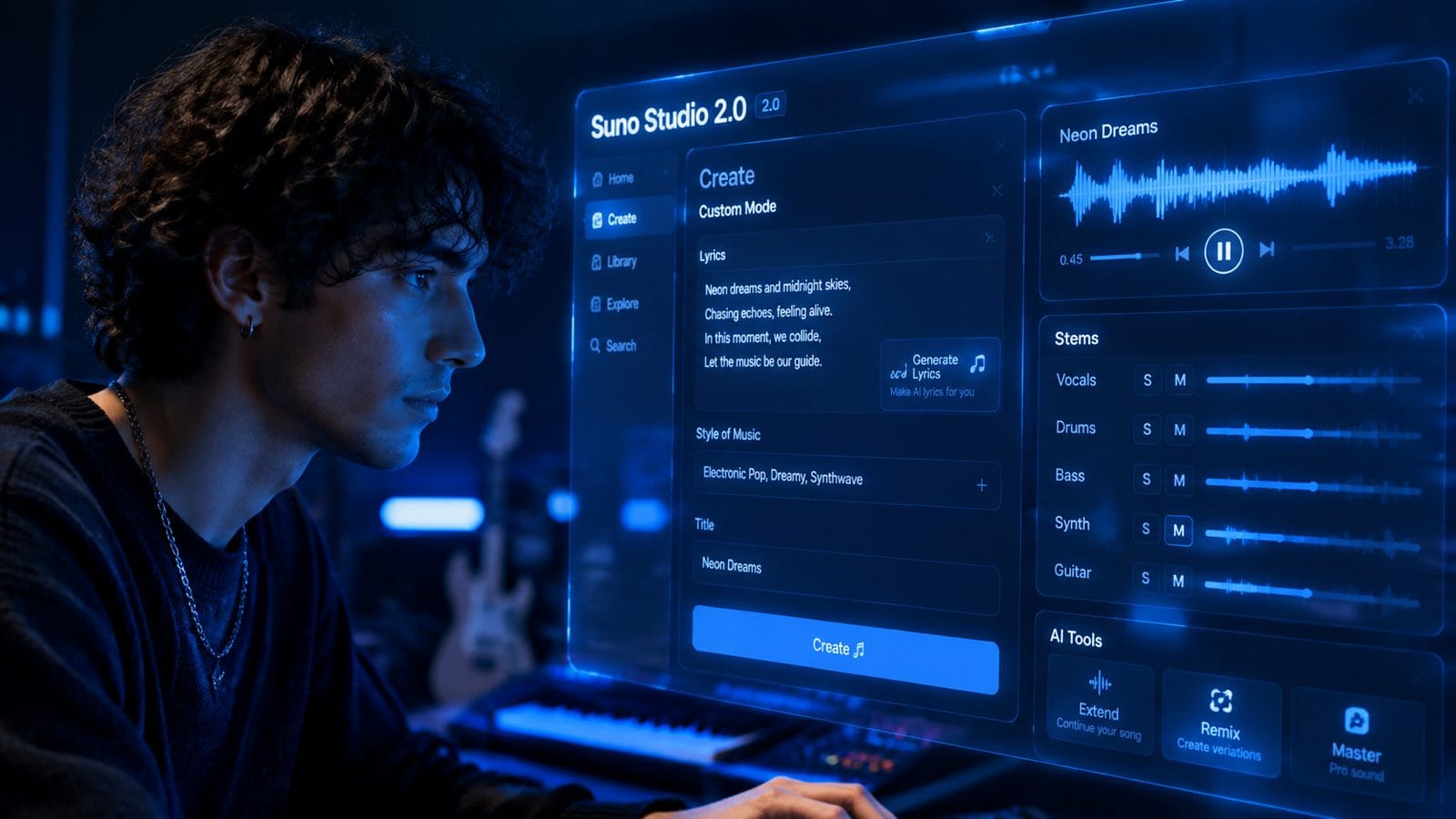
The 2026 update introduces several groundbreaking features that set Suno Studio 2.0 apart from its predecessors and competitors. MIDI support, a long-requested feature, now allows users to connect hardware controllers for more tactile control over their projects. According to Music Business Worldwide, this addition makes Suno a viable alternative to established DAWs like Ableton or FL Studio.
Another standout feature is the AI chat bar, which functions like a virtual producer. Users can type or speak commands such as “add a bassline” or “change the beat to 120 BPM,” and the AI will execute these changes instantly. This eliminates the need for manual tweaking and speeds up the creative process. The Verge notes that this feature is particularly useful for beginners who may not yet understand the intricacies of music theory or production techniques.
Perhaps the most user-friendly update is the removal of download limits. Unlike many cloud-based DAWs that restrict the number of projects users can save or export, Suno Studio 2.0 offers unlimited downloads. This makes it a practical choice for professionals who work on multiple projects simultaneously or need to archive their work for future use.
AI-Powered Sound Transformation
The AI in Suno Studio 2.0 goes beyond basic automation—it can transform sounds in ways that were previously impossible without specialized plugins. For example, users can input a raw guitar track and ask the AI to “make it sound like a synth,” and the software will apply the necessary effects and adjustments. This level of flexibility opens up new creative possibilities for experimental musicians.
Custom Plugin Generation
One of the most innovative aspects of Suno Studio 2.0 is its ability to generate custom plugins on demand. If a user needs a specific reverb or delay effect, they can describe it to the AI, which will then create a tailored plugin. This feature, highlighted by MusicRadar, significantly reduces the time and cost associated with purchasing third-party plugins.
How Suno Studio 2.0 Compares to Traditional DAWs
Suno Studio 2.0 blurs the line between AI-assisted and traditional music production tools. While conventional DAWs like Pro Tools or Logic Pro offer extensive manual controls, Suno’s AI-driven approach automates many of these processes. According to The Verge, this makes Suno particularly appealing to solo artists or small teams who lack the resources for a full production studio.
However, Suno Studio 2.0 doesn’t sacrifice depth for convenience. Advanced users can still access manual controls for fine-tuning their projects, ensuring that the software remains versatile. The inclusion of MIDI support further bridges the gap between AI and traditional workflows, allowing for hybrid approaches that leverage the best of both worlds.
Another advantage is Suno’s focus on video integration. While most DAWs prioritize audio, Suno Studio 2.0 includes tools for synchronizing music with visuals, making it a one-stop solution for content creators. This is especially relevant in 2026, as platforms like TikTok and YouTube continue to dominate the entertainment landscape.
The Role of AI in Suno Studio 2.0
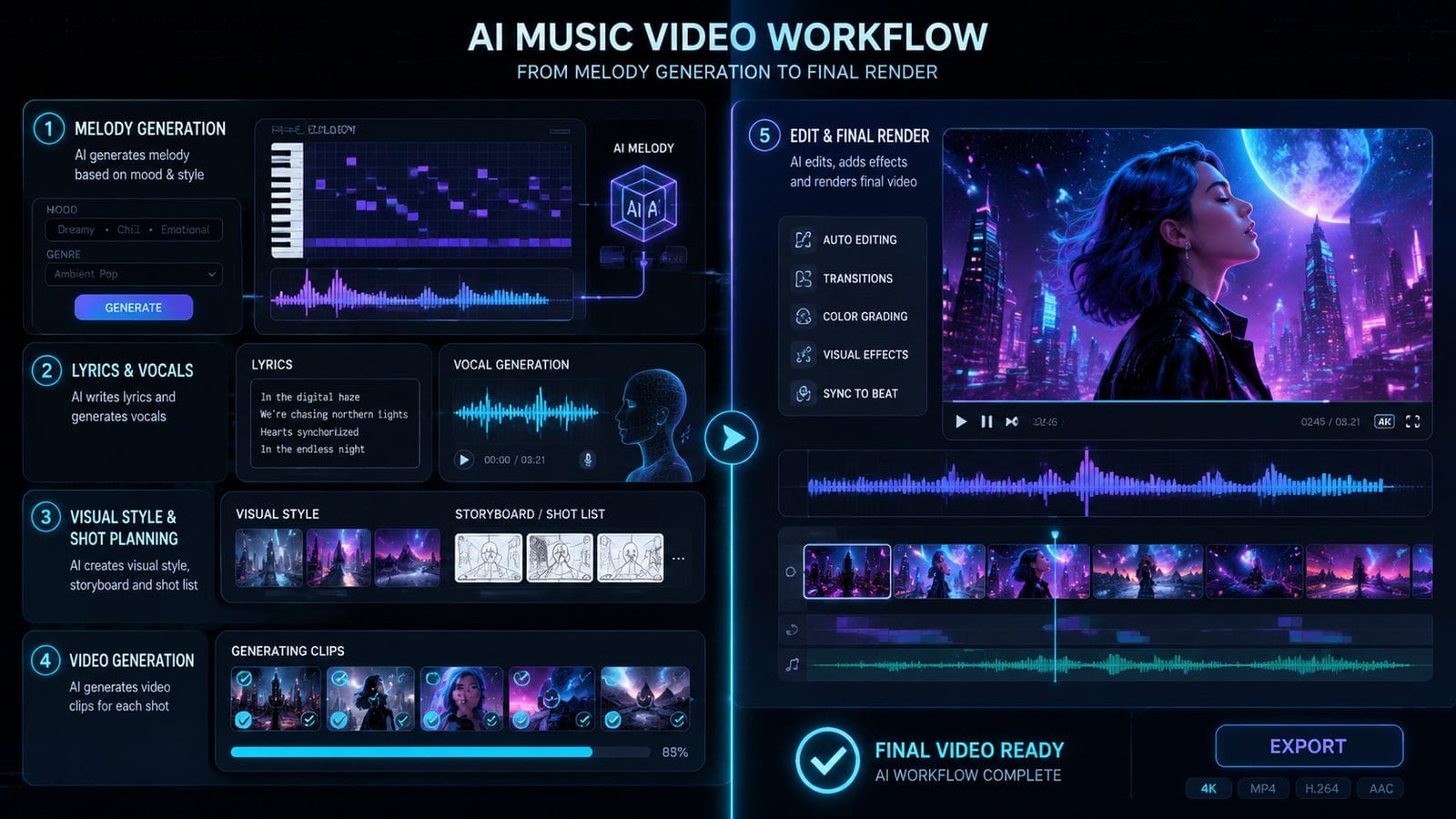
AI is the backbone of Suno Studio 2.0, powering everything from sound design to project management. The AI assistant acts as a co-producer, offering suggestions and executing commands in real time. For instance, if a user is struggling with a melody, the AI can propose variations based on the track’s key and tempo, as noted by MusicTech.
Beyond creative assistance, the AI also handles technical tasks like mixing and mastering. Users can ask the AI to “balance the levels” or “master for streaming,” and the software will apply industry-standard adjustments. This democratizes high-quality production, enabling independent artists to achieve professional results without expensive studio time.
The AI’s ability to learn from user preferences sets Suno Studio 2.0 apart. Over time, it adapts to a creator’s style, offering increasingly relevant suggestions. This personalized approach, combined with the tool’s collaborative features, makes it feel less like a piece of software and more like a creative partner.
Suno’s BMG Partnership and the Future of AI Music
In August 2026, Suno announced a major licensing deal with BMG, one of the world’s largest music publishers. This partnership, covered by RouteNote, marks a significant step toward legitimizing AI-generated music. By securing access to BMG’s catalog, Suno users can now create tracks using copyrighted samples without legal concerns.
This move also reflects the growing acceptance of AI in the music industry. As major labels begin to embrace AI tools, platforms like Suno Studio 2.0 are poised to become industry standards. The BMG deal could pave the way for similar partnerships, further integrating AI into mainstream music production.
Looking ahead, Suno’s focus on licensed content suggests a shift toward more ethical AI practices. Instead of relying on unlicensed training data, the platform is building a framework that respects intellectual property while still empowering creators. This balance between innovation and legality will likely define the next generation of AI music tools.
Practical Applications of Suno Studio 2.0
Suno Studio 2.0 is versatile enough to serve a wide range of users, from hobbyists to professionals. Social media creators can use it to produce original soundtracks for their videos, while musicians can draft entire albums without leaving the platform. The AI’s video synchronization features are particularly useful for scoring short films or advertisements.
Educators also stand to benefit from Suno Studio 2.0. The AI’s ability to explain music theory concepts in real time makes it an excellent teaching aid. For example, a student can ask, “Why does this chord progression work?” and the AI will provide a detailed breakdown, complete with visual aids.
Finally, Suno Studio 2.0 is a powerful tool for live performances. The AI can generate backing tracks or adjust arrangements on the fly, allowing solo artists to deliver dynamic shows without a full band. This flexibility makes it an attractive option for touring musicians who need to adapt to different venues and audiences.
Frequently Asked Questions
Is Suno Studio 2.0 free to use?
Suno Studio 2.0 offers a freemium model with basic features available for free. However, advanced tools like AI-generated plugins and unlimited downloads may require a subscription. Check Suno’s official website for the latest pricing details.
Can I use Suno Studio 2.0 for commercial projects?
Yes, especially after Suno’s partnership with BMG. The platform now supports licensed music creation, making it safe for commercial use. Always review the terms of service to ensure compliance with licensing agreements.
How does Suno’s AI compare to human producers?
Suno’s AI excels at speed and technical precision but lacks the nuanced creativity of human producers. It’s best used as a collaborative tool—handling repetitive tasks while leaving artistic decisions to the user.
Does Suno Studio 2.0 support third-party plugins?
Yes, in addition to its AI-generated plugins, Suno Studio 2.0 supports VST and AU formats. This allows users to integrate their favorite third-party tools into their workflow.
What file formats can I export from Suno Studio 2.0?
Suno Studio 2.0 supports common formats like WAV, MP3, and MIDI for audio, as well as MP4 and MOV for video exports. The platform also offers presets optimized for streaming platforms like Spotify and YouTube.
Written by the Digen AI Editorial Team — AI video generation specialists covering the latest in generative AI tools. Learn more about Digen AI.



Comments ()