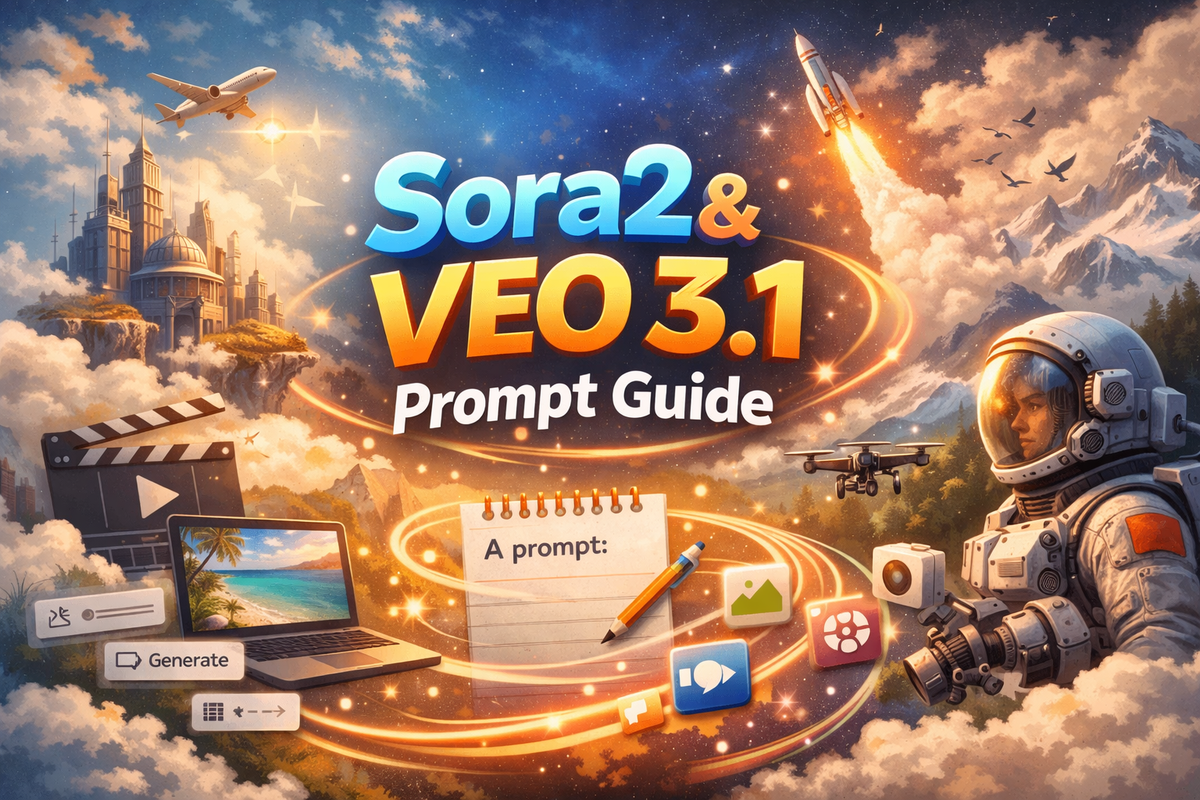
Sora2 & Veo3.1 Prompt Guide

- ✅ Zero watermarks on all exports
- ✅ No invite code—sign up and generate immediately
- ✅ Global availability—works from Brazil, India, Nigeria, Japan, and beyond
- ✅ Browser-based—no app download, no GPU required
🎯 Sora Prompt Guide v1.0
— Structured Formula Based on Official Best Practices & Safety Optimization
✅ Optimized for Sora 1.0 / Sora 2.0
✅ Minimizes safety rejections, artifacts, and generation failures
✅ Combines Proven Frames + Clean Checklist for robust prompts
🔧 Step 1: Choose a Proven Frame (Foundation First)
Start with one of Sora’s recommended 6 core templates — these are empirically tested for stability.
Frame | Best For | Starter Phrase |
|---|---|---|
Talking Head Explainer | Presentations, tutorials | “A confident speaker addresses the camera directly, studio-quality lighting, gentle head motion…” |
Cinematic Product Hero | Product reveals, ads | “Slow cinematic glide around a product, dramatic lighting, soft focus transitions…” |
Documentary Street | Real-life, slice-of-life | “Handheld observational shot in natural environment, authentic textures, subtle camera sway…” |
Action Reveal | Hero moments, energy | “High-energy reveal with motion blur and dynamic lighting, smooth camera swoop…” |
Fantasy Nature | Magical, whimsical scenes | “Ethereal moment in enchanted forest, soft mist and bioluminescence, gentle floating motion…” |
Random Idea Generator | Inspiration boost | Click to auto-generate scaffolded structure |
📌 Tip: Beginners should start with Talking Head or Documentary Street — highest success rates.
📝 Step 2: Build the Core Idea — Use the 3-Part Visual Formula
Keep it tight, concrete, and camera-centric:
1
✅ Best-Practice Example:
“A confident barista pours a galaxy-themed latte at a cozy neon-lit café, rain streaking the windows. The milk swirls into shimmering constellations; steam forms tiny stars as she smiles at the camera. Medium shot, shoulder-height, smooth forward push with ease-in/ease-out. Warm key light + cool backlight, inviting mood, subtle particle effects.”
💡 Key Tips:
- Use present tense & observational language: “The camera sees…”, “Steam rises and forms…”
- Avoid abstract emotions (“hope”, “fear”) — describe visible behavior instead.
- Focus on what the lens captures, not internal states.
🛡️ Step 3: Apply the “Keep It Clean” Safety Layer
Append this curated set of defensive clauses to prevent common failures and policy triggers:
Risk | Mitigation | Keywords to Include |
|---|---|---|
Text/UI overlays | Explicit exclusion | No text, subtitles, watermarks, logos, or UI elements |
Anatomical glitches | Reinforce realism | Hands and faces photorealistic, anatomically correct, no extra limbs or fused fingers |
Obscuring atmosphere | Control density | No excessive smoke, fog, or haze blocking the subject |
Discontinuity | Enforce continuity | Single continuous take, no cuts, edits, jump cuts, or scene transitions |
Temporal artifacts | Prevent flicker | No flickering, tearing, digital glitches, or inconsistent lighting |
Camera instability | Specify smoothness | No shaky cam, unintended zoom jumps, or erratic motion |
Brand misuse | Avoid IP risk | No real or fake brand logos, trademarks, or identifiable products |
✅ Universal Safety Block (copy-paste at end of every prompt):
— No text overlays, watermarks, or UI graphics. Hands and faces stay photoreal with clean proportions. No excessive smoke, fog, or atmosphere blocking the subject. Keep one continuous shot, no jump cuts or edits. No extra limbs, fused fingers, or anatomical glitches. No random logos, fake brands, or misused trademarks. No jittery cuts, glitch transitions, or unintended camera shakes. Avoid digital artifacts, tearing, or temporal flicker.
🧩 Final Prompt Assembly — Ready-to-Use Template
[Selected Frame Template] —
[Core Idea: Subject + Action + Where + Atmosphere + Camera + Motion] —
[Clean Safety Blockers]
Example:
Talking Head Explainer — A confident creator speaks directly to camera, polished lighting, gentle motion. She’s demonstrating a glowing crystal orb in a futuristic lab with holographic displays. Camera slowly pushes in as she smiles, revealing the orb’s inner light patterns. Medium shoulder-height shot, calm build with smooth easing, warm key + cool rim contrast, optimistic & inviting mood, steam & subtle particles — No text overlays, watermarks, or UI graphics. Hands and faces stay photoreal with clean proportions. No excessive smoke, fog, or atmosphere blocking the subject. Keep one continuous shot, no jump cuts or edits. No extra limbs, fused fingers, or anatomical glitches. No random logos, fake brands, or misused trademarks. No jittery cuts, glitch transitions, or unintended camera shakes. Avoid digital artifacts, tearing, or temporal flicker.
💡 Power Tips for Higher Success
- ✅ Retry strategically: Small tweaks (order, synonyms, camera terms) often unlock success.
- ✅ Avoid high-fidelity real human faces — especially frontal close-ups of children, celebrities, or people of Asian descent. Prefer:
➤ Stylized (3D/anime),
➤ Side/back views,
➤ Partial occlusion (e.g., wearing glasses/hat),
➤ Motion blur during action. - ✅ Use softening modifiers: gentle, smooth, fluid, calm, ethereal, organic — avoid violent, explosive, chaotic, shocking.
🌟 One-Sentence Summary:
Start with a proven frame → describe only what the camera sees → lock it down with the clean safety block.
- ✅ Global availability—works from Brazil, India, Nigeria, Japan, and beyond
- ✅ Browser-based—no app download, no GPU required
🎯 Veo 3.1 Prompt Guide v1.0
— Structured Formula Based on Official UI Parameters & Safety Best Practices
✅ Optimized for Veo 3.1 Text-to-Video
✅ Integrates Style / Camera / Lighting / Audio modules
✅ Reduces safety rejections, artifacts, and generation failures
✅ Supports precise, reproducible prompt engineering
🧱 Step 1: Choose a Style — Set the Visual Tone
Select one primary style from the dropdown (or embed in prompt):
Style | Best For | Recommended Keywords |
|---|---|---|
Cinematic | Filmic storytelling | epic, dramatic, wide-angle, slow-motion, film grain (light) |
Documentary | Realism, authenticity | handheld, natural textures, observational, candid, raw ambiance |
Commercial | Ads, product showcases | polished, clean aesthetic, studio-grade, smooth motion, professional |
Music Video | Rhythmic, expressive | vibrant, syncopated motion, color bursts, beat-matched cuts (use sparingly) |
Anime Style | Stylized/2D animation | cel-shaded, expressive eyes, motion lines, soft glow, flat shading |
Vintage Film | Retro/nostalgic | warm grain, vignette, 70s color grade, slight flicker (intentional) |
Modern Digital | Tech/futuristic | neon accents, sleek surfaces, UI elements* (*avoid real logos) |
Artistic | Abstract/experimental | painterly, surreal, dreamlike, fluid morphing, non-literal |
📌 Safety Tip:
- ❌ Avoid realistic close-ups of identifiable humans in Artistic or Modern Digital — high rejection risk.
- ✅ Documentary and Commercial are most stable for beginners.
- ✅ For Music Video, pair with “smooth tracking” to avoid jitter.
🎥 Step 2: Define Camera Movement — Control Pacing & Immersion
Choose motion from dropdown or describe explicitly:
Movement | Prompt Phrasing |
|---|---|
Static shot | “A static medium shot of…” |
Slow push-in | “Slow push-in on the subject as they smile…” |
Continuous slow zoom-out | “Continuous slow zoom-out revealing a sunlit courtyard…” |
Precision dolly-in | “Precision dolly-in with shallow depth of field, rack focus to eyes…” |
Handheld POV forward | “Handheld POV moving forward through a bamboo forest, natural sway…” |
Smooth tracking shot | “Smooth tracking shot following a cyclist along a coastal path…” |
✅ High-Success Formula:
[Camera Movement] + [Subject] + [Action] + [Environment] + [Lighting]
📌 Pro Tip:
- Use “smooth”, “slow”, “continuous”, “gentle” — avoid “jittery”, “rapid”, “erratic”.
- Even if you select a movement preset, reinforce it in the prompt for consistency.
💡 Step 3: Set Lighting — Shape Mood & Depth
Select lighting type or enrich with descriptive terms:
Lighting | Vibe & Keywords |
|---|---|
Natural Lighting | sunlight through trees, soft shadows, overcast diffusion |
Dramatic Lighting | chiaroscuro, high contrast, spotlight + rim light, deep shadows |
Soft Lighting | diffused glow, pastel tones, even illumination, no harsh edges |
Bright Lighting | high-key, studio-bright, clean exposure, minimal shadows |
Low Light | candlelit, ambient neon glow, practicals only, moody but safe |
Golden Hour | warm sunset tones, long shadows, orange-pink gradients |
Studio Lighting | three-point setup, softboxes, even fill + subtle rim |
Atmospheric Lighting | volumetric rays, misty glow, ethereal haze, light bloom |
📌 Audit-Safe Advice:
- ❌ Avoid “dark”, “gloomy”, “sinister”, “shadowy figures” — may trigger false positives.
- ✅ Prefer “warm”, “soft”, “glowing”, “ethereal”, “inviting”.
- Combine for richness: “Golden Hour lighting with atmospheric haze and soft rim light”
🔊 Step 4: Specify Audio — Enhance Immersion (Optional but Recommended)
Audio isn’t generated yet in Veo 3.1 (as of 2025), but describing it improves scene coherence and primes the model.
Audio Type | Prompt Example |
|---|---|
Ambient Sounds | “ambient forest sounds: birds, rustling leaves, distant stream” |
Background Music | “soft piano melody, gentle tempo, warm reverb” |
Natural Sounds | “light rainfall, dripping eaves, soft thunder rumble” |
Urban Sounds | “distant traffic hum, footsteps, café chatter” |
Electronic Music | “upbeat synthwave, steady 100 BPM, smooth bassline” |
Acoustic Music | “fingerpicked acoustic guitar, intimate room tone” |
Voice Over | “calm female voice-over: ‘This is where innovation begins…’” |
Sound Effects | “subtle whoosh on camera move, soft chime at reveal” |
Silence | “no audio — pure visual storytelling” |
Crowd Noise | “low murmur of a gallery opening, clinking glasses” |
📌 Critical Warning:
- ❌ Never include “explosions”, “screaming”, “gunfire”, “alarms” — high policy risk.
- ✅ Ambient, Music, Natural Sounds are safest.
- End with: “No audio required.” if unsure.
🧩 Final Prompt Assembly — Ready-to-Use Template
[Style] —
[Camera Movement]: [Subject] [Action] in [Environment], [Lighting] —
[Audio Description] —
[Safety Enhancement Block]
Example:
Cinematic — Slow push-in: A confident marine biologist gently releases a glowing jellyfish into bioluminescent ocean water at dusk, golden hour lighting with soft rim glow — Ambient Sounds: gentle waves, distant dolphin clicks — No text, subtitles, watermarks, or UI elements. Hands and faces photorealistic, anatomically correct. Single continuous take, no cuts. No extra limbs, fused fingers. Avoid digital flicker or tearing.
🛡️ Universal Safety Block (Paste at End of Every Prompt)
— No text, subtitles, watermarks, logos, or UI graphics. Hands and faces photorealistic, anatomically correct, no extra limbs or fused fingers. No excessive smoke, fog, or haze blocking the subject. Single continuous take, no jump cuts, edits, or scene transitions. No flickering, tearing, digital glitches, or inconsistent lighting. No shaky cam or erratic motion. No real or fake brand identifiers.
💡 Pro Tips for Higher Success
- ✅ Retry with micro-edits: Swapping “glowing” ↔ “shimmering”, “push-in” ↔ “dolly-in” often unlocks results.
- ✅ For safer human subjects: use back views, silhouettes, stylized rendering, motion blur, or partial occlusion (e.g., wearing a hat or glasses).
- ✅ Use positive modifiers: gentle, fluid, serene, harmonious, organic — avoid violent, chaotic, sudden, shocking.
- ✅ Prefer 8-second prompts with one clear action (e.g., “a dancer spins once” vs. “a dancer performs a 30-second routine”).
🌟 One-Sentence Summary:
Anchor in a known Style → Describe Camera + Lighting precisely → Add safe Audio cues → Lock it down with the Safety Block.

Comments ()