
Mango AI Video Generator Tutorial: 2026 Complete Guide
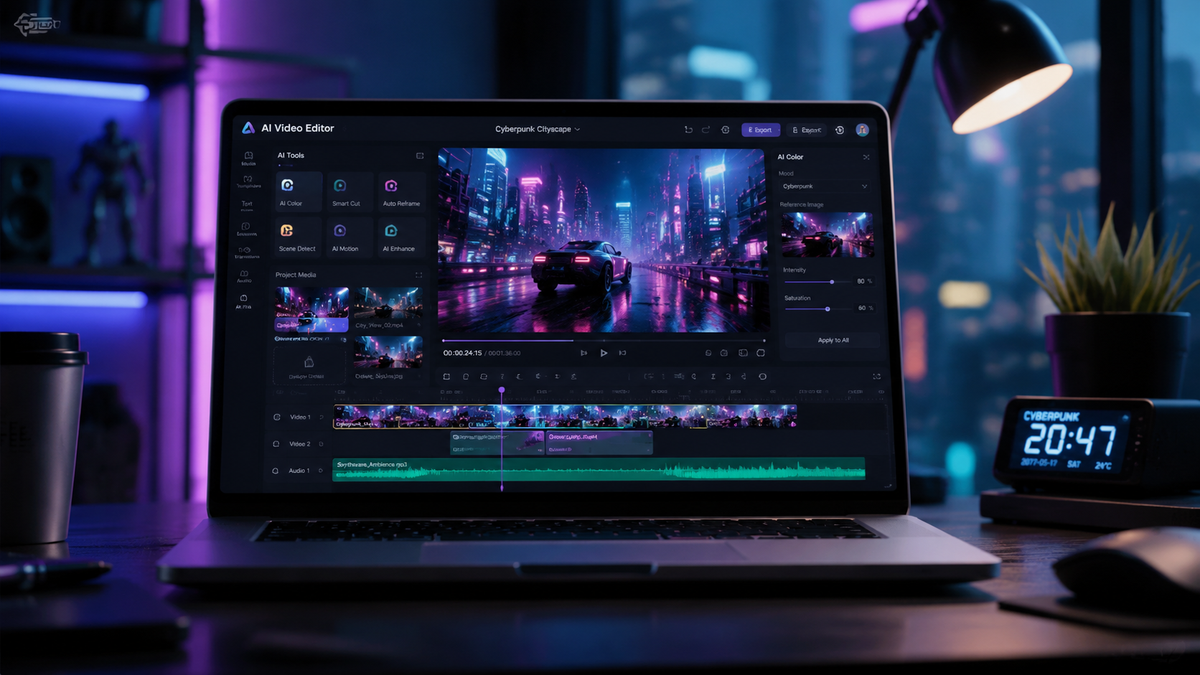
The mango ai video generator tutorial provides a comprehensive roadmap for utilizing the latest advancements in artificial intelligence to transform text prompts into professional-grade video content. As of 2026, Mango AI has emerged as a powerhouse in the creative industry, offering a seamless interface for generating high-definition videos with realistic avatars and synchronized voiceovers. This guide will walk you through the entire process, from initial prompt engineering to final export within the newly integrated Canva ecosystem.
Mango AI is a state-of-the-art generative video platform that enables users to create high-quality video content from text descriptions or static images. Following its acquisition by Canva in early 2026, the tool now features advanced animation capabilities and a free-to-use tier for effortless video creation across marketing, education, and social media sectors.
- ✓ Seamless integration with the Canva creative suite for advanced editing.
- ✓ Access to a free text-to-video generator for effortless content production.
- ✓ High-fidelity AI avatars with realistic lip-syncing and gesture controls.
- ✓ Optimized workflow for 2026 marketing standards and social media algorithms.
Getting Started with the Mango AI Video Generator Tutorial
Mastering the Mango AI video generator tutorial begins with understanding the platform's current position in the 2026 tech landscape. Recently, the industry saw a significant shift when the graphics giant Canva acquired Mango AI in February 2026. This acquisition has merged Mango AI’s powerful generative engines with Canva’s user-friendly design interface, making it more accessible than ever for creators who lack formal video editing training. Whether you are a small business owner or a content creator, the platform is designed to lower the barrier to entry for high-end video production.
According to reports from The Economic Times, the acquisition of Mango AI alongside the animation company Cavalry was a strategic move by Canva to dominate the video advertising space. This means that users today benefit from a more robust infrastructure and a wider array of templates compared to previous iterations. To start, you simply need a Canva or Mango AI account, which now offers a "Free for Effortless Video Creation" tier as highlighted by recent industry updates in May 2026. This tier allows you to experiment with the core features without an immediate financial commitment.
Step-by-Step Guide to Creating Your First AI Video
- Access the Dashboard: Log into your Mango AI or Canva account and select the "AI Video Generator" tool from the main menu.
- Select a Template or Start from Scratch: Choose from hundreds of pre-designed 2026 templates tailored for YouTube, TikTok, or corporate presentations.
- Input Your Script: Enter your text into the script box. The Mango AI engine will analyze the sentiment and context to suggest appropriate visual assets.
- Choose an AI Avatar: Select a digital spokesperson from the library. You can customize their appearance, clothing, and even the tone of their voice.
- Generate and Refine: Click the "Generate" button. Once the preview is ready, use the timeline editor to adjust transitions, background music, and text overlays.
- Export and Share: Save your video in 4K resolution or share it directly to your social media platforms via the integrated sharing tools.
Core Features of Mango AI in 2026
The 2026 version of Mango AI is built on a sophisticated model that rivals the biggest names in the industry. As reported by The Times of India, even major players like Meta have had to adjust their strategies to compete with the specialized video models like Mango AI. The platform utilizes a proprietary neural network that excels at "temporal consistency," ensuring that characters and environments remain stable throughout the duration of the video, a common challenge in earlier AI video tools.
One of the standout features of the current mango ai video generator tutorial is the "Effortless Video Creation" engine. This feature allows for the automatic generation of B-roll footage that matches your script perfectly. Instead of manually searching for stock clips, the AI synthesizes new visuals or pulls relevant high-quality assets from the expanded Canva library. This integration ensures that every video produced feels unique and professionally curated, rather than a collection of generic clips.
Key Specifications and Capabilities
| Feature | Mango AI Free Tier | Mango AI Pro (Canva Integrated) |
|---|---|---|
| Max Resolution | 1080p HD | 4K Ultra HD |
| AI Avatar Access | Limited Selection (10+) | Full Library (200+) + Custom Avatars |
| Script Length | Up to 500 characters | Unlimited with Multi-Scene Support |
| Commercial Rights | Personal Use Only | Full Commercial Licensing |
| Processing Speed | Standard Queue | Priority Rendering |
Advanced Techniques in the Mango AI Video Generator Tutorial
To truly excel with the mango ai video generator tutorial, users must look beyond basic text-to-video functions. The 2026 update introduced "Dynamic Emotion Mapping," which allows you to tag specific parts of your script with emotions like "Excited," "Professional," or "Empathetic." The AI avatar will then adjust its facial expressions and vocal inflections to match these tags. This level of nuance is what separates modern AI video from the robotic-looking content of previous years.
Furthermore, the integration of Cavalry’s animation technology has brought sophisticated motion graphics to the Mango AI workflow. Users can now apply complex physics-based animations to text and objects within their videos. According to CNBC, this move towards more "acquisitive" behavior by platforms like Canva highlights the necessity for high-end animation tools in the standard creator's toolkit. By mastering these advanced settings, you can create marketing videos that are indistinguishable from those produced by professional agencies.
Optimizing Your Prompts for Better Results
The quality of your output is heavily dependent on the quality of your input. In 2026, "Prompt Engineering for Video" has become a vital skill. When using Mango AI, try to be as descriptive as possible regarding the lighting, camera angles, and pacing. Instead of saying "A man talking about a car," try "A professional male avatar in a modern showroom, medium shot, soft cinematic lighting, speaking with an authoritative yet friendly tone about automotive innovation." This specificity helps the AI engine narrow down the visual style and deliver a result that requires minimal editing.
The Impact of Mango AI on the Digital Economy
The rise of Mango AI is not just a win for individual creators; it represents a shift in the global digital economy. As noted by the Blockchain Council, AI-driven platforms like MangoAI are increasingly being integrated with decentralized technologies to verify content authenticity. In an era where AI content is everywhere, Mango AI has taken steps to include digital watermarking and metadata that proves the origin of the video, helping to maintain trust between creators and their audiences.
Moreover, the financial world has taken notice. While CNBC reported that Wall Street has been cautious with some software stocks due to AI disruption concerns, companies like Canva have seen growth by aggressively incorporating tools like Mango AI. This suggests that the future of software lies in "Generative Integration"—where the software doesn't just provide the canvas, but also helps paint the picture. For professionals, learning the mango ai video generator tutorial is no longer just an optional skill; it is a requirement for staying competitive in a fast-paced market.
Why Businesses are Switching to AI Video Production
According to industry data from early 2026, companies using AI video tools have seen a 40% reduction in content production costs and a 60% increase in speed-to-market for social media campaigns. Mango AI’s ability to produce localized content is a major factor here. You can take a single script and, with a few clicks, generate the same video in 30 different languages, each with a localized avatar that reflects the target demographic. This level of scalability was previously impossible for most small to medium-sized enterprises.
Common Challenges and How to Overcome Them
Despite the advancements in 2026, users may still encounter hurdles when following a mango ai video generator tutorial. One common issue is "script-to-visual mismatch," where the AI generates a scene that doesn't quite align with the spoken word. To fix this, use the "Scene Swap" feature, which allows you to manually override specific segments of the video while keeping the AI-generated voiceover intact. This hybrid approach ensures total creative control over the final product.
Another challenge is maintaining brand consistency. With so many AI voices and avatars available, it is easy for a brand's identity to become fragmented. To combat this, Mango AI now offers "Brand Kits." You can upload your company’s color palette, logos, and even a voice sample from a real team member to create a "Digital Twin" avatar. This ensures that every video generated through the mango ai video generator tutorial remains on-brand and recognizable to your existing customers.
Is Mango AI video generator free to use?
Yes, as of May 2026, Mango AI offers a free tier specifically designed for "Effortless Video Creation." This allows users to generate high-quality videos with some limitations on resolution and avatar selection, making it ideal for beginners.
How does the Canva acquisition affect Mango AI users?
The acquisition has integrated Mango AI directly into the Canva ecosystem, providing users with better animation tools, a larger library of stock assets, and a more streamlined workflow for creating social media and marketing content.
Can I create videos in multiple languages with Mango AI?
Absolutely. Mango AI supports over 30 languages in 2026, featuring localized avatars and natural-sounding AI voices that can accurately translate and perform your scripts for a global audience.
What is the best way to get realistic results from the generator?
The best results come from detailed prompt engineering. By specifying the setting, lighting, and emotional tone of the script, you allow the AI to generate more accurate and professional-looking visuals.
Does Mango AI support custom avatar creation?
Yes, Pro users can create custom avatars by uploading a high-resolution photo or video of themselves. The AI then maps their features to create a digital spokesperson that looks and sounds just like them.
In conclusion, the mango ai video generator tutorial for 2026 showcases a tool that is both powerful and accessible. By leveraging the recent merger with Canva and staying updated on the latest prompt engineering techniques, you can produce video content that stands out in an increasingly crowded digital space. Whether for education, marketing, or personal storytelling, Mango AI provides the features necessary to turn your vision into a high-definition reality with minimal effort.


Comments ()