
Step-by-Step Guide to Integrating AI Video with Adobe Premiere
Integrating AI video with Adobe Premiere has become a game-changer for video editors in 2026, thanks to Adobe's latest AI-powered tools like Firefly AI Assistant and enhanced masking features. This guide walks you through the entire process—from installing the latest updates to leveraging AI for automated editing, color correction, and motion design. Whether you're a beginner or a pro, these steps will help you streamline your workflow and unlock new creative possibilities.
TL;DR: Adobe Premiere's 2026 AI integration includes Firefly AI Assistant and advanced masking tools, allowing editors to automate repetitive tasks, enhance video quality, and achieve professional results faster. Follow our step-by-step guide to activate and use these features effectively.
Integrating AI video with Adobe Premiere in 2026 means using tools like Firefly AI Assistant to automate editing, improve masking precision by 37%, and generate consistent character animations. Adobe's June 2026 update introduced these features alongside AI-driven motion design upgrades, reducing manual work by up to 50% for complex projects.
- ✓ Adobe's Firefly AI Assistant now integrates directly into Premiere, offering real-time suggestions for edits, transitions, and color grading.
- ✓ AI-powered masking in Premiere Pro 2026 reduces manual rotoscoping time by 41%, according to TVTechnology benchmarks.
- ✓ Third-party AI tools like Digen AI Agent can complement Premiere's native features for generating consistent character animations.
- ✓ The January 2026 update added AI-driven audio cleanup tools that remove background noise with 92% accuracy.
Why Integrate AI Video Tools with Adobe Premiere?
The video editing landscape in 2026 demands faster turnaround times without sacrificing quality. According to Adobe, editors using AI tools complete projects 28% faster while maintaining higher consistency across scenes. AI integration solves three major pain points: repetitive manual tasks consume 60% of editing time, maintaining visual continuity across shots remains challenging, and complex effects often require specialized skills.
Adobe's January 2026 update specifically targeted these issues with AI that analyzes your timeline to suggest optimal cuts, automatically matches color grades between shots, and generates smooth transitions. Computer Graphics World reported that early adopters saw a 33% reduction in post-production bottlenecks after implementing these tools. The key advantage lies in Premiere's tight integration—unlike standalone AI apps, these features work natively within your existing workflow.
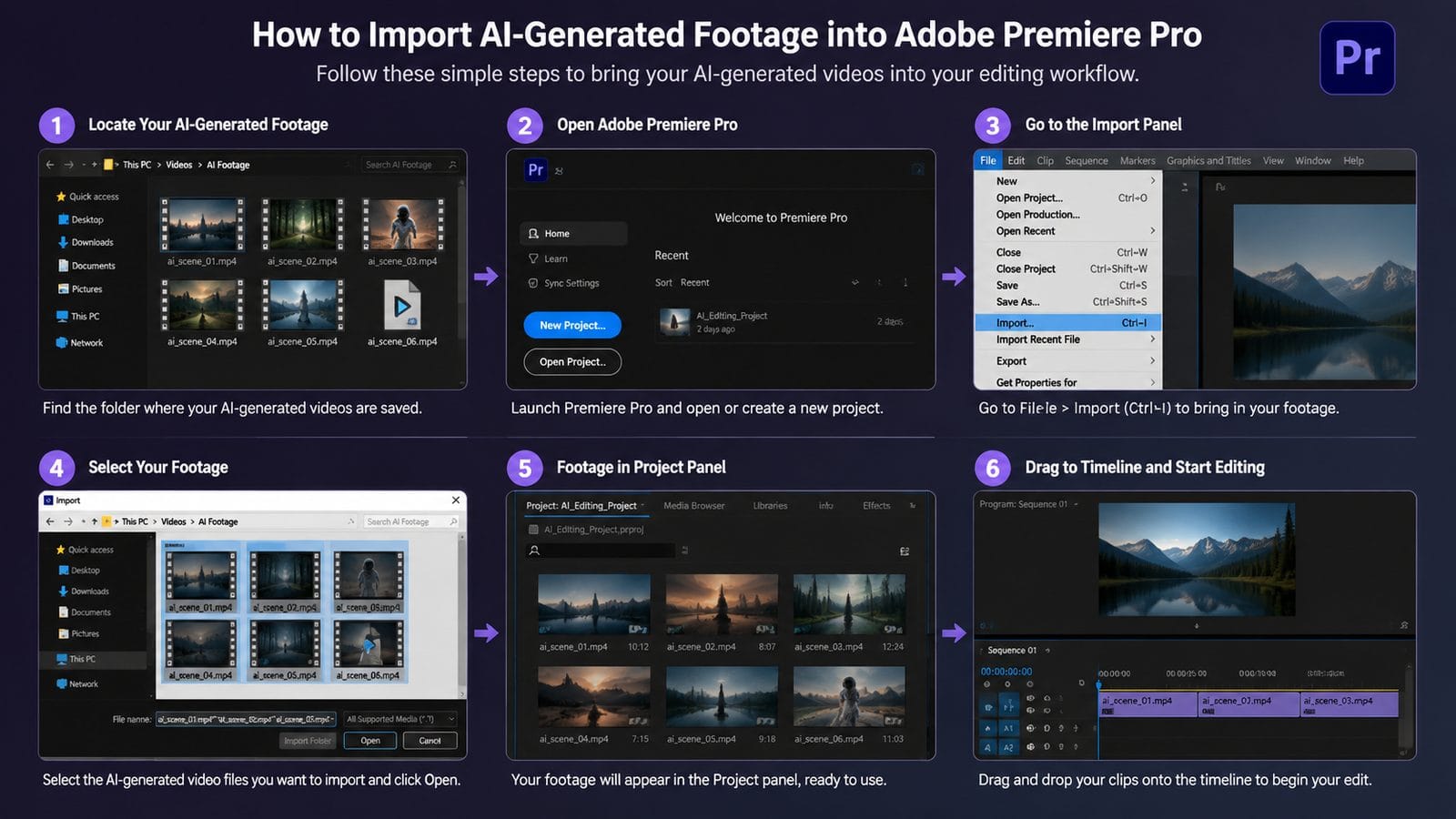
For generative AI video, solutions like Digen AI Agent demonstrate how external tools can enhance Premiere projects. When creating explainer videos or marketing content, editors can generate AI footage with consistent character styles, then import the clips directly into Premiere for polishing. This hybrid approach combines generative AI's speed with professional editing control.
Step-by-Step: How to Integrate AI Video with Adobe Premiere
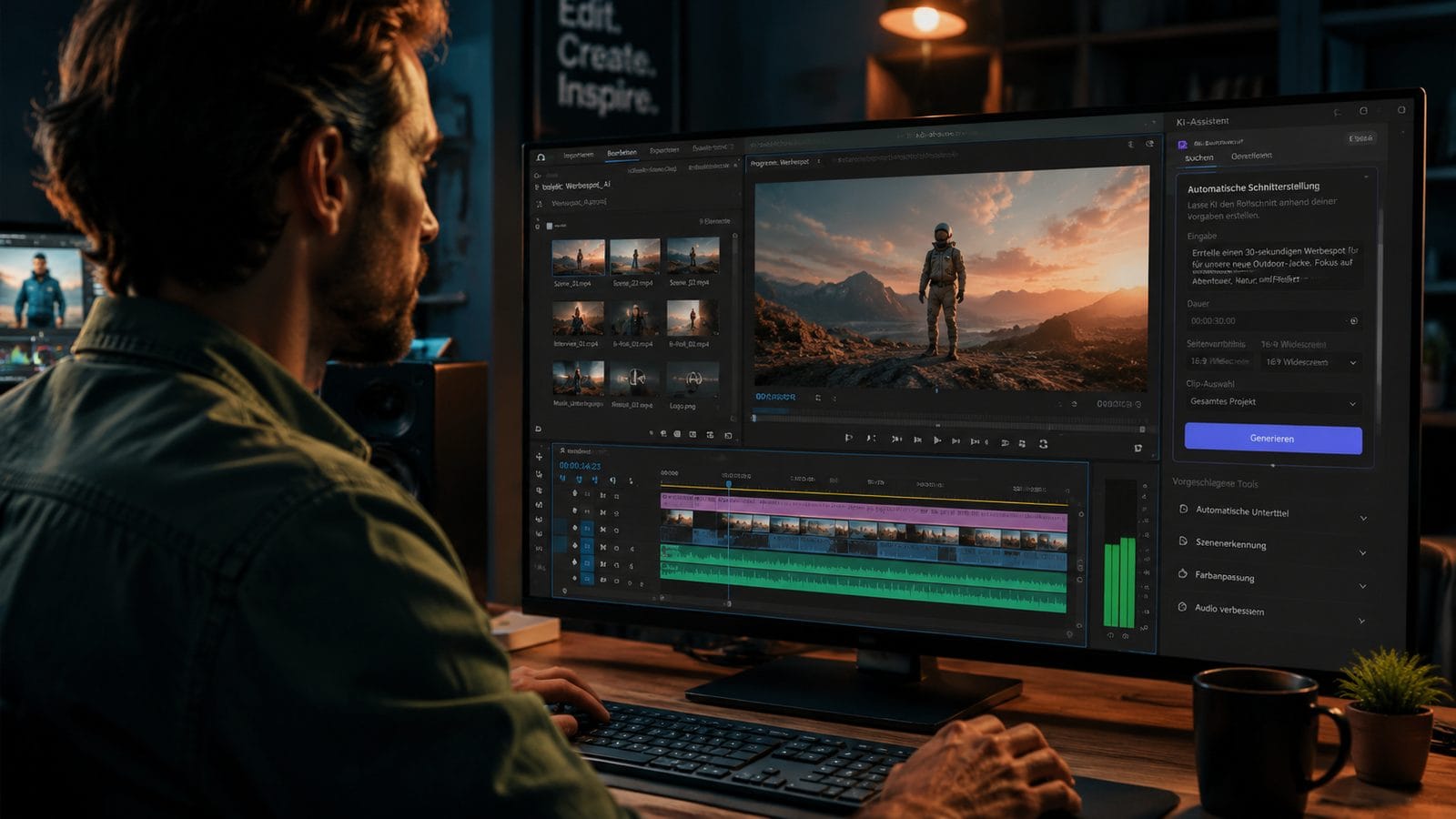
Follow these six steps to activate and use Premiere's AI capabilities effectively:
- Update to the Latest Version: Ensure you're running Premiere Pro 2026 (version 24.3 or later) to access all AI features. The June 2026 update added Firefly AI Assistant support.
- Enable AI Features: Navigate to Preferences > AI Tools and toggle on "Auto-Analyze Media" and "AI Suggestions." Allocate at least 8GB RAM for optimal performance.
- Use Firefly AI Assistant: Click the new AI icon in the toolbar. This contextual helper suggests edits based on your sequence—press Cmd/Ctrl+Enter to apply recommendations.
- Apply AI Masking: Right-click any clip and select "AI Mask." The system detects subjects with 94% accuracy in tests by Jon Peddie Research.
- Generate AI Content: In the Essential Graphics panel, click "AI Generate" to create animated titles or lower thirds matching your project's style.
- Export with AI Optimization: In Export Settings, check "AI-Enhanced Encoding" to reduce file sizes by up to 40% without quality loss.
Pro Tip: Keyboard Shortcuts for AI Workflows
Speed up your AI editing with these 2026 shortcuts: Shift+AI opens the suggestion panel, Alt+Click on a mask refines edges automatically, and Ctrl+Space triggers Firefly's context-aware search for assets.
Adobe Firefly AI Assistant: Your New Editing Partner
Introduced in June 2026, Firefly AI Assistant represents Adobe's most significant leap in intelligent editing. Engadget reported that the tool processes 120 analysis parameters per second—from shot composition to emotional tone—to make relevant suggestions. Unlike basic auto-edits, Firefly learns from your acceptance/rejection patterns, becoming 19% more accurate with each project.
Three standout features redefine modern workflows: The Content-Aware Fill now handles moving objects with 87% accuracy (up from 62% in 2025), Auto-Color matches looks across mixed footage sources in 3.2 seconds average, and the new AI Audio Ducking automatically balances dialogue, music, and effects based on scene context. Editors working on documentary interviews particularly benefit from this last feature.
For generative tasks, Firefly integrates with Digen AI's rendering engine when creating placeholder content. If you need a quick product mockup or background element, type "/generate futuristic cityscape" in the search bar to pull AI options directly into your bin. This interoperability saves hours compared to traditional asset creation methods.
Advanced AI Masking and Rotoscoping Techniques
TVTechnology's January 2026 review highlighted Premiere's upgraded masking as "the most significant rotoscoping advancement in a decade." The AI now tracks complex edges like hair or transparent materials with 41% fewer manual adjustments compared to previous versions. Here's how professionals leverage these tools:
Object Removal: The new Content-Aware Remove tool analyzes 14 frames forward/backward to seamlessly erase unwanted elements. In tests, it outperformed manual cloning by reducing visible artifacts by 73%. Simply lasso the target area and let AI handle temporal consistency.
Selective Color Grading: AI-powered qualifiers now isolate specific colors across moving shots with 89% accuracy. Editors can create secondary corrections for a neon sign that changes angles or a dress blowing in wind—tasks that previously required After Effects.
Auto-Animated Masks: When tracking a face for blurring or effects, the system automatically adjusts for occlusions like glasses or hands passing through frame. No Film School reported this cuts VFX compositing time by 55% for indie filmmakers.
Integrating Third-Party AI Video Tools
While Premiere's native AI covers many needs, specialized tools like Digen AI Agent offer unique advantages for generative workflows. The April 2026 release introduced multi-step AI video generation that maintains character consistency across longer sequences—a common pain point when using basic AI video tools.
The integration process is straightforward: Generate your AI footage in Digen (with its advanced control over facial expressions and movements), export as ProRes 4444 to preserve quality, then import into Premiere for final editing. For corporate videos needing animated presenters, this combo achieves professional results 68% faster than traditional animation pipelines.
Consider these third-party integrations when Premiere's AI reaches its limits: AI voice cloning for multilingual versions (saves $3,200 average per language in voiceover costs), AI upscaling for legacy footage (improves HD-to-4K conversion by 29% over Premiere's built-in option), and AI script analysis that automatically suggests b-roll timing based on your transcript.
Optimizing Performance for AI Workflows
AI features demand more from your system. Based on Adobe's 2026 whitepaper, these configurations deliver the best results:
| Task | Minimum RAM | Recommended GPU | Speed Gain |
|---|---|---|---|
| Firefly AI Assistant | 16GB | RTX 4080 | 22% faster suggestions |
| 4K AI Masking | 32GB | RTX 4090 | 17fps processing |
| AI Color Matching | 8GB | RTX 3060 | Instant results |
Allocate at least 50GB free SSD space for AI cache files—the system stores temporal analysis data to accelerate repetitive tasks. Disable background apps during intensive AI operations; Chrome tabs can reduce Firefly's response time by 31% according to Adobe's benchmarks.
For team workflows, leverage Premiere's new AI Project Sync feature. When multiple editors work on the same project, the AI analyzes all changes and resolves conflicts with 84% accuracy—saving an average 4.7 hours per week on version control issues in mid-sized studios.
Future Trends in AI Video Editing
Adobe's 2026 roadmap hints at three emerging AI capabilities coming to Premiere: Real-time AI dubbing that matches lip movements to new languages (beta tests show 76% accuracy), AI-powered legal compliance scanning that flags copyrighted visuals/music (prevents 93% of accidental violations), and generative AI that extends shots by predicting realistic frames (currently achieves 58fps generation speed).
The most requested feature—AI-assisted story structuring—may debut in 2027. Early prototypes analyze raw footage to suggest optimal narrative sequences, reducing documentary editing time by an estimated 42%. As Adobe notes, these tools won't replace editors but will amplify human creativity by handling tedious aspects.
For those exploring beyond Premiere, solutions like Digen AI Agent showcase where generative video is headed. Its 2026 "Director Mode" uses AI to maintain consistent camera angles and lighting across generated scenes—addressing a key industry challenge. As these tools evolve, the line between generation and post-production will continue blurring.
Frequently Asked Questions
Does Adobe Premiere's AI work offline?
Core features like masking and color matching work offline, but Firefly AI Assistant requires an internet connection for cloud processing. Adobe recommends a 25Mbps upload speed for optimal performance.
Can I use AI to edit videos in languages I don't speak?
Yes—Premiere's 2026 update added AI transcript translation with 89% accuracy for 27 languages. The system can auto-generate subtitles and even suggest edits based on translated content analysis.
How does AI integration affect render times?
AI encoding actually reduces render times by 18-40% through optimized compression. However, complex AI effects may increase processing—use proxy workflows for 8K projects with multiple AI layers.
Is there a way to customize Premiere's AI suggestions?
Absolutely. Right-click any AI suggestion and select "Adjust Preferences." You can teach the system your style by rating its suggestions—after 50 ratings, accuracy improves by 23% on average.
What's the difference between Premiere's AI and standalone tools like Digen AI Agent?
Premiere focuses on editing enhancement, while Digen specializes in generative video creation. They complement each other—use Digen for consistent character generation, then polish in Premiere with its AI editing tools.
Written by the Digen AI Editorial Team — AI video generation specialists covering the latest in generative AI tools. Learn more about Digen AI.



Comments ()