
How to Use AI Video Filters: 2026 Complete Creator Guide
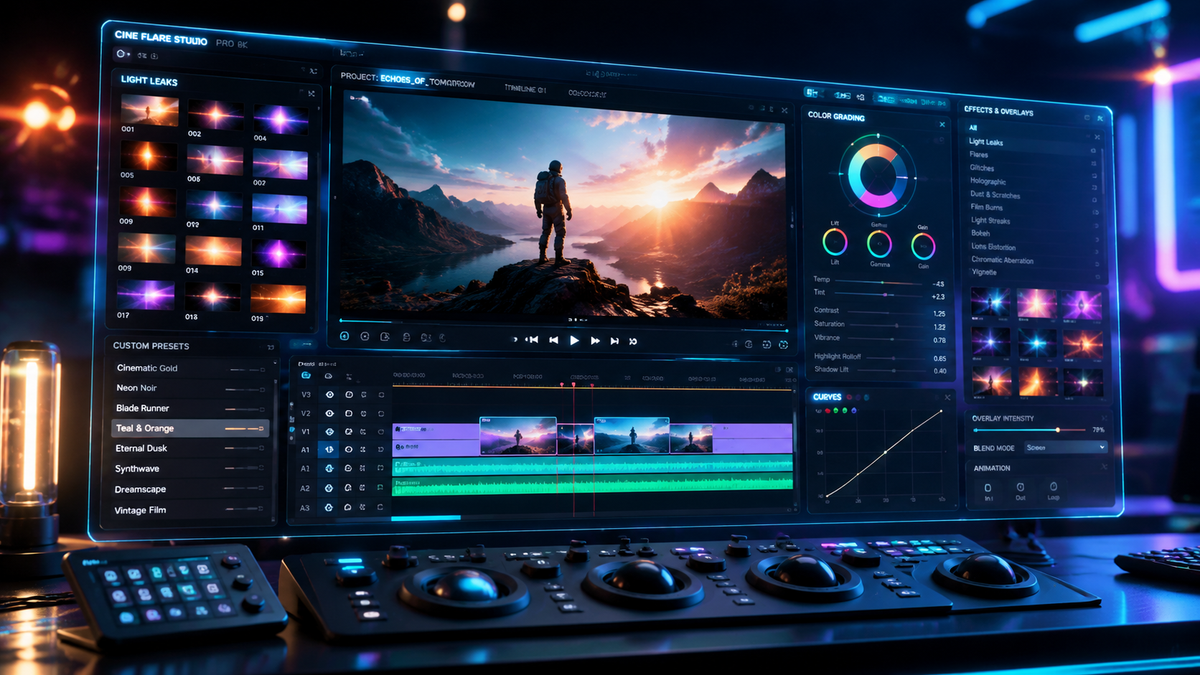
To learn how to use ai video filters, you must first select a platform—such as TikTok, YouTube Shorts, or Adobe Premiere Pro—and then locate the "Effects" or "AI Tools" menu to apply a generative overlay. Once selected, these filters use neural networks to stylize your footage, track motion, or enhance lighting in real-time. By following the specific interface prompts of your chosen app, you can transform standard video into professional-grade cinematic content or viral stylized animations with a single tap.
AI video filters are generative algorithms that analyze video frames to apply complex visual transformations, such as the viral "Ma Po Po" dance style or photorealistic lighting enhancements. Using them involves selecting a filter from an app's library, allowing the AI to map your features or environment, and rendering the output for social sharing or professional editing.
- ✓ AI filters have evolved from simple color presets to complex generative tools found in Adobe Premiere and YouTube Shorts.
- ✓ Creators can now use specialized filters like the "Ma Po Po" effect to create viral AI dance videos in seconds.
- ✓ Modern platforms like TikTok are introducing "AI Slop" detection to help users filter out low-quality synthetic content.
- ✓ Major hardware updates, such as Nvidia's DLSS 5, are now integrating AI filters directly into real-time gaming and video rendering.
The Evolution of Generative Effects in 2026
As we navigate through 2026, the landscape of digital content creation has been fundamentally altered by the integration of generative artificial intelligence. No longer limited to static images, AI video filters now possess the capability to alter motion, depth, and even the physical properties of subjects within a video. According to recent reports from Adobe, the January 2026 update to Premiere Pro introduced a suite of AI-powered video editing tools that allow creators to manipulate lighting and texture with the same ease as applying a color LUT. This shift represents a move toward "semantic editing," where the software understands the objects within the frame rather than just the pixels.
The accessibility of these tools has democratized high-end visual effects. What once required a team of VFX artists can now be achieved by a solo creator on a smartphone. However, this ease of use comes with a learning curve. Understanding how to use ai video filters effectively requires a balance between creative vision and technical knowledge of how generative models interpret light and movement. Whether you are aiming for the "photoreal" graphics promised by Nvidia’s latest DLSS 5 technology or the stylized aesthetic of a viral social media trend, the core principles of AI integration remain the same: input quality, model selection, and iterative refinement.
Step-by-Step: How to Use AI Video Filters for Viral Content
- Select Your Platform: Choose between mobile-first apps like TikTok/YouTube or professional suites like Adobe Premiere Pro.
- Access the Effects Library: Look for the "AI" or "Generative" tab within the effects menu. In 2026, most platforms have dedicated sections for these filters.
- Record or Upload Footage: For best results, ensure your lighting is consistent, as AI models track motion more accurately in well-lit environments.
- Apply and Calibrate: Select a filter (e.g., the Ma Po Po filter) and wait for the "Processing" or "Mapping" phase to complete.
- Adjust Intensity: Use the slider to determine how much of the AI generation should blend with the original "raw" footage.
- Export and Tag: Save your video. Note that many platforms now require an "AI-generated" disclosure tag for transparency.
Comparing Top AI Video Filter Platforms in 2026
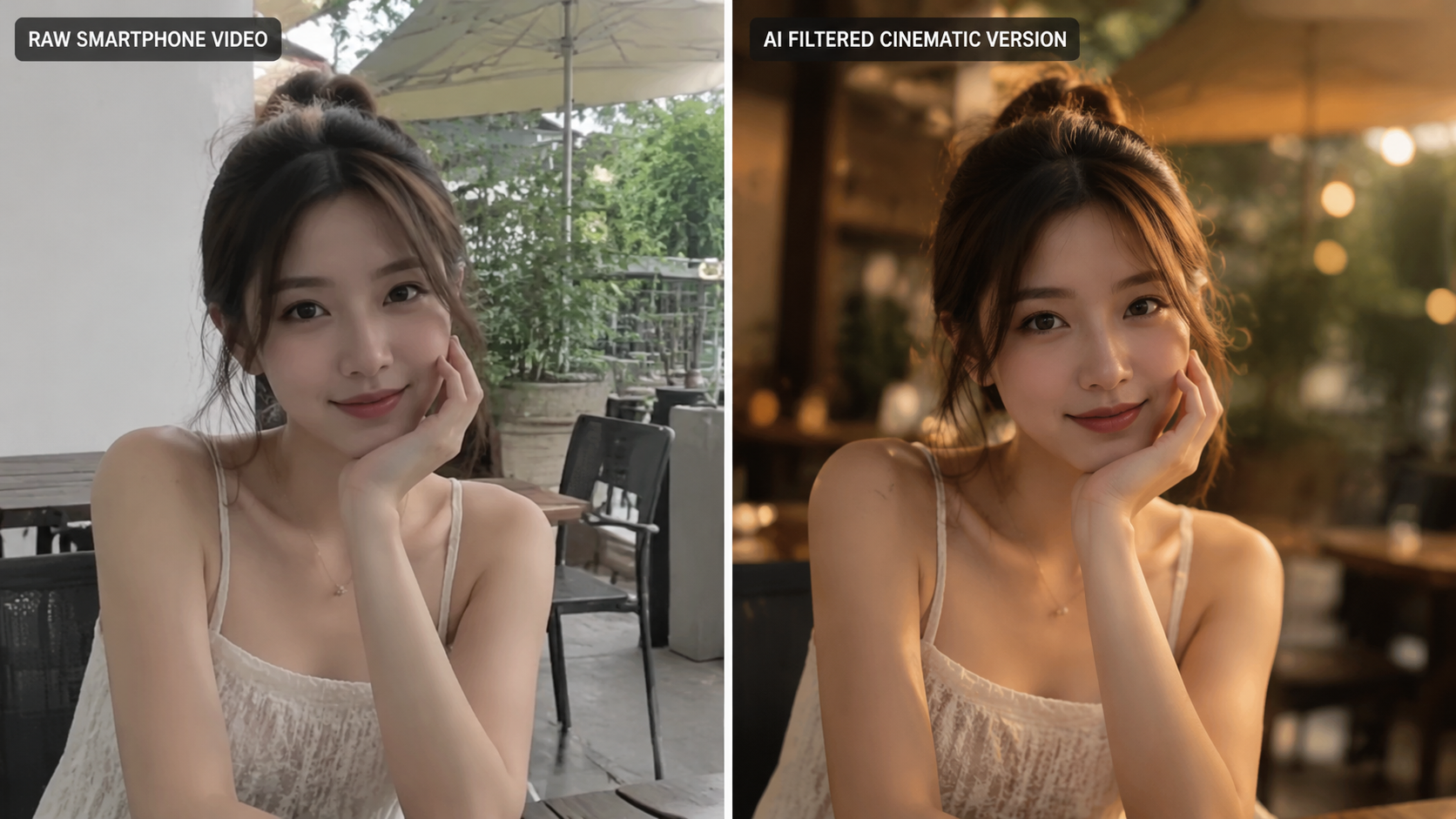
In the current market, creators have a variety of tools at their disposal, ranging from social media enhancements to professional-grade desktop software. Each platform offers a different level of control over the final output. For instance, PCWorld recently reported that Google has "secretly enhanced" YouTube Shorts by integrating background AI filters that automatically improve skin tones and background blur without user intervention. This "invisible AI" approach contrasts with the highly stylized, user-selected filters found on TikTok.
For those looking for more granular control, the professional sector has seen massive upgrades. Adobe's January 20, 2026, release for After Effects and Premiere Pro brought major motion design upgrades that allow for "depth-aware" filtering. This means the AI can distinguish between the foreground subject and the background, applying filters to only one layer of the video. This level of sophistication is what separates casual creators from professional editors in the 2026 creator economy.
| Platform | Key AI Filter Feature | Best For | Complexity |
|---|---|---|---|
| TikTok | AI Slop Filtering & Stylized Overlays | Viral Trends & Short-form | Low |
| YouTube Shorts | Auto-Enhancement & Background Blur | Vlogging & Engagement | Low |
| Adobe Premiere Pro | Generative Object Removal & Lighting | Professional Filmmaking | High |
| Perfect Corp (Ma Po Po) | AI Dance & Body Mapping | Stylized Animation | Medium |
| Nvidia DLSS 5 | Real-time Photorealism Alterations | Gaming & Live Streaming | Medium |
How to Use AI Video Filters for Social Media Trends
Social media remains the primary driver for AI filter adoption. One of the most significant trends of 2026 has been the "Ma Po Po" filter. According to Perfect Corp, this filter allows users to create complex AI dance videos by simply standing in front of the camera; the AI then replaces the user’s movements with highly stylized, fluid animations that maintain the user's likeness. Learning how to use ai video filters like these involves understanding "anchor points"—the specific parts of your body the AI uses to track movement.
However, the rise of AI filters has also led to a backlash against "AI Slop." As reported by Techlicious in November 2025 and continuing into 2026, TikTok has added tools to help users filter out low-quality, mass-produced AI content. To ensure your videos are not flagged as "slop," it is crucial to use AI filters as an enhancement rather than a total replacement for creativity. High-quality AI filtered content usually involves a mix of real-world cinematography and tasteful generative overlays that add value to the viewer's experience.
Mastering the Ma Po Po Dance Filter
The Ma Po Po filter is a prime example of generative motion transfer. To use it, you must ensure your entire body is visible in the frame. The AI engine analyzes your skeletal structure and overlays a "generative skin" that reacts to your movements. Creators are finding success by combining this filter with trending audio, allowing the AI to sync the visual "glitches" or transitions to the beat of the music. This synergy between AI and audio is a hallmark of successful 2026 content.
Professional AI Filtering in Adobe Premiere and After Effects
For professional creators, the question of how to use ai video filters is more about utility than viral trends. The January 2026 Adobe update changed the workflow for thousands of editors. The new AI-powered tools in Premiere Pro allow for "Text-to-Filter" applications. You can now type a prompt like "1970s cinematic film grain with anamorphic flares" and the AI will generate a custom filter based on the specific lighting conditions of your clip. This is a significant leap from the static filters of previous years.
In After Effects, the 2026 upgrades focused on "Motion Design Intelligence." This allows filters to intelligently follow an object even if it moves behind another object (occlusion). For example, if you apply a "Neon Glow" AI filter to a moving car, the AI understands the car's 3D volume and ensures the glow wraps around the edges correctly. According to Adobe’s latest technical brief, these tools reduce manual rotoscoping time by nearly 85%, allowing creators to focus on the artistic direction rather than tedious frame-by-frame adjustments.
Advanced Lighting with AI Filters
One of the most powerful professional applications of AI filters is "re-lighting." In the past, if a scene was shot with poor lighting, it was nearly impossible to fix in post-production. Now, AI filters can analyze the geometry of a face or a room and "source" a new light point. By selecting the "AI Relight" tool in your editor, you can move a virtual sun or lamp around your subject, and the AI will recalculate the shadows and highlights in real-time. This is particularly useful for corporate creators who may not have access to expensive lighting rigs on location.
The Controversy Surrounding Photorealistic AI Filters
As AI filters become more realistic, they have begun to face scrutiny, particularly in the gaming and high-end rendering industries. Video Games Chronicle reported in March 2026 that Nvidia's DLSS 5 was met with criticism for its "photoreal" graphics alterations. Critics argued that the AI filter was "garbage" because it altered the original artistic intent of the developers, replacing hand-crafted textures with AI-generated ones that looked "too clean" or "soulless."
This controversy highlights an important lesson for all creators: the most effective use of an AI filter is one that enhances the story rather than distracting from it. When learning how to use ai video filters, you must be wary of the "uncanny valley," where a filter looks almost human or real but has slight imperfections that make the viewer uncomfortable. The Atlantic recently commented on YouTube’s "sneaky" AI experiments, noting that users often feel manipulated when they cannot tell where reality ends and the AI filter begins. Transparency and artistic restraint are the keys to using these tools successfully in 2026.
Avoiding the "AI Slop" Label
To keep your content from being categorized as "AI Slop," focus on customization. Avoid using the default settings of any AI filter. Instead, use the masking tools available in apps like After Effects or the "Adjust" sliders in TikTok to ensure the filter only affects specific parts of your video. Combining multiple filters or layering an AI filter over a traditionally edited clip can also provide a unique look that feels more "human" and less like a generic template.
Frequently Asked Questions
How do I find the Ma Po Po filter?
The Ma Po Po filter can be found in the "Trending" or "AI Magic" section of most major short-form video apps like TikTok or through the Perfect Corp dedicated AI video app. Simply search for "Ma Po Po" in the effects search bar to apply it to your footage.
Are AI video filters free to use?
Most social media AI filters are free, but professional tools like those in Adobe Premiere Pro require a Creative Cloud subscription. Some specialized AI apps may also charge a per-render fee or a monthly subscription for high-definition exports.
Can I remove an AI filter after recording?
If you recorded the video directly within a social media app with the filter active, it is usually "baked in" and cannot be removed. However, if you are using professional software like Premiere Pro, AI filters are non-destructive and can be toggled on or off at any time during the editing process.
Do AI filters work on all smartphones?
In 2026, most mid-range and flagship smartphones have the NPU (Neural Processing Unit) power required to run these filters. However, older devices may experience lag or lower resolution when applying complex generative effects like real-time body mapping.
Is it necessary to disclose the use of AI filters?
Yes, as of 2026, platforms like TikTok and YouTube have implemented mandatory disclosure labels for content that is significantly altered by AI. Failing to use these tags can result in your content being suppressed or removed by "AI Slop" detection algorithms.



Comments ()