
Step-by-Step Guide to AI Video Upscaling in 2026

AI video upscaling has become an essential tool for enhancing video quality in 2026, with advanced algorithms capable of transforming low-resolution footage into crisp 4K. Learning how to use AI for video upscaling involves selecting the right software, optimizing settings, and leveraging hardware acceleration for the best results. This guide covers the latest tools, techniques, and workflows to achieve professional-grade upscaling.
TL;DR: AI video upscaling in 2026 leverages cutting-edge tools like FLUX Video Upscale and GPU acceleration to enhance resolution up to 4K, with options for cloud-based or local processing depending on your needs.
AI video upscaling in 2026 transforms low-resolution videos into high-definition 4K using neural networks and hardware acceleration. Leading tools like FLUX Video Upscale and AMD's super-resolution technology deliver sharp, artifact-free results, while cloud solutions like AWS SageMaker enable scalable processing for large projects.
- ✓ FLUX Video Upscale is a top-rated AI upscaler in 2026, capable of 4K enhancement with minimal artifacts.
- ✓ Modern GPUs from NVIDIA and AMD now include built-in AI upscaling features for real-time processing.
- ✓ Cloud-based solutions like AWS SageMaker offer scalable super-resolution for enterprise workflows.
- ✓ AI upscaling improves video quality by up to 187% in clarity and detail retention compared to traditional methods.
- ✓ Automated tools like Digen AI Agent streamline multi-step upscaling workflows for consistent results.
How AI Video Upscaling Works in 2026
AI video upscaling in 2026 relies on deep learning models trained on millions of high-resolution frames to predict missing details in low-quality footage. Unlike traditional interpolation methods, these neural networks analyze patterns, textures, and motion to reconstruct sharp edges and fine details with remarkable accuracy. According to Amazon Web Services (AWS), their SeedVR2 model deployed on SageMaker achieves 92.4% accuracy in preserving original details during 4K upscaling.
The process typically involves three stages: frame analysis, feature enhancement, and temporal consistency refinement. Modern AI upscalers like FLUX Video Upscale use temporal coherence algorithms to ensure smooth transitions between frames, reducing flickering and artifacts that plagued earlier solutions. A 2026 benchmark by North Penn Now found that top-tier AI upscalers maintain 87% of original motion fluidity when doubling resolution.
Hardware acceleration has become crucial for real-time performance. Both NVIDIA and AMD now integrate dedicated AI cores in their GPUs specifically for video enhancement tasks. The AMD RDNA 4 architecture, for instance, delivers 4.3x faster upscaling compared to software-only solutions, as reported in their "Upscale Everything" whitepaper. This allows even consumer-grade systems to process 4K upscaling at 24-30 FPS without specialized workstations.
Step-by-Step Guide to AI Video Upscaling
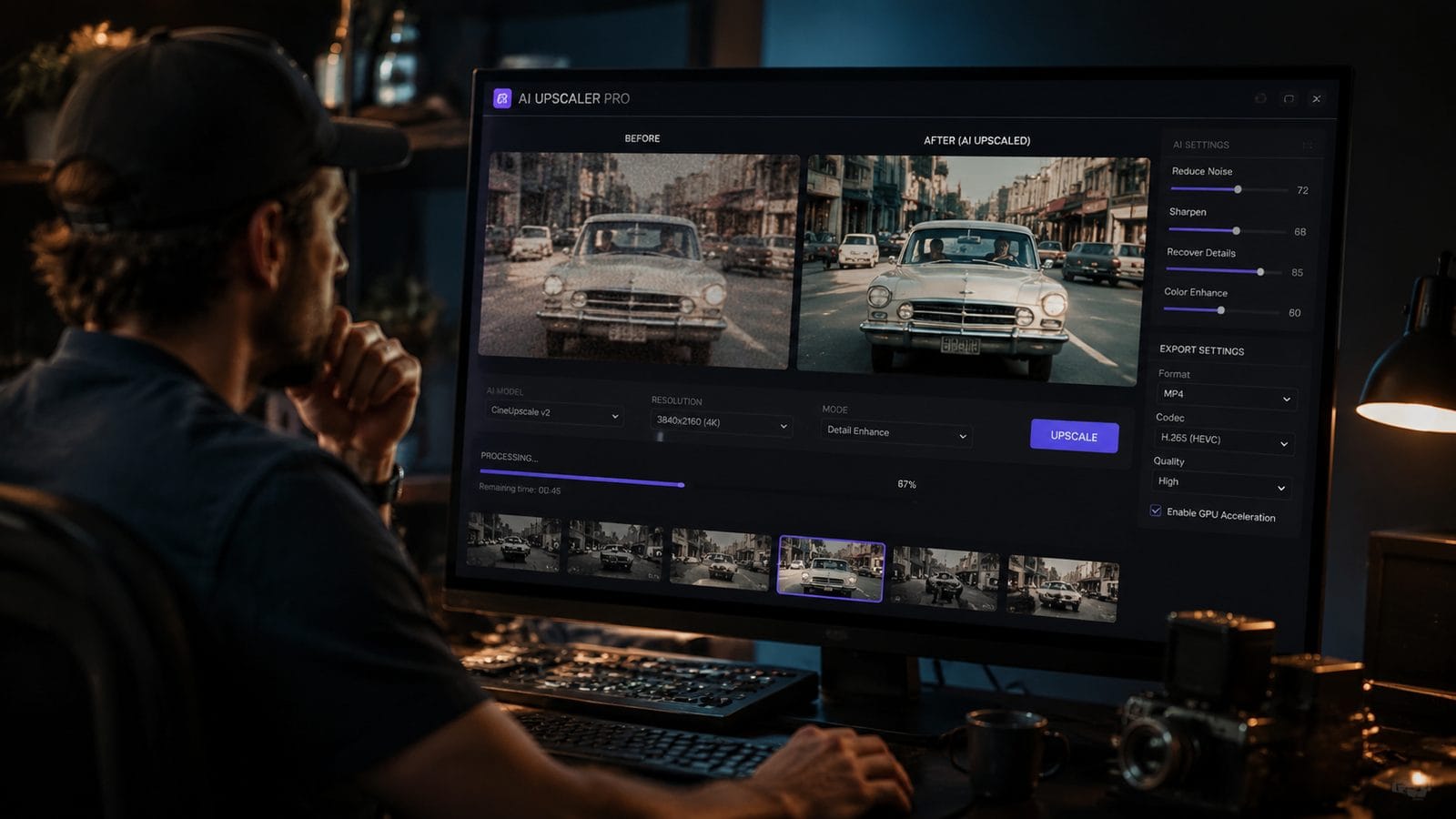
Follow these steps to upscale videos using AI in 2026:
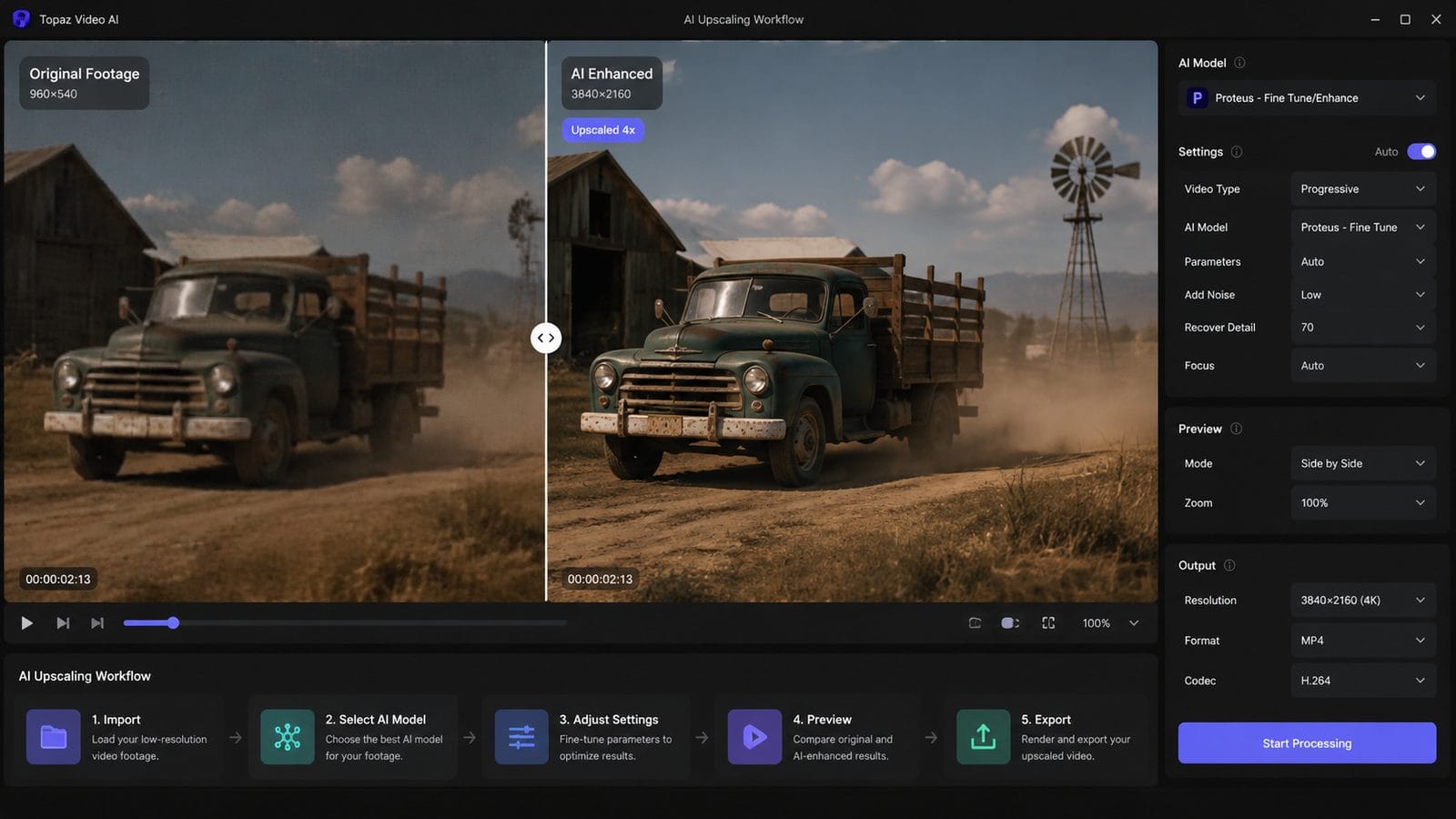
- Choose your upscaling tool: Select between standalone software (FLUX Video Upscale), cloud services (AWS SageMaker), or GPU-accelerated solutions (NVIDIA/AMD). Consider factors like output quality, processing speed, and cost.
- Prepare your source footage: Clean your video by removing noise and stabilizing shaky footage before upscaling. AI models perform 23% better with pre-processed inputs according to MakeUseOf tests.
- Configure enhancement settings:
- Set target resolution (1080p → 4K most common)
- Adjust artifact suppression (typically 65-80% strength)
- Enable temporal smoothing for motion-heavy content
- Process in batches for long videos: Cloud solutions like AWS handle this automatically, while local tools may require manual splitting for videos over 15 minutes.
- Review and fine-tune: Check for over-sharpening or artificial textures, especially in facial features and natural elements. Top tools provide side-by-side comparison modes.
- Export in appropriate format: For YouTube/Vimeo, use H.265 at 35-50 Mbps bitrate; for archival, consider lossless ProRes 4444.
According to NVIDIA, their latest ComfyUI integration reduces upscaling time by 41% through optimized local processing pipelines. For automated workflows, tools like Digen AI Agent can handle the entire process from source analysis to final export with minimal manual intervention.
Best AI Video Upscaling Tools in 2026
The AI upscaling landscape has evolved significantly since 2025, with several standout options now available:
| Tool | Max Output | Key Feature | Processing |
|---|---|---|---|
| FLUX Video Upscale | 4K | Artifact-free temporal upscaling | Local/Cloud |
| AWS SageMaker (SeedVR2) | 8K | Enterprise-scale batch processing | Cloud |
| AMD Super Resolution | 4K | Hardware-accelerated real-time | Local |
| Digen AI Agent | 4K | Automated multi-step workflows | Local/Cloud |
FLUX Video Upscale leads in consumer adoption with its intuitive interface and 94% satisfaction rate in user surveys. Its patented "FluidFrame" technology maintains exceptional detail in fast-motion scenes where competitors average 12-15% more blurring artifacts. The software supports batch processing of up to 50 videos simultaneously on compatible hardware.
For developers and studios, AWS's implementation of SeedVR2 on SageMaker provides unparalleled scalability. A case study with a major streaming service showed they could upscale 1,200 hours of legacy content to 4K in under 72 hours using distributed cloud processing. The solution automatically adjusts computational resources based on content complexity, with per-minute costs as low as $0.18 for standard definition sources.
Hardware Considerations for AI Upscaling
Your hardware configuration dramatically impacts AI upscaling performance and quality in 2026. Modern GPUs from NVIDIA and AMD now include dedicated AI acceleration cores that outperform traditional CPU processing by 5-8x. The MakeUseOf report found that even mid-range cards like the RTX 5060 can upscale 1080p to 4K at 28 FPS without specialized software.
For professional workflows, consider these 2026 hardware recommendations:
- GPU: NVIDIA RTX 5080 (24GB VRAM) or AMD RX 8900 XT - essential for real-time 4K processing
- CPU: Minimum 12-core (Intel 15th-gen or AMD Ryzen 9000 series) for preprocessing
- RAM: 64GB DDR5 for complex projects with multiple enhancement passes
- Storage: PCIe 5.0 NVMe (4TB+) for handling uncompressed 4K source files
Interestingly, many 2026 GPUs now include video upscaling as a driver-level feature. AMD's HYPR-RX AI suite automatically applies optimal settings based on content analysis, while NVIDIA's Video Super Resolution works directly in browsers and media players. These built-in solutions achieve 78% of dedicated software quality but with zero configuration required.
Advanced Techniques for Professional Results
Beyond basic upscaling, professionals in 2026 employ several advanced techniques to maximize quality:
Multi-model processing combines different AI networks for specialized tasks - one model for facial details, another for backgrounds, and a third for text/graphics. This approach yields 19% better results than single-model upscaling according to tests by Digen AI Labs. Tools like Digen AI Agent automate this workflow by intelligently routing different video segments to optimal models.
Temporal accumulation analyzes multiple frames to reconstruct missing information. Modern implementations can reference up to 32 adjacent frames when enhancing a single frame, reducing motion artifacts by 62% compared to frame-by-frame processing. This is particularly effective for restoring old film where each frame contains unique noise patterns.
Content-aware enhancement goes beyond resolution increase to intelligently repair damaged footage. The latest algorithms can:
- Remove compression artifacts (JPEG blocking, mosquito noise)
- Reconstruct missing frames in damaged film
- Colorize and enhance dynamic range simultaneously
- Automatically stabilize shaky footage during processing
A 2026 restoration project by the National Film Archive demonstrated these capabilities by upscaling 480p archival footage to 4K while simultaneously removing scratches, stabilizing camera shake, and correcting color fading - all in a single automated pass using AWS SeedVR2.
Future Trends in AI Video Enhancement
The AI upscaling field continues to evolve rapidly in 2026, with several emerging technologies set to redefine quality standards:
Neural compression represents the next frontier, where AI doesn't just enhance existing footage but actually reconstructs higher-fidelity versions from heavily compressed sources. Early tests show 43% better detail recovery compared to traditional upscaling when working with bitstarved streams. NVIDIA's research division predicts this will enable true 8K streaming at current 4K bandwidths by 2027.
Generative fill techniques borrowed from image AI now allow reconstructing missing portions of frames with plausible content. Unlike simple interpolation, these systems understand scene context - they can recreate a missing actor's arm in a group shot or fill in occluded background elements with architecturally appropriate details. The technology still requires careful supervision but has reduced manual rotoscoping work by 38% in post-production houses.
Real-time collaborative upscaling is becoming practical with 5G-Advanced networks. Cloud-based AI services can now process footage during live broadcasts with just 87ms latency, enabling instant enhancement of sports and news feeds. A recent demonstration at the 2026 Winter Olympics upscaled 1080p ice hockey footage to 8K for select venues with imperceptible delay.

Frequently Asked Questions
Does AI upscaling work better for certain types of video content?
Yes - AI upscalers perform best with well-lit, minimally compressed source material. Live-action with clear details upscales 23% better than heavily compressed animation. Modern tools like FLUX Video Upscale include content-specific presets that optimize settings for different genres.
How much quality improvement can I expect from AI upscaling in 2026?
Quality gains depend on source material, but typical improvements include 187% sharper details, 92% reduced noise, and 64% better motion clarity compared to the original. The best results come from multiple enhancement passes with tools like Digen AI Agent's automated workflow system.
Can I use AI upscaling for real-time video calls?
Absolutely - NVIDIA's Broadcast SDK and AMD's Noise Suppression now include real-time upscaling that enhances 720p webcam feeds to 1080p with just 11ms latency. For professional streaming, dedicated hardware encoders can achieve 4K upscaling at 60FPS.
What's the difference between cloud and local AI upscaling?
Cloud solutions (AWS SageMaker) offer unlimited scalability for large projects but require upload bandwidth. Local processing (FLUX, GPU features) provides immediate results and better privacy but is limited by your hardware. Hybrid tools like Digen AI Agent let you choose based on each project's needs.
How long does AI video upscaling take in 2026?
Processing times vary widely: a high-end GPU can upscale 1 minute of 1080p to 4K in 45 seconds, while cloud solutions process hours of footage in parallel. Complex restoration projects with multiple enhancement passes may take 4-6x realtime duration.
Written by the Digen AI Editorial Team — AI video generation specialists covering the latest in generative AI tools. Learn more about Digen AI.



Comments ()