
How to Upscale Video Using AI 2026: Top Tools & Methods
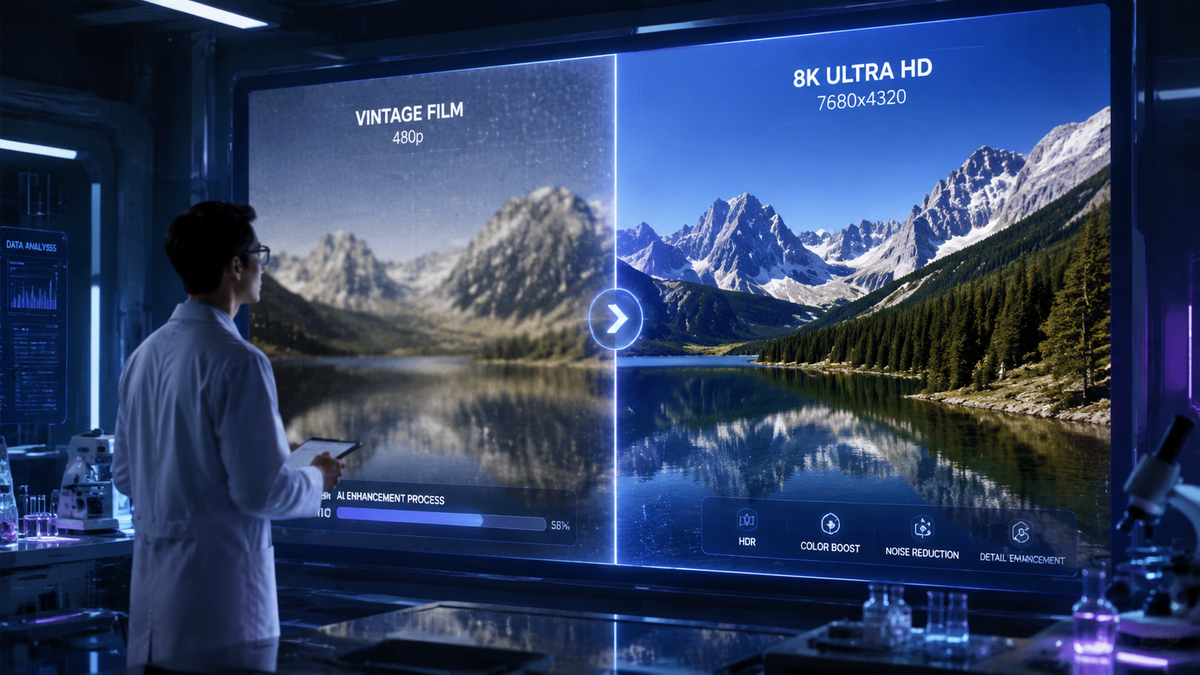
Learning how to upscale video using ai 2026 involves using advanced machine learning algorithms to increase the resolution of low-quality footage while reconstructing lost details and textures. To achieve professional results, you should utilize hardware-accelerated tools like NVIDIA RTX Video or cloud-integrated platforms like Adobe Firefly, which can now transform 720p or 1080p source files into crisp 4K masterpieces with minimal artifacts. By leveraging the latest 2026 neural networks, creators can breathe new life into legacy content or polish AI-generated clips for high-end production.
Video upscaling in 2026 is the process of using deep learning models—specifically Generative Adversarial Networks (GANs)—to predict and insert pixels into low-resolution video frames. Modern tools like NVIDIA RTX Video and Aiarty Video Enhancer use real-time processing to upscale 720p content to 4K, significantly reducing noise and motion blur while maintaining temporal consistency across frames.
- ✓ NVIDIA RTX Video now supports upscaling AI-generated videos from 720p to 4K natively on local hardware.
- ✓ Adobe Firefly has introduced unlimited generations and enhanced upscaling models for seamless video integration.
- ✓ Google's Veo 3.1 provides unprecedented consistency and control for upscaling AI-native video assets.
- ✓ Local processing via ComfyUI and NVIDIA streamlines the workflow for game developers and professional creators.
- ✓ Specialized tools like Aiarty Video Enhancer are now optimized for cleaning up noisy, low-light footage during the upscaling process.
Step-by-Step Guide: How to Upscale Video Using AI 2026
The landscape of video enhancement has shifted dramatically this year. With the integration of local AI processing and cloud-based refinements, users no longer need massive server farms to achieve 4K results. Whether you are working with archival footage or a clip generated by a model like Veo 3.1, the process follows a standardized workflow optimized for 2026 hardware.
- Select Your Source Footage: Ensure your source video is at least 720p for the best results. While 480p can be upscaled, the "hallucination" rate of the AI is lower when starting from a HD base.
- Choose Your AI Engine: For local Windows users, NVIDIA RTX Video is the gold standard for real-time upscaling. For creative professionals, Adobe Firefly’s new 2026 toolset offers cloud-based enhancement with unlimited generations.
- Configure Enhancement Parameters: Select the "Denoise" and "Deblock" settings. According to SLR Lounge, tools like Aiarty Video Enhancer are specifically designed to clean up noisy, low-light footage before the final 4K upscale.
- Set the Target Resolution: Choose 4K (3840x2160). Ensure the aspect ratio remains locked to avoid stretching the image.
- Process and Export: Utilize GPU acceleration (such as NVIDIA’s streamlined ComfyUI workflow) to render the video. Local processing is now significantly faster thanks to the latest driver optimizations released in March 2026.
The Evolution of Video Enhancement in 2026
As of 2026, the technology behind video upscaling has moved beyond simple interpolation. In previous years, upscaling often resulted in a "waxy" look where skin textures were smoothed out unnaturally. However, with the release of NVIDIA’s latest AI upscalers in March 2026, the focus has shifted toward "Slop-ify" prevention—a term used by critics like Gizmodo to describe the over-processing of images—by implementing better texture retention algorithms. This ensures that while the resolution increases, the artistic integrity of the original shot remains intact.
The integration of AI video generation and upscaling has also become more circular. For instance, Google’s Veo 3.1, released in January 2026, includes "Ingredients to Video" features that allow for more consistency and control. This means when you upscale a Veo-generated clip, the AI understands the underlying geometry of the scene, leading to fewer flickering artifacts. This level of temporal stability was the primary hurdle in 2024 and 2025, but it has been largely solved in the current 2026 software ecosystem.
NVIDIA RTX Video and Local Processing
According to TweakTown, NVIDIA's RTX Video technology has reached a milestone in early 2026, allowing users to upscale AI-generated videos to 4K from 720p with virtually no latency. This is particularly beneficial for game developers who use ComfyUI to generate assets on the fly. By streamlining local AI video generation, NVIDIA has reduced the reliance on expensive cloud credits, making high-quality video production accessible to independent creators and hobbyists alike.
Adobe Firefly’s 2026 Video Revolution
Adobe has also made significant strides. On December 16, 2025, Adobe announced that Firefly would offer unlimited generations and new models specifically tuned for video upscaling. This move was designed to compete with the rising popularity of open-source local models. Adobe’s ecosystem allows users to upscale video directly within Premiere Pro, using Firefly to fill in missing details in low-resolution b-roll or historical archives, ensuring a seamless workflow for professional editors.
Comparison of Top AI Upscaling Tools in 2026
Choosing the right tool depends on your hardware and your specific project needs. Some tools excel at real-time playback enhancement, while others are designed for frame-by-frame professional restoration. Below is a comparison of the leading solutions available as of mid-2026.
| Tool Name | Primary Use Case | Max Resolution | Platform | Key Feature (2026) |
|---|---|---|---|---|
| NVIDIA RTX Video | Real-time & AI Content | 4K / 8K | Windows (Local) | Instant upscaling of 720p AI clips |
| Adobe Firefly | Creative Post-Production | 4K+ | Cloud / Premiere Pro | Unlimited generations & new 2026 models |
| Aiarty Video Enhancer | Restoration & Denoising | 4K | Windows / Mac | Specialized low-light noise reduction |
| Google Veo 3.1 | AI Video Generation | 4K | Cloud (Google Labs) | High temporal consistency & control |
| ComfyUI + NVIDIA | Developer / Pro Creator | Variable | Local (Linux/Win) | Streamlined local generation nodes |
How to Upscale Video Using AI 2026 for Game Development
Game developers are currently at the forefront of the upscaling revolution. At GDC in March 2026, NVIDIA and ComfyUI showcased how local AI video generation can be streamlined for real-time applications. This allows developers to create high-fidelity cinematic cutscenes from lower-resolution base renders, saving significant rendering time and costs. By using these local workflows, studios can maintain privacy and iterate faster than ever before.
The "Slop-ify" debate, as mentioned in recent Gizmodo reports, highlights the importance of using these tools responsibly. Developers are now using AI not just to "blow up" an image, but to intelligently add detail that matches the game's art style. The 2026 updates to NVIDIA’s upscaler include specific toggles for "Artistic Fidelity," which prevents the AI from over-smoothing textures, a common complaint in earlier iterations of the technology.
Optimizing for 4K Playback
When upscaling for game trailers or in-game assets, the focus is often on the "bitrate-to-quality" ratio. Using AI to upscale allows for smaller file sizes during distribution, which are then enhanced on the user's local machine. This "distributed upscaling" model is becoming the standard for 2026, ensuring that even users with mid-range hardware can experience 4K-quality visuals without massive downloads.
Advanced Methods: Denoising and Low-Light Enhancement
One of the most difficult tasks in video editing is fixing footage shot in poor lighting. In 2026, tools like Aiarty Video Enhancer have introduced specific neural networks trained on millions of hours of underexposed footage. According to SLR Lounge, the New Year 2026 update for Aiarty allows users to clean up noisy, low-light footage while simultaneously upscaling to 4K. This dual-action process is critical for documentary filmmakers and wedding videographers who often work in unpredictable lighting conditions.
The technical process involves a "Temporal Denoising" pass followed by a "Generative Detail" pass. The first pass removes the grain and digital noise that typically plagues low-light video. The second pass uses AI to "guess" what the missing details (like hair, fabric, or skin pores) should look like based on the surrounding pixels. In 2026, these guesses are more accurate than ever, thanks to the massive datasets used to train the latest models from Google and Adobe.
Consistency and Control in Veo 3.1
Google's Veo 3.1 has introduced a "Consistency Engine" that is vital for upscaling. One of the biggest problems with older AI upscalers was "hallucination," where the AI would create different details in every frame, leading to a shimmering or bubbling effect. Veo 3.1’s "Ingredients to Video" approach ensures that if a brick wall appears in frame one, its texture remains identical in frame 300, even after being upscaled to 4K. This level of control is what separates professional 2026 tools from the experimental software of the past.
The Future of AI Video Upscaling Beyond 2026
Looking forward, the trend is clearly moving toward "on-device" intelligence. As NVIDIA continues to streamline local AI video generation, the need for cloud-based upscaling may diminish for everyone except those working on mobile devices or low-powered laptops. The 2026 milestone of 720p-to-4K real-time upscaling is likely just the beginning, with 8K and even 16K upscaling on the horizon as GPU memory bandwidth increases.
Furthermore, the ethical landscape is evolving. With Adobe’s commitment to "Content Credentials," upscaled videos in 2026 often carry metadata indicating which AI tools were used to enhance the footage. This transparency is becoming essential for news organizations and legal entities to distinguish between "enhanced" reality and "generated" reality. As we master how to upscale video using ai 2026, the balance between visual quality and authentic representation remains a top priority for the industry.
Can I upscale 720p video to 4K without losing quality in 2026?
Yes, using modern tools like NVIDIA RTX Video or Adobe Firefly, you can upscale 720p to 4K while actually improving the perceived quality. The AI fills in missing pixels and removes compression artifacts, resulting in a cleaner image than the original.
What is the best AI video upscaler for local use in 2026?
NVIDIA RTX Video combined with ComfyUI is currently the top choice for local processing. It leverages your PC's GPU to provide fast, high-quality upscaling without the need for cloud subscriptions or internet connectivity.
Does Adobe Firefly support video upscaling?
As of the December 2025 update, Adobe Firefly includes robust AI video creation and enhancement tools. It offers unlimited generations for subscribers and is integrated directly into the Creative Cloud ecosystem for professional workflows.
How does Aiarty Video Enhancer handle low-light footage?
Aiarty uses specialized deep learning models to perform denoising and upscaling simultaneously. It is specifically designed to identify digital noise in dark areas and replace it with reconstructed textures, making it ideal for low-light video recovery.
What are the hardware requirements for AI video upscaling in 2026?
For local upscaling, a modern NVIDIA RTX GPU is highly recommended to take advantage of Tensor Cores. If you lack powerful hardware, cloud-based solutions like Google Veo 3.1 or Adobe Firefly can handle the processing on their servers.



Comments ()