
How to Remove Video Background with AI: 2026 Pro Guide
To learn how to remove video background with AI, you simply need to upload your footage to an AI-driven editing platform, select the background removal or "rotoscoping" tool, and let the neural network isolate the subject from the environment. In 2026, these tools use advanced machine learning to detect edges and depth without the need for a physical green screen, allowing you to export high-quality video with a transparent or replaced background in seconds.
AI video background removal is a machine learning process that automatically identifies the foreground subject and separates it from the background. By 2026, technologies like Beeble’s AI roto service have evolved to handle complex movements, hair, and transparent objects, eliminating the need for manual frame-by-frame masking or traditional chroma key setups.
- ✓ AI-driven rotoscoping now provides cinema-quality edge detection for complex subjects.
- ✓ Modern tools like Vmake and Beeble have reduced processing times by up to 80% compared to 2024 standards.
- ✓ Mobile integration, such as the Galaxy S26 AI suite, allows for background editing directly within streaming apps.
- ✓ Professional-grade background removal no longer requires expensive green screen hardware.
Step-by-Step: How to Remove Video Background with AI
The landscape of video editing has shifted dramatically by 2026. What used to take hours of manual masking in professional suites can now be accomplished through automated cloud-based workflows. Whether you are a social media influencer using Vmake or a professional editor utilizing the latest Beeble AI roto service, the fundamental workflow remains consistent and user-friendly.
- Upload Your Footage: Select a high-definition video file (MP4, MOV, or WebM). For the best results in 2026, ensure your subject is well-lit, though modern AI can now compensate for low-light noise better than ever before.
- Select the AI Background Remover Tool: Navigate to the "Effects" or "AI Tools" panel. In most 2026 software suites, this is often labeled as "Auto-Roto" or "Background Eraser."
- Analyze the Scene: Click the "Process" or "Analyze" button. The AI will scan the frames to create a temporal map of the subject's movement.
- Refine the Edges (Optional): If the video contains complex elements like flowing hair or transparent glass, use the "Refine" brush to guide the AI. According to CG Channel, the latest Beeble AI service specializes in these high-detail areas.
- Choose Your New Background: You can leave the background transparent (alpha channel), replace it with a solid color, or upload a new 3D environment or video loop.
- Export: Save your video in a format that supports transparency, such as ProRes 4444, or a standard MP4 for web use.
The Evolution of AI Video Editing in 2026
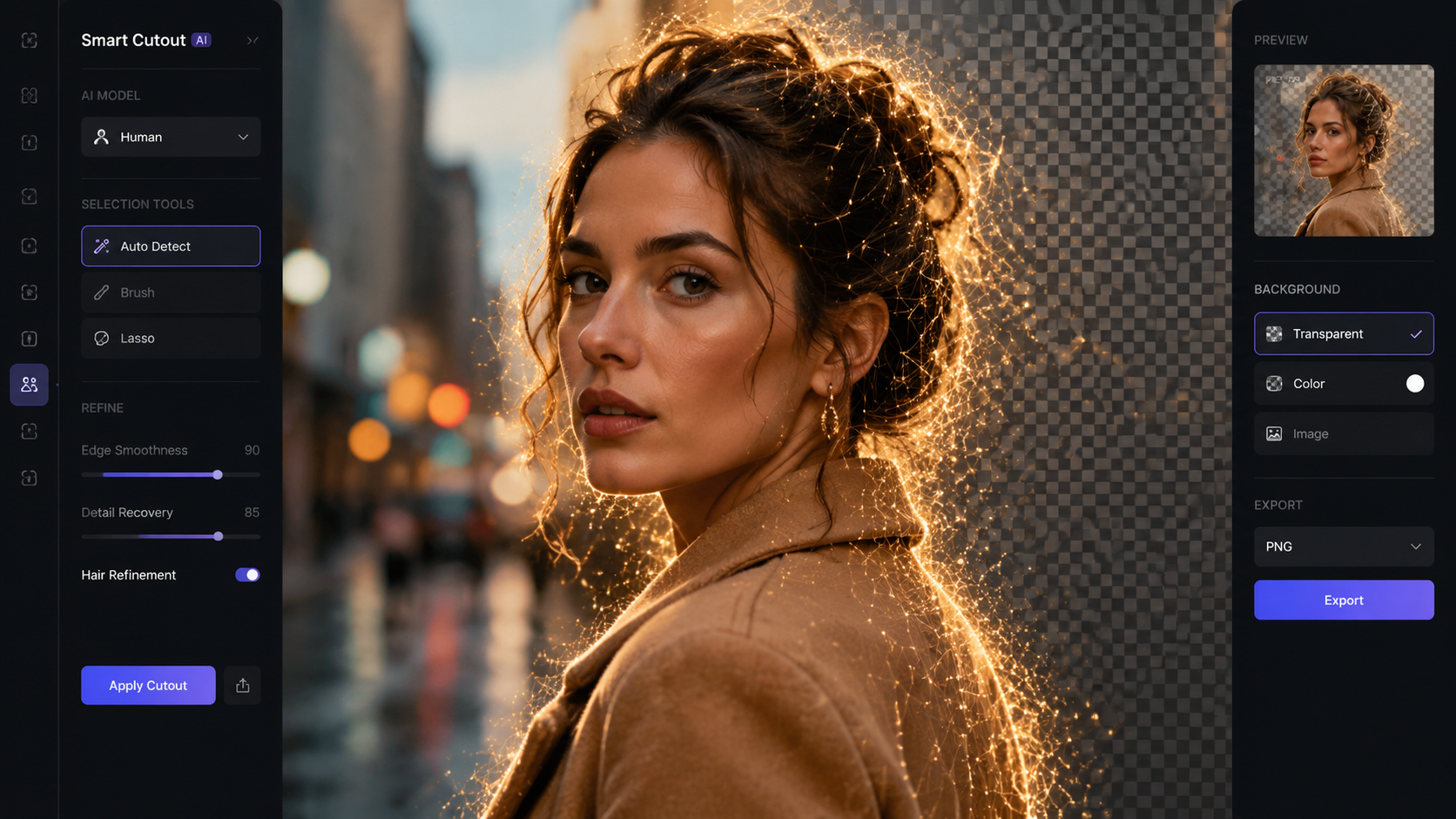
As we navigate through 2026, the technology behind "how to remove video background with ai" has reached a point of near-perfection. Earlier iterations of this technology often struggled with "edge flickering" or "ghosting," where the background would bleed into the subject. However, the latest neural networks released in early 2026 utilize temporal consistency algorithms that look at the frames before and after the current one to ensure a smooth, professional cut.
According to a recent report by High On Films, the "Best AI Video Background Removers of 2026" now include features for scene editing that allow users to not only remove the background but also intelligently relight the subject to match the new environment. This leap in technology means that a video shot in a bedroom can be convincingly placed into a sunset beach scene with the lighting on the subject’s face shifting to match the warm orange hues of the new background.
Advanced Roto Services and Professional Workflows
For high-end productions, the launch of the Beeble AI roto service in April 2026 has set a new benchmark. Professional rotoscoping—the process of tracing an object frame by frame—was once the most tedious job in visual effects. Now, AI-powered roto services provide studio-grade mattes that are compatible with industry-standard software. This allows independent creators to achieve a "Hollywood look" without a blockbuster budget.
Comparing Top AI Video Background Removal Tools (2026)
With so many options available, choosing the right tool depends on your specific needs, whether you are editing on a desktop, in a browser, or on a mobile device. Below is a comparison of the leading technologies currently dominating the market in 2026.
| Tool/Platform | Key Feature | Best For | Processing Speed |
|---|---|---|---|
| Vmake AI | Automated Creator Suite | Social Media & E-commerce | Instant/Real-time |
| Beeble AI Roto | High-Precision Edge Detection | Professional Filmmaking | High (Cloud-based) |
| Galaxy S26 AI | App-Integrated Streaming Removal | Mobile Content Creators | Real-time |
| Scene Editor Pro | Environment Relighting | Commercial Ads | Moderate |
How to Remove Video Background with AI on Mobile Devices
The hardware capabilities of 2026 smartphones have made desktop-class video editing possible on the go. Specifically, the Samsung Galaxy S26 series has introduced an AI suite that changes how we interact with live video. According to SamMobile, the Galaxy S26 AI features include an "Audio Eraser" and a background remover that can function even within third-party streaming apps. This means a live streamer can replace their messy room with a professional studio backdrop in real-time while broadcasting.
Furthermore, mobile-first tools like Vmake have streamlined the "how to remove video background with ai" process for the e-commerce sector. Small business owners can now film a product in their backyard and, within seconds, have a clean, white-background professional advertisement. Concept Phones notes that the Vmake 2026 update includes specific "Modern Creator" tools that optimize video for vertical formats like TikTok and Reels automatically.
The Impact of Real-Time Background Removal
Real-time AI background removal is not just about aesthetics; it is about privacy and branding. In a world where remote work and digital presence are paramount, the ability to instantly mask one's surroundings during a video call or a live stream is essential. The integration of these tools into the OS level of smartphones in 2026 marks a significant milestone in consumer AI accessibility.
Best Practices for High-Quality AI Background Removal
While the AI does most of the heavy lifting, there are still several professional tips you can follow to ensure the cleanest possible result. Even the most advanced 2026 algorithms perform better when given high-quality input data. According to a guide by Hackread, focusing on contrast and stability is key to helping the AI distinguish between the subject and the environment.
Contrast and Lighting
Ensure that your subject is not wearing the same color as the background. If you are standing in front of a green wall, avoid green clothing. While AI in 2026 doesn't strictly require a green screen, high color contrast helps the neural network define the "alpha matte" (the transparency map) more accurately. Proper lighting also reduces "noise" in the shadows, which can sometimes confuse the AI's edge-detection sensors.
Camera Stability and Frame Rates
Using a tripod or electronic image stabilization is highly recommended. Excessive motion blur can make it difficult for the AI to find the exact edge of a moving object. If you are shooting specifically to remove the background later, try shooting at a higher frame rate (such as 60fps). This provides the AI with more data points per second of movement, resulting in a smoother mask when the video is played back at standard speeds.
The Impact of AI on Visual Content Creation
The transformation of visual content through AI is profound. As reported by TheWire.in, the combination of watermark removal, object removal, and video background removal is democratizing the creative industry. In 2026, the barrier to entry for creating high-quality visual effects has virtually disappeared. A single creator can now perform tasks that previously required a full VFX department.
This shift is also impacting how we perceive "truth" in media. With the ease of "how to remove video background with ai," the ability to transplant individuals into different locations is seamless. This underscores the importance of ethical AI use and the growing need for digital signatures or watermarks that verify the authenticity of unedited footage. As AI tools become more powerful, the industry is moving toward a balance of creative freedom and digital accountability.
Advanced Techniques: Object Removal vs. Background Removal
It is important to distinguish between removing a background and removing an object within a video. While background removal replaces the entire environment, AI object removal (also known as "In-painting") focuses on deleting a specific element—like a stray power line or an unwanted person—and filling in the gap with synthesized pixels. Hackread highlights that by 2026, these two technologies have merged into unified "Scene Editors."
When you use an AI Scene Editor, you can selectively choose which parts of the background to keep and which to replace. For example, you might want to keep the floor your subject is standing on but replace the sky and the distant buildings. This level of granular control is what defines the "Pro" in our 2026 guide, allowing for complex compositions that were impossible for amateurs just two years ago.
Do I need a green screen to remove a video background in 2026?
No, modern AI tools use "semantic segmentation" to identify subjects without a green screen. While a green screen can still help in high-end film production, it is no longer a requirement for most creators.
Can I remove video backgrounds on my smartphone?
Yes, devices like the Galaxy S26 have built-in AI capabilities to remove backgrounds in real-time. Apps like Vmake also provide powerful mobile interfaces for background removal on the go.
What is the best file format for exporting videos with transparent backgrounds?
You should use formats that support an alpha channel, such as ProRes 4444 or HEVC with transparency. These formats allow you to overlay the subject onto any background in your video editor.
Is AI background removal free?
Many tools offer free tiers for short clips or lower resolutions. However, professional services like the Beeble AI roto service typically operate on a subscription or pay-per-minute model for high-resolution, cinema-quality results.
How does AI handle hair and fine details in 2026?
Current AI models use deep learning to predict fine details like stray hairs and semi-transparent fabrics. According to CG Channel, the 2026 Beeble update specifically improved "sub-pixel edge accuracy" for these difficult areas.



Comments ()