
How to Remove Objects from Video: Best 2026 AI Tools
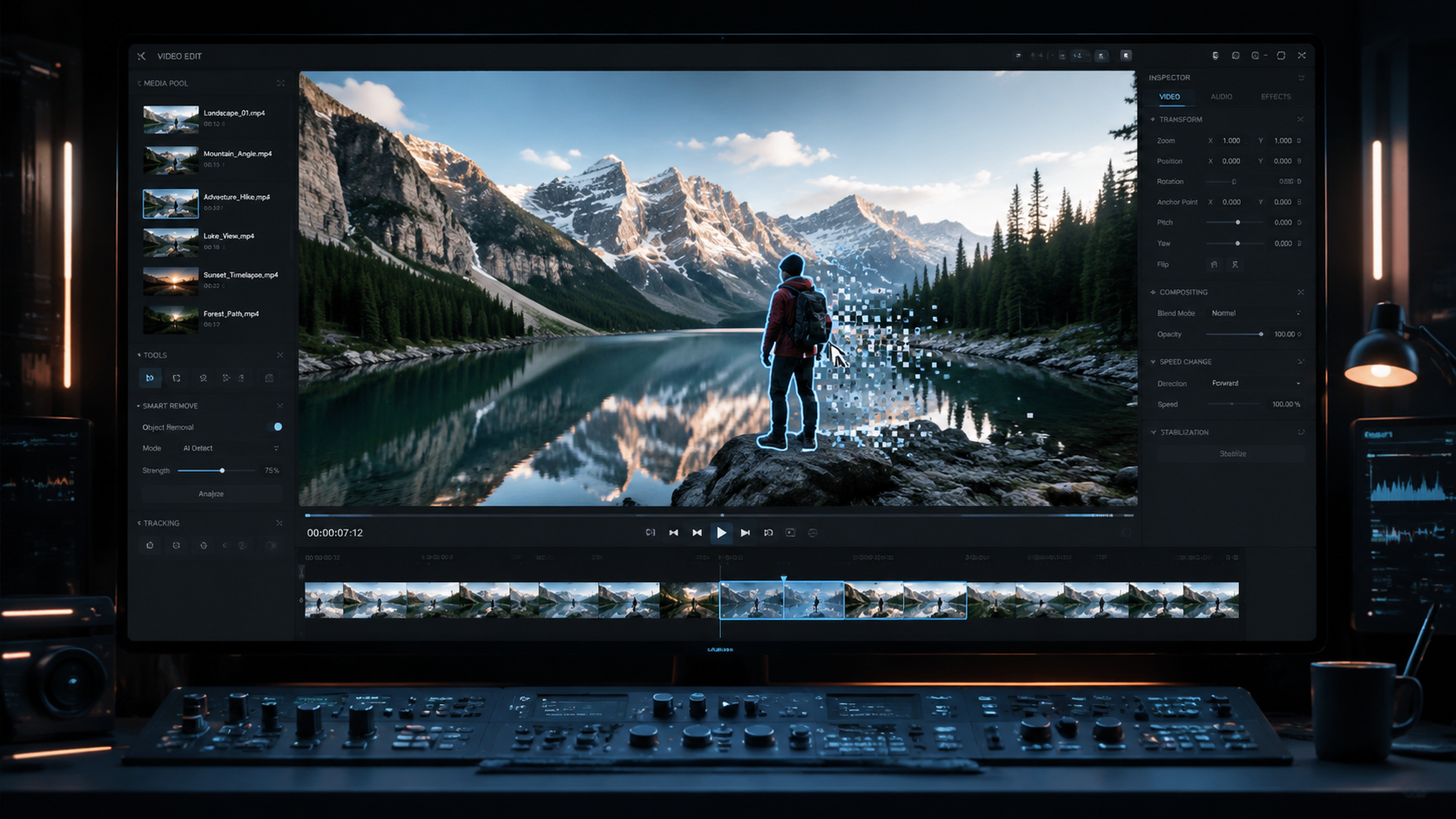
Learning how to remove objects from video involves using advanced AI-driven inpainting and generative fill technologies that analyze motion vectors to replace unwanted elements with contextually accurate backgrounds. In 2026, the most effective method is using automated tools like Netflix’s Void AI or Media.io, which allow users to mask an object and let the neural network reconstruct the scene in a single click. These modern tools ensure that lighting, shadows, and textures remain consistent even after the object is deleted.
Removing objects from video is the process of using artificial intelligence to detect, mask, and erase moving or static elements from a clip while automatically filling the resulting gap with pixels that match the surrounding environment. In 2026, this is primarily achieved through temporal-aware AI models that maintain physical consistency across multiple frames without manual frame-by-frame editing.
- ✓ AI video editing in 2026 now respects the laws of physics, ensuring realistic lighting and shadow reconstruction.
- ✓ Professional-grade tools like Netflix Void AI can now predict how a scene would evolve naturally without the removed object.
- ✓ Cloud-based solutions like Media.io offer high-speed object removal accessible via standard web browsers.
- ✓ Modern "temporal inpainting" has virtually eliminated the "ghosting" or flickering effects common in older 2024-era software.
The Evolution of Object Removal in 2026
The landscape of video editing has undergone a seismic shift in early 2026. For years, removing a person or a distracting sign from a moving shot required painstaking "rotoscoping"—a process where editors manually traced objects frame by frame. Today, the integration of generative AI has turned this hours-long task into a seconds-long automated process. According to recent reports from Tech Xplore, the latest generation of AI video tools can now remove objects without breaking the laws of physics, meaning the AI understands gravity, light reflection, and spatial depth better than ever before.
The breakthrough of 2026 lies in "Temporal Consistency." Older AI models often struggled with flickering, where the background would shift slightly between frames. New neural architectures released this year by major tech players have solved this by analyzing the entire video file simultaneously rather than frame-by-frame. This allows the software to "see" what was behind an object before it even entered the frame, leading to a perfect reconstruction of the background.
Furthermore, the democratization of these tools means that high-end Hollywood effects are now available to content creators on platforms like TikTok and YouTube. Whether you are a professional filmmaker or a casual hobbyist, knowing how to remove objects from video is now a fundamental skill that requires no prior technical expertise in VFX (Visual Effects).
Step-by-Step: How to Remove Objects from Video
If you are looking for the most efficient workflow to clean up your footage in 2026, follow this standardized guide. This process works across most major AI platforms including Media.io and the newly released public versions of scene-reconstruction software.
- Upload Your Footage: Import your video file (MP4, MOV, or ProRes) into your chosen AI editor. Ensure the video is at its original resolution for the best pixel-matching results.
- Select the Object: Use the "Smart Brush" or "Auto-Mask" tool to click on the object you wish to remove. In 2026, most tools use "Point-and-Click" segmenting, which automatically identifies the edges of the object throughout the entire duration of the clip.
- Choose Removal Mode: Select between "Static Fill" (best for stationary cameras) or "Generative Motion Fill" (best for moving cameras or complex backgrounds).
- Preview the Scene: Run a low-resolution preview. Modern tools like Netflix’s Void AI allow you to see how the scene evolves without the object in real-time.
- Render and Export: Once satisfied, hit the render button. The AI will bake the changes into the video, typically taking about 30 seconds for a 10-second 4K clip.
Top AI Tools for Video Object Removal in 2026
The market in 2026 is dominated by a few key players who have pushed the boundaries of what is possible with generative video. Each tool serves a different niche, from professional cinema production to quick mobile edits.
Netflix Void AI: The Professional Standard
Unveiled in April 2026, Netflix’s Void AI has set a new benchmark for the industry. According to eWeek, this tool does more than just erase; it "recreates scenes." Void AI is unique because it can simulate how a scene would have looked if the object had never been there in the first place. For example, if you remove a car driving through a puddle, Void AI will realistically reconstruct the ripples in the water that the car was previously obscuring. This tool is currently being integrated into professional post-production suites but has a simplified version for independent creators.
Media.io: The Best Web-Based Solution
For those who do not want to install heavy software, Media.io remains a top contender in 2026. As noted in a review by Root-Nation, Media.io specializes in removing people from videos with high accuracy. Its cloud-based engine allows users to perform complex "content-aware fills" on mobile devices. It is particularly praised for its user interface, which simplifies how to remove objects from video into a three-click process, making it ideal for social media managers and influencers who need fast turnarounds.
Physics-Aware AI Tools
A new category of tools highlighted by Tech Xplore in April 2026 focuses on "Physical Consistency." These tools are designed specifically for action shots. If an object is removed from a scene where it was casting a shadow on a moving person, the AI intelligently removes the shadow from the person's clothing as well. This level of granular detail was nearly impossible to automate just two years ago.
Comparison of 2026 Video Object Removal Tools
To help you choose the right software for your project, the following table compares the leading AI tools based on their primary features and target audience.
| Tool Name | Primary Feature | Best For | Platform |
|---|---|---|---|
| Netflix Void AI | Generative Scene Reconstruction | High-end Cinematography | Desktop / API |
| Media.io (2026 Ver.) | One-click Person Removal | Social Media / Quick Edits | Web Browser |
| Physics-Engine AI | Shadow & Light Correction | Action & Outdoor Sports | Desktop Plugin |
| PlayStation Universe Suite | Real-time Stream Editing | Gaming & Live Content | Console / PC |
Advanced Techniques: Mastering How to Remove Objects from Video
While AI does most of the heavy lifting, professional editors in 2026 still use specific techniques to ensure the highest quality output. One such technique is "Multi-Pass Removal." Instead of trying to remove five different objects at once, editors often remove them one by one. This allows the AI to focus its processing power on reconstructing a smaller area of the frame, resulting in sharper textures and fewer artifacts.
Another critical aspect is "Lighting Matching." Even the best AI can sometimes struggle with extreme lens flares or strobe lights. According to PlayStation Universe, the 2026 guide to AI video editing suggests using "Reference Frames." By providing the AI with a clear image of the background (taken before or after the object moved through the frame), the software can use that data as a "ground truth" to fill in the gaps more accurately than it could by guessing.
Finally, always consider the "Depth Map." Modern AI tools generate a 3D map of your video. When learning how to remove objects from video, check if your software allows you to edit the depth layers. This ensures that if you remove an object in the foreground, the AI doesn't accidentally blur the background elements that should remain in sharp focus. This attention to spatial detail is what separates amateur edits from professional-grade content.
The Impact of AI on Video Authenticity
As these tools become more powerful, the industry is also grappling with the ethics of video manipulation. The ability of Netflix's Void AI to show "how scenes evolve without them" (as reported by TechSpot) means that reality can be altered seamlessly. While this is a boon for creative storytelling—allowing directors to remove accidental crew members or equipment from a shot—it also raises questions about the "truth" of video footage.
In response, many 2026 tools are now including "Content Credentials" or digital watermarks in the metadata. These tags inform viewers or platforms that the video has been modified by AI. As you learn how to remove objects from video, it is important to stay informed about these standards, especially if you are producing news or documentary content where visual integrity is paramount.
Frequently Asked Questions
Can I remove moving objects from a handheld video?
Yes, in 2026, AI tools use advanced stabilization and motion tracking to remove objects even if the camera is shaking. The AI compensates for the camera movement to ensure the background fill remains perfectly aligned with the rest of the shot.
Does removing objects reduce the video quality?
Generally, no. Modern AI tools like Media.io and Void AI use "Super-Resolution" upscaling during the inpainting process. This ensures that the replaced pixels match the original resolution and grain of the video, often making the edit invisible to the naked eye.
How long does it take to remove an object from a 4K video?
With the cloud-based processing power available in 2026, a standard 10-second 4K clip typically takes between 30 and 60 seconds to process. Local processing on high-end GPUs may be even faster, approaching real-time speeds.
Is there a limit to how many objects I can remove?
Technically, there is no limit, but removing too many objects can sometimes lead to "hallucinations" where the AI creates unnatural patterns. For the best results, it is recommended to remove objects in stages or passes.
Are these AI tools free to use?
Many tools offer a "freemium" model. Basic object removal for short clips is often free on platforms like Media.io, while professional features like Netflix’s Void AI or high-resolution 8K exports usually require a monthly subscription or a per-use fee.



Comments ()