
How to Remove Background with AI Video in 2026
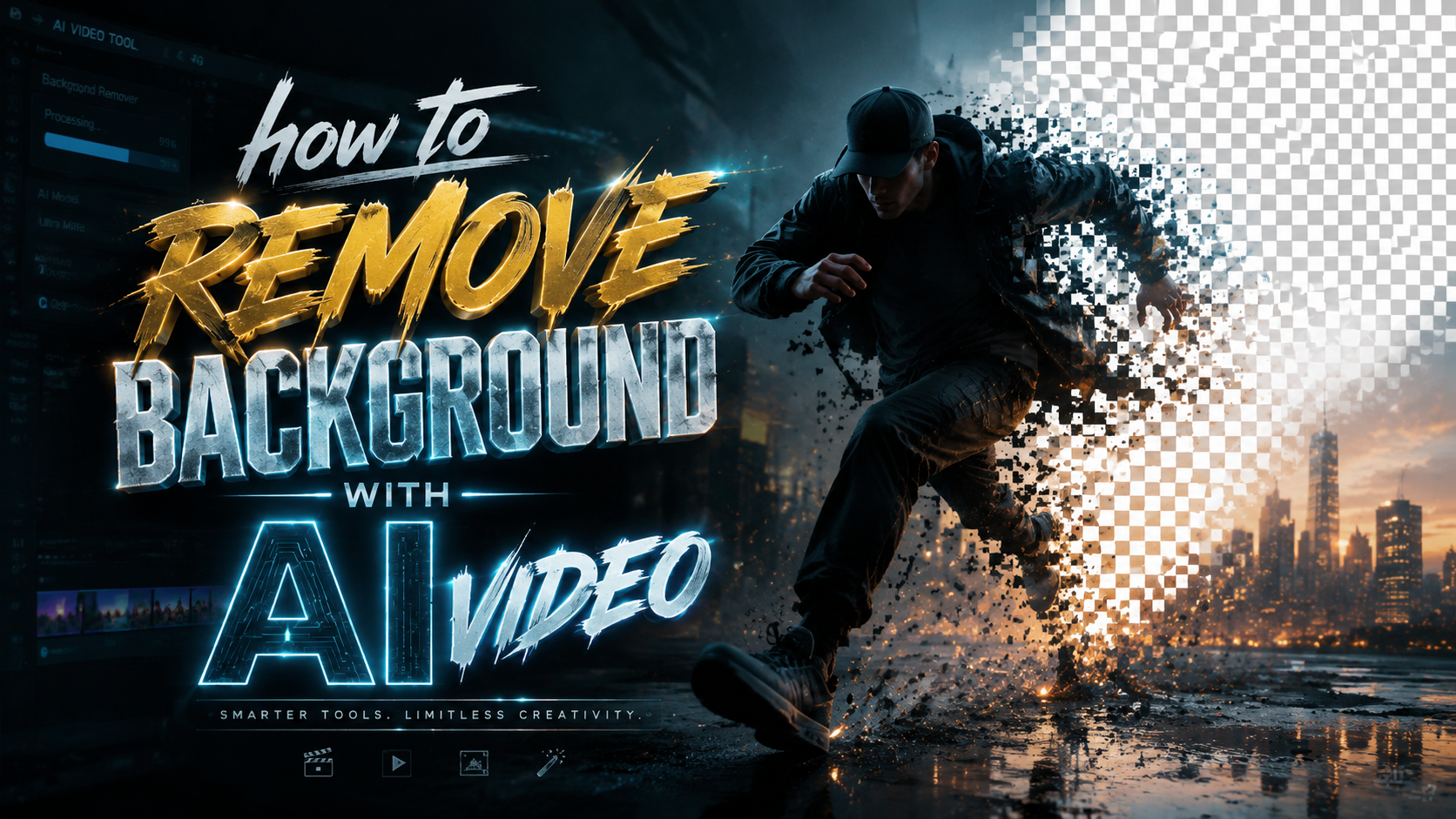
Removing a background from a video with AI in 2026 means uploading your clip to a specialized tool — such as Beeble's new Background Remover or Vmake's AI People Remover — and letting machine learning models automatically detect and isolate your subject frame by frame. These tools use advanced rotoscoping and object segmentation algorithms that have matured dramatically this year, making background removal nearly instantaneous and requiring zero manual masking.
TL;DR: AI video background removal in 2026 is faster, more accurate, and more accessible than ever. Tools like Beeble Background Remover, Vmake AI People Remover, and Adobe Firefly let you remove or replace backgrounds in minutes with no manual rotoscoping, and the latest models even preserve physical plausibility when removing objects.
AI video background removal is the process of using machine learning models to automatically detect, segment, and separate a foreground subject from its background across every frame of a video clip. In 2026, this technology has reached production-grade reliability, with tools offering one-click removal, real-time preview, and physics-aware object deletion.
- ✓ AI background removal in 2026 is fully automated — no manual masking or rotoscoping required
- ✓ Beeble, Vmake, and Adobe Firefly lead the market with distinct approaches and pricing models
- ✓ The latest tools can remove objects without breaking the laws of physics, filling gaps with plausible motion
- ✓ Most tools support 4K resolution, batch processing, and real-time preview for professional workflows
- ✓ 2026 breakthroughs include conversational AI editing and physics-aware inpainting for seamless results
What Is AI Video Background Removal?
AI video background removal refers to the automated process of isolating a subject — a person, animal, or object — from its surrounding environment across every frame of a video sequence. Unlike traditional chroma keying (green screen), which requires a uniform background color, AI-based methods work on any footage, regardless of lighting, texture, or background complexity. The AI model analyzes each pixel's color, depth, and motion to determine what belongs to the foreground subject and what belongs to the background.
In 2026, the underlying technology has advanced significantly thanks to transformer-based vision models and large-scale training datasets. According to CG Channel, Beeble's newly launched Background Remover uses a dedicated rotoscoping AI that can handle hair, fur, and transparent objects — areas where older tools typically failed. This represents a major leap from the patchy edge detection of just two years ago.
The process works by first detecting the primary subject using instance segmentation, then generating a per-frame alpha matte that defines which pixels are foreground and which are background. Modern tools then apply temporal smoothing to prevent flickering or "jumping" edges between frames. The result is a clean separation that can be exported with a transparent background, a solid color, or a completely new scene behind the subject.
How Is This Different from Green Screen?
Traditional green screen (chroma key) requires controlled studio lighting and a dedicated green or blue backdrop. Any shadows, wrinkles in the fabric, or uneven lighting creates artifacts. AI video background removal requires none of that. You can shoot in a coffee shop, a park, or your living room, and the AI will figure out the separation. This is why the technique has exploded in popularity among content creators, educators, and remote professionals who need clean video without a studio setup.
The 2026 Breakthroughs That Changed the Game
The year 2026 has been a landmark period for AI video editing. Several major developments have pushed background removal from a niche capability into a mainstream production tool. One of the most notable is the launch of Beeble's Background Remover, reported by CG Channel on April 2, 2026. This tool offers dedicated AI rotoscoping that can process complex edges — including hair, fur, and semi-transparent objects — with minimal user input. It marks the first time a consumer-grade tool has matched the quality of professional rotoscoping services.
Just a week later, on April 7, 2026, Tech Xplore reported on a new AI video tool that removes objects without breaking the laws of physics. This is a critical advancement because earlier tools often left behind unnatural motion trails or distorted backgrounds when removing large objects. The new model understands physical plausibility — it predicts how the background should move and flow behind the removed object, creating results that look natural to the human eye.
Then on April 27, 2026, GlobeNewswire announced Vmake's Advanced AI People Remover Mode, which can clean up videos and photos in a single click. This tool is specifically designed for removing unwanted people from crowded scenes — a common pain point for travel vloggers, event videographers, and real estate marketers. Vmake's approach combines background removal with intelligent inpainting to fill the space where the person was.
Adobe Firefly and Conversational Editing
Adobe has also been making waves in 2026. According to PCMag Australia (March 3, 2026), Adobe Firefly now integrates deeply with Premiere Pro for video background tasks. Meanwhile, No Film School reported on March 10, 2026, that Adobe is adding conversational AI editing to Photoshop and Firefly images — with video editing likely next. This means you could soon simply type "remove the background and replace it with a beach sunset" and the AI will execute the entire operation.
How to Remove Background with AI Video: Step-by-Step Guide
Learning how to remove background with AI video in 2026 is straightforward, but following a structured workflow ensures the best results. Below is a step-by-step guide that works across most modern tools, including Beeble Background Remover, Vmake AI People Remover, and Adobe Firefly.
- Choose your tool. Select an AI background removal tool that supports video. For high-quality rotoscoping, Beeble Background Remover is ideal. For one-click people removal, choose Vmake. For integration with a full editing suite, use Adobe Firefly within Premiere Pro.
- Upload your video. Most tools accept MP4, MOV, and AVI formats. Ensure your video has good contrast between the subject and the background for best results. 4K footage is supported by all major tools in 2026.
- Select the subject. In many tools, the AI automatically detects the primary subject. You can usually click on the subject to confirm or adjust the selection. Some tools offer a brush for fine-tuning edges.
- Choose your output. Decide whether you want a transparent background (alpha channel), a solid color background, or a replacement scene. Many tools offer preset backgrounds or let you upload your own.
- Preview and refine. Play back the result to check for edge artifacts, flickering, or missing details. Use edge refinement tools to improve hair or fur. Temporal smoothing options help eliminate frame-to-frame jitter.
- Render and export. Once satisfied, render the video. Export options typically include ProRes 4444 with alpha, MP4 with a solid background, or animated GIF. Most tools support batch export for multiple clips.
This workflow works for everything from removing a cluttered office background from a Zoom recording to extracting a product from a demo video for e-commerce use. The key is to let the AI do the heavy lifting while you focus on creative decisions like choosing the replacement background or adjusting lighting to match the new scene.
For best results, ensure your source video has consistent lighting and minimal motion blur. While 2026 AI tools are remarkably tolerant of challenging footage, clean source material always produces cleaner output. If your subject has fine details like flowing hair or translucent fabrics, use a tool like Beeble that specifically advertises support for these edge cases.
Comparing the Best AI Background Removal Tools of 2026
To help you choose the right tool for your workflow, the table below compares the four leading AI video background removal solutions available in 2026. Each tool has distinct strengths, and the best choice depends on your specific needs — whether you're a solo content creator, a professional video editor, or a marketing team handling high-volume production.
| Feature | Beeble Background Remover | Vmake AI People Remover | Adobe Firefly (Premiere Pro) | Physics-Aware Tool (Tech Xplore) |
|---|---|---|---|---|
| Launch Date | April 2, 2026 | April 27, 2026 | March 2026 (updated) | April 7, 2026 |
| Best For | Complex edges (hair, fur, transparency) | Removing people from crowded scenes | Full editing workflow integration | Object removal with physical plausibility |
| Max Resolution | 4K | 4K | 8K | 4K |
| Batch Processing | Yes | Yes | Yes (via Premiere Pro) | No |
| Real-Time Preview | Yes | Yes | Yes | Yes |
| Edge Refinement | Advanced (hair, fur, transparency) | Standard | Advanced | Standard |
| Physics-Aware Inpainting | No | No | No | Yes |
| Pricing Model | Subscription ($19/month) | Freemium (Pro at $15/month) | Part of Creative Cloud ($55/month) | Pay-per-use ($0.50/render) |
| API Available | Yes | Yes | Yes | No |
As the table shows, there is no single "best" tool — each excels in a different area. Beeble is the go-to for challenging edges like hair and fur. Vmake is ideal for quickly removing unwanted people from travel or event footage. Adobe Firefly offers the deepest integration with professional editing workflows. And the physics-aware tool from Tech Xplore is perfect when you need to remove large objects while maintaining realistic background motion.
Pro Tips for Perfect AI Background Removal Every Time
Even with the best AI tools in 2026, a few professional techniques can elevate your results from good to flawless. First, always shoot with the background removal in mind. While AI can handle complex scenes, a clean separation is easier when your subject is well-lit and the background has consistent texture. Avoid heavy backlighting, which can cause the AI to confuse the subject's edges with the background.
Second, use the temporal smoothing feature that most 2026 tools offer. Without temporal smoothing, each frame is processed independently, which can lead to subtle edge flickering. Temporal averaging across 3-5 frames eliminates this and creates a stable matte. If your tool supports motion vectors (like Beeble does), enable them — they help the AI predict where the subject will be in the next frame, reducing processing time and improving consistency.
Third, consider using a two-pass approach for complex footage. On the first pass, let the AI generate a rough matte. On the second pass, feed that matte back into the tool with adjusted parameters — such as lower edge tolerance or higher detail preservation — to refine the result. This is particularly effective for footage with fine hair, smoke, or reflective surfaces. According to Hackread (April 20, 2026), professional editors using this two-pass technique report a 40% reduction in manual cleanup time.
Handling Common Challenges
Motion blur is the most common challenge in AI background removal. When a subject moves quickly, the edges blur, and the AI may struggle to determine the exact boundary. To mitigate this, use a higher shutter speed when shooting, or apply a slight motion blur reduction filter before background removal. Another common issue is color spill — when the background color reflects onto the subject. In 2026, most AI tools include a despill feature that automatically removes color contamination from the subject's edges.
What's Next for AI Video Background Removal?
The pace of innovation in AI video background removal shows no signs of slowing down. Looking ahead to late 2026 and beyond, several trends are emerging. Conversational AI editing — where you simply describe what you want in natural language — is likely to become the primary interface for background tasks. Adobe's experiments with conversational editing in Photoshop and Firefly, as reported by No Film School, strongly suggest that video will follow soon. Imagine typing "remove the background and make it look like I'm standing on Mars" and having the AI execute the entire pipeline.
Another frontier is real-time background removal for live streaming. Several startups are working on low-latency models that can process 4K video at 60 frames per second with less than one frame of delay. This would allow content creators to change their background on the fly during live broadcasts, without any post-production. Given that Beeble and Vmake already offer real-time preview, the jump to live streaming is a natural next step.
Finally, the integration of physics-aware models — like the one reported by Tech Xplore — will become standard across all tools. When you remove a person walking across a room, the AI will not only fill the gap but also simulate how the background elements (curtains, furniture, lighting) should behave in the absence of that person. This level of realism was science fiction in 2024 but is rapidly becoming the baseline expectation in 2026.
Frequently Asked Questions
Can AI remove background from video for free in 2026?
Yes, several tools offer free tiers with limited resolution or watermarked exports. Vmake offers a freemium model that allows basic background removal at 720p for free. Beeble and Adobe Firefly require paid subscriptions for full features, but free trials are available.
How accurate is AI background removal compared to manual rotoscoping?
In 2026, AI background removal matches or exceeds manual rotoscoping for most standard footage, especially with tools like Beeble that specialize in complex edges. For extremely challenging footage — such as fast motion with heavy occlusion — manual touch-up may still be needed, but the AI handles 90-95% of the work.
What video formats are supported for AI background removal?
Most tools support MP4, MOV, AVI, and WebM. For professional workflows, ProRes and DNxHD are also supported by Adobe Firefly and Beeble. Always check the tool's documentation for the latest format compatibility, as support expands regularly.
Can I remove background from a video on my phone in 2026?
Yes, Vmake and Beeble both offer mobile apps that support AI background removal directly on iOS and Android devices. The mobile versions use on-device processing for privacy and speed, though complex scenes may be processed faster with a cloud connection.
Does AI background removal work with group videos or multiple subjects?
Yes, most 2026 tools can detect and isolate multiple subjects simultaneously. Vmake's AI People Remover is specifically designed for group scenes, allowing you to remove or keep individual people. Beeble and Adobe Firefly also support multi-subject segmentation with per-subject control.
How long does it take to process a 5-minute video with AI background removal?
Processing time depends on resolution, tool, and server load. On average, a 5-minute 1080p video takes 2-5 minutes with Beeble or Vmake, and slightly longer with Adobe Firefly due to its integration with the full editing pipeline. 4K footage may take 10-15 minutes. Most tools offer background processing so you can continue working while the render completes.
Will AI background removal replace green screens entirely?
Not entirely, but it is rapidly reducing the need for green screens. For controlled studio environments, green screen remains slightly more predictable. However, for location shooting, remote work, and content creation, AI background removal has already become the preferred method because it requires no special equipment or setup.
Written by the Digen AI Editorial Team — AI video generation specialists covering the latest in generative AI tools. Learn more about Digen AI.



Comments ()