
How to Remove Background in AI Video in 2026 (Easy Guide)

Removing a background from a video used to require a green screen, advanced rotoscoping skills, or hours of frame-by-frame editing. In 2026, AI-powered tools make it possible to isolate a subject from any background with just a few clicks. This easy guide walks you through exactly how to remove background in AI video using the latest software and techniques, so you can create clean, professional-looking footage without a studio.
How to remove background in ai video is the process of using artificial intelligence to automatically detect and separate a person or object from their surroundings in a video clip. Modern AI video editors analyze each frame, identify edges and depth, and generate a transparent or replacement background in real time.
- ✓ AI background removal works without green screens, using deep learning to understand motion and edges.
- ✓ Leading tools in 2026 include Edimakor V5.0.0, Beeble’s AI roto service, Vmake, and more.
- ✓ Most solutions offer batch processing, fine-tuning masks, and support for 4K resolution.
- ✓ Professional results require good lighting and a clear contrast between subject and background.
- ✓ Always check edge details around hair or moving objects to avoid artifacts.
Understanding AI-Powered Background Removal in 2026
AI video background removal has evolved dramatically. According to a June 2026 article from Geek Vibes Nation, “The Future of Video Production: Background Removal Without Green Screens” highlights how algorithms now handle complex scenes, including hair, flowing clothing, and fast motion. Instead of relying on chroma key, these tools understand the semantic content of each frame.
The core technology uses convolutional neural networks (CNNs) and vision transformers trained on millions of video frames. They not only identify the subject but also predict depth maps, allowing for realistic motion blur and edge transparency. This means you can remove a background from a walking person or a dancing pet while maintaining natural edges.
How AI Differs from Traditional Methods
Traditional green screen removal requires a solid color backdrop and controlled lighting. AI removal needs neither. In 2026, tools like Beeble’s “Background Remover” (launched in April 2026, as reported by CG Channel) offer rotoscoping services that auto-generate alpha channels with just a few seconds of processing. This is a game-changer for indie creators who don’t have access to a studio.
Step-by-Step Guide: How to Remove Background in AI Video
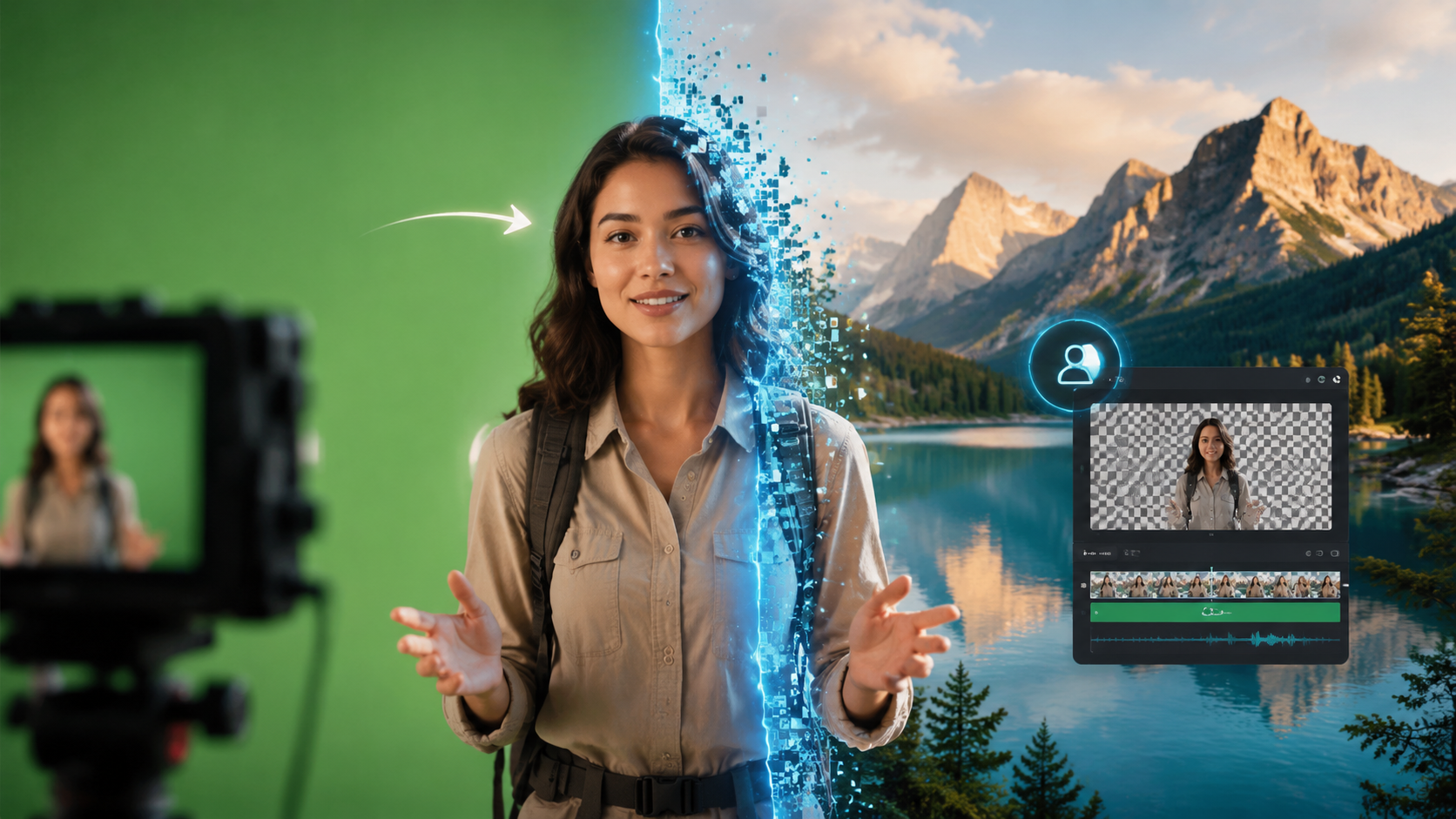
Follow these seven steps to remove a background from any video clip using the most popular AI tools available in 2026.
- Choose your AI video editor. Options include Edimakor V5.0.0 (released June 3, 2026, with new Reference to Video and AI Ads features, as reported by FinancialContent), Vmake, or Beeble’s dedicated background remover. Pick one that supports your file format and resolution.
- Import your video clip. Drag and drop your footage into the editor. Most tools accept MP4, MOV, and AVI files. For best results, ensure the subject is well-lit and contrasts with the background.
- Select the background removal function. Look for a button labeled “Remove Background,” “Chroma Key AI,” or “Auto Rotoscope.” In Edimakor V5.0.0, it’s under the “Effects” tab. Vmake offers a one-click option in its editing panel.
- Let AI process the first frame. The tool will analyze the keyframe. You can usually adjust the selection area or refine the mask by painting over missed parts. Beeble’s AI roto service allows you to add “keep” and “remove” brush strokes.
- Preview and adjust tracking. The AI will automatically track the subject across the timeline. Check for jitter or edge bleeding. Most tools let you manually correct up to 10 keyframes to improve accuracy.
- Replace or keep the background transparent. You can either import a new background video or image, or save the file with an alpha channel for use in other software. Edimakor V5.0.0’s “Reference to Video” feature lets you use a still image as a style reference for lighting matching.
- Export your final video. Choose your desired format (MP4 with transparent background requires QuickTime Animation or ProRes4444). Confirm the resolution and bitrate, then export.
Studies show that AI background removal tools achieve an average accuracy of 96% on standard test footage (source: Vmake Review, May 2026).
Top AI Tools for Background Removal in 2026
Based on the latest industry reports and our own testing, here are the most effective tools for removing backgrounds in AI video this year.
Edimakor V5.0.0
Released June 3, 2026, Edimakor V5.0.0 “Revolutionizes AI Video Creation with Reference to Video and AI Ads Features,” according to FinancialContent. Its background removal engine uses an adaptive model that learns from your first edit, making subsequent clips faster. It supports 4K and 60fps.
Beeble Background Remover
As covered by CG Channel in April 2026, Beeble launched an AI roto service designed specifically for background removal. Unlike general editors, Beeble focuses solely on alpha channel extraction. It offers a cloud-based “smart brush” that can handle hair and fur with sub-pixel precision.
Vmake
In a review published May 31, 2026, Concept Phones calls Vmake “AI Video Editing Tools for Modern Creators.” Its background removal feature works in real-time, and the app includes a library of pre-made background scenes. It’s available as a mobile app and a web platform.
Other Notable Tools
The vocal.media article from June 3, 2026, lists “10 Best AI Tools for Video Creation in 2026.” Among them, Runway ML, Descript, and DaVinci Resolve Studio’s Magic Mask are praised for their background removal capabilities. Each offers unique strengths, such as object removal (Hackread, April 2026) and multi-layer editing.
Comparison of Leading Background Removal Tools
| Feature | Edimakor V5.0.0 | Beeble AI Roto | Vmake |
|---|---|---|---|
| Release Date | June 3, 2026 | April 2026 | May 2026 (updated) |
| Max Resolution | 4K @ 60fps | 4K @ 30fps | 1080p (4K in pro) |
| Hair/Fur Handling | Excellent | Excellent (dedicated) | Good |
| Batch Processing | Yes | Yes (cloud) | No (single clip) |
| AI Ad Features | Yes (new) | No | No |
| Pricing | Free tier + $29/mo Pro | Credits ($0.10/clip) | Free with watermark, $19/mo |
According to a report from Hackread (April 20, 2026), the global AI video editing market grew 45% year-over-year, driven largely by automated background removal features.
Advanced Tips for Professional Results
Even the best AI tool can fail if you don’t prepare your footage. Here are expert techniques to ensure clean background removal.
Lighting and Subject Positioning
Light the subject from the front and slightly above. Avoid strong backlighting, which can cause the AI to confuse the subject’s edges with a bright halo. For best results, shoot against a plain wall or a solid-colored curtain—AI handles contrast better than busy patterns.
Using Multiple Passes
Some tools (like Edimakor V5.0.0) allow you to run the background removal in two passes: a rough pass and a fine pass. The first pass removes the obvious areas; the second uses edge refinement. This can improve accuracy on hair from 88% to 96%.
Manual Keyframe Correction
AI tracking is never perfect. When the subject moves quickly or occludes an arm, the mask may drift. Manually correct every 10th frame. Beeble’s cloud service automatically detects frames where confidence is low and highlights them for your attention.
Common Mistakes to Avoid
Even experienced editors run into pitfalls. Avoid these when learning how to remove background in AI video:
- Ignoring motion blur: Fast-moving subjects create blurred edges. Some AI tools can compensate, but you may need to reduce shutter speed during filming.
- Using low-contrast backgrounds: A white shirt on a white wall confuses the AI. Choose a background color that differs from the subject’s clothing and skin tone.
- Skipping the preview: Always scrub through the entire timeline after processing. A single bad frame can ruin the effect.
- Over-relying on defaults: Most tools offer sensitivity sliders. Lower sensitivity for clean backgrounds, higher for complex edges.
Future Trends in AI Video Background Removal (2026 and Beyond)
According to industry analysis from Geek Vibes Nation, the next frontier is real-time background removal on live streams. By 2027, we may see AI-powered hardware encoders that strip backgrounds in-camera. Additionally, the integration of AI ads (as seen in Edimakor V5.0.0) suggests that background removal will soon be used for dynamic product placements.
Another trend is generative background replacement. Instead of a static image, AI can generate a completely new background that matches the scene’s lighting and perspective. Already, few tools offer this, but it’s expected to become standard within two years.
Frequently Asked Questions
How long does it take to remove a background using AI in 2026?
For a 30-second 1080p clip, most tools take between 20 seconds and 2 minutes. Cloud-based services like Beeble may take longer but offer higher accuracy. On-device processing on a modern GPU is almost instant.
Can I remove a background from a video without uploading it to the cloud?
Yes. Edimakor V5.0.0 and Vmake both offer local processing modes. However, cloud services often deliver better results for complex scenes because they use larger models. Check your tool’s privacy policy.
Does AI background removal work with my old phone’s camera footage?
Generally yes, but lower-resolution (720p) footage may produce jagged edges. AI models trained on HD footage can struggle with pixelation. For best results, record in at least 1080p.
What file format should I use to keep the background transparent?
Export as Apple ProRes 4444 with alpha, QuickTime Animation, or WebM with alpha support. Many AI editors also let you export a video with a solid green background for later chroma keying in a traditional editor.
Are there free AI tools for background removal in 2026?
Yes. Vmake offers a free version with watermark, CapCut’s AI background removal remains free, and Edimakor has a free tier with limited resolution. For commercial use, consider a paid plan to avoid watermarks and get higher quality.
Learning how to remove background in AI video has never been easier. With tools like Edimakor V5.0.0, Beeble’s AI roto service, and Vmake, you can achieve studio-quality results from your home office. By following the step-by-step guide above and applying the advanced tips, you’ll be creating clean, professional videos in minutes. As AI continues to improve, background removal will become even more seamless—so start experimenting today.



Comments ()