
How to Prompts for Video: 2026 AI Scripting Guide

To master how to prompts for video in 2026, you must combine descriptive cinematic language with "meta-prompting" techniques that define camera movement, lighting, and temporal consistency. Effective video prompting involves providing a clear subject, a specific action, and a stylistic framework that modern generative models like Google Veo or Adobe Firefly can interpret into high-fidelity frames. By structuring your text to include technical parameters like focal length and frame rate alongside your creative narrative, you ensure the AI generates stable, professional-grade footage.
How to prompts for video is the process of using natural language instructions to generate, edit, or transform video content via AI. In 2026, this involves "meta-prompting" where users define not just the scene, but the underlying directorial logic, allowing tools like Google Photos and ByteDance’s latest engines to create seamless, high-definition cinematic sequences from simple text strings.
- ✓ Use "Meta-Prompting" to define camera angles and lighting for professional results in Google Veo.
- ✓ Leverage prompt-based editing in Adobe Firefly to modify existing footage without manual masking.
- ✓ Utilize Google Photos’ 2026 update to convert static image libraries into narrative videos via text.
- ✓ Ensure ethical compliance by avoiding deepfake-triggering prompts on restricted platforms like ByteDance.
- ✓ Apply 2026 social media prompt frameworks to scale content production by 10x across platforms.
The Evolution of AI Video Scripting in 2026
As we navigate the landscape of 2026, the methodology behind how to prompts for video has shifted from simple descriptions to complex, multi-layered "meta-prompts." Earlier iterations of AI video relied heavily on the model's "imagination," often leading to hallucinations or physical inconsistencies. Today, according to recent insights from Google Blog (December 2025), the introduction of meta-prompting for the Veo model allows creators to act as directors, specifying "camera orbits," "dynamic lighting shifts," and "temporal flow" within the text itself. This granular control has bridged the gap between amateur experiments and professional-grade cinematography.
Furthermore, the integration of AI video tools into everyday applications has democratized high-end production. For instance, GSMArena (January 2026) reported that Google Photos now allows users to use text prompts to turn their personal images into cohesive videos. This means the skill of prompting is no longer reserved for prompt engineers but is a necessary literacy for anyone managing a digital footprint. Whether you are a social media influencer or a corporate trainer, understanding the syntax of video prompts is the primary driver of creative efficiency in the current year.
Step-by-Step: Mastering the 2026 Video Prompting Workflow
- Define the Core Subject: Start with a clear noun and a primary action (e.g., "A robotic chef sautéing neon vegetables").
- Apply Meta-Prompting Tags: Add cinematic instructions like "wide-angle lens," "shallow depth of field," or "golden hour lighting" to guide the AI’s visual engine.
- Set the Temporal Logic: Describe the motion speed and direction, such as "slow-motion capture" or "time-lapse of a blooming flower."
- Choose the Model Style: Specify if the output should be "photorealistic," "3D animation," or "hyper-stylized aesthetic."
- Iterate with Negative Prompts: List elements to exclude, such as "motion blur," "distorted limbs," or "unstable backgrounds."
How to Prompts for Video Editing: The New Adobe Firefly Standards
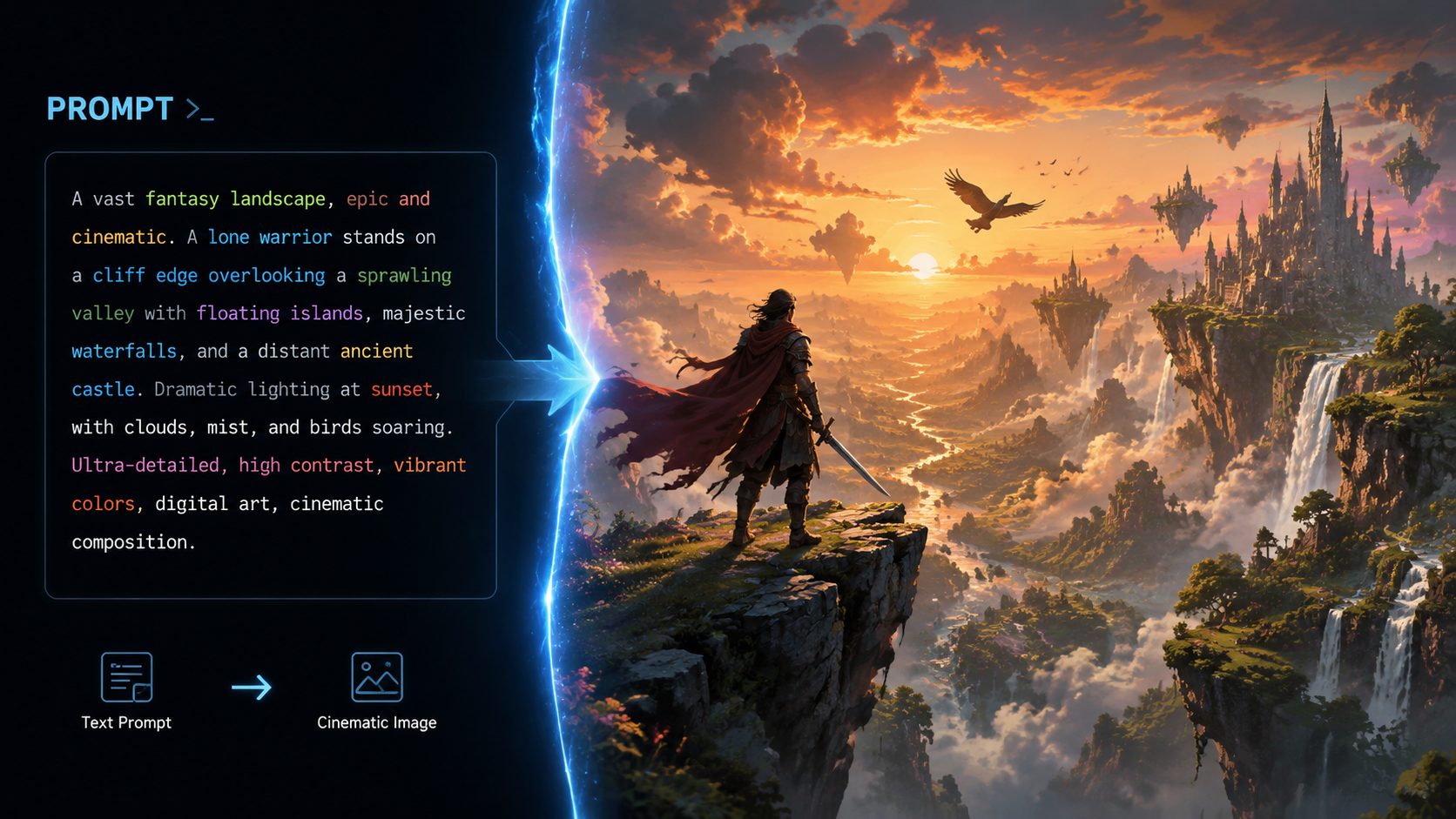
One of the most significant breakthroughs in 2026 is the ability to edit video using nothing but text. TechCrunch (December 2025) highlighted that Adobe Firefly now supports prompt-based video editing, which integrates third-party models to handle complex tasks like object replacement and color grading. Instead of manually rotoscoping a subject, a creator can simply prompt, "Change the subject's jacket to red leather and make the background a rainy London street." This shift has reduced post-production timelines by approximately 70% for creative agencies.
The power of these prompts lies in their ability to understand context. Adobe’s engine doesn't just overlay a filter; it recalculates the light bounce and shadows to match the new prompted environment. This level of sophistication requires the user to be highly specific about textures and environmental interactions. When learning how to prompts for video in an editing context, you must treat the AI as a highly skilled technician who needs precise orders regarding material properties and atmospheric conditions.
Comparing 2026 AI Video Models
| Platform | Primary Strength | Key 2026 Feature | Best For |
|---|---|---|---|
| Google Veo | Cinematic Realism | Meta-Prompting Support | Professional Filmmaking |
| Adobe Firefly | Prompt-based Editing | Third-party Model Integration | Commercial Post-Production |
| ByteDance (New Tool) | High-Energy Motion | Real-time Viral Optimization | Social Media / TikTok |
| Google Photos | Image-to-Video Conversion | Personal Narrative Prompting | Casual Memory Sharing |
Ethical Boundaries and Security in Video Prompting
With great power comes significant responsibility, and 2026 has seen a tightening of regulations around AI-generated content. As reported by Sixth Tone (February 2026), viral deepfake demos have prompted ByteDance to limit its new AI video tools. This move is part of a global trend where platforms are implementing strict prompt filters to prevent the creation of unauthorized likenesses or harmful misinformation. When researching how to prompts for video, it is crucial to understand these "guardrail" terms to avoid having your account flagged or your prompts rejected by the system.
Safety protocols now often include "Content Credentials," a digital watermark that is baked into the video metadata. According to industry standards in 2026, prompts that attempt to bypass these safety measures—such as those requesting specific public figures in compromising scenarios—are automatically blocked by the underlying large language models (LLMs). For creators, this means focusing on original characters and stylized environments is the most sustainable path for content creation without running into platform restrictions.
Scaling Content: 40 AI Social Media Prompts for Growth
For creators looking to dominate the digital space, volume and quality must coexist. Metricool (January 2026) released a guide featuring 40 AI social media prompts designed to 10x content creation. These prompts are specifically engineered for short-form video platforms where the first three seconds are critical for retention. The key to these prompts is the "Hook-Body-CTA" structure, where the AI is instructed to generate a high-impact visual opener followed by a concise narrative arc.
When using these frameworks, the concept of how to prompts for video evolves into a strategy for brand consistency. By feeding the AI a "Style Guide Prompt" before generating specific videos, creators can ensure that every clip—whether it’s a tutorial or a behind-the-scenes look—maintains the same color palette, tone of voice, and pacing. This programmatic approach to creativity is what allows small teams in 2026 to produce the output that previously required an entire production house.
Advanced Prompting Techniques for Social Media
- The "Looping" Prompt: Instruct the AI to ensure the last frame matches the first frame perfectly for infinite loops on Reels and TikTok.
- The "Reaction" Prompt: Use AI to generate realistic facial expressions based on a specific audio track or emotional keyword.
- The "Multi-Angle" Prompt: Request the same scene from three different perspectives to allow for dynamic cutting in the edit.
The Future of Scripting: Integrating Narrative and Visual Prompts
The final frontier in how to prompts for video is the convergence of scriptwriting and visual generation. In 2026, specialized AI tools can take a 10-page script and automatically break it down into a series of visual prompts, maintaining character consistency across every scene. This "Script-to-Prompt" pipeline is revolutionizing independent cinema. According to The Everygirl (April 2026), even personal interaction prompts—like those used on Hinge—are becoming more sophisticated, showing that the logic of clear, descriptive prompting is permeating every aspect of our digital lives.
To stay ahead, creators must learn to write "Contextual Anchors." These are specific phrases within a prompt that tell the AI to remember a previous visual element. For example, "Using the same character from the previous scene, show them in a different lighting setup" is a prompt that requires the AI to have a "memory" of the session. Mastering these anchors is the difference between a collection of random clips and a professional, cohesive video project.
What is meta-prompting for video?
Meta-prompting is an advanced technique where you provide the AI with structural "rules" or "directorial notes" alongside the scene description. This includes specific instructions on camera movement, lens types, and lighting behavior to ensure the output looks like professional cinematography rather than a generic AI generation.
Can I turn my phone photos into videos using prompts?
Yes, as of January 2026, Google Photos has integrated a feature that allows users to select images and provide a text prompt to animate them. The AI analyzes the static images and generates realistic motion and transitions based on your descriptive text.
Are there restrictions on what I can prompt for in 2026?
Yes, major platforms like ByteDance and Adobe have implemented strict filters to prevent the creation of deepfakes and non-consensual imagery. Prompts that violate copyright or safety guidelines will be blocked, and many tools now automatically include metadata identifying the content as AI-generated.
How does Adobe Firefly’s prompt-based editing work?
Adobe Firefly allows you to upload existing video footage and use text prompts to modify it. You can change the weather, swap out objects, or adjust the lighting of a scene without needing to perform manual frame-by-frame editing, as the AI handles the spatial and temporal tracking.
What are the best keywords to use in a video prompt?
For high-quality results, use technical keywords like "4K resolution," "ray-tracing," "cinematic lighting," "bokeh," and "dynamic range." Additionally, specifying the camera motion—such as "dolly zoom" or "panning shot"—helps the AI understand the desired energy of the video.



Comments ()