
How to Make Faceless Videos with AI: 2026 Ultimate Guide
To make faceless videos with AI in 2026, you use a combination of text-to-video generators, AI voiceovers, and automated editing tools to create engaging content without ever showing your face. The process typically involves selecting a niche, writing a script with AI assistance, generating visuals via tools like Suno AI or Wava alternatives, and then assembling everything with auto-editing software. By following a proven workflow, you can produce professional-quality videos that attract viewers and generate revenue — all while remaining completely anonymous.
Faceless video creation with AI is the practice of using artificial intelligence tools to produce video content that does not feature a host or on-screen personality. Instead, the visuals are generated from text prompts, voiceovers are synthesized, and the final product is edited automatically — enabling creators to focus on storytelling and monetization rather than production logistics.
- ✓ The faceless video market has exploded: a 22-year-old college dropout earned $700,000 in 2025 from AI-generated “slop” videos, per Fortune.
- ✓ 2026’s top tools include Suno AI for music, Wava AI alternatives for all-in-one creation, and audio-reactive video generators for viral shorts.
- ✓ Successful faceless channels on YouTube now number in the dozens, with nine standout examples profiled by AWISEE in March 2026.
- ✓ A tested workflow — from script to upload — can be completed in under 20 minutes using the latest AI video makers.
- ✓ Monetization options include YouTube AdSense, affiliate marketing, and licensing AI-generated content to brands.
What You Need to Get Started: The Core Tools and Workflow
Before diving into the step-by-step process, it’s important to understand the key categories of AI tools required for faceless video production. According to the guide “I Tested 20+ to Build a Faceless YouTube Business” published by THISDAYLIVE in March 2026, the most effective creators rely on a stack that includes a text-to-video generator, an AI voice cloning or text-to-speech engine, a background music or sound effect generator, and a simple video editor (often AI-powered). For music channels, Suno AI has become the go‑to for generating original audio tracks that can be paired with audio‑reactive visuals. For general faceless content, alternatives to Wava AI — such as those listed on autogpt.net in May 2026 — offer comparable features with different pricing models.
The average turnaround for a 60‑second short using these tools is about 15 minutes, which is why faceless channels are so scalable. The 22‑year‑old dropout featured by Fortune was producing dozens of videos per day, many of which were “AI slop” that viewers would play in the background. That might not be your goal, but the efficiency is real. Below I outline the exact steps you need to follow in 2026 to create your own faceless videos.
Step 1: Choose Your Niche and Platform
Your niche dictates every subsequent choice. The top nine most successful faceless YouTube channels in 2026, as ranked by AWISEE.com, span categories like “relaxing nature scenes with ambient music,” “AI‑generated storytelling,” “meditation and ASMR,” and “educational explainers.” Pick one that aligns with your interests and has a clear demand. For instance, if you want to start a viral music channel, the Live Music Blog (March 2026) recommends combining Suno AI’s lyrics‑to‑song feature with an audio‑reactive video generator that automatically syncs visuals to the beat.
Step 2: Script and Storyboard with AI
Once your niche is locked, write a short script using an AI like ChatGPT or Claude. For a faceless video, the script should be descriptive and visual, since the AI video generator will turn your words into scenes. For example, if you’re creating a meditation video, your script might say: “A calm forest stream, sunlight filtering through leaves, gentle ripples on the water.” Most text‑to‑video tools in 2026 accept these natural language descriptions directly. The Ultimate Guide from THISDAYLIVE mentions that creators often use the same script for both the voiceover and the visual prompts.
Step 3: Generate Visuals with a Text‑to‑Video AI Tool
This is the heart of the process. For 2026, the best tools include Suno AI (for music‑driven videos), Wava AI and its alternatives (for all‑purpose faceless shorts), and audio‑reactive plugins that animate to your soundtrack. When using a text‑to‑video generator, input your descriptive scenes one by one. Many tools now produce 1080p clips that are 30–60 seconds long. As shown in the TyN Magazine beginner’s guide (January 2026), you can create viral shorts by making each sentence of your script a separate clip and then stitching them together. Always check the licensing — most AI video platforms allow commercial use, but double‑check for platforms like YouTube.
Step 4: Add an AI Voiceover
Even faceless videos need a voice. Use a text‑to‑speech engine with natural inflection — ElevenLabs and PlayHT remain popular in 2026, though many video editors now embed TTS directly. For music channels, you may not need a voiceover; instead, let Suno AI generate a full song with lyrics. The audio‑reactive video trend mentioned by Live Music Blog involves feeding the generated track into a visualizer that pulses colors and shapes in time with the music, creating an immersive experience without any spoken word.
Step 5: Edit with AI‑Powered Tools
Finally, assemble the clips, voiceover, and background music. AI video editors like CapCut’s auto‑edit or Descript’s text‑based editing can remove silences, add captions, and adjust pacing automatically. For faceless channels, captions are crucial — they keep viewers engaged even when the audio isn’t playing. The THISDAYLIVE guide recommends using an auto‑caption generator that matches your voiceover word‑for‑word, as this improves watch time and accessibility. Export at 1080p 30fps, and you’re ready to upload.
Comparison of Top AI Video Tools for Faceless Content (2026)
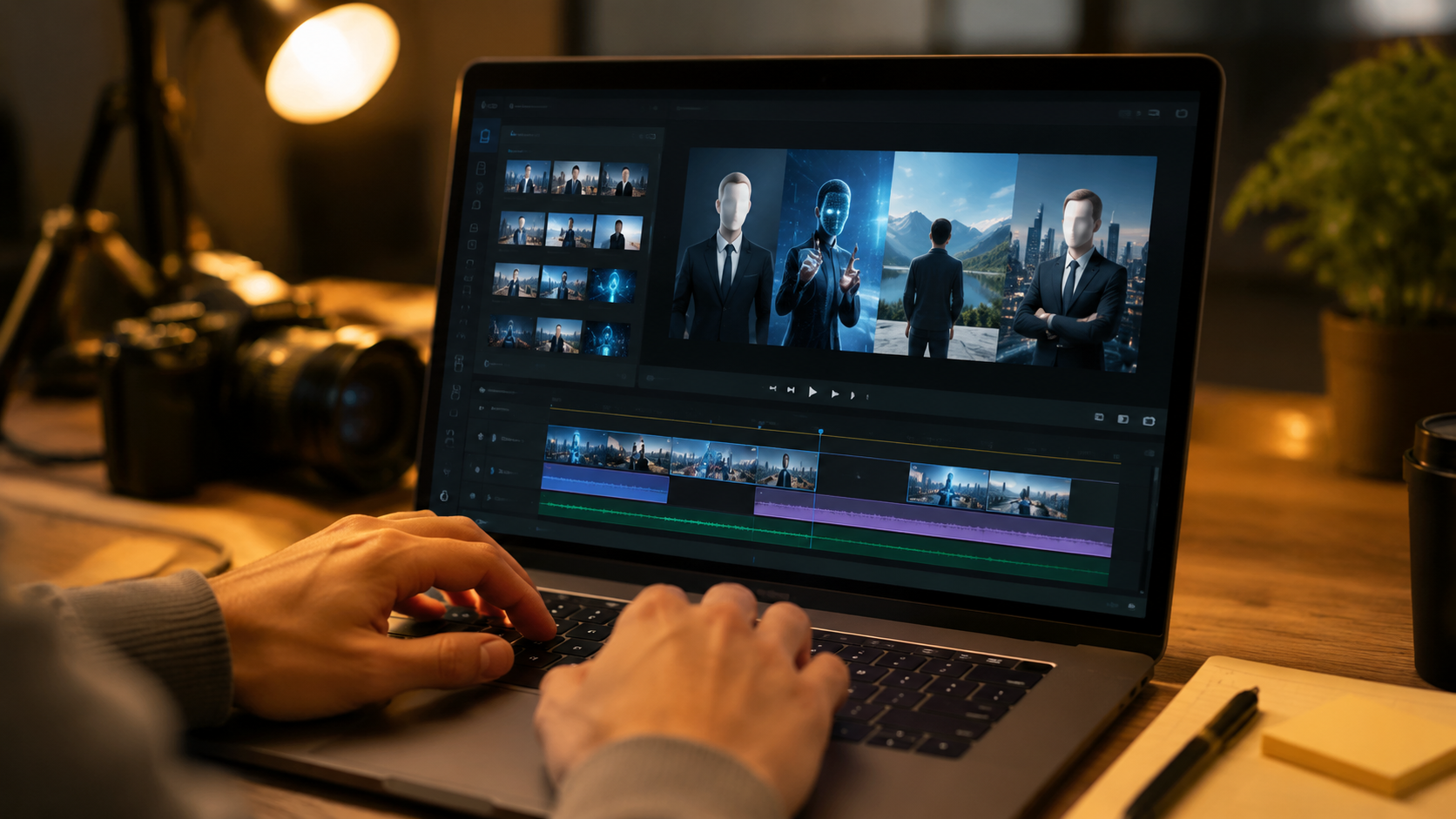
Based on the research from autogpt.net (May 2026), THISDAYLIVE (March 2026), and TyN Magazine (January 2026), here is a comparison of the most effective AI tools currently available. Prices and features change frequently, so verify the latest plans before committing.
| Tool | Best For | Key Feature | Starting Price (2026) | Platform |
|---|---|---|---|---|
| Suno AI | Music channels, audio‑reactive videos | Generates original songs from text prompts; integrates with visualizers | Free tier (limited), Pro ~$10/month | Web, API |
| Wava AI | All‑purpose faceless shorts | All‑in‑one: text‑to‑video + voiceover + music | $19/month (approx.) | Web, iOS |
| Wava AI Alternatives (e.g., Pictory, InVideo, Fliki) | Budget‑friendly or specialized use cases | Usually offer longer video limits or better stock footage libraries | $15–$30/month | Web |
| Audio‑Reactive Video Generators (e.g., BeatFly, Vizzy) | Music‑driven faceless content | Real‑time animation synced to audio waveform | $5–$15/month | Web, desktop |
| CapCut (AI version) | Editing and captions | Auto‑remove silences, AI captions, script‑based editing | Free with watermark removal upgrade (~$7/month) | Windows, Mac, iOS, Android |
Monetization: How Much Money Can You Really Make?
Faceless channels are not just a creative outlet — they are a legitimate income stream. The most striking example from recent research is the 22‑year‑old college dropout who, according to Fortune (December 2025), earned $700,000 annually from “AI slop” videos that people often sleep through. While his content is deliberately low‑effort to maximize volume, it proves that the market exists. More polished faceless channels — like the top nine highlighted by AWISEE.com — generate consistent YouTube ad revenue, often supplemented by affiliate links for AI tools or digital products such as meditation tracks.
YouTube AdSense
To qualify for the YouTube Partner Program, you need 1,000 subscribers and 4,000 watch hours in the past 12 months. Faceless videos that hold viewers’ attention — especially those with high retention (e.g., 10‑minute ambient music or ASMR) — can quickly meet these thresholds. The THISDAYLIVE guide notes that many faceless channels reach monetization in under 6 months by publishing daily 1‑minute shorts that drive subscriber growth.
Affiliate Marketing
Since your audience is already interested in the niche (e.g., relaxation, AI news, educational content), you can recommend tools like Suno AI or your preferred voiceover service. Use affiliate links in your video descriptions. Some creators also sell courses on “how to make faceless videos with ai” — a keyword that itself becomes a high‑value search term.
Brand Sponsorships
As your channel grows, brands in your niche may approach you for sponsored integrations. For example, a nature‑focused faceless channel could partner with a meditation app or a mindfulness brand. Because the creator’s face isn’t shown, sponsors often value the scaled production model over personality.
Common Mistakes to Avoid in Faceless AI Video Creation
While the technology is forgiving, several pitfalls can kill your channel before it gains traction. First, don’t rely solely on one AI tool — diversify. If you invest everything in Wava AI and a better alternative emerges (as the May 2026 article from autogpt.net suggests), you risk being left behind. Second, avoid “slop” quality unless you are intentionally targeting the background‑play market. The Fortune article shows that slop can make money, but it’s not sustainable if you want a loyal audience. Third, neglect audio at your peril. Viewers will tolerate mediocre visuals far less than they will tolerate bad voiceovers or grating background music.
Another common error is ignoring platform‑specific trends. For YouTube Shorts, vertical 9:16 videos with fast pacing and captions perform best. For TikTok, audio‑reactive clips that sync with trending sounds get more distribution. The Live Music Blog’s guide on starting a faceless music channel in 2026 emphasizes using Suno AI’s generated songs as the audio foundation for these platforms, rather than defaulting to generic royalty‑free tracks.
Future Trends: Where Faceless AI Videos Are Headed in Late 2026
By mid‑2026, we are seeing an explosion of real‑time generation. The audio‑reactive video tools mentioned in the Live Music Blog now allow creators to stream live faceless content — a bot that generates music and visuals on the fly. Meanwhile, the “Ultimate Guide” from THISDAYLIVE predicts that within the next year, AI video makers will incorporate multi‑modal inputs: you’ll be able to prompt with a text description, a reference image, and a desired length, and the system will output a fully edited video with voiceover and sound effects. This is already possible with some of the best Wava AI alternatives, though not yet at consumer‑friendly prices.
Another trend is the integration of AI avatars that look and sound like real people but are entirely synthetic. These avatars allow faceless creators to “appear” as a digitally generated character, adding a human element without revealing identity. Several top faceless YouTube channels in 2026 already use persistent AI characters, as noted in the AWISEE.com rankings. For creators who want to balance anonymity with relatability, this is the next frontier.
Frequently Asked Questions About Making Faceless Videos with AI
What is the best AI tool for faceless videos in 2026?
The best tool depends on your niche. For music‑focused content, Suno AI with an audio‑reactive generator is ideal. For general shorts, Wava AI and its alternatives (e.g., Pictory, InVideo) offer strong all‑in‑one solutions. Always test multiple tools, as new ones are emerging rapidly.
Can I really make money from faceless videos without showing my face?
Yes. The Fortune report highlighted a 22‑year‑old earning $700,000 per year, and many faceless YouTube channels now pass the monetization threshold. Income comes from AdSense, affiliates, and sponsorships — facial identity is not required.
How long does it take to produce one faceless AI video?
Once you have your routine down, a 60‑second Short can take 15–20 minutes. Longer content (10‑minute videos) may require 1–2 hours due to script writing and scene planning. The THISDAYLIVE guide reports that creators using the full AI stack can produce 3–5 videos per hour.
Do I need any video editing skills to use these tools?
Most modern AI video makers require no traditional editing experience. You simply type prompts, select a voice, and let the software combine everything. However, basic familiarity with trimming clips and adding captions will improve your quality.
Are there copyright issues with AI‑generated visuals and music?
Every tool has different licensing. Suno AI grants commercial rights to generated music. Wava AI and its alternatives typically allow commercial use of videos, but never assume. Always read the terms of service and avoid using copyrighted character names or logos as prompts.
What niche is most profitable for faceless videos right now?
Based on the top nine channels from AWISEE.com, the most profitable niches are relaxation/meditation, educational explainers, and AI‑generated storytelling. Music channels using Suno AI are also trending due to low competition and high engagement on Shorts.
Will YouTube demonetize AI‑generated content?
YouTube’s policy as of 2026 allows monetization of AI‑generated content as long as it is “transformative” — meaning you have added your own creative input (voiceover, editing, unique prompts). Simply re‑uploading raw AI outputs violates their guidelines. Always add a human touch.



Comments ()