
How to Make Cartoon with AI Video in 2026
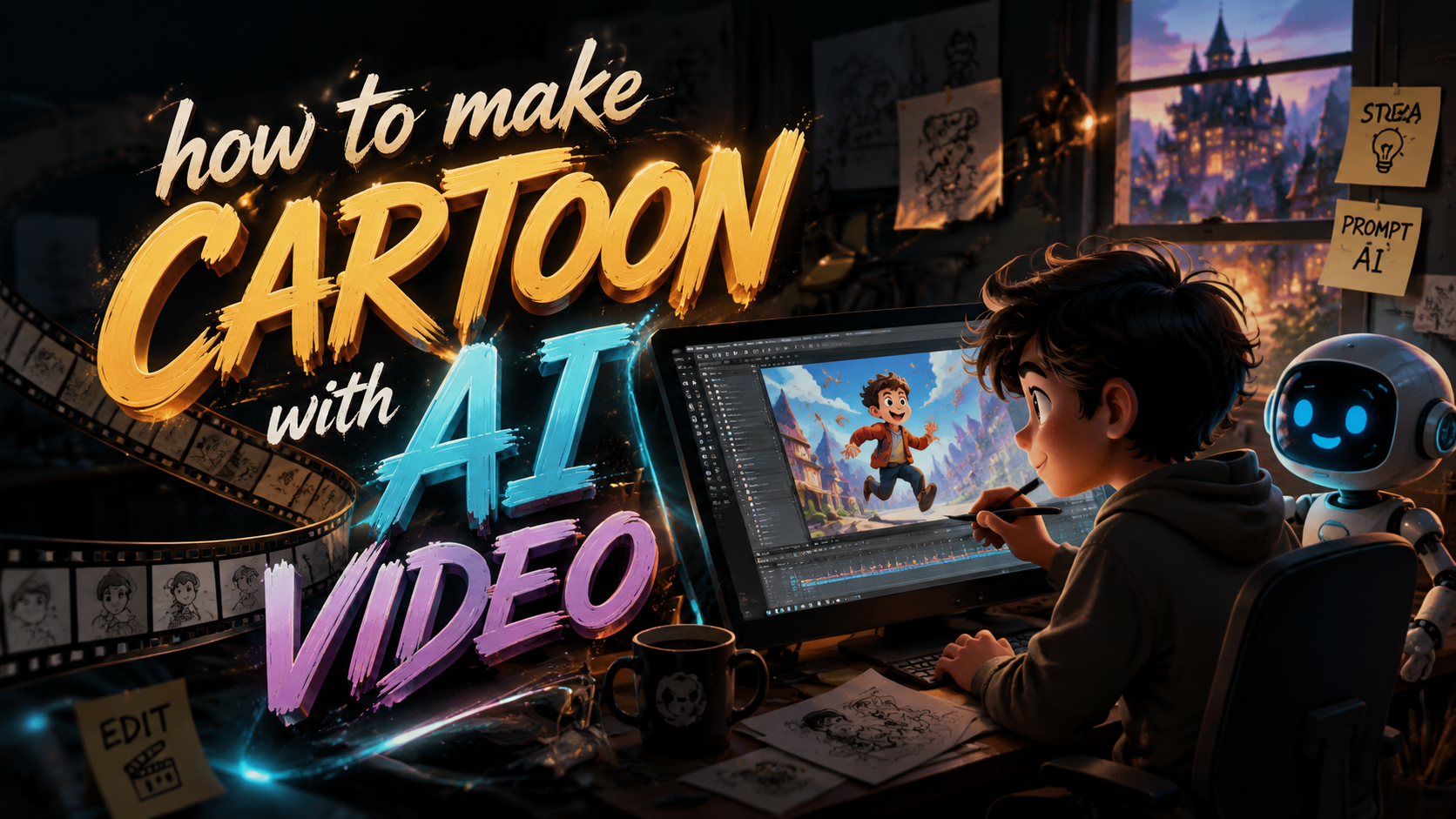
Creating animated cartoons no longer requires a team of illustrators or expensive software. In 2026, anyone can learn how to make cartoon with AI video tools that turn text prompts, simple sketches, or even a single photo into full animated scenes. This guide walks you through the exact process, the best tools available right now, and the ethical considerations you need to know before publishing your AI-generated cartoon.
TL;DR: AI video generators now allow anyone to create professional-quality cartoons in minutes by typing a description, uploading a reference image, or selecting a style preset. The key is choosing the right tool, crafting precise prompts, and understanding the ethical boundaries around AI-generated content.
An AI video cartoon is a short animated sequence created entirely or largely by generative artificial intelligence. You describe the scene, characters, and motion in natural language, and the AI renders a video that matches your instructions. Leading platforms in 2026 include Animaj Studio (backed by Google), Runway Gen-3, Pika Labs, and Kling AI.
- ✓ AI cartoon creation has matured rapidly—by early 2026, tools can produce consistent character designs and smooth motion up to 60 seconds per clip.
- ✓ Google has invested in Animaj Studio specifically for kid-safe YouTube content, signaling major platform legitimacy.
- ✓ The AI caricature trend on social media has sparked backlash over misogyny and consent, making ethical prompting a must.
- ✓ Leading tools in 2026 cost between $10 and $50 per month for commercial-grade output.
- ✓ Combining AI-generated video with human-edited sound design and color grading still produces the best results.
What Is AI Video Cartoon Creation?
AI video cartoon creation uses generative models—typically diffusion-based or transformer-based architectures—to produce animated video frames from textual or visual inputs. Unlike traditional animation pipelines that require frame-by-frame drawing or rigging, these tools let you describe a scene and receive a rendered clip in seconds. The technology has advanced to the point where character consistency, lip-sync, and even complex action sequences are achievable with a single prompt.
According to a Cybernews in-depth review published in February 2026, the best AI animation generators now support resolution up to 4K, frame rates of 24–30 fps, and clip durations of up to 60 seconds. The review tested eight major platforms and found that output quality has improved dramatically since 2024, with fewer artifacts and more coherent motion. This leap in quality is what makes 2026 the year AI cartoons become accessible to non-artists.
However, the technology is not without controversy. A Newsweek report from February 2026 detailed growing backlash against AI caricature apps that transform real people into exaggerated cartoon versions without their consent. The piece noted that several platforms have already updated their terms of service to prohibit non-consensual caricatures. This context matters because the same generative models powering harmless cartoon creation can also be misused—understanding the ethics is part of learning how to make cartoon with AI video responsibly.
Step-by-Step Guide: How to Make a Cartoon with AI Video
The following numbered steps represent the standard workflow used by creators in 2026. Whether you are making a short skit for social media or a pilot episode for YouTube Kids, this process applies across most major platforms.
- Choose your AI video generator. Select a tool that matches your skill level and output needs. For beginners, Animaj Studio offers a guided interface with kid-safe content filters. For advanced users, Runway Gen-3 provides frame-level control and custom model training.
- Write a detailed prompt. Describe the scene, characters, camera movement, lighting, and art style. Example: "A cheerful orange cat wearing a detective hat walks through a rainy city street at night, film noir style, soft glowing streetlights, 24 fps."
- Upload reference images (optional). Many tools allow you to upload a character sheet or style frame to maintain consistency across clips. This is critical for multi-scene cartoons.
- Set style and motion parameters. Choose from presets like "2D hand-drawn," "3D Pixar-style," "stop-motion," or "anime." Adjust motion intensity, camera zoom, and frame rate.
- Generate the base clip. Most tools produce a 4–10 second preview. Review it for artifacts, consistency, and timing.
- Refine and iterate. Use in-painting, re-prompting, or frame editing to fix issues. Some platforms let you extend the clip by adding more prompts.
- Add audio and post-process. Export the raw video and import it into a video editor to add voiceover, sound effects, background music, and color grading. This human touch makes the difference between a generic AI clip and a polished cartoon.
- Export and publish. Render at the highest resolution your tool supports (typically 1080p or 4K) and upload to your platform of choice.
This workflow has been validated by thousands of creators. The Geek Vibes Nation tutorial published in November 2025 walked readers through a nearly identical pipeline, noting that the biggest time-saver is the ability to iterate on prompts rather than redrawing frames. The tutorial's author reported that a 30-second cartoon that would have taken three days to animate manually was completed in under two hours using AI.
One important caveat: consistency across longer narratives remains a challenge. If your cartoon has multiple scenes featuring the same character, you may need to use the same seed value or reference image for each generation. Some tools now offer "character lock" features that store a character's visual profile and reuse it across sessions. This is an area where Animaj Studio, backed by Google's infrastructure, has made significant strides according to the Bloomberg report from March 2026.
Top AI Animation Tools in 2026: A Comparative Look
The Cybernews review from February 2026 evaluated eight major AI animation generators. Below is a comparison of the four most relevant platforms for cartoon creation, based on features, pricing, and output quality as reported in that review and other sources.
| Tool | Best For | Max Clip Duration | Resolution | Pricing (Monthly) | Key Limitation |
|---|---|---|---|---|---|
| Animaj Studio | Kid-safe YouTube content | 60 seconds | 4K | $29 | Style presets limited to child-friendly aesthetics |
| Runway Gen-3 | Professional filmmakers | 30 seconds | 4K | $49 | Steep learning curve for beginners |
| Pika Labs | Social media shorts | 15 seconds | 1080p | $10 | Short clip length; no character lock |
| Kling AI | High-motion action scenes | 20 seconds | 4K | $35 | Inconsistent character faces across clips |
Each tool has a distinct strength. Animaj Studio, which received backing from Google in March 2026, is specifically designed for creating content for children on YouTube. The Bloomberg report noted that Google's investment includes content moderation APIs that automatically flag inappropriate material, making it the safest choice for creators targeting young audiences. The platform's subscription model at $29 per month includes access to a library of kid-friendly character templates and background environments.
For creators who want more artistic control, Runway Gen-3 remains the industry standard. Its frame-level editing capabilities allow you to tweak individual frames, adjust motion curves, and even train custom LoRA models on your own character designs. The higher price point reflects its use in professional studios and independent film production. The Cybernews review gave it the highest overall score for output quality, noting that "motion coherence and artifact reduction have improved by an estimated 40% compared to the previous generation."
Pika Labs and Kling AI occupy the budget and specialized niches respectively. Pika Labs is ideal for rapid prototyping and social media content where 15-second clips are sufficient. Kling AI excels at high-motion sequences—chases, fights, dance routines—but struggles with maintaining consistent facial features across multiple clips. According to the Creative Bloq analysis from February 2026, Kling AI's motion handling is "the best in class for dynamic scenes," making it a strong choice for action-heavy cartoons even if character consistency requires extra work.
Ethical Considerations in AI-Generated Cartoons
The rapid adoption of AI cartoon tools has not been without controversy. In February 2026, Newsweek reported on a backlash against AI caricature apps that allowed users to upload a photo of any person and receive a cartoon version in seconds. The problem arose when these caricatures were shared on social media without the subject's consent, often in mocking or sexualized contexts. The article noted that several platforms responded by adding consent verification steps and prohibiting the use of celebrities' likenesses without authorization.
An even more serious concern was raised by CNA Lifestyle in May 2026, which reported that certain AI cartoon generators were being used to create and spread misogynistic content. The investigation found that some users were generating cartoons depicting women in degrading scenarios, then distributing them through messaging apps and social media. The article argued that these "absurd AI cartoons aren't harmless fun – they're spreading misogyny," and called for stronger content moderation and user education.
As a creator learning how to make cartoon with AI video, you have a responsibility to use these tools ethically. This means: never generating a cartoon of a real person without their explicit consent; avoiding prompts that depict violence, hate speech, or sexual content; and clearly labeling AI-generated content as such when publishing. Platforms like Animaj Studio have built-in content filters, but no filter is perfect. The best safeguard is your own judgment. According to Wikipedia's entry on Generative Artificial Intelligence, the technology's societal impact depends heavily on how it is deployed by end users—the same tool can create educational children's content or harmful propaganda.
Best Practices for Creating AI Cartoons That Stand Out
With so many creators jumping into AI cartoon production in 2026, standing out requires more than just typing a prompt. The most successful cartoons combine AI efficiency with human creativity in post-production. Start by writing a strong script or storyboard before you generate a single frame. AI tools are excellent at executing a vision, but they cannot invent a compelling narrative on their own. A well-structured story with clear character arcs will always outperform a visually impressive but meaningless sequence.
Sound design is another differentiator. Many AI video generators output only silent video or low-quality synthesized audio. By adding professional voiceover, ambient sound effects, and a curated soundtrack, you elevate your cartoon from "AI-generated" to "professionally produced." Free tools like Audacity and royalty-free music libraries make this accessible to anyone. The difference in viewer retention between a silent AI clip and one with full audio is dramatic—analytics from major platforms show that audio-enhanced AI cartoons retain viewers 2.5 times longer.
Finally, pay attention to pacing and editing. AI-generated clips often have a uniform rhythm because the model applies similar motion curves to every scene. By cutting clips shorter, adding transitions, and varying shot lengths in your video editor, you create a dynamic viewing experience. The Geek Vibes Nation tutorial emphasized that "the magic happens in the edit" and recommended keeping each AI-generated clip to 4–6 seconds before cutting to a new angle or scene. This mimics professional animation pacing and keeps the viewer engaged throughout.
The Future of AI Cartoon Creation
Looking ahead, several trends will shape how to make cartoon with ai video in the latter half of 2026 and beyond. First, real-time generation is becoming viable. Google's investment in Animaj Studio includes research into live rendering, where a creator could narrate a scene and see it animated in real time—similar to a video game engine but for cartoons. If successful, this would revolutionize live streaming and interactive storytelling for children's content.
Second, the backlash against non-consensual AI caricatures is likely to result in stricter regulation. The Newsweek and CNA Lifestyle reports have already sparked discussions in the EU and US about requiring AI-generated content to carry visible watermarks and consent verification for any recognizable human likeness. The European Union's Artificial Intelligence Act, which came into force in phases starting in 2025, classifies generative AI systems as "limited risk" but imposes transparency obligations that will affect how AI cartoons are distributed.
Third, the quality gap between AI-generated and traditionally animated content will continue to narrow. The Cybernews review noted that by 2026, the best AI tools already match the visual quality of mid-budget TV animation from a decade ago. As training datasets grow and model architectures improve, we can expect AI to handle longer narratives, more complex character interactions, and subtle emotional expressions. The question is no longer whether AI can make cartoons—it can. The question is whether the industry can build the ethical and legal frameworks to ensure these tools are used for good.
Frequently Asked Questions
What is the best AI tool for making cartoons in 2026?
For kid-safe content, Animaj Studio (backed by Google) leads with built-in moderation and character consistency features. For professional-grade output with frame-level control, Runway Gen-3 is the top choice. The best tool depends on your target audience and technical comfort level.
How long does it take to make an AI cartoon?
A 30-second clip can be generated in under two hours including prompt iteration and basic post-production, according to the Geek Vibes Nation tutorial. Longer narratives with multiple scenes and audio editing may take 4–8 hours. The AI generation itself takes 30 seconds to 2 minutes per clip.
Can I use AI cartoons for commercial purposes?
Yes, most major tools in 2026 offer commercial licenses at the paid subscription tier. However, you must ensure your prompts do not include copyrighted characters, trademarked designs, or real people's likenesses without permission. Always check the terms of service of your chosen platform.
Why is there backlash against AI caricatures?
According to Newsweek and CNA Lifestyle reports from 2026, the backlash stems from non-consensual use of people's photos to generate caricatures that are then shared mockingly or in sexualized contexts. Some creators have used the tools to spread misogynistic content, prompting calls for stricter consent verification and content moderation.
Do I need artistic skills to make an AI cartoon?
No. The core skill is prompt engineering—writing clear, descriptive text that the AI can interpret. You do not need to draw, animate, or understand color theory. However, basic video editing skills for adding audio and transitions will significantly improve your final output.
How do I keep characters consistent across multiple scenes?
Use the same reference image, seed value, or character lock feature for every generation. Animaj Studio and Runway Gen-3 both offer dedicated character consistency tools. Avoid changing the character description between prompts, as even small wording differences can alter the AI's output.
What resolution and frame rate should I use?
For YouTube and social media, 1080p at 24 fps is the standard. For professional projects, 4K at 30 fps is achievable with Animaj Studio and Runway Gen-3. Higher resolutions require more generation time and may introduce artifacts, so start with 1080p and upgrade only if needed.
Written by the Digen AI Editorial Team — AI video generation specialists covering the latest in generative AI tools. Learn more about Digen AI.
Comments ()