
How to Make 4K AI Generated Videos: 2026 Master Guide
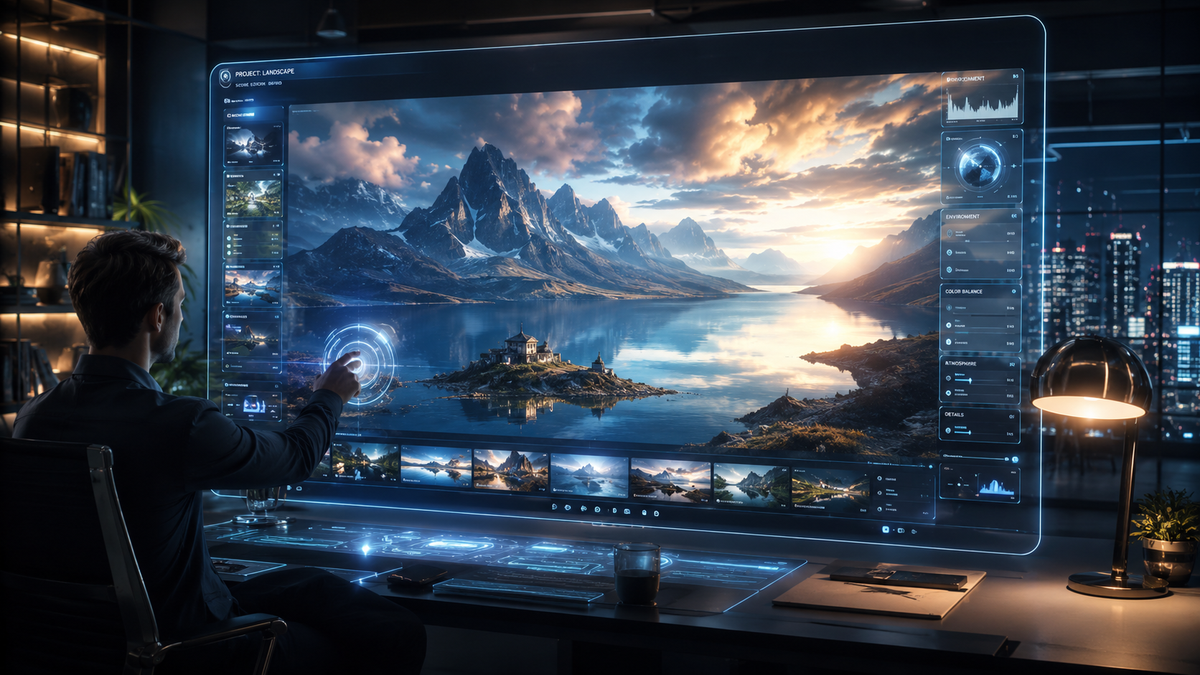
Learning how to make 4k ai generated videos in 2026 involves utilizing advanced neural networks and high-performance hardware to render cinematic-quality footage from text or image prompts. By leveraging the latest releases like Google Veo 3.1, Adobe Firefly's updated video models, or local acceleration via NVIDIA RTX hardware, creators can now produce ultra-high-definition content that rivals traditional cinematography. The process typically requires a multi-stage approach: generating a base video at a lower resolution and then using AI-driven upscaling or temporal refinement to reach a true 4K output.
4K AI video generation is the process of using deep learning models—such as LTX-2 or Google Veo 3.1—to synthesize high-resolution video sequences at 3840x2160 pixels. This is achieved through direct high-resolution latent diffusion or by utilizing NVIDIA RTX-accelerated upscaling tools within environments like ComfyUI to enhance lower-resolution generations into professional-grade 4K assets.
- ✓ Utilize Google Veo 3.1 for enhanced consistency and "Ingredients to Video" control.
- ✓ Leverage NVIDIA RTX hardware and LTX-2 for local, high-speed 4K rendering on PC.
- ✓ Explore Adobe Firefly’s 2026 updates for unlimited generations and integrated editing workflows.
- ✓ Apply temporal upscaling in ComfyUI to maintain detail across 4K frames.
- ✓ Study professional applications, such as Iron Maiden’s 4K AI-animated "Revelations" video, for aesthetic inspiration.
Step-by-Step: How to Make 4K AI Generated Videos
The landscape of video production has shifted dramatically in 2026. What used to take a render farm days to process can now be handled on a high-end consumer PC or via cloud-based generative platforms. To achieve professional results, you must follow a structured workflow that prioritizes visual fidelity and motion consistency.
- Select Your AI Video Engine: Choose between cloud-based platforms like Google Veo 3.1 or Adobe Firefly, or local solutions like ComfyUI with NVIDIA RTX acceleration.
- Draft a Detailed Prompt: Use descriptive language to define lighting, camera movement (e.g., "slow dolly zoom"), and textures. In Veo 3.1, use the "Ingredients to Video" feature to specify specific stylistic elements.
- Generate the Base Sequence: Start with a 720p or 1080p generation to verify the motion and composition. This saves time and computational resources during the iterative phase.
- Apply 4K Upscaling: Use a specialized 4K upscaler. If working locally, the NVIDIA LTX-2 upgrade for ComfyUI allows for real-time acceleration of this process on GeForce RTX hardware.
- Refine with Temporal Consistency: Use tools like "ControlNet" or "AnimateDiff" to ensure that the 4K details remain stable from frame to frame, preventing the "shimmering" effect common in lower-tier AI videos.
- Post-Production and Color Grading: Import your 4K AI video into a traditional editor like Premiere Pro or Resolve to add final touches, sound design, and color correction.
The Evolution of 4K AI Video in 2026
As of early 2026, the industry has reached a tipping point where AI-generated content is no longer a novelty but a standard tool for major productions. A prime example of this evolution is the release of the "Revelations" 4K AI animated video by Iron Maiden in May 2026. This project demonstrated that 4K AI generation can handle complex, legendary aesthetics while maintaining the brand's visual legacy. The clarity provided by 4K resolution allows for intricate textures—such as weathered leather or atmospheric smoke—that were previously lost in lower-resolution AI experiments.
NVIDIA RTX and Local 4K Acceleration
For power users, the most significant breakthrough of 2026 has been the integration of NVIDIA RTX acceleration within open-source workflows. According to the NVIDIA Blog (January 2026), the introduction of LTX-2 and specialized ComfyUI upgrades has significantly reduced the time required for local 4K video generation. By utilizing the Tensor Cores found in GeForce RTX hardware, creators can now perform 4K upscaling and frame interpolation locally, bypassing the subscription fees and privacy concerns associated with cloud-based platforms.
Google Veo 3.1: Precision and Control
Google’s contribution to the field, Veo 3.1, represents a massive leap in creative control. Released in January 2026, the "Ingredients to Video" update allows users to feed specific stylistic "ingredients" into the model to ensure consistency. According to Google’s official blog, Veo 3.1 focuses on three pillars: consistency, creativity, and control. This model is particularly adept at maintaining the identity of characters and environments across multiple 4K clips, which is essential for long-form storytelling and commercial work.
Comparing Top 4K AI Video Tools in 2026
Choosing the right tool depends on your hardware availability and your specific project needs. While some creators prefer the "set it and forget it" nature of Adobe, others require the granular control offered by local PC setups. Below is a comparison of the leading technologies used to make 4K AI generated videos this year.
| Feature | Google Veo 3.1 | Adobe Firefly (2026) | ComfyUI + NVIDIA RTX |
|---|---|---|---|
| Max Resolution | Native 4K | 4K Upscaled | Native 4K via LTX-2 |
| Primary Strength | Temporal Consistency | Workflow Integration | Local Privacy & Speed |
| Hardware Req. | Cloud-based | Cloud-based | GeForce RTX GPU |
| Best For | Cinematic Storytelling | Marketing & Design | Advanced Tech Users |
Hardware Requirements for 4K AI Video Generation
While cloud tools handle the heavy lifting on remote servers, local 4K generation requires substantial local power. TweakTown reports that NVIDIA and ComfyUI have streamlined local workflows specifically for GeForce RTX hardware, making it the industry standard for "prosumer" AI video. To effectively run these models, a GPU with at least 16GB of VRAM is recommended, as 4K frame buffers and high-resolution latent spaces consume significant memory. The LTX-2 model, in particular, is optimized to leverage these hardware specs to provide smoother previews and faster final exports.
Adobe Firefly’s Unlimited Creative Potential
Adobe has taken a different approach by integrating AI video directly into the Creative Cloud ecosystem. In December 2025, Adobe announced that Firefly would offer unlimited generations for certain subscription tiers, alongside new models that support 4K output. This is a game-changer for professional editors who need to generate b-roll or background elements without leaving their primary editing suite. The 2026 version of Firefly includes "Structure Reference" and "Style Reference" tools, which allow users to use an existing image or video to guide the 4K AI generation process, ensuring the output matches the project's art direction perfectly.
The Role of LTX-2 in High-Fidelity Rendering
LTX-2 has emerged as the leading model for those who prioritize raw visual fidelity. Unlike earlier models that struggled with "hallucinations" in high-resolution details, LTX-2 utilizes a more sophisticated transformer architecture. When paired with NVIDIA’s 2026 driver updates, this model can generate 4K video with realistic physics and lighting. This is critical for industries like architecture and product design, where the 4K resolution must accurately represent real-world materials and light interactions.
Advanced Techniques for 4K AI Generated Videos
To truly master the art of 4K AI video, one must go beyond simple text prompts. The most successful creators in 2026 are using "Multi-Stage Diffusion." This involves generating a low-res version of a scene, then using a "Video-to-Video" pass at 4K resolution with a low "denoising strength" to add fine details like skin pores, fabric weaves, or leaf textures. This method ensures that the core composition remains stable while the resolution is boosted to UHD standards.
The Importance of Temporal Refinement
One of the biggest challenges in how to make 4k ai generated videos is avoiding "flicker." High resolution often exacerbates small errors in the AI’s understanding of motion. Using tools like Google Veo 3.1’s consistency updates helps mitigate this. By providing the AI with a "reference frame" or using motion vectors, the software can ensure that a pixel in frame one stays logically consistent in frame sixty. This is what separates amateur "AI art" from professional "AI cinematography."
Integrating Real-World Assets
Many creators are now using "Hybrid Workflows." This involves taking real 4K footage and using AI to transform it—a process called "stylization." For example, the Iron Maiden "Revelations" video likely utilized existing imagery or footage as a base, which the AI then re-imagined in a 4K animated style. This technique provides the best of both worlds: the realistic movement and timing of human-captured video with the limitless imaginative potential of AI-driven 4K rendering.
Future Outlook: Beyond 4K
While 4K is the current gold standard for 2026, the trajectory of AI video suggests that 8K and real-time interactive AI environments are on the horizon. The rapid pace of development—from Google Veo 3.1’s release in early 2026 to the mid-year hardware optimizations by NVIDIA—shows no signs of slowing down. For creators, the focus should remain on mastering the "control" aspects of these tools. As AI becomes better at rendering pixels, the value of the human creator shifts toward art direction, prompt engineering, and narrative structure.
What is the best software for 4K AI video in 2026?
The "best" software depends on your needs; Google Veo 3.1 is currently leading for cinematic consistency, while ComfyUI with NVIDIA RTX LTX-2 acceleration is the top choice for local, high-speed 4K rendering on a PC. Adobe Firefly remains the best option for professional editors who need seamless integration with Premiere Pro.
Can I generate 4K AI videos on a laptop?
Yes, provided your laptop is equipped with a modern NVIDIA GeForce RTX GPU. According to NVIDIA's 2026 updates, RTX-accelerated laptops can now handle 4K AI generation locally, though cloud-based tools like Google Veo 3.1 or Adobe Firefly are more accessible for those with lower-powered hardware.
How long does it take to render a 4K AI video?
With NVIDIA RTX acceleration and the LTX-2 model, a 10-second 4K clip can be generated in just a few minutes on a high-end PC. Cloud services may take longer depending on server load, but they allow for background processing of multiple clips simultaneously.
Is 4K AI video generation expensive?
Costs vary; Adobe Firefly offers unlimited generations in certain 2026 plans, while local generation is "free" after the initial hardware investment in an RTX GPU. Cloud-based API usage for models like Veo 3.1 typically operates on a per-minute or per-credit pricing model.
How do I fix flickering in 4K AI videos?
Flickering is best addressed using temporal consistency tools. Google Veo 3.1’s "Ingredients to Video" feature and ComfyUI’s temporal upscalers are designed specifically to maintain detail stability across 4K frames, ensuring a smooth, flicker-free viewing experience.



Comments ()