
How to Improve AI Video Quality: 2026 Pro Editing Guide
To learn how to improve AI video quality, you must leverage deep-learning upscalers and temporal stabilization tools that reconstruct missing pixel data rather than simply stretching the image. In 2026, the most effective method involves using a dedicated AI video enhancer to upscale resolution to 4K, applying motion compensation to fix frame rate stutters, and utilizing neural denoising to remove "AI flickering" or artifacts. By following a structured post-production workflow, creators can transform low-resolution generative clips into professional-grade cinematic content.
Improving AI video quality is the process of using neural networks to enhance resolution, frame rate, and visual clarity of synthetic or low-bitrate footage. In 2026, this is achieved through "Super Resolution" models that predict pixel placement and "Temporal Consistency" algorithms that eliminate the jittery artifacts common in early generative AI video outputs.
- ✓ Upscale generative AI video to 4K using deep-learning models like Zawa or Topaz.
- ✓ Reduce post-production time from days to hours by automating color grading and denoising.
- ✓ Utilize Microsoft AI video boost integrations for real-time AR and professional assistance.
- ✓ Eliminate "flicker" and "morphing" artifacts using temporal stabilization tools.
Step-by-Step: How to Improve AI Video Quality in 2026
The landscape of video editing has shifted dramatically this year. According to The AI Journal, the top 5 AI video enhancer softwares in 2026 now offer one-click 4K upscaling that maintains photorealistic textures without the "plastic" look of previous years. Improving your video quality requires a systematic approach to ensure that the AI-generated content meets broadcast or professional social media standards.
- Select a High-Performance AI Upscaler: Choose a tool like Zawa Video Enhancer or a similar 4K-capable software. Import your base generative video (usually rendered at 720p or 1080p).
- Apply Neural Denoising: AI videos often suffer from "grain" or "noise" in dark areas. Select a denoising model specifically trained on generative artifacts to clean the image base.
- Configure Temporal Stabilization: Use a "Motion Compensation" setting to ensure that objects moving across the screen don't "morph" or change shape between frames.
- Upscale to 4K with Super Resolution: Set your output resolution to 3840x2160. Ensure the "Face Recovery" or "Detail Enhancement" toggle is active if your video features human subjects.
- Final Color Correction: Use an AI-driven color matcher to ensure the lighting and saturation are consistent throughout the clip, then export using the H.265 or AV1 codec for maximum clarity.
The Evolution of AI Video Restoration and Enhancement
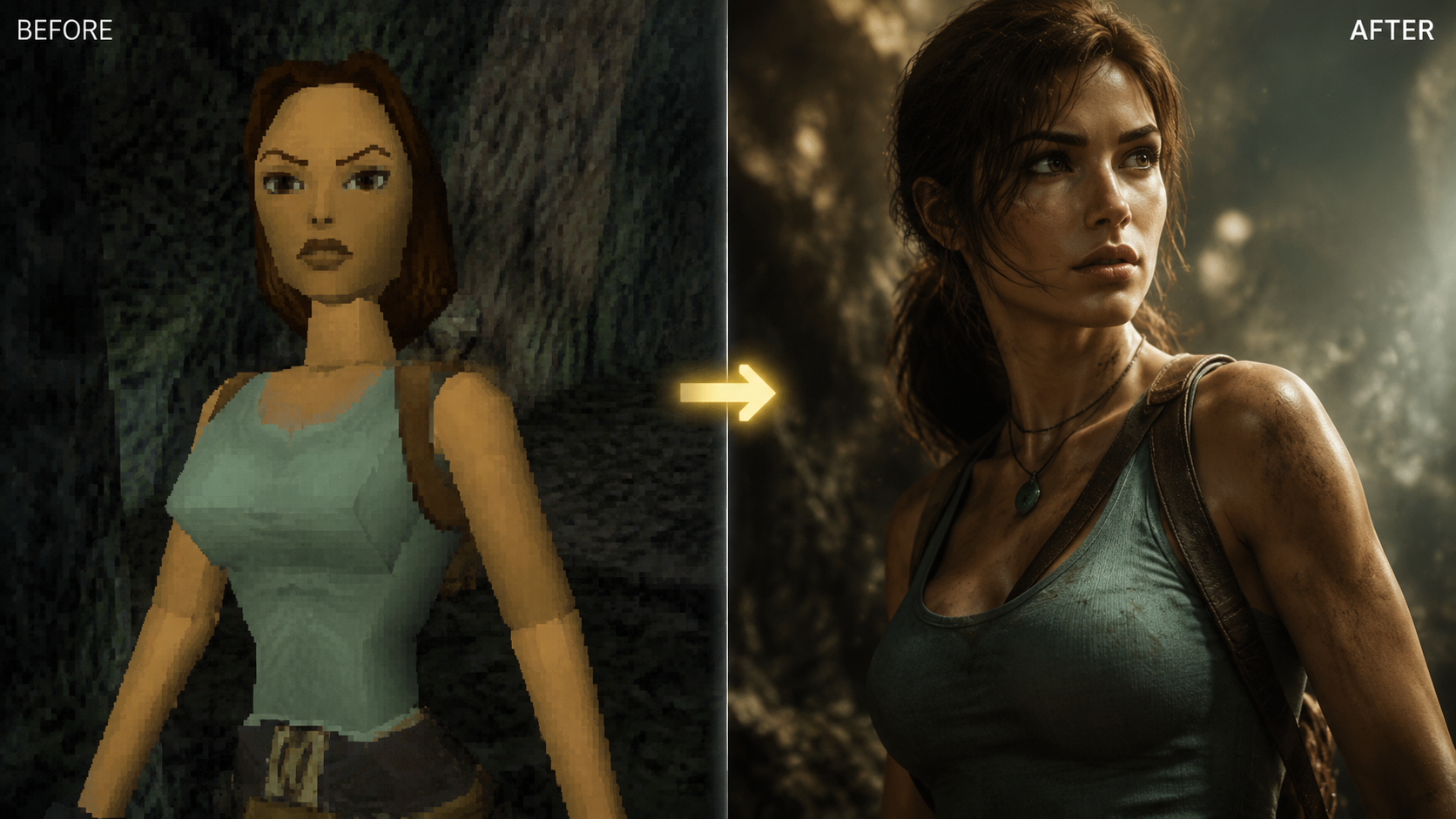
In early 2026, we have seen a massive leap in how neural networks handle video data. As reported by OCNJ Daily, AI video enhancers are reshaping post-production workflows, reducing the time required for high-end editing from 3 days down to just 3 hours. This efficiency is driven by "Foundation Models" for video that understand physics and lighting, allowing them to fill in gaps in low-quality footage with incredible accuracy.
The shift isn't just for filmmakers. Enterprise solutions are also adopting these technologies. For instance, IT Brief Australia recently highlighted that TeamViewer has added Microsoft AI video boost to its Assist AR platform. This allows technicians to see high-definition, AI-enhanced video feeds in real-time, even in low-bandwidth environments, proving that knowing how to improve AI video quality is now a critical skill across multiple industries.
Understanding Neural Upscaling vs. Traditional Scaling
Traditional scaling simply duplicates pixels to make an image larger, resulting in a blurry, "soft" look. Modern AI upscaling uses generative adversarial networks (GANs) to "imagine" the missing details. If the AI sees a blurry eye, it references millions of high-definition images of eyes to reconstruct the iris and eyelashes with pin-sharp precision. This is why 2026 tools are so much more effective at handling the unique glitches found in AI-generated clips.
Comparison of Top AI Video Enhancement Tools (2026)
Choosing the right tool is essential for professional results. Based on reviews from CNET and Gearbrain, here is how the leading options compare for various use cases.
| Software Tool | Primary Strength | Best For | Max Resolution |
|---|---|---|---|
| Zawa Video Enhancer | Free/Open Source Models | Budget-conscious creators | 4K (Ultra HD) |
| Microsoft AI Boost | Real-time AR Enhancement | Enterprise & Remote Support | 1080p (Optimized) |
| Topaz Video AI v5 | Temporal Consistency | Professional Filmmaking | 16K |
| Adobe Firefly Video | Creative Integration | Marketing & Design | 4K |
| DaVinci Resolve 19+ | Color Grading AI | Colorists & Post-Pro | 8K+ |
Advanced Techniques for Enhancing Generative Video
When you are looking at how to improve AI video quality for clips generated by tools like Sora or Runway, you must address the "flicker" problem. AI video generators often produce frames that don't perfectly align, leading to a shimmering effect. To fix this, pro editors use "Optical Flow" algorithms. These algorithms analyze the movement of every pixel across multiple frames and smooth out the transitions, making the video look like it was shot on a physical camera.
Another critical technique is "AI Sharpening." Unlike traditional sharpening which adds halos around objects, AI sharpening identifies edges and textures—like skin pores or fabric weaves—and enhances them specifically. According to Gearbrain, tools like Zawa have shown significant real-world results in reclaiming detail from "mushy" generative backgrounds, making them a staple for 2026 creators.
The Role of Bitrate and Codecs in Quality Retention
You can use the best AI enhancer in the world, but if you export with a low bitrate, you lose all the gains. In 2026, the industry standard for 4K AI-enhanced video is a minimum of 60 Mbps using the AV1 codec. This ensures that the fine details reconstructed by the AI—such as hair, water droplets, and smoke—are not lost to compression artifacts during the final save.
Why Video Quality Matters in the AI Era
As the volume of AI content increases, the barrier to entry for "good" video is higher than ever. Hackread notes that by late 2025 and into 2026, users have become "AI-blind," often ignoring content that looks obviously synthetic or low-quality. High-quality enhancement is no longer an optional luxury; it is a requirement for audience retention and brand authority.
Furthermore, the integration of AI boost technologies into communication tools (like the TeamViewer and Microsoft partnership) shows that video quality directly impacts productivity. Clearer video means fewer errors in remote repairs, better medical consultations via telehealth, and more effective remote collaboration. Improving AI video quality is as much about utility as it is about aesthetics.
Hardware Requirements for 2026 AI Editing
To run these advanced models efficiently, hardware has evolved. Most 2026 AI enhancers require a GPU with at least 16GB of VRAM to handle 4K temporal processing. Cloud-based enhancers are a popular alternative for those without high-end rigs, though they often require a subscription model. If you are processing long-form content, local hardware is generally recommended to avoid the high costs of cloud rendering.
Frequently Asked Questions
What is the best free AI video enhancer in 2026?
According to recent tests by Gearbrain, Zawa Video Enhancer is currently one of the most effective free tools. It offers robust upscaling and denoising features that rival many paid professional suites.
Can I improve AI video quality in real-time?
Yes, through integrations like Microsoft AI video boost, real-time enhancement is possible for AR and video conferencing. However, for high-end cinematic 4K upscaling, "offline" rendering is still required for the best results.
How do I stop AI video from flickering?
Flickering is best resolved using temporal stabilization or motion compensation tools. These features analyze the frames before and after a specific point to ensure consistent lighting and object shape throughout the sequence.
Does upscaling to 4K actually add new details?
Yes, 2026 AI models use "Super Resolution" to generate new pixel data based on patterns they have learned from millions of high-resolution training images. It doesn't just stretch the video; it reconstructs it.
How long does it take to enhance a 1-minute AI video?
With modern 2026 hardware, a 1-minute clip can be upscaled from 1080p to 4K in approximately 10 to 20 minutes, depending on the complexity of the neural model being used.
Mastering how to improve AI video quality is a journey of combining the right software with a deep understanding of video physics. As tools continue to evolve throughout 2026, the line between "AI-generated" and "traditionally filmed" content will continue to blur, giving creators unprecedented power to bring their visions to life in stunning high definition.



Comments ()