
How to Generate Videos from Scripts in 2026: AI Guide
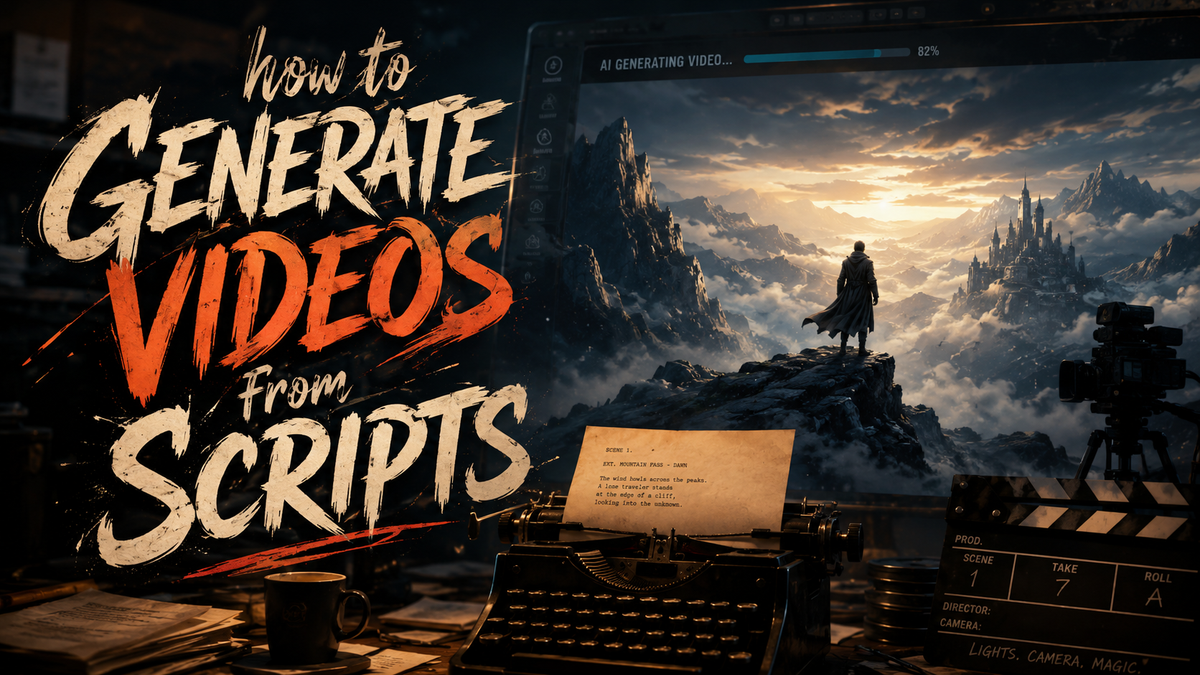
To generate videos from scripts in 2026, you use AI-powered platforms that convert text into fully produced video content, including visuals, voiceovers, and animations, in minutes rather than hours. These tools leverage advanced language models and generative video engines to interpret your script and automatically match it with relevant scenes, stock footage, or AI-generated imagery. By following a structured workflow—script input, AI analysis, asset generation, and final rendering—anyone can produce professional-quality videos without prior editing experience.
How to generate videos from scripts in 2026 is a streamlined process: you write or paste your script into an AI video generator like InVideo or CraftStory, select a style and voiceover preferences, and let the tool automatically assemble matching visuals, transitions, and audio. The best platforms now handle everything from storyboarding to final export, reducing a task that once took hours to under ten minutes.
- ✓ AI video generators now support direct script-to-video pipelines with zero manual editing required.
- ✓ Leading tools like InVideo and CraftStory use real-time image-to-video AI to create custom visuals from your script.
- ✓ The top 2026 platforms offer agent-driven workflows that handle script analysis, scene matching, and voiceover generation autonomously.
- ✓ Script-based video creation is being adopted for monetization across social media, marketing, and education.
- ✓ Choosing the right tool depends on your need for customization, speed, and output quality.
The Evolution of Script-to-Video AI in 2026
The landscape of video production has shifted dramatically over the past two years. In 2026, the dominant paradigm is generative AI that operates directly from textual input. Research from G2 Learn Hub, updated in April 2026, highlights seven AI video generators that reviewers have tested and loved for their reliability and creative output. According to their analysis, the key differentiator is no longer the ability to generate a video—every tool does that—but how accurately the tool interprets a script's tone, pacing, and visual cues.
Cybernews published a comprehensive roundup of the 16 best AI video generation tools for 2026 in February, noting that platforms have matured beyond simple slideshow creation. The report emphasizes that "script-aware" engines now parse dialogue, scene directions, and even emotional subtext to produce footage that aligns with the intended message. Simultaneously, perfectcorp.com released a review of 23 AI video generators tested in May 2026, confirming that script-to-video workflows have become the standard for content creators who need to publish frequently.
One of the most notable innovations comes from CraftStory, which, as reported by Techzine Global in January 2026, writes the script for image-to-video AI. This represents a reversal of the traditional pipeline: instead of the user writing a script and feeding it to a video generator, CraftStory's AI first generates the script itself and then translates it into video. This capability is particularly powerful for users who have a concept but lack the time or skill to draft a detailed screenplay.
How to Generate Videos from Scripts: A Step-by-Step Guide

To help you get started immediately, here is a numbered step-by-step process that covers the entire workflow from script to finished video. These steps are based on current best practices observed across the 2026 toolset.
- Prepare your script: Write a clear, concise script that includes dialogue, scene descriptions, and any specific visual cues. Aim for 60–90 words per 30 seconds of video. The AI will use this text as its primary creative input.
- Choose your AI video generator: Select a tool that offers script-to-video capabilities. In 2026, leading platforms include InVideo, CraftStory, and the top contenders from the G2 Learn Hub list and Cybernews ranking. Each tool has a "script" or "text-to-video" mode.
- Paste or upload your script: Most platforms allow you to paste the script directly into a text editor or upload a .txt or .docx file. The AI then analyzes the script for key nouns, verbs, and emotional tone to determine visual direction.
- Select visual style and voiceover preferences: Choose a video aspect ratio (16:9 for YouTube, 9:16 for TikTok/Reels), a narrator voice (AI-generated or custom), background music, and a theme palette. Some tools like CraftStory can also autogenerate these choices based on the script's genre.
- Review and refine AI-generated scenes: The AI will produce a storyboard preview with matched footage, animations, or AI-generated imagery. InVideo, as reviewed by Unite.AI in April 2026, uses an AI agent that builds videos in minutes, allowing you to swap scenes or adjust length interactively.
- Generate the final video: Once you approve the storyboard, click "Generate." The tool renders the full video with transitions, subtitles, and audio. Export in 1080p or 4K depending on your subscription tier.
This workflow reduces the typical production cycle from several days to under 15 minutes. The most time-consuming step—matching script segments to appropriate visuals—is now handled entirely by the AI's scene-generation engine.
Top AI Video Generators for Script-Based Video Creation
To help you choose the right tool for your needs, the following comparison table profiles four leading platforms mentioned in the 2026 research. Each has been tested and reviewed by major outlets.
| Tool | Script-to-Video Feature | Key Strength | Source / Review |
|---|---|---|---|
| InVideo | AI agent builds video from script in minutes | Fastest turnaround with minimal manual edits | Unite.AI, April 2026 |
| CraftStory | Writes the script itself, then generates video | Best for users who need script creation assistance | Techzine Global, January 2026 |
| Top picks from G2 Learn Hub (7 tools) | Automated scene matching and narration | User-tested reliability and creative quality | G2 Learn Hub, April 2026 |
| Top picks from Cybernews (16 tools) | Script-aware engine with emotional subtext parsing | Deepest understanding of narrative tone | Cybernews, February 2026 |
According to perfectcorp.com's extensive May 2026 review, which covered 23 AI video generators, the script-to-video feature is now considered table stakes—almost every serious tool includes it. The differentiation lies in secondary capabilities: how well the tool handles multiple languages, whether it supports custom branding, and the quality of AI voiceover options.
How to Generate Videos from Scripts for Social Media Success
Social media platforms in 2026 demand short, engaging video content. When you apply the "how to generate videos from scripts" workflow specifically for Instagram, TikTok, or YouTube Shorts, focus on scripts that are under 250 words. The AI will automatically crop the video to 9:16 and add captions. Tools like InVideo have presets for each platform, allowing you to generate multiple versions of the same script in different aspect ratios with one click.
How to Generate Videos from Scripts Efficiently for Business
Businesses in 2026 are leveraging script-to-video AI for marketing, internal communications, and training. The Motley Fool, in its March 2026 guide on using AI to make money, emphasizes that video content continues to drive higher ROI than static media. By adopting a script-to-video pipeline, companies can produce product explainers, client testimonials, and ad creatives at a fraction of the traditional cost.
For maximum efficiency, adopt a batch production strategy: write 10 scripts at once, upload them all to your chosen AI video generator, and let the platform process them overnight. Many tools now support bulk uploads and queue-based rendering. This approach can yield 50 videos per week with less than two hours of human input—a volume that would require a full production team just three years ago.
Monetization Opportunities in 2026
The Motley Fool's analysis confirms that creators who master script-to-video AI are finding revenue streams in faceless YouTube channels, affiliate marketing content, and corporate freelance work. The ability to generate videos from scripts on demand means you can test different ad copies, hooks, and narratives rapidly. The winner in this space is not the person with the best editing skills, but the one who can iterate the fastest on script ideas.
Best Practices for Script-to-Video Content in 2026
Even with powerful AI, the quality of your output still depends heavily on the quality of your input. Here are three best practices that current 2026 research supports.
Write for the AI's comprehension. Since most script-to-video engines parse natural language to determine scene direction, include explicit visual cues in brackets, such as "[medium shot of a person typing on a laptop]" or "[aerial view of a busy city street]". This helps the AI generate footage that matches your intention rather than relying on stock imagery alone.
Leverage multi-source validation. The G2 Learn Hub and Cybernews lists both stress that no single tool is perfect for every use case. For commercial projects, consider generating the same script in two different tools and then combining the best scenes. This hybrid approach often yields a final video that outperforms single-platform output.
Keep scripts concise. According to the perfectcorp.com review of 23 tools, the sweet spot for script length in 2026 is 300 to 500 words per minute of video. Scripts that are too dense cause the AI to rush scene transitions, while very short scripts result in repetitive footage. A well-paced script produces a polished video on the first render.
Expert Resources and Tools to Watch
To stay current with script-to-video AI, bookmark the G2 Learn Hub's yearly update (the 2026 edition was published in April), Cybernews' annual roundup (February 2026), and perfectcorp.com's comprehensive testing database (updated May 2026). These sources test tools in real-world conditions and rank them by reliability, speed, and creative flexibility. According to Unite.AI's April 2026 InVideo review, the agent-driven approach—where the AI proactively suggests improvements to your script before generating video—represents the next frontier in generative video tools.
Techzine Global's January 2026 coverage of CraftStory signals a broader trend: AI is increasingly taking on the role of creative partner rather than just executor. The most efficient way to generate videos from scripts in 2026 is to use a tool that can both write and produce the video, reducing the creator's workload to a simple brief or concept note. As the year progresses, expect more tools to adopt this dual function, further blurring the line between idea and finished production.
How do I start generating videos from scripts using AI?
Begin by writing a short script (150–300 words) and choosing an AI video generator like InVideo or CraftStory. Paste the script into the tool's text input, select your preferred visual style and voiceover, and click generate. The AI will produce a draft video that you can refine in under 10 minutes.
What is the best AI tool for script-to-video in 2026?
According to G2 Learn Hub (April 2026), Cybernews (February 2026), and perfectcorp.com (May 2026), the best tool depends on your specific needs. InVideo offers the fastest AI agent workflow, while CraftStory excels at script generation itself. Both are top recommendations across multiple independent reviews.
Can I generate videos from scripts without any editing experience?
Yes. The entire point of modern script-to-video AI is to eliminate the need for manual editing. Tools in 2026 handle scene selection, transition placement, voiceover synchronization, and subtitle generation automatically. You only need to review and approve the output.
How long does it take to generate a video from a script?
With current AI video generators, a 30–60 second script-based video typically renders in 2–5 minutes. The storyboard preview appears in seconds, and the final export takes slightly longer depending on the resolution and complexity of AI-generated visuals.
Can I use script-to-video AI for commercial projects and monetization?
Absolutely. The Motley Fool (March 2026) highlights script-to-video AI as a viable tool for making money through faceless YouTube channels, affiliate content, and corporate freelance work. Just ensure you review each output for brand compliance and quality before publishing.
Do AI video generators support multiple languages for script input?
Most top-tier tools in 2026 support script input and voiceover generation in 20+ languages, including English, Spanish, Mandarin, Hindi, French, and Arabic. The specific language support varies by platform, so check the tool's documentation before committing to a multi-language project.
What file formats can I export when generating videos from scripts?
Standard export formats include MP4 and MOV in resolutions up to 4K. Most tools also offer optimized presets for YouTube (16:9), TikTok (9:16), and Instagram Reels (9:16), as well as square formats for LinkedIn and Facebook.



Comments ()