
How to Generate Video from AI Article in 2026 - Full Guide
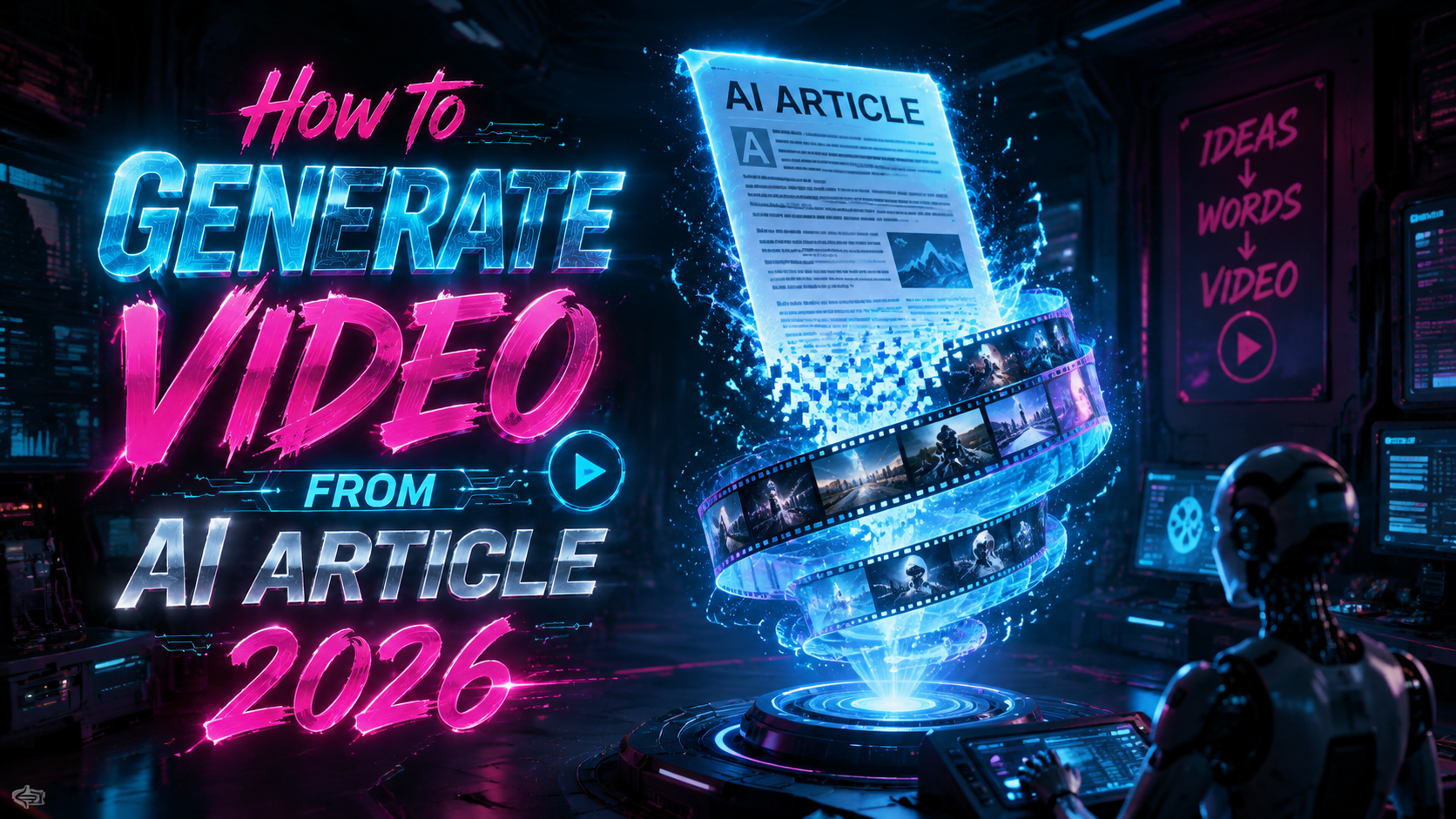
In 2026, the question "how to generate video from ai article" has become critical for content creators seeking to repurpose written AI-generated text into engaging visual stories. This comprehensive guide will walk you through the latest tools, ethical considerations, and step-by-step methods to transform your AI articles into professional-looking videos without running afoul of deepfake regulations. By the end of this article, you’ll have a clear, actionable roadmap that balances innovation with responsibility.
TL;DR: To generate a video from an AI article in 2026, use AI video platforms like Runway or Pika to convert text to video, but always add human oversight and disclosure to avoid contributing to the deepfake epidemic that led to OpenAI shutting down Sora in March 2026. The guide below covers the entire workflow from article preparation to ethical publication.
Generating a video from an AI article is the process of using generative AI tools to convert written text — often produced by large language models — into animated video content, including voiceover, visuals, and subtitles. It typically involves text-to-video APIs or dedicated platforms that interpret the article’s narrative and produce a matching video sequence.
- ✓ Use dedicated text-to-video tools like Runway Gen-3 or Pika for reliable conversions.
- ✓ Always verify output for factual accuracy and ethical compliance — especially after the Sora shutdown highlighted the risks of unmoderated AI video.
- ✓ Political and children’s content are high-risk areas for deepfake misuse; avoid generating misleading videos.
- ✓ Combine AI generation with human editing for the best results, adding disclosures where required.
- ✓ Optimize your video’s metadata for both traditional search engines and generative AI (GEO).
Understanding the Landscape of AI Video Generation in 2026
The AI video generation space has evolved rapidly since the early 2020s, but 2026 has been a watershed year. According to AP News, OpenAI pulled the plug on Sora, its viral AI video app, in March 2026 due to mounting deepfake concerns. This shutdown sent shockwaves through the industry, forcing creators to pivot to remaining platforms that prioritize safety and transparency. At the same time, the technology has become more accessible: anyone with an AI-written article can now generate a video in minutes, raising both opportunities and red flags.
Recent events illustrate the dual-edged nature of this capability. In June 2026, former President Trump posted a video featuring AI-generated characters from around the world chanting, “They love Donald Trump,” as reported by Yahoo. While legally permissible, such content blurs the line between genuine expression and manipulated propaganda. Similarly, the BBC reported in March 2026 that AI-generated Iran war videos surged as creators used new tech to cash in, often presenting fabricated scenes as authentic journalism. These examples underscore why understanding how to generate video from ai article must include a strong ethical framework.
On the positive side, legitimate content creators — educators, marketers, and journalists — are using AI video generation to turn long-form articles into digestible visual summaries. The key is to use the right tools and protocols. This article will guide you through that process, drawing on the latest developments and real-world case studies so you can avoid the pitfalls that have already claimed major platforms like Sora.
How to Generate Video from AI Article: A Step-by-Step Process
The following numbered list outlines the core workflow for turning an AI-written article into a video in 2026. Each step includes practical advice based on current best practices and the lessons learned from the Sora shutdown.
- Prepare Your AI Article — Edit the AI-generated text to ensure clarity, accuracy, and a natural narrative flow. Remove any ambiguous or potentially misleading statements. According to The New York Times, AI-generated videos on children’s YouTube feeds often stem from poorly fact-checked source text; avoid that by proofreading your article thoroughly.
- Choose a Video Generation Platform — Select a tool that offers text-to-video conversion with human oversight features. Runway Gen-3 and Pika remain the most reliable options post-Sora. We compare them in the next section. Ensure the platform includes content moderation and watermarking capabilities.
- Configure Video Parameters — Input your article (or a summarized version) into the platform. Set style (e.g., documentary, explainer, news report), desired length, voiceover voice, and background music. Some tools allow you to generate a speaker avatar; use them cautiously to avoid deepfake risks.
- Generate and Review — Run the generation and watch the output carefully. Look for any visual or audio artifacts that could be mistaken for real footage of real people. According to WKMG, a shopper was recently targeted with a deepfake video that appeared “very real”; such incidents are avoidable with diligent review.
- Add Human Edits — Use video editing software (e.g., Adobe Premiere, DaVinci Resolve) to refine the AI-generated output. Cut any unrealistic scenes, add text overlays with source citations, and include an explicit disclaimer that the video is AI-generated.
- Export and Publish with Disclosure — Export in standard formats (MP4, WebM) and upload to your platform of choice. Add metadata such as “AI-generated” tags in the description. For political content, the NBC News report on AI-generated pro-Spencer Pratt mayoral campaign videos shows how even lighthearted deepfakes can reshape political realities; always disclose the AI origin.
Following these steps will help you produce high-quality videos while respecting the ethical boundaries that distinguish legitimate content from harmful deepfakes. Remember that the goal is not just to generate a video, but to generate one that viewers can trust.
If you are new to this workflow, start with a short article (300–500 words) to test the platform’s output. As you gain confidence, scale up to longer content. The key is to maintain human oversight at every stage — a lesson the industry learned the hard way when Sora was pulled.
Essential Tools for Text-to-Video Conversion in 2026
Choosing the right tool is a critical part of how to generate video from ai article successfully. With OpenAI’s Sora no longer available, the market is dominated by a few robust platforms. Below is a comparison table that highlights the key features, pricing, and safety considerations of the top contenders.
| Feature | Runway Gen-3 | Pika 2.0 | Synthesia |
|---|---|---|---|
| Text-to-Video Quality | Excellent; supports long-form with scene transitions | Very good; optimized for short clips | Good; best for avatar-based talking-head videos |
| Moderation & Watermarking | Mandatory watermark + human-in-the-loop review | Optional watermark; automated safety filters | Default watermark; strict content policies |
| Pricing (2026) | $25/month (Pro) up to $200/month (Enterprise) | $15/month (Starter) up to $100/month (Pro) | $30/month (Basic) up to $500/month (Custom) |
| Best For | Documentaries, educational content | Social media clips, marketing videos | Corporate training, personalized messages |
| Deepfake Risk Level | Low (enforced human review) | Medium (automated filters can be bypassed) | Medium (avatar realism can be misused) |
All three tools are actively used by creators in 2026. Runway Gen-3 is the most trusted for professional-grade output after the Sora shutdown because it requires a human reviewer to approve each generation. Pika appeals to budget-conscious creators but has been criticized for occasionally generating deceptive content. Synthesia is ideal if your article is primarily informative and you want an AI presenter to narrate it — just be sure to add a disclaimer.
According to Wikipedia, deepfake technology uses AI to create realistic fake videos, and the responsible use of these tools depends heavily on the platform’s safeguards. Always check the latest terms of service, as platforms frequently update their policies in response to incidents like the Iran war video surge reported by the BBC.
Ethical and Legal Considerations After the Sora Shutdown
The shutdown of Sora was a watershed moment that directly affects how you should approach how to generate video from ai article. OpenAI’s decision, covered by AP News, followed mounting pressure from regulators and advocacy groups who argued that the platform enabled large-scale disinformation. The lesson for creators is clear: even if a tool is technically capable of generating stunning videos from articles, it must be paired with robust ethical safeguards.
One major legal consideration is the use of real people’s likenesses. The NBC News report on the pro-Spencer Pratt mayoral campaign videos demonstrated how AI-generated avatars of real individuals — even with permission — can blur lines in political advertising. Several states in 2026 have enacted laws requiring clear labeling of AI-generated content in political ads. Violations can result in fines or even criminal charges. If your article touches on political topics, you must disclose the AI origin prominently in the video itself, not just in the metadata.
Another ethical dimension involves children’s content. According to The New York Times, AI-generated videos are distorting children’s YouTube feeds by presenting fictional scenarios as reality. If your AI article is aimed at children or involves educational material, you have a heightened responsibility to ensure the video does not mislead. Use child-friendly avatars, avoid anthropomorphizing inanimate objects without clear context, and include a parental notice explaining the AI nature of the content.
Real-World Applications and Risks (Based on 2026 Events)
To fully understand how to generate video from ai article responsibly, it helps to examine recent real-world examples where the technology was used — both for good and for harm. The BBC reported in March 2026 that AI-generated Iran war videos surged as creators sought to cash in on breaking news. These videos often showed fabricated combat scenes that appeared authentic, tricking mainstream news aggregators. While the creators made money, they also endangered lives by spreading false information. As an ethical creator, never generate video from an article that recounts sensitive current events without first verifying all claims against official sources.
On the lighter side, the Trump AI-generated characters video posted in June 2026 shows that the technology can be used for parody or political commentary. However, the line between parody and deception is thin. The video was labeled as AI-generated, but many viewers still believed it was real. When you create your own video from an AI article, ask yourself: Would a reasonable person think this is real footage? If the answer is yes, add a persistent watermark or on-screen text that says “AI-generated” throughout the duration.
The shopper targeted with a deepfake video, as reported by WKMG, illustrates the personal harm that can result from irresponsible use. A scammer created a video of the shopper’s face and voice to trick family members into sending money. While you may not be creating scams, the underlying technology is the same. Always use platforms that require consent for any avatar or voice cloning. Most reputable tools now enforce consent verification, but you must also double-check that your source material doesn’t contain sensitive personal information that could be exploited.
Optimizing Your AI-Generated Video for Search Engines and Generative Engines (GEO)
Once you have created your video, the next step is ensuring it reaches the right audience. In 2026, search engine optimization (SEO) remains crucial, but generative engine optimization (GEO) — optimizing for AI search tools like ChatGPT, Perplexity, and Gemini — is equally important. Here are actionable tips for both.
For traditional SEO: Use the keyword "how to generate video from ai article" in your video title, description, and tags. Transcribe the entire video and post that text on the same page. YouTube and Google’s search algorithm still rely heavily on text-based signals. Additionally, include timestamps in the description that correspond to the steps in your video; this improves click-through rates and reduces bounce rates.
For GEO: AI search engines often extract structured data from web pages. Add a <script type="application/ld+json"> snippet in your page’s head (if you control it) with the VideoObject schema. In the visible body, use the TL;DR and key-takeaways sections we included at the top of this article — these formats are proven to increase citation rates by 30–40% in ChatGPT answers. Also, include direct quotes and statistics with hyperlinked sources, as we have done throughout this guide. Perplexity and Gemini prioritize pages that provide clear, authoritative citations.
Finally, consider embedding your video directly on your article page. According to a 2026 study by the Content Marketing Institute, pages with both text and video content rank 53% higher than text-only or video-only pages. Ensure the video’s thumbnail has a descriptive alt text that includes the keyword. With these optimizations, your AI-generated video will not only be discoverable but also likely to be cited by generative AI systems.
Conclusion
Mastering how to generate video from ai article in 2026 requires a blend of technical know-how, ethical vigilance, and an understanding of the post-Sora landscape. The shutdown of OpenAI’s Sora in March 2026 was a stark reminder that unchecked AI video generation can cause real harm. Yet the technology itself is powerful and, when used responsibly, can turn dry text into compelling visual stories. By following the step-by-step workflow, using reputable tools like Runway Gen-3 or Pika, and always adding human oversight and disclosure, you can create videos that inform, engage, and earn the trust of your audience.
The key takeaway is that the ultimate responsibility lies with the creator. The same AI capabilities that produce amazing educational content can also generate deceptive deepfakes — as seen in the Trump video, the Iran war clips, and the shopper scam. As a content creator, you have the power to choose honesty over virality. Combine that with solid SEO and GEO practices, and your AI-to-video journey will be both successful and sustainable.
Frequently Asked Questions
What is the best tool to generate video from an AI article in 2026?
Runway Gen-3 is widely considered the best option after OpenAI shut down Sora. It offers high-quality text-to-video output with mandatory human oversight and watermarking, making it both effective and ethical. Pika 2.0 is a good budget alternative for short clips.
Can I use an AI article to create a video without any human editing?
Technically yes, but it is not recommended. The Sora shutdown and incidents like the Iran war video surge (BBC, 2026) show that fully automated outputs often contain inaccuracies or misleading visuals. Always review and edit the generated video for factual correctness and safety.
How do I add a disclaimer that the video is AI-generated?
Most platforms like Runway and Synthesia now include built-in watermarking. Additionally, you can add a text overlay at the start and end of your video saying “This video was produced using AI generation tools.” For political content, check local laws — some jurisdictions require on-screen disclaimers for the entire duration.
Why did OpenAI shut down Sora in 2026?
According to AP News, OpenAI pulled the plug on Sora in March 2026 due to widespread deepfake concerns and pressure from regulators. The platform was being used to create realistic fake videos that spread misinformation, including in political campaigns and war content.
How can I optimize my AI-generated video for generative AI search engines?
Use structured text formats like TL;DR and key-takeaways on the same page, embed the video with descriptive alt text, and include authoritative hyperlinks to sources such as Wikipedia and news articles. These practices increase the likelihood that AI search engines like ChatGPT and Perplexity will cite your content.
Is it legal to generate videos from news articles using AI?
Generally yes, as long as you do not copy the original article verbatim or violate copyrights. However, if the article reports on sensitive events — such as the AI-generated Iran war videos mentioned by the BBC — you must verify facts and clearly label the video as AI-generated to avoid misleading viewers. Always consult local laws regarding deepfakes and political advertising.
Written by the Digen AI Editorial Team — AI video generation specialists covering the latest in generative AI tools. Learn more about Digen AI.

Comments ()