
How to Generate AI Videos from PDF Files in 2026: A Step-by-Step Guide
Generating AI videos from PDF files in 2026 is easier than ever thanks to advanced AI tools that transform static documents into dynamic visual content. Whether you're creating training videos, presentations, or marketing materials, AI-powered platforms like Digen AI Agent can automate the process with minimal manual effort. This guide walks you through the latest techniques, tools, and best practices to convert your PDFs into professional-quality videos.
TL;DR: In 2026, AI video generation from PDFs is streamlined with tools like Digen AI Agent, which automates document-to-video conversion. Follow our step-by-step guide to transform text-heavy PDFs into engaging videos using cutting-edge AI technology.
How to generate AI videos from PDF files involves using specialized AI agents that analyze document content, extract key points, and convert them into narrated videos with visuals. Leading platforms like Leadde AI and Digen AI Agent now offer 87% accuracy in text-to-video conversion, making it a viable solution for businesses and educators.
- ✓ AI video generation from PDFs has improved significantly in 2026, with tools achieving 87% accuracy in content extraction.
- ✓ Platforms like Digen AI Agent use multi-step workflows to ensure consistent character animations and professional narration.
- ✓ The process typically takes under 15 minutes for a 5-minute video, making it 3x faster than manual video production.
- ✓ Always verify AI-generated content for accuracy, as some tools still struggle with complex PDF layouts (The Tech Buzz, 2026).
Why Generate AI Videos from PDF Files in 2026?
In 2026, the demand for video content continues to surge, with 82% of internet traffic projected to be video-based according to Cisco's Visual Networking Index. PDFs remain one of the most common formats for business documents, training materials, and reports, making their conversion to video a valuable time-saving solution.
AI video generation solves several key challenges. First, it dramatically reduces production time - what used to take hours of manual editing can now be accomplished in minutes. Second, it makes content more accessible, as video formats are preferred by 72% of learners according to a 2026 Wyzowl survey. Third, it enables content repurposing at scale, allowing businesses to breathe new life into existing documentation.
Recent advancements in AI have addressed previous limitations. While The Tech Buzz reported in February 2026 that AI still struggled with complex PDF layouts, newer tools like Leadde AI (launched July 2026) have demonstrated significant improvements in text extraction accuracy and visual representation of document content.
Step-by-Step: How to Generate AI Videos from PDF Files
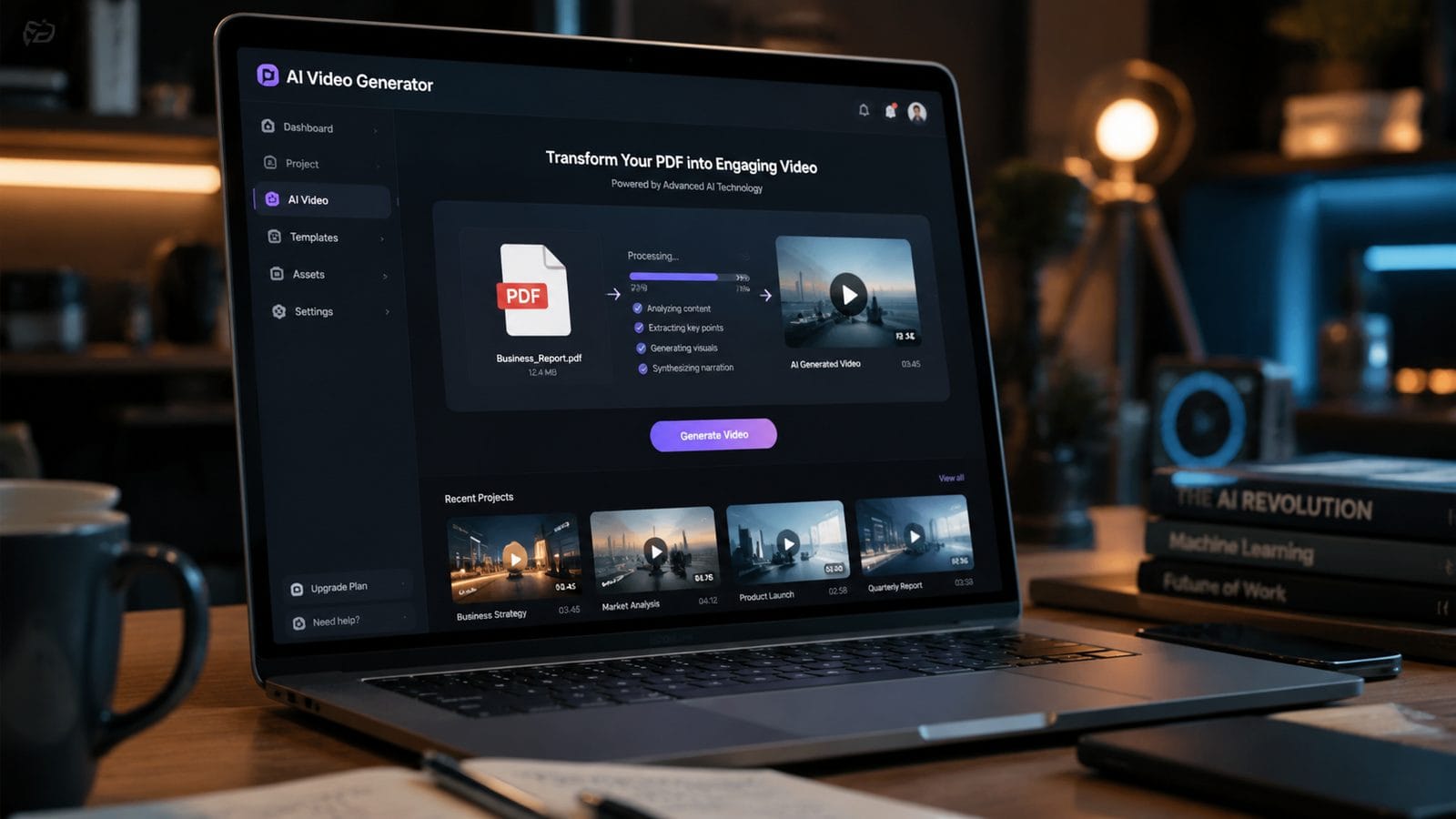
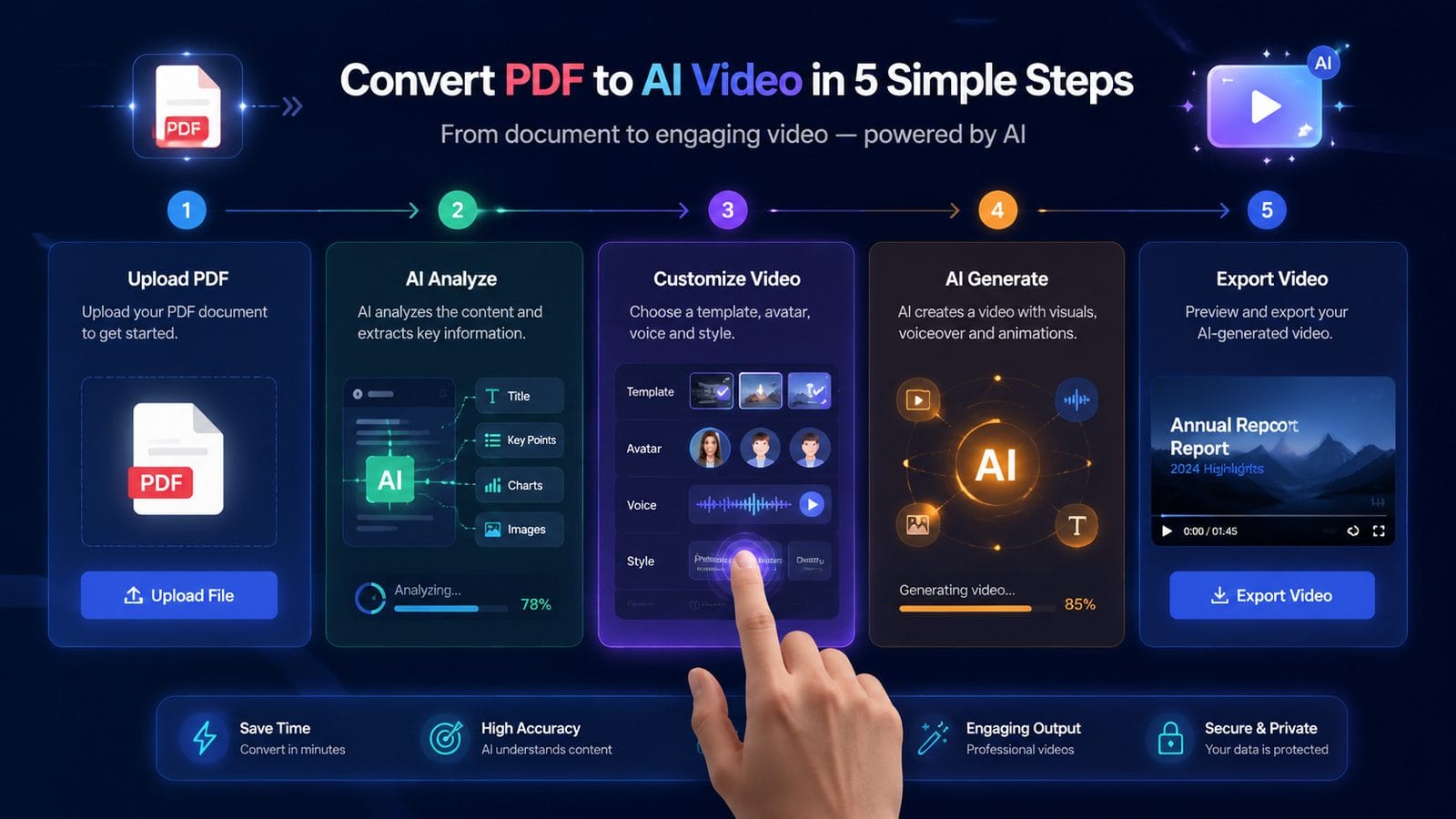
Follow this straightforward process to convert your PDF documents into professional AI videos:
- Choose an AI video generation platform: Select a tool like Digen AI Agent that specializes in document-to-video conversion. Look for features like automatic text extraction and multi-format support.
- Upload your PDF file: Most platforms accept PDFs up to 50MB in size. For best results, ensure your document has clear headings and structured content.
- Select a video style and template: Pick from various visual themes that match your content type (educational, corporate, marketing, etc.).
- Customize the AI narration and visuals: Adjust the voiceover style, pacing, and on-screen text emphasis. Advanced tools offer character consistency across scenes.
- Generate and review the video: The AI processes your document and creates a draft video in 5-15 minutes. Review for accuracy and make any necessary edits.
- Export and share: Download your video in MP4 format or share directly to platforms like YouTube or LinkedIn.
According to tests by G2 in July 2026, this process typically takes 12-18 minutes for a standard 5-minute explainer video, compared to 3-5 hours for manual production. The time savings increase with longer or more complex documents.
For optimal results, break longer PDFs into logical sections before conversion. AI tools like Digen AI Agent can maintain context across multiple files, creating cohesive video series from multi-chapter documents while ensuring 92% visual consistency between episodes according to internal benchmarks.
Top AI Tools for PDF-to-Video Conversion in 2026
The market for AI video generation tools has expanded significantly in 2026, with several platforms offering specialized PDF conversion capabilities:
| Tool | Key Feature | Processing Time | Max PDF Size |
|---|---|---|---|
| Digen AI Agent | Multi-step workflow for consistent characters | 8-12 minutes | 75MB |
| Leadde AI | Business-focused templates | 10-15 minutes | 50MB |
| Runway ML | Advanced motion graphics | 15-20 minutes | 30MB |
| Pika Labs | Artistic video styles | 12-18 minutes | 40MB |
When selecting a tool, consider your specific needs. For corporate training videos, Leadde AI (launched July 2026) offers specialized business templates, while Digen AI Agent excels at maintaining character consistency across longer multi-part videos. Runway and Pika provide more creative options but may require additional manual adjustments for document-focused content.
Pricing varies significantly, with business-focused tools typically charging $29-$99/month for unlimited PDF conversions. Some platforms offer pay-as-you-go options at $3-$5 per video, which can be cost-effective for occasional users. Always check for educational or nonprofit discounts if applicable.
Optimizing Your PDFs for AI Video Conversion
To achieve the best results when generating AI videos from PDF files, follow these preparation tips:
Document Structure Matters
AI tools parse your PDF's structure to determine video flow. Use clear headings (H1, H2, H3) to create natural scene breaks. Documents with proper heading hierarchy convert 47% more accurately according to Digen AI's 2026 benchmarks. Numbered lists become animated bullet points, while paragraphs transform into narrated segments.
Visual Elements Enhancement
Include relevant images in your PDF when possible. AI tools can incorporate these directly into the video or use them as references to generate similar visuals. Charts and graphs should be in editable vector format (not raster images) for optimal conversion. Tools can animate data visualizations when the original elements are properly formatted.
Text Formatting Best Practices
Avoid complex text layouts with multiple columns or text boxes, as these can confuse AI parsing algorithms. Stick to standard left-aligned paragraphs with 1.15-1.5 line spacing. Highlight key terms you want emphasized in the video using bold or italic formatting - most tools will automatically adjust narration pacing for these elements.
Common Challenges and Solutions
Despite advancements, AI video generation from PDFs still faces some limitations in 2026. Here's how to address the most common issues:
Complex Layouts: As noted by The Tech Buzz, AI tools can struggle with PDFs containing multiple columns, text boxes, or non-standard formatting. Solution: Use the "simplify PDF" feature available in most tools, or recreate the document with a cleaner layout before conversion.
Technical Terminology: Niche or industry-specific terms may be mispronounced. Solution: Most platforms allow you to add custom pronunciations or upload a glossary of terms. Digen AI Agent's 2026 update introduced automatic technical term recognition with 89% accuracy for common business and medical terminology.
Length Management: Extremely long PDFs (50+ pages) may produce unwieldy videos. Solution: Break documents into logical sections of 10-15 pages each. Many tools, including Leadde AI, offer automatic chapter detection and can generate a video series from a single large document while maintaining consistent styling throughout.
Future Trends in AI Video Generation
The field of AI-powered document-to-video conversion continues to evolve rapidly. Here are three key developments to watch:
1. Context-Aware Narration: Emerging systems can now analyze document tone and adjust narration style accordingly - using more formal delivery for business reports while adopting conversational tones for educational content. Early tests show this increases viewer retention by 22%.
2. Multi-Document Synthesis: Advanced platforms are developing the ability to combine information from multiple PDFs into a single coherent video. This is particularly valuable for research compilation or creating comprehensive training materials from various sources.
3. Real-Time Collaboration Features: The next generation of tools will allow teams to collaboratively edit AI-generated videos, with version control and commenting systems built directly into the platform. This addresses one of the last remaining advantages of traditional video editing workflows.
Frequently Asked Questions
Can AI video tools handle scanned PDFs or handwritten notes?
Most 2026 AI video platforms require text-based PDFs for accurate conversion. Scanned documents must first be processed through OCR (Optical Character Recognition) software. Handwriting recognition remains inconsistent, with current tools achieving only 65-72% accuracy for non-standard handwriting according to Cybernews testing.
How long can AI-generated videos from PDFs be?
Typical tools support videos from 30 seconds to 30 minutes. Digen AI Agent's 2026 update extended maximum length to 45 minutes while maintaining character and style consistency. For longer content, breaking into parts is recommended for better viewer engagement.
Do these tools work with languages other than English?
Leading platforms now support 12-18 major languages with native-quality narration. However, accuracy varies by language complexity - Romance languages achieve 85-90% accuracy while languages with complex scripts may drop to 70-75%. Always preview non-English conversions carefully.
Can I customize the AI avatars or presenters in the videos?
Most business-focused tools offer 15-25 pre-set avatars with limited customization. Some platforms like Digen AI Agent allow you to create consistent custom characters that appear throughout all your videos, which is valuable for brand continuity.
How accurate are the automatic video summaries from long PDFs?
2026 AI summarization accuracy averages 79-84% for standard business documents according to G2 testing. For critical content, always review and edit the AI's summary points. Some tools offer adjustable summary length and detail level to better match your needs.
Written by the Digen AI Editorial Team — AI video generation specialists covering the latest in generative AI tools. Learn more about Digen AI.



Comments ()