
How to Fix Shaky Video with AI: Best Tools for 2026
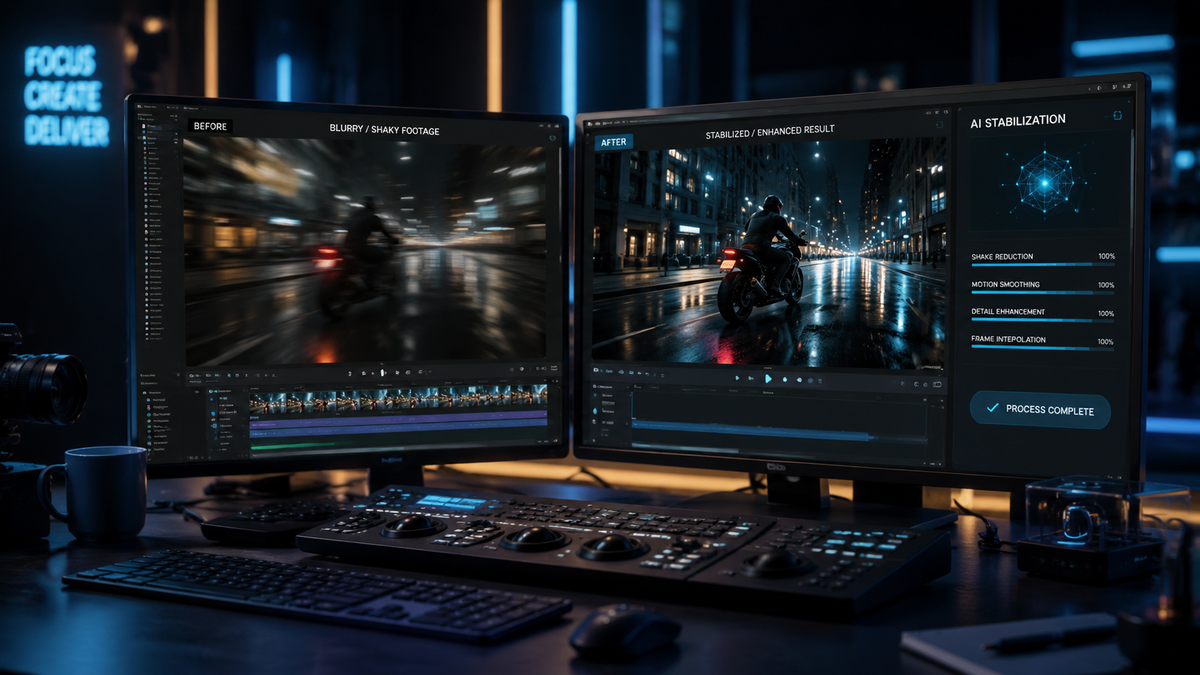
To learn how to fix shaky video with AI, you must use specialized software that utilizes deep learning algorithms to analyze frame-to-frame motion and reconstruct missing data. Modern AI stabilizers, such as VideoProc Converter AI and Movavi, go beyond traditional cropping by using generative "in-painting" to fill in edges, resulting in buttery-smooth footage without the significant loss of resolution typical of older methods. By following a simple three-step process—importing the file, selecting an AI stabilization model, and choosing a reconstruction level—you can transform unwatchable handheld footage into professional-grade cinema.
AI video stabilization is a computational process that identifies camera jitter and applies motion compensation via neural networks. Unlike traditional electronic image stabilization (EIS), AI-driven tools in 2026 use generative reconstruction to maintain a wide field of view while eliminating high-frequency vibrations, making it the definitive solution for fixing shaky smartphone or drone footage.
- ✓ AI stabilization now uses "reconstruction" rather than just cropping to fix camera shake.
- ✓ Leading tools like VideoProc Converter AI provide dedicated stabilization engines for 2026 hardware.
- ✓ Mobile users can fix shaky phone videos in minutes using automated AI cloud or desktop sync apps.
- ✓ High-end AI editors now include "vibe coding" and observability to ensure stabilization looks natural.
The Evolution of Video Stabilization: Why AI is Essential in 2026
As we move through 2026, the landscape of digital cinematography has shifted from mere assistance to full-scale reconstruction. For years, videographers relied on mechanical gimbals or basic software crops to hide shaky hands. However, as noted by the International Documentary Association (IDA) in March 2026, AI enhancement is no longer just an "assistant"—it is a generative process that fundamentally changes how we view "raw" footage. This shift means that knowing how to fix shaky video with AI is now a core skill for any content creator.
The primary challenge with traditional stabilization was the "zoom-in" effect. To steady a frame, software had to crop the edges, losing valuable pixels and reducing the overall field of view. Modern AI tools avoid this by utilizing generative filling. They analyze the surrounding frames and "hallucinate" the missing edges with pixel-perfect accuracy. This allows you to keep your 4K resolution and wide-angle perspective while achieving a level of smoothness that previously required a $500 stabilizer rig.
Furthermore, the hardware we use is becoming increasingly complex. While devices like the Pixel 10 have pushed the boundaries of mobile photography, software bugs can still result in jittery output. Reports from Android Police in late 2025 highlighted that even flagship devices can suffer from "shaky video bugs," making third-party AI stabilization software an essential part of the post-production workflow for professional and amateur creators alike.
How to Fix Shaky Video with AI: A Step-by-Step Guide
If you have a video that looks like it was filmed during an earthquake, follow this standardized workflow used by professionals in 2026 to restore your footage. Most AI tools have streamlined this process to be nearly autonomous.
- Upload Your Footage: Open your AI video enhancer (such as VideoProc Converter AI or Movavi) and drag your shaky file into the interface. Ensure the software is updated to the 2026 version to utilize the latest neural engine optimizations.
- Select the AI Stabilization Module: Navigate to the "AI Tools" section. Choose "Stabilization." In 2026 versions, you will often see options for "Fast" (for minor jitters) or "Generative" (for heavy camera shake).
- Analyze and Preview: Click the "Analyze" button. The AI will scan the motion vectors of every frame. Once analyzed, use the split-screen preview to compare the original shaky footage with the AI-stabilized version.
- Adjust Reconstruction Settings: If the edges look warped, increase the "Generative Fill" or "In-painting" setting. This allows the AI to rebuild the frame edges rather than cropping them.
- Export with Hardware Acceleration: Choose your desired format (HEVC or AV1 are recommended in 2026) and export. Modern software will use your GPU’s tensor cores to finish the render in seconds.
Top AI Video Stabilization Tools for 2026
Choosing the right tool depends on your technical expertise and the severity of the shake in your video. The market in 2026 is dominated by a few key players who have integrated "reconstructive" AI into their core architecture.
VideoProc Converter AI: The 2026 Industry Standard
According to TweakTown's March 2026 review, VideoProc Converter AI remains the "Best AI Video & Image Enhancer" on the market. It stands out because it doesn't just stabilize; it enhances. Its stabilization engine is specifically tuned for high-frame-rate footage, making it ideal for action sports and drone videography. The 2026 update includes a "Deep-Vibe" stabilization mode that preserves the natural motion of the camera while removing the distracting micro-jitters that plague handheld 8K recording.
Movavi Video Editor: Effortless AI Integration
For those who want a balance between power and simplicity, Movavi offers a suite of nine AI-driven features that make editing effortless. As reported by Gadget Flow in February 2026, Movavi’s AI stabilization is designed for "vibe coding"—a trend where the AI maintains the emotional intent of the camera movement while removing the physical imperfections of the operator. This makes it a favorite for lifestyle vloggers and social media influencers who need a quick turnaround.
The Comparison: AI Stabilization Software in 2026
To help you decide which tool fits your workflow for learning how to fix shaky video with AI, refer to the comparison table below based on the latest 2026 performance benchmarks.
| Feature | VideoProc Converter AI | Movavi Video Editor | Mobile AI Cloud Apps |
|---|---|---|---|
| Stabilization Method | Generative Reconstruction | AI Motion Tracking | Cloud-based EIS+ |
| Processing Speed | Ultra-Fast (GPU Accelerated) | Fast (Real-time Preview) | Variable (Internet Dependent) |
| Max Resolution | 8K / 12K Support | 4K Support | 4K Support |
| Best For | Professional Restoration | Content Creation & Vlogs | Quick Social Fixes |
| Key 2026 Feature | Advanced In-painting | Vibe Coding Presets | One-Tap Fix |
Advanced Techniques: Generative Reconstruction vs. Traditional Cropping
The core difference in 2026 technology is the move toward "The Synthesis." As the International Documentary Association explains, AI enhancement isn't just assistance anymore; it's a complete reconstruction of the visual data. When you use AI to fix shaky video, the software is actually looking at the "clean" parts of previous and future frames and "stitching" them into the current frame to fill in the gaps created by camera movement.
This is particularly useful for phone users. TechPP’s recent 2026 guide, "How I Fix Shaky Phone Videos in Minutes," emphasizes that modern smartphone sensors are often too small to handle physical stabilization perfectly. By using desktop AI software as a secondary step, you can achieve a "Steadicam" look that is physically impossible to capture on a device as light as a mobile phone. The AI compensates for the lack of physical mass in the camera setup.
Furthermore, the concept of "Observability" has entered the AI video space. As SiliconANGLE noted in late 2025, observability tools now keep AI-based "vibe coding" in check. This ensures that the AI doesn't over-stabilize the video to the point where it looks robotic or uncanny. In 2026, the best AI stabilization preserves the "human element" of the shot while removing the technical errors of the capture.
Addressing Common Hardware Issues: From Pixel 10 to Drones
Even the best hardware can fail. For instance, the tech community was alerted by Android Police in November 2025 regarding a persistent "shaky video bug" in the Pixel 10 series. While hardware manufacturers often take months to release firmware patches, AI software provides an immediate fix. If your high-end smartphone or drone is producing jittery results due to a software glitch or a faulty OIS (Optical Image Stabilization) module, AI stabilization can bridge that gap.
In the drone industry, 2026 has seen a surge in "micro-drones" that are too small for mechanical gimbals. These devices rely 100% on AI post-processing. By applying AI stabilization, these tiny cameras can produce footage that rivals heavy professional cinema drones. The key is to use a tool that understands "rolling shutter distortion"—the "jello effect" that happens when a camera vibrates at high speeds—and corrects it simultaneously with the shake.
The Future of AI Video: What’s Next After 2026?
Looking ahead, the integration of AI stabilization is becoming invisible. We are moving toward a "capture-now, stabilize-later" philosophy where the raw data from the sensor is so comprehensive that the physical movement of the camera during filming becomes irrelevant. Experts suggest that by 2027, we may see "Zero-Latency Stabilization" integrated directly into the neural processing units (NPUs) of all major camera brands.
For now, the best results come from dedicated desktop applications that have the thermal headroom and processing power to run complex neural networks. Whether you are a professional filmmaker or someone trying to save a precious family memory, learning how to fix shaky video with AI is the most effective way to ensure your content meets the high visual standards of 2026.
Does AI stabilization reduce video quality?
In 2026, AI stabilization typically maintains or even improves video quality. Unlike old methods that cropped and upscaled, modern AI uses generative reconstruction to fill in edges and can simultaneously denoise and sharpen the footage.
What is the best AI tool for fixing shaky video in 2026?
VideoProc Converter AI is widely considered the best overall tool due to its balance of speed and generative features. Movavi is a highly recommended alternative for users who prefer a more intuitive, creative-focused interface.
Can I fix shaky video on my smartphone?
Yes, there are mobile AI apps available, but for the best results, it is recommended to sync your phone video to a desktop. Desktop GPUs in 2026 are significantly more capable of handling the complex "in-painting" required for high-quality stabilization.
How long does it take to stabilize a video with AI?
With hardware acceleration, a one-minute 4K video can typically be stabilized in under two minutes on a modern 2026 PC. The time depends on the complexity of the shake and the level of reconstruction selected.
What is "vibe coding" in video editing?
Vibe coding is a 2026 term for AI-assisted editing that prioritizes the "feel" or "vibe" of a video. In stabilization, it means the AI intelligently decides which shakes to remove and which natural movements to keep to maintain the video's aesthetic intent.



Comments ()