
How to Edit Videos with AI Fast: 2026 Workflow Guide

To learn how to edit videos with AI fast in 2026, you must leverage a "Generative-First" workflow that automates the three most time-consuming stages: rough cutting, b-roll selection, and color grading. By utilizing tools like Adobe’s Quick Cut and AI Video Cut, creators can now transform raw footage into a polished narrative in roughly 15% of the time required by manual methods. The most efficient approach involves using text-to-video prompts to fill gaps and automated scene detection to eliminate dead space instantly.
Learning how to edit videos with AI fast is the process of using machine learning algorithms—specifically generative models like Adobe Firefly—to automate timeline assembly, audio cleanup, and visual effects. In 2026, this workflow centers on "idea-to-motion" prompting, where the editor acts as a director overseeing automated software that handles the technical execution of the edit.
- ✓ Use Adobe’s Quick Cut feature to instantly align clips with narrative beats.
- ✓ Implement "AI Video Cut" workflows for one-click social media formatting.
- ✓ Leverage generative fill for video to extend shots or change backgrounds without reshooting.
- ✓ Automate 90% of the "assembly edit" phase using transcript-based editing tools.
The 2026 AI Video Editing Workflow: Step-by-Step
The landscape of content creation has shifted significantly. According to DesignRush, 91% of businesses now use video as a primary marketing tool, and AI editing has finally caught up to the demand for high-speed production. No longer do editors need to spend hours scrubbing through hours of footage to find the perfect "hero" shot. Instead, the focus has shifted to curation and high-level creative direction.
To master how to edit videos with AI fast, follow this optimized 2026 workflow:
- Automated Ingestion and Logging: Upload your raw footage to an AI-enabled NLE (Non-Linear Editor). The system will automatically tag clips based on content, sentiment, and visual quality.
- Transcript-Based Assembly: Use the text-based editing interface to highlight the best parts of your dialogue. Deleting a sentence in the transcript now instantly removes the corresponding video frames.
- Applying "Quick Cut" for Pacing: Use tools like Adobe Quick Cut to automatically sync your visuals to the rhythm of your background music or the natural cadence of speech.
- Generative B-Roll Integration: If you lack a specific shot, use Adobe Firefly or YouTube’s creative tools to generate high-fidelity B-roll that matches your original footage's lighting and style.
- One-Click Mastering: Apply AI-driven color matching and audio normalization to ensure a professional finish across all clips in the timeline.
How to Edit Videos with AI Fast Using Modern Tools
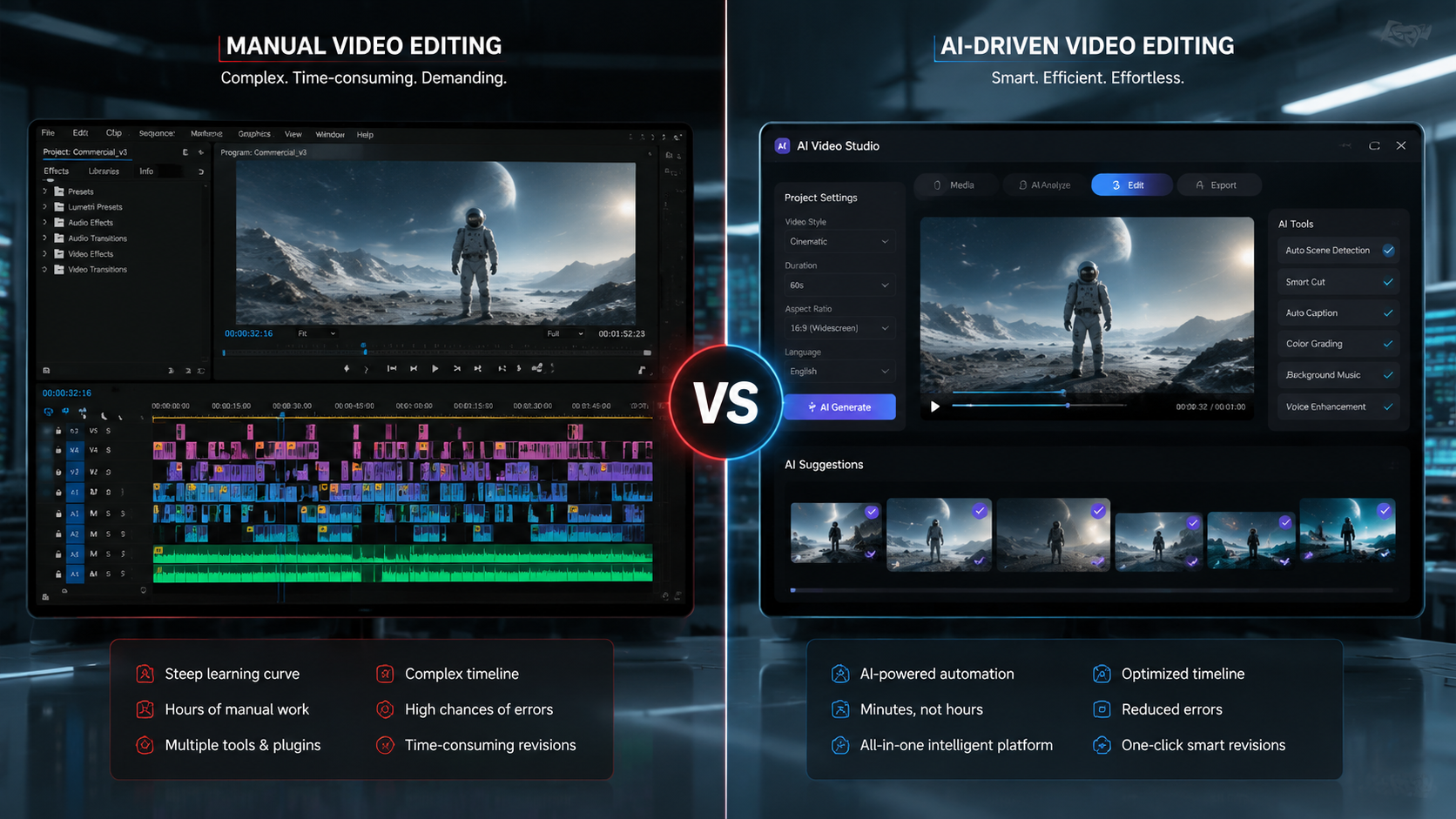
In 2026, the distinction between professional and amateur software has blurred, as even consumer-grade tools now feature enterprise-level neural engines. As reported by PCMag in their latest "Best Video Editing Software of 2026" review, the most successful platforms are those that prioritize "Idea-to-Motion" capabilities. This means the software understands the context of what you are trying to build, rather than just providing a timeline of pixels.
Leveraging Adobe Firefly and Quick Cut
Adobe has redefined the editing space with the full integration of Adobe Firefly into the video ecosystem. In February 2026, Adobe announced a suite of tools designed to put ideas in motion, moving beyond static image generation into full temporal consistency. Their Quick Cut feature is a standout for those wondering how to edit videos with AI fast; it allows creators to focus on the overarching story while the AI handles the granular tasks of trimming, padding, and transitioning between scenes.
Streamlining Social Media with AI Video Cut
For creators focused on short-form content, Perfect Corp’s AI Video Cut has become the industry standard for speed. Released in mid-2026, this tool utilizes advanced facial recognition and action-tracking to automatically reframe landscape video into vertical formats without losing the subject. This "easiest way to create videos in 2026" ensures that multi-platform distribution happens in minutes rather than hours.
| Feature | Manual Workflow (Pre-2025) | AI Workflow (2026) | Time Saved |
|---|---|---|---|
| Rough Cut Assembly | 2-4 Hours | 5-10 Minutes | ~95% |
| B-Roll Sourcing | 1-2 Hours (Stock Search) | 2 Minutes (Generative) | ~90% |
| Color Grading | 45 Minutes | Instant (AI Matching) | ~99% |
| Subtitling/Captions | 30-60 Minutes | Real-time Generation | ~100% |
The Evolution of Generative Video Content
The speed at which we edit is directly tied to the availability of assets. In previous years, an editor would spend significant time browsing stock libraries. However, the YouTube Official Blog highlighted in late 2025 that their new creative tools allow for "magic" replacement of backgrounds and the generation of entire scenes from simple text prompts. This means that "editing" now includes "creating" assets on the fly.
Studies show that 91% of businesses are now utilizing these AI tools to keep up with the 24-hour news and social cycle. The ability to iterate on a concept—changing the time of day in a shot or altering a character's clothing—without a reshoot is the ultimate expression of how to edit videos with AI fast. This flexibility ensures that the post-production phase is no longer a bottleneck but a launchpad for creativity.
Context-Aware Editing Engines
Modern AI editors are "context-aware." This means if you are editing a cooking tutorial, the AI suggests transitions that match the speed of chopping or boiling. If you are editing a high-octane sports highlight reel, the AI prioritizes fast cuts and rhythmic synchronization. This level of intelligence is what Ken Yeung of The AI Economy refers to as "Redefining AI Video," where the software anticipates the creator's next move based on the genre of the content.
Advanced Techniques for Speed and Precision
While automation is powerful, the fastest editors in 2026 are those who use a hybrid approach. This involves setting "AI Guardrails"—parameters that tell the AI what style to maintain—before letting the algorithms run. By defining a brand's visual identity (color palette, font, and pacing) in the settings, the AI can produce a first draft that is 90% ready for publication.
Automated Audio and Noise Reduction
Audio has traditionally been the "silent killer" of editing speed. In 2026, AI audio cleanup has reached a point where studio-quality sound can be extracted from a smartphone recording in a crowded room. Tools now automatically remove filler words like "um" and "uh," while also balancing levels across multiple speakers. This eliminates the need for a dedicated audio pass, which previously added hours to the production timeline.
Collaborative AI Workflows
Cloud-based AI editing allows multiple users to interact with the same generative model. While one editor works on the narrative structure, another can prompt the AI to generate localized versions of the video for different global markets, including automatic dubbing and lip-syncing. This collaborative speed is essential for global brands that need to deploy content across different time zones simultaneously.
Maximizing Efficiency: How to Edit Videos with AI Fast
To truly maximize your speed, you must move away from the "layer-based" mindset of the past and into a "prompt-based" mindset. Instead of manually dragging clips onto a timeline, you should be describing the sequence you want to see. For example, prompting an editor with "Create a 30-second montage of the beach footage with upbeat music and cinematic transitions" provides a foundation that you can then tweak in seconds.
The 2026 workflow guide emphasizes that "fast" does not mean "low quality." Because the AI handles the technical execution (bitrates, codecs, and frame alignment), the human editor can spend more time on the emotional resonance of the piece. This shift is why PCMag notes that the best software for 2026 is often the one with the most intuitive AI interface, rather than the one with the most manual buttons.
Frequently Asked Questions
What is the fastest AI video editor in 2026?
Currently, Adobe’s Quick Cut and Perfect Corp’s AI Video Cut are considered the fastest tools for professional and social media workflows, respectively. They utilize generative AI to automate the assembly and reframing processes almost instantly.
Can AI edit videos from just a text prompt?
Yes, by 2026, platforms like Adobe Firefly and YouTube's creative suite allow users to generate video segments or entire short-form clips using text-to-video prompts, which can then be refined within an editor.
How does AI help with video color grading?
AI color grading uses neural networks to analyze a "reference frame" and apply its color profile, lighting, and mood to the entire project, ensuring visual consistency in seconds without manual masking.
Does using AI for video editing reduce quality?
No, modern AI tools in 2026 actually enhance quality by removing digital noise, upscaling resolution, and ensuring that transitions and cuts are frame-perfect based on audio cues.
What percentage of businesses are using AI for video?
According to 2026 data from DesignRush, 91% of businesses have integrated video into their marketing, with a vast majority of those utilizing AI tools to speed up production and lower costs.
In conclusion, mastering how to edit videos with AI fast in 2026 requires a shift toward generative tools and automated workflows. By embracing features like Quick Cut and AI Video Cut, creators can bypass the tedious aspects of post-production and focus on the storytelling that truly matters. As the technology continues to evolve, the gap between an idea and a finished video will only continue to shrink.

Comments ()