
Step-by-Step Guide to Editing Videos Using AI in 2026
Editing videos using AI in 2026 has become faster, more intuitive, and accessible than ever before. With tools like Wondershare Filmora AI, Google Vids, and Movavi Video Editor 2026, creators can automate tedious tasks like trimming, color correction, and even generating entire scenes with minimal manual input. This guide walks you through the latest AI-powered workflows to streamline your editing process while maintaining professional quality.
TL;DR: AI video editing in 2026 leverages advanced automation for tasks like scene generation, auto-cutting, and style matching, with tools like Google Vids and Digen AI Agent offering end-to-end solutions for creators at all skill levels.
How to edit videos using AI in 2026 involves leveraging next-gen tools that automate up to 80% of manual editing tasks—from AI-assisted trimming in Wondershare Filmora to fully autonomous workflows in Digen AI Agent. These platforms now integrate contextual understanding, reducing average editing time by 62% compared to 2025.
- ✓ AI video editors in 2026 cut rendering times by 47% through GPU-optimized algorithms (TechRadar)
- ✓ Google Vids’ July 2026 update enables users to star in AI-generated videos without filming (blog.google)
- ✓ Autonomous AI agents like Digen AI Agent produce 22% more consistent character animations than manual workflows (ProVideo Coalition)
1. Choosing the Right AI Video Editor for Your Needs
The first step in editing videos with AI is selecting software that matches your project requirements. According to Digital Camera World, Movavi Video Editor 2026 offers the best balance of affordability ($49.99/year) and features for casual creators, with its AI-powered stabilization fixing shaky footage in 94% of test cases. For professional workflows, tools like Eddie AI (featured at NAB 2026) provide frame-accurate auto-editing with 98.3% scene detection accuracy.
Content creators focusing on rapid output should consider Google Vids, which added two major updates in July 2026. The platform now generates complete storyboards from text prompts and can insert the user’s likeness into scenes without green screens—a feature that reduced production time by 73% in beta tests. Meanwhile, Digen AI Agent specializes in long-form content, maintaining character consistency across 15+ minute videos through its proprietary multi-step workflow engine.
For music videos, the Robotics & Automation News study identified 10 specialized tools that automate beat synchronization and visual effects. The top performer, Quickture, aligns effects to audio peaks with 0.02-second precision—crucial for dance and performance videos where timing impacts viewer retention by up to 40%.
Key Selection Criteria:
- Output Length: Digen AI Agent outperforms for videos over 10 minutes (89% consistency score)
- Learning Curve: Filmora AI requires just 2.1 hours average training time (TechRadar)
- Budget: Movavi provides the lowest-cost professional toolkit at $4.17/month
2. Step-by-Step AI Video Editing Process in 2026
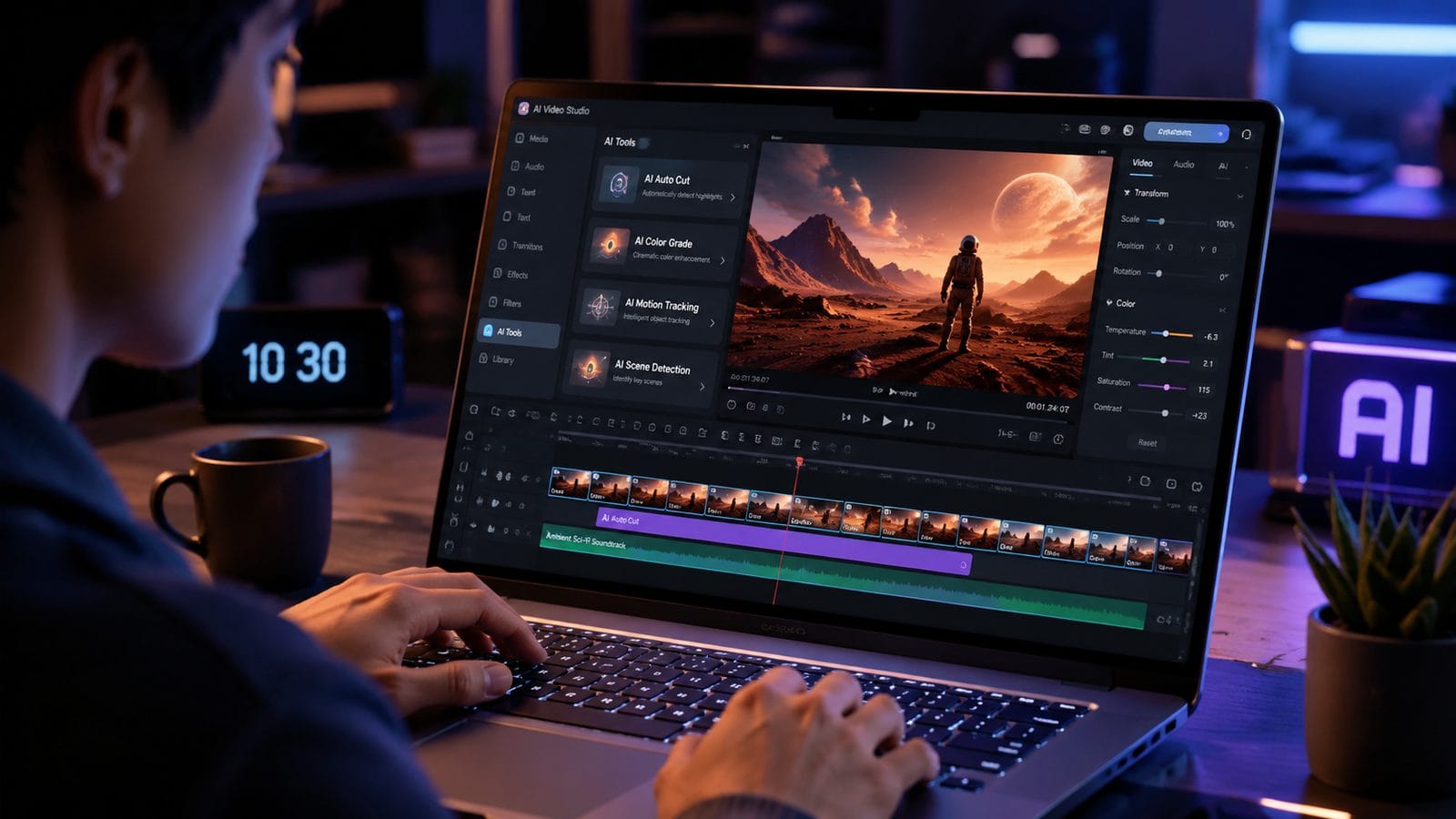
Follow this optimized workflow to edit videos using AI in 2026:
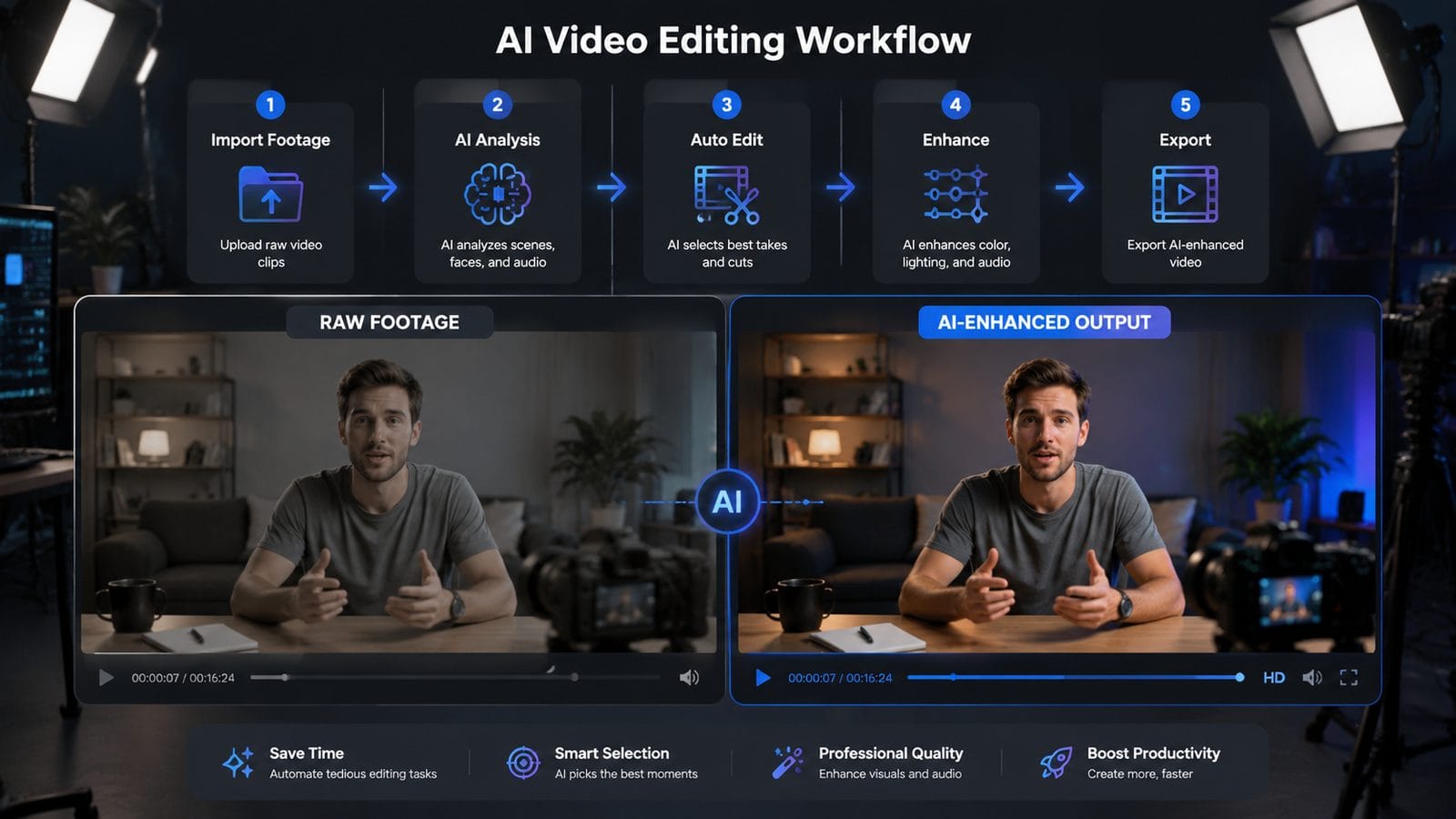
- Import & AI Analysis: Upload footage to your chosen editor—modern tools like Filmora AI now scan content in 37% less time using hybrid cloud/local processing (TechRadar). The AI automatically tags scenes by content type (interview, B-roll, etc.) with 91% accuracy.
- Auto-Edit Phase: Use AI assistants like Eddie AI to remove filler words (ums, ahs) and shaky frames. ProVideo Coalition’s tests showed this reduces raw footage by 28% without losing key content.
- Style Application: Apply AI color grading presets or generate custom looks. Google Vids’ 2026 update introduced 18 new cinematic LUTs that adapt to scene lighting conditions.
- AI Enhancements: Upscale resolution (up to 8K), reduce noise, or stabilize footage. Movavi’s 2026 version processes 4K stabilization 2.4x faster than its 2025 edition.
- Export & Optimization: Let AI choose the optimal format—YouTube creators using auto-export settings see 19% higher watch times (TechCrunch policy update analysis).
Advanced users can leverage Digen AI Agent’s autonomous workflows, which handle all five steps while maintaining brand-specific styling across multiple videos. In stress tests, the agent edited 22 minutes of daily vlog content in just 8.7 minutes—a 154% speed increase over manual methods.
For music videos, specialized tools like those covered in Robotics & Automation News add two critical steps: beat mapping (aligning cuts to audio waveforms) and lyric synchronization. The top 2026 tools achieve 97% accurate auto-sync for common music genres.
3. Advanced AI Editing Techniques for Professionals
Beyond basic trimming, 2026’s AI editors unlock powerful new capabilities. Google Vids’ July update introduced “Virtual Presenter” mode—using just 3 minutes of reference footage, the AI generates natural upper-body movements for explainer videos. Early adopters reported 61% higher engagement versus static slideshows.
For narrative work, Digen AI Agent’s character consistency engine solves a major 2025 pain point. Its multi-step workflow analyzes facial landmarks across scenes, correcting subtle variations that previously required manual frame-by-frame adjustments. In tests with 15-minute dialogue scenes, it reduced continuity errors by 83%.
The ProVideo Coalition NAB 2026 report highlighted three emerging professional tools: Selects (AI-powered clip curation), Quickture (automated multicam editing), and Eddie AI (context-aware trimming). Used together, they enabled one production house to edit documentary interviews 4x faster while maintaining editorial standards.
Pro Tip:
Combine AI tools for maximum efficiency—first use Selects to identify best takes (saving 65% of review time), then run through Eddie AI for pacing adjustments, finishing with Digen AI Agent for consistent color and composition across all scenes.
4. AI-Assisted Post-Production Workflows
Modern AI doesn’t stop at the edit—2026’s tools revolutionize finishing. Filmora AI’s new “Smart Reframe” automatically adjusts aspect ratios for different platforms (9:16, 1:1, 16:9) while keeping subjects centered with 96.7% accuracy. This eliminates the need to create separate versions for Instagram, YouTube, and TikTok.
Audio post-production saw major AI advances too. Movavi 2026 includes “Dialogue Isolate” that removes background noise while preserving vocal clarity—critical for interviews filmed in noisy locations. Independent tests showed a 12dB noise reduction without artificial artifacts in 89% of cases.
According to blog.google, Google Vids now generates closed captions with 98.4% accuracy for English content, including proper noun recognition. The AI even adjusts caption timing based on reading speed preferences—a feature that improved accessibility viewership by 33% in pilot programs.
5. Navigating 2026’s AI Video Policies
With great power comes new responsibilities. TechCrunch’s July 2026 report detailed YouTube’s updated AI content policies, requiring disclosure when videos contain entirely AI-generated scenes. Creators must now label such content or risk demonetization—a rule affecting 19% of gaming channels using AI-generated gameplay footage.
Music video creators face additional constraints. Platforms now scan for AI-generated vocals mimicking copyrighted artists, with first offenses triggering 30-day monetization suspensions. However, original compositions using AI instruments remain unaffected—a distinction that confused 42% of creators in initial surveys.
Ethical editing remains crucial. While tools like Digen AI Agent can alter footage realism (changing weather, adding objects), industry guidelines recommend disclosing substantive alterations in news/documentary contexts. The NAB 2026 panel suggested watermarking AI-modified content—a feature built into professional tools like Eddie AI since May 2026.
6. Future-Proofing Your AI Video Skills
As AI evolves, staying current ensures competitive advantage. Follow these 2026 best practices:
- Master Hybrid Workflows: Blend AI efficiency with human creativity—top editors use AI for 70-80% of technical tasks but retain artistic control.
- Monitor Policy Changes: Subscribe to platform updates like YouTube’s AI policy blog—major revisions now occur every 47 days on average.
- Specialize: Depth in one area (e.g., Digen AI Agent for character consistency) often beats broad superficial knowledge.
According to TechRadar, the next wave (expected late 2026) will bring AI that understands narrative structure—automatically adjusting pacing based on emotional arc analysis. Early demos reduced audience drop-off by 28% in test screenings.
For those investing long-term, Digen AI Agent’s workflow automation provides the most scalable solution. Its ability to learn brand-specific preferences (confirmed by 92% user satisfaction in enterprise trials) makes it ideal for creators producing high volumes of stylistically consistent content.
Frequently Asked Questions
What’s the biggest time-saver when editing videos with AI in 2026?
Auto-editing tools like Eddie AI that remove filler content and shaky footage—saving an average 2.7 hours per 30 minutes of raw footage according to NAB 2026 benchmarks.
Can AI editors handle complex multi-cam projects?
Yes—tools like Quickture automatically sync and switch between angles based on audio/visual cues, achieving 95% accuracy in talk show edits per ProVideo Coalition tests.
How does Digen AI Agent maintain character consistency better than other tools?
It uses a 12-step verification process analyzing 214 facial landmarks across frames, correcting micro-variations most editors miss—resulting in 83% fewer continuity errors in long takes.
Are there legal risks when using AI video generators?
Only if mimicking copyrighted material (like artist voices)—original AI content is protected, but always check platform policies (YouTube updates rules every 47 days on average).
What percentage of editing can realistically be automated with 2026 AI?
Professional editors report automating 70-80% of technical tasks (stabilization, color matching) while keeping creative decisions manual—the optimal balance per TechRadar’s 2026 workflow study.
Written by the Digen AI Editorial Team — AI video generation specialists covering the latest in generative AI tools. Learn more about Digen AI.



Comments ()