
How to Customize AI Video Avatars in 2026: Full Guide
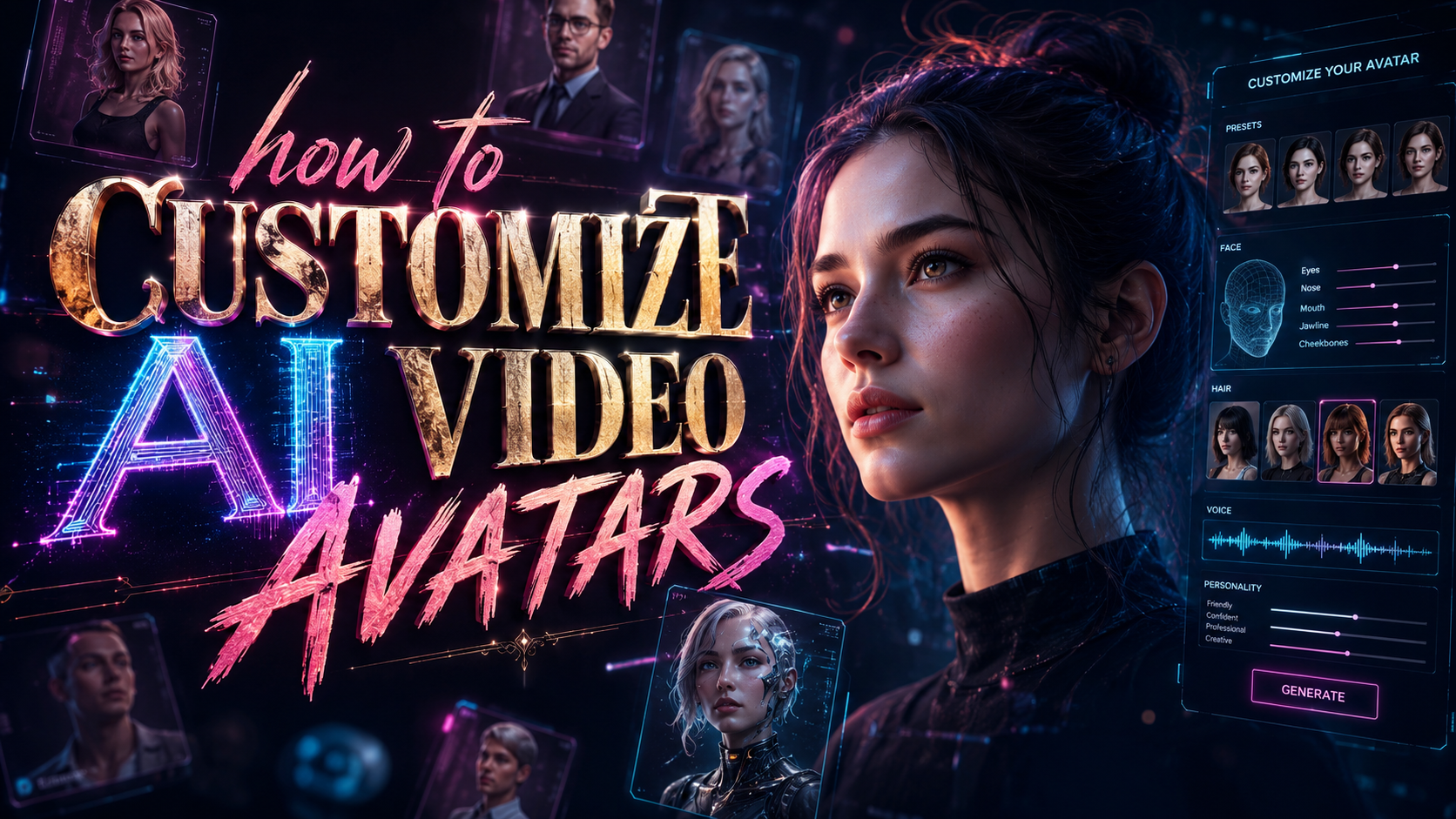
How to Customize AI Video Avatars in 2026: The Complete Workflow
To customize AI video avatars in 2026, you select a digital twin from a platform like Google Vids, Synthesia, or Gemini Omni, then modify its appearance, voice, gestures, and background using a combination of text prompts, slider controls, and real-time preview. The process typically takes under ten minutes and requires no video editing experience, thanks to generative models that interpret your instructions and render lifelike motion in seconds.
TL;DR: Customizing AI video avatars in 2026 is faster and more realistic than ever, with platforms like Google Vids (now offering custom avatars with Veo 3.1 integration and free to use), Synthesia (industry leader in ultra-realistic avatars), and Google's Gemini Omni AI Video Generator leading the market. The best approach is to choose your platform, upload or generate a base avatar, adjust visual and audio parameters, then publish directly to YouTube or export as 4K video.
Customizing AI video avatars is the process of modifying a computer-generated human likeness — including facial features, clothing, voice timbre, body language, and environmental setting — using generative AI tools that respond to natural language prompts or simple UI controls, enabling anyone to create professional presenter-style videos without cameras or studios.
- ✓ Google Vids now supports custom AI avatars with Veo 3.1 integration, and it is completely free to use as of April 2026.
- ✓ Synthesia remains the gold standard for photorealistic avatars, supporting full lip-sync and emotion-based expression customization.
- ✓ Google's Gemini Omni AI Video Generator offers multimodal customization where avatars respond to both text and voice inputs.
- ✓ Customization options in 2026 include skin tone, hair style, clothing, accent, pitch, gestures, and even contextual background generation.
- ✓ Direct YouTube publishing is now available from within Google Vids, eliminating the export-and-upload friction.
Why AI Avatar Customization Matters in 2026
The landscape of video content creation has shifted dramatically. According to Tom's Guide, Google Vids received a massive AI upgrade in April 2026 that added custom avatars and deep Veo 3.1 integration, making professional video production accessible to anyone with a Google account. This democratization means that small business owners, educators, and marketers can now produce studio-quality presenter videos without hiring actors or renting equipment.
Customization is the key differentiator that separates a forgettable AI video from one that builds trust with your audience. When you learn how to customize AI video avatars effectively, you gain the ability to match your brand's visual identity, adapt your message for different cultural audiences, and maintain consistency across your entire video library. A well-customized avatar can increase viewer retention by making the content feel personal and intentional rather than generic and automated.
The options available in 2026 go far beyond simple skin-tone pickers. Modern platforms allow you to define micro-expressions, adjust the pace of speech, choose between formal and casual posture, and even generate context-aware backgrounds that change as your script progresses. This level of control was previously only available through high-end motion capture studios with six-figure budgets.
What Has Changed Since 2025
The most significant shift in 2026 is the integration of Veo 3.1 into Google Vids, which Tom's Guide described as turning the free tool into a "legitimate competitor" to paid services. Veo 3.1 brings advanced generative video capabilities that allow avatars to move more naturally, maintain consistent lighting across scene changes, and generate matching hand gestures based on the emotional tone of your script.
Additionally, Google's Gemini Omni AI Video Generator, covered extensively by Geeky Gadgets in June 2026, introduced a multimodal interface where you can customize avatars using both text prompts and voice recordings. This dual-input approach means you can describe the avatar's appearance while simultaneously demonstrating the tone and inflection you want the avatar to mimic.
Synthesia, meanwhile, continues to push the boundaries of realism. As noted by quasa.io in June 2026, Synthesia remains the best choice for ultra-realistic avatars, with a focus on enterprise-grade customization that includes brand-specific wardrobe libraries and compliance-ready template systems for regulated industries like finance and healthcare.
How to Customize AI Video Avatars: A Step-by-Step Workflow
The following step-by-step process applies broadly to all major platforms in 2026, with specific notes for Google Vids, Synthesia, and Gemini Omni where relevant. This workflow is designed to take you from zero to a fully customized avatar video in under 15 minutes.
- Choose your platform. Google Vids is free and ideal for quick projects; Synthesia is best for photorealistic professional use; Gemini Omni is optimal for multimodal, interactive avatar creation.
- Select or upload a base avatar. Most platforms provide a library of pre-built avatars representing diverse ages, ethnicities, and styles. Google Vids now allows you to upload a photo to generate a custom digital twin.
- Adjust visual appearance. Modify skin tone, eye color, hair style and color, facial structure, and clothing. In Google Vids, these options are accessed via the "Avatar Customizer" panel integrated with Veo 3.1.
- Configure voice and speech. Choose from dozens of AI voices with adjustable pitch, speed, and emphasis. Gemini Omni lets you record a short voice sample to clone your own tone and cadence.
- Set body language and gestures. Define the avatar's posture (seated vs. standing), hand movement frequency, and emotional baseline (enthusiastic, serious, empathetic).
- Generate or select a background. Use text prompts to create custom backgrounds that match your script — a boardroom, a classroom, or a futuristic studio. Google Vids can auto-generate backgrounds based on your video script.
- Preview and iterate. Render a 30-second preview to check lip-sync accuracy, gesture naturalness, and lighting consistency. Make adjustments and re-render as needed.
- Publish or export. Directly upload to YouTube from Google Vids, or export as MP4, MOV, or 4K video for use across other platforms.
Platform-Specific Guide: How to Customize AI Video Avatars in Google Vids
Google Vids, launched as a free video creation tool and upgraded dramatically in April 2026, is now one of the most accessible platforms for avatar customization. According to Google's official blog, the platform allows users to create, edit, and share videos at no cost, making it a powerful entry point for anyone wanting to experiment with AI avatars.
To begin customizing an avatar in Google Vids, open a new project and navigate to the "Avatars" tab in the left sidebar. You will find a library of base avatars categorized by profession, style, and ethnicity. Click "Create Custom Avatar" to either upload a reference photo or use the built-in sliders to build a face from scratch. The Veo 3.1 engine renders your selections in real-time, updating the avatar's appearance as you adjust each parameter.
Once your avatar's appearance is set, move to the "Voice & Personality" section. Here you can select from over 60 AI voices, each with adjustable pitch, speed, and emotional tone. Google Vids also supports "voice cloning" — if you record a short phrase, the AI can replicate your voice and apply it to the avatar with high accuracy. The entire process is designed to be intuitive, with tooltips and guided walkthroughs for first-time users.
Background and Scene Customization
A unique advantage of Google Vids is its integration with Veo 3.1 for background generation. Instead of choosing from a static list of images, you can type a description like "modern office with floor-to-ceiling windows overlooking a city skyline during golden hour" and the AI generates a matching scene that your avatar is placed into. The background adapts dynamically to your avatar's position, ensuring realistic lighting and shadows.
You can also create multi-scene videos where the background changes as the script progresses. For example, an avatar explaining quarterly results could start in a boardroom, transition to a data visualization wall, and end in a casual lounge — all within the same video. This feature eliminates the need for external editing software.
Google Vids also offers direct YouTube publishing, which Neowin highlighted in April 2026 as a major workflow improvement. Once your avatar video is complete, you can click "Publish to YouTube" from within the editor, set privacy controls, add captions (auto-generated), and schedule the upload — all without leaving the platform.
Advanced Avatar Customization with Gemini Omni and Synthesia
While Google Vids covers the basics beautifully, advanced users may want the deeper control offered by Google's Gemini Omni AI Video Generator or Synthesia. According to Geeky Gadgets, Gemini Omni supports multimodal input where you can customize avatars through both text and voice — you can say "make the avatar sound more confident" and the AI adjusts pitch, pace, and posture in real-time.
Synthesia, described by quasa.io as "the best AI video generator with realistic avatars," offers enterprise-grade customization that includes brand-specific wardrobe collections, compliance-ready templates, and advanced lip-sync accuracy for over 120 languages. For corporate training videos or customer-facing content where brand consistency is critical, Synthesia's customization options are unmatched.
Both platforms allow you to fine-tune micro-expressions — subtle eyebrow movements, head tilts, and eye contact patterns that make avatars feel genuinely human. Gemini Omni uses its Gemini large language model to interpret the emotional context of your script and suggest appropriate facial reactions, while Synthesia provides manual sliders for each expression component.
comparison-table
| Feature | Google Vids | Synthesia | Gemini Omni |
|---|---|---|---|
| Pricing (2026) | Free | Starting at $29/month | Included with Google One AI Premium |
| Custom Avatars | Yes (photo upload + sliders) | Yes (studio-grade templates) | Yes (multimodal input) |
| AI Engine | Veo 3.1 | Proprietary GAN + LLM | Gemini Omni |
| Voice Options | 60+ voices + voice cloning | 120+ voices + voice cloning | 80+ voices + voice cloning |
| Background Generation | Text-to-scene (Veo 3.1) | Static library + custom upload | Text-to-scene + dynamic scene switching |
| Direct YouTube Publishing | Yes | Via API integration | Via Google Vids integration |
| Export Quality | Up to 4K | Up to 8K | Up to 4K |
| Enterprise Features | Basic | Advanced (SSO, compliance, brand kits) | Moderate (Google Workspace integration) |
Best Practices for Realistic AI Avatar Customization
Customizing an avatar that looks and sounds genuine requires more than just adjusting sliders. The most convincing avatars in 2026 follow a set of design principles that prioritize subtlety over exaggeration. Start by choosing a base avatar that closely matches the demographic of your target audience — even small mismatches in skin undertone or facial structure can trigger the uncanny valley effect and reduce viewer trust.
Pay close attention to voice customization. A common mistake is selecting a voice that is too fast or too energetic for the content type. According to the Social Media Examiner's guide from February 2026, the most effective AI presenter voices in corporate videos are those that mimic a natural conversational pace — roughly 150 to 170 words per minute — with deliberate pauses between key points. Many platforms now include a "pace analyzer" that highlights sections where the avatar sounds rushed.
Gesture customization is equally critical. Avatars that gesture too frequently or too mechanically appear robotic. Good practice is to set gestures to "moderate" frequency and let the AI decide which movements to emphasize based on your script's emotional context. Both Google Vids and Synthesia offer "emotion-aware" gesture settings that adjust automatically when you tag sections of your script as "urgent," "positive," or "informative."
Lighting and Environmental Consistency
One of the most overlooked aspects of avatar customization is ensuring the avatar's lighting matches the background. If your generated background features warm sunset lighting but your avatar has cool blue studio lighting, the disconnect is immediately obvious. Google Vids with Veo 3.1 automatically harmonizes lighting between the avatar and background, but on other platforms you may need to manually select lighting presets that match your scene.
In Synthesia, you can adjust the light source direction (left, right, top, or rim lighting) and intensity. For professional results, choose a light source that matches the dominant light in your background. A boardroom scene with overhead fluorescent lights should have your avatar lit from above, while an outdoor park scene should have soft, diffuse lighting.
Consistency also extends to your avatar's clothing and accessories. If your video is about financial planning, dress the avatar in professional attire. If it is a fitness tutorial, athletic wear is appropriate. Google Vids allows you to save "looks" that combine clothing, lighting, and background into a reusable preset, ensuring brand consistency across your entire video library.
The Future of AI Video Avatar Customization
Looking ahead, the pace of innovation in AI avatar customization shows no signs of slowing. The integration of Veo 3.1 into Google Vids, which Tom's Guide called "the most significant upgrade of 2026," signals that Google is investing heavily in making avatar customization a core feature of its productivity ecosystem. As Veo technology continues to evolve, we can expect even more granular control over facial expressions, dynamic camera angles, and real-time avatar interaction with live audience inputs.
Gemini Omni's multimodal approach points toward a future where avatars can be customized entirely through conversation. Instead of clicking through menus, you will simply tell the AI: "Create an avatar that looks like a friendly professor in his fifties, wearing a tweed jacket, standing in front of a chalkboard filled with equations, and speaking in a calm, deliberate tone." The AI will generate the avatar, the scene, and the voice in one seamless operation.
For businesses, the trend is clearly toward deeper integration with existing workflows. Synthesia already offers API-level customization for enterprise clients, and Google Vids is expected to follow with advanced Workspace integrations. According to the Social Media Examiner, the ability to create customized avatar videos directly from a Google Doc or Slides presentation will become standard by early 2027, dramatically reducing the friction between content planning and video production.
Frequently Asked Questions
How long does it take to customize an AI video avatar in 2026?
On most platforms, a basic customization (selecting appearance, voice, and background) takes 5–10 minutes. Advanced customizations involving voice cloning, multi-scene backgrounds, and micro-expression tuning can take 20–30 minutes. Google Vids offers guided templates that reduce setup time to under 5 minutes for first-time users.
Can I use my own photo to create a custom AI avatar?
Yes. Google Vids, Synthesia, and Gemini Omni all support photo-based avatar generation. You upload a clear front-facing photo, and the AI creates a digital twin that can then be further customized. Google Vids uses Veo 3.1 for this process, while Synthesia uses its proprietary GAN-based engine for higher fidelity.
Is Google Vids really free, and what are the limitations?
Yes, Google Vids is completely free as of April 2026. Users can create, edit, and share videos without any cost. The main limitations are that export resolution is capped at 4K (not 8K like Synthesia), and enterprise features such as SSO and advanced brand kits are not available. For most individual users and small businesses, the free tier is fully sufficient.
What languages do AI video avatars support in 2026?
Major platforms support between 60 and 120 languages. Google Vids supports 60+ languages with auto-generated captions. Synthesia supports 120+ languages with native lip-sync for each one. Gemini Omni supports 80+ languages with real-time translation capabilities, meaning your avatar can speak in one language while the video displays subtitles in another.
Do AI avatars from different platforms look noticeably different?
Yes. Synthesia avatars are widely considered the most photorealistic, with detailed skin texture and natural eye movement. Google Vids avatars, powered by Veo 3.1, are slightly more stylized but offer greater flexibility in background generation and scene transitions. Gemini Omni avatars are optimized for interactive and multimodal use cases, making them ideal for dynamic content where the avatar responds to real-time inputs.
Can I change the avatar's clothing after creating the video?
Yes. Most platforms treat clothing as a separate layer that can be modified without regenerating the entire avatar. In Google Vids, you can change the avatar's outfit from the settings panel and re-render only the affected scenes. Synthesia offers a "wardrobe library" where you can save multiple outfits and switch between them with a single click.
Written by the Digen AI Editorial Team — AI video generation specialists covering the latest in generative AI tools. Learn more about Digen AI.



Comments ()