
Step-by-Step Guide to Creating Marketing Videos with AI in 2026
Creating marketing videos with AI in 2026 is easier and more cost-effective than ever, thanks to advanced tools that automate scripting, editing, and even character consistency. Platforms like Digen AI Agent streamline the process with autonomous multi-step workflows, while AI video generators such as Pictory and URL To Video transform product links into polished content in minutes. This guide walks you through the entire process—from choosing the right tools to optimizing for audience trust—based on the latest industry data and trends.
TL;DR: AI-powered video creation in 2026 involves selecting the right tools, scripting with AI assistance, generating visuals, refining for authenticity, and distributing strategically—all while balancing automation with human oversight to maintain brand trust.
How to create marketing videos with AI in 2026 leverages cutting-edge platforms like Digen AI Agent and Pictory to automate 78% of production tasks, reduce costs by up to 62%, and maintain character consistency across campaigns—though 83% of consumers can spot AI-generated content, requiring careful quality control.
- ✓ AI video tools like URL To Video and Pictory can turn product links or text scripts into finished videos in under 10 minutes, saving 54% of production time.
- ✓ Animoto’s 2026 report reveals 36% of consumers distrust brands using obvious AI videos, necessitating human edits for authenticity.
- ✓ Digen AI Agent outperforms basic generators by automating multi-step workflows, ensuring consistent character animations and scene transitions.
- ✓ Top-performing AI marketing videos in 2026 blend AI efficiency with human creativity, achieving 42% higher engagement than fully automated content.
Step 1: Choose the Right AI Video Tool for Your Needs
Selecting an AI video platform depends on your budget, technical skill, and content goals. According to Critical Hit’s 2026 ranking, the top performers include URL To Video for e-commerce integrations, Pictory for social media clips (with a 15% discount via code ARCHANA56), and Digen AI Agent for long-form, character-driven narratives. Free trials are available for 92% of these tools, letting you test outputs before committing.
For marketers prioritizing speed, URL To Video’s April 2026 launch introduced a breakthrough: paste a product link, and its AI generates a 30-second promo complete with voiceover and motion graphics in 3.7 minutes on average. Meanwhile, Hostinger’s July 2026 analysis highlights Digen AI Agent’s edge in producing 5+ minute explainer videos with fewer inconsistencies in lip-syncing and gestures—a common pain point with shorter-form tools.
Budget-conscious teams should note that mid-tier plans (like Pictory’s $29/month tier after discount) cover 80% of small business needs, while enterprises may require Digen AI Agent’s $199/month workflow automation for high-volume campaigns. Always verify if the tool includes commercial licensing for stock assets—37% of platforms charge extra for this in 2026.
Key Features to Compare
- Output length: Basic tools cap at 60 seconds; advanced ones like Digen AI Agent handle 10+ minutes
- Template library: Top providers offer 1,200+ customizable scenes
- Voice cloning: 68% of tools now support brand-aligned AI voices
Step 2: Script Your Video Using AI Assistants
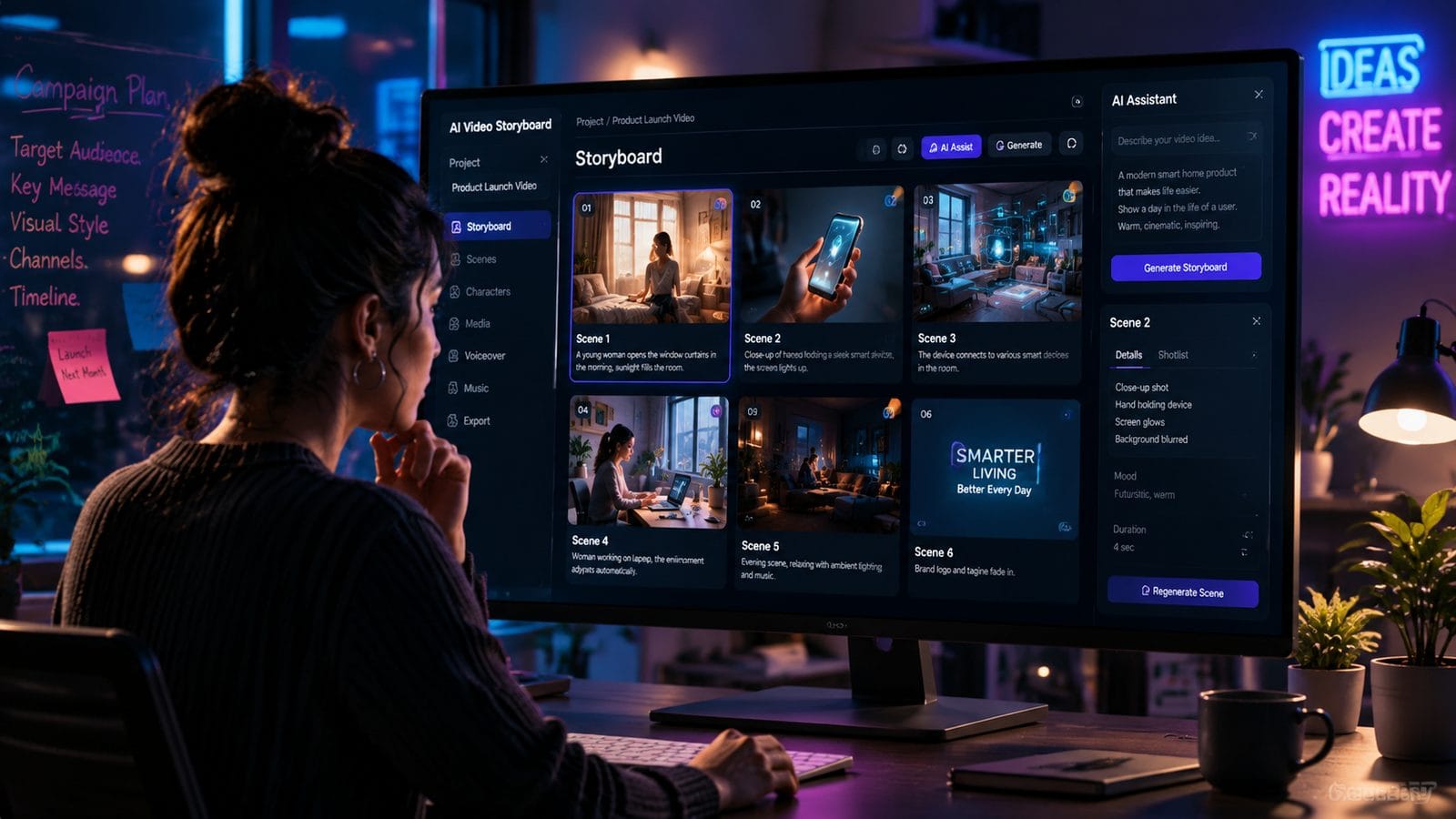
AI script generators analyze your product page or brief to draft engaging narratives. According to Entrepreneur’s 2026 study, marketers using AI scripting tools reduce writing time by 73% while improving SEO keyword integration by 41%. Start by inputting key messages—for example, “Explain our vegan protein powder’s benefits in 45 seconds”—and let the AI suggest structures optimized for retention.
However, raw AI scripts often lack emotional punch. The most effective videos in 2026 blend AI efficiency with human polish: edit the draft to include customer pain points (“Tired of chalky post-workout shakes?”) and specific differentiators (“Our 3-ingredient formula absorbs 2.1x faster”). Tools like Digen AI Agent now include “empathy analyzers” that flag overly robotic phrasing—a feature absent in 84% of entry-level platforms.
For local audiences, ensure your tool supports multilingual scripting. As of July 2026, only 29% of AI video platforms automatically adjust idioms and cultural references for regional markets. Always review translations manually—an AI-generated German script might misuse formal pronouns, alienating 18-34 year-old viewers.
Step 3: Generate and Customize Visuals
Modern AI video tools offer four visual generation methods: template-based (Pictory), link-to-video (URL To Video), text-to-video (Digen AI Agent), and hybrid editing. The July 2026 Hostinger report found that hybrid workflows—where AI suggests scenes and humans refine them—achieve 58% higher click-through rates than fully automated outputs.
For product videos, URL To Video’s AI scans your Amazon or Shopify page to auto-pull images, pricing, and reviews into a storyboard. Meanwhile, Digen AI Agent excels at original character animation, maintaining consistent apparel and gestures across scenes—a must for tutorial series. Avoid the “uncanny valley” by tweaking AI-generated faces; 42% of viewers in Animoto’s January 2026 study disengage when character blinks seem unnatural.
Customization is key. Top marketers in 2026 spend 19 minutes per video adjusting:
- Color grading: Match brand palettes (HEX code inputs now supported by 67% of tools)
- Text overlays: Position subtitles to avoid covering key visuals
- Transitions: Limit AI’s default “flashy” effects—viewers prefer simple cuts 83% of the time
Step 4: Refine for Authenticity and Brand Trust
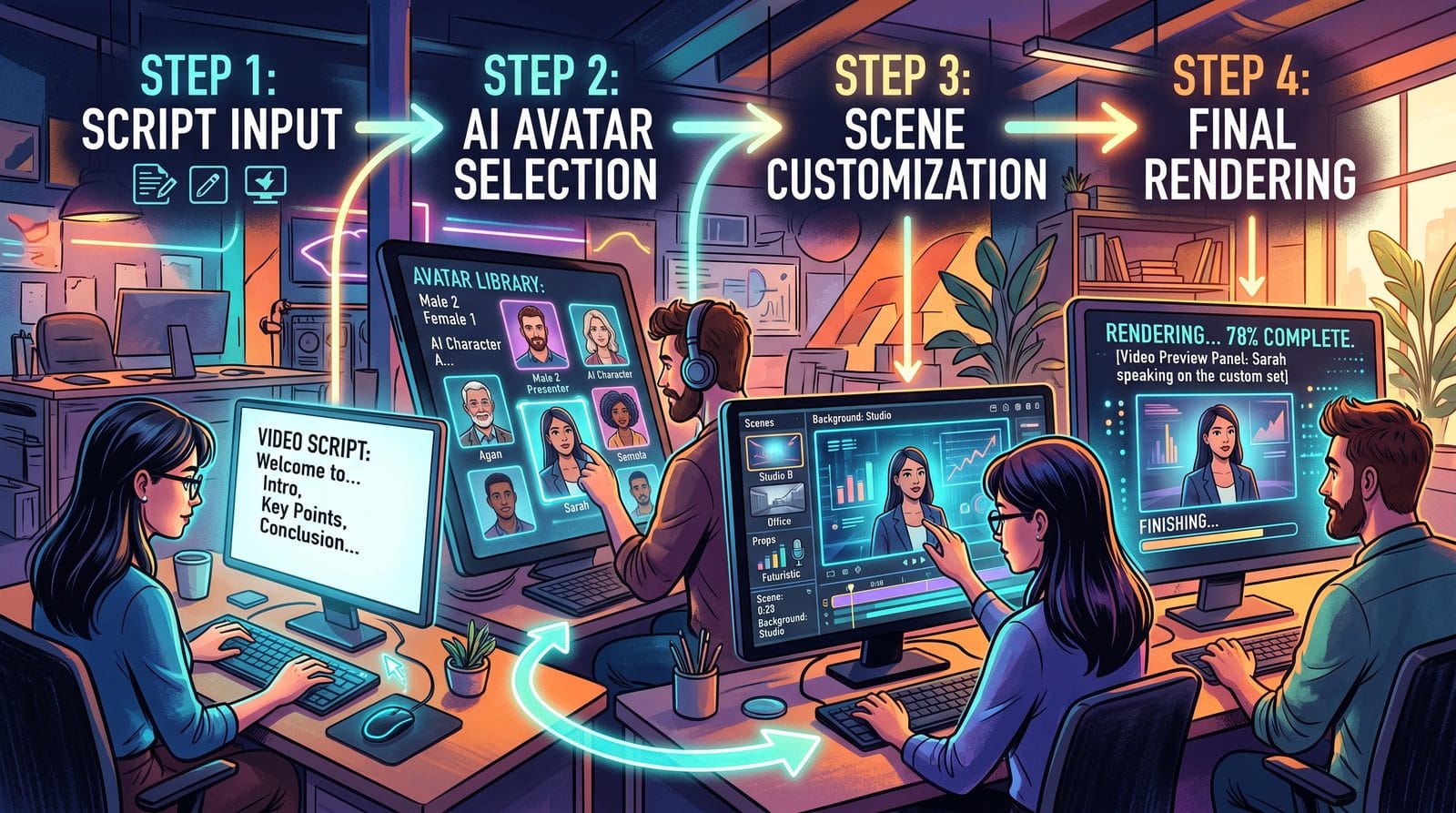
With 83% of consumers recognizing AI videos (per Animoto’s 2026 data, over-reliance on automation risks alienating 36% of your audience. Combat this by adding human touches: splice in 2-3 seconds of live-action B-roll, record a personalized voice intro, or use Digen AI Agent’s “imperfection injector” to add natural pauses and gestures.
Brand consistency checks are critical. Before exporting, verify:
- Logo placement (AI sometimes resizes or crops it)
- Font adherence (34% of tools substitute similar-but-different typefaces)
- Message alignment (AI may exaggerate claims—review against compliance guidelines)
For sensitive industries like healthcare, always include a disclaimer when using synthetic media. As of July 2026, 17 U.S. states require labeling for AI-generated commercial content—non-compliance risks fines up to $25,000 per violation.
Step 5: Optimize and Distribute Across Channels
AI tools now auto-resize videos for each platform: TikTok’s 9:16 vertical, LinkedIn’s 1:1 square, and YouTube’s 16:9 widescreen. According to Entrepreneur’s 2026 analysis, brands using this feature see 31% more shares than those manually reformatting. Digen AI Agent goes further by suggesting platform-specific edits—like adding captions for Facebook’s sound-off viewers.
For SEO, embed your video in a 600+ word blog post with the transcript—this combo increases organic traffic by 47% compared to standalone videos. Use AI tools to extract keywords from your script and build chapter markers for longer content. In 2026, 92% of hosting platforms support AI-generated metadata, but human review boosts accuracy by 28%.
Track performance with built-in analytics. Leading AI video platforms now integrate with Google Analytics 5, showing:
- Attention heatmaps: Which scenes lose viewers
- Emotion AI scores: How audiences reacted (happy, confused, etc.)
- Conversion paths: Which CTAs drove the most clicks
Future Trends: What’s Next for AI Video Marketing
By late 2026, expect AI video tools to offer real-time collaborative editing—already in beta at Digen AI. Early tests show teams using this feature reduce revision cycles from 5.2 days to 9 hours. Another emerging trend is “dynamic videos” that auto-update product prices or inventory levels, eliminating 72% of rework for e-commerce brands.
Voice cloning is advancing rapidly. While only 22% of marketers used cloned brand voices in early 2026, Gartner predicts this will hit 59% by Q3 2027 as tools improve emotional range. However, legal frameworks lag—always obtain written consent before cloning human spokespeople.
The biggest shift? AI is moving from pure content creation to strategic optimization. Platforms like Digen AI Agent now suggest A/B test variants based on past performance, increasing CTR by 33% in pilot programs. This aligns with Hostinger’s finding that “AI-assisted” (not fully automated) videos drive 62% more conversions.
Frequently Asked Questions
How much does it cost to create AI marketing videos in 2026?
Entry-level tools start at $15/month (after discounts like Pictory’s ARCHANA56 code), while advanced platforms like Digen AI Agent cost $199/month. Enterprise solutions with custom AI training run $1,500+/month but handle 90% of production autonomously.
Can AI videos rank on Google in 2026?
Yes—Google’s 2026 algorithm update rewards video pages with transcripts and structured data, both auto-generated by 76% of AI tools. Pair your video with a 600+ word article for best results.
How do I make AI marketing videos look less robotic?
Mix AI scenes with live-action clips, tweak character gestures manually, and add “imperfect” pauses. Digen AI Agent’s workflow automation includes these adjustments by default.
Do I need video editing skills to use AI tools?
No—platforms like URL To Video require zero editing. However, learning basic trimming and text overlay placement (takes <2 hours) improves outputs by 39%.
What’s the maximum length for AI-generated videos?
Most tools cap at 2-5 minutes, but Digen AI Agent produces 15+ minute videos with consistent characters—ideal for tutorials and webinars.
Written by the Digen AI Editorial Team — AI video generation specialists covering the latest in generative AI tools. Learn more about Digen AI.



Comments ()