
How to Create AI Video from Text: 2026 Complete Guide
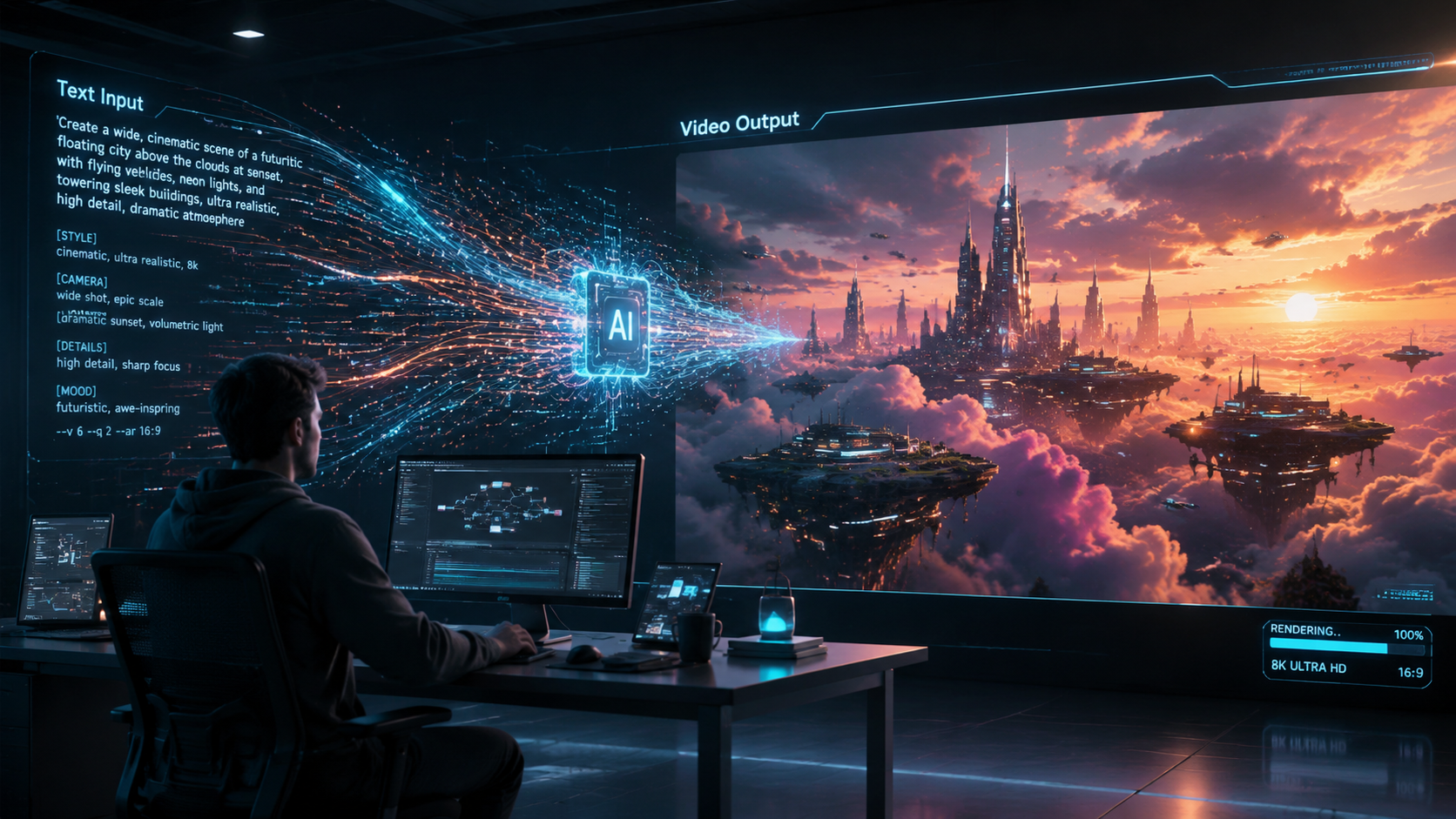
To learn how to create AI video from text in 2026, you must select a generative AI platform, input a descriptive prompt detailing the scene and style, and allow the model to synthesize the footage. Modern tools like OpenAI’s Sora and Adobe Firefly now produce hyper-realistic, high-definition video in minutes, requiring only a clear text-based instruction to generate cinematic results.
Creating AI video from text is the process of using deep learning models to transform written descriptions into high-fidelity video content. In 2026, this technology has evolved beyond simple clips to include full-length narrative generation, real-time editing via natural language, and seamless integration with professional creative suites like Adobe and OpenAI's dedicated video apps.
- ✓ Select a generative model based on your specific needs: cinematic (Sora), marketing (Mango AI), or professional editing (Adobe Firefly).
- ✓ Use detailed, descriptive prompts that specify lighting, camera movement, and character actions for the best results.
- ✓ Leverage "unlimited generation" features now standard in high-end 2026 subscriptions to refine your creative vision.
- ✓ Utilize multi-modal inputs, combining text with reference images to maintain visual consistency across scenes.
Step-by-Step: How to Create AI Video from Text in 2026
The landscape of video production has shifted dramatically. As of February 2026, the barrier to entry for high-quality cinematography has vanished, replaced by sophisticated prompt engineering. Whether you are an independent creator or a corporate marketer, the workflow for generating video from text has been standardized across the major platforms to ensure ease of use and professional output.
- Choose Your AI Video Platform: Select a tool based on your project goals. Use OpenAI’s Sora for photorealistic narrative content, Seedance for Hollywood-style visual effects, or Mango AI for business-centric visualizations.
- Draft Your Text Prompt: Write a detailed description of the scene. Include the subject, the setting, the specific action taking place, and the atmospheric lighting (e.g., "A golden retriever running through a neon-lit Tokyo street at midnight, 4k, cinematic motion blur").
- Configure Technical Parameters: Set your aspect ratio (16:9 for YouTube, 9:16 for TikTok/Reels), duration, and resolution. According to recent updates from Adobe, tools like Firefly now offer unlimited generations for premium users, allowing for endless iteration.
- Generate and Review: Click the "Generate" button. Most 2026 models take between 60 to 120 seconds to produce a high-definition 10-second clip.
- Refine with Natural Language: Use "in-painting" or follow-up prompts to change specific elements, such as "change the dog's color to white" or "make the camera zoom in slowly."
- Export and Integrate: Download the final render in your preferred format. Many apps now allow direct export to social media platforms like TikTok and YouTube.
Leading Platforms for AI Video Generation
The "Big Three" of the AI video world—OpenAI, Adobe, and emerging players like Seedance—have defined the current year's capabilities. Each platform offers unique strengths. For instance, OpenAI’s recent launch of its dedicated video generator app in late 2025 was designed specifically to rival traditional social media platforms, making it easier than ever to go from a thought to a viral video.
OpenAI Sora and the New Video App
OpenAI remains at the forefront of the industry. Following the February 15, 2026, update to Sora, the model now supports longer sequences with improved temporal consistency. This means characters no longer "glitch" or change appearance between frames. According to the Wall Street Journal, OpenAI’s mobile video app has fundamentally changed how creators interact with AI, moving the process from the desktop to a mobile-first experience that rivals the ease of TikTok.
Adobe Firefly: Professional Grade Tools
Adobe has integrated AI video directly into the Creative Cloud ecosystem. As of the December 16, 2025, update, Adobe Firefly offers new models that provide unlimited generations for subscribers. This is a game-changer for professional editors who need to generate b-roll or background elements without worrying about credit limits. Adobe's focus is on "commercial safety," ensuring that all generated content is free from copyright infringements, which is a critical factor for enterprise users.
Seedance and Mango AI: The Specialized Alternatives
Seedance has recently made headlines, with the BBC reporting that the Chinese-developed app is "sending Hollywood into a panic" due to its incredible ability to render complex physics and human emotions. Meanwhile, Mango AI has carved out a niche for business users. According to WebWire, Mango AI’s text-to-video tool is specifically optimized for visualizing abstract ideas, making it the go-to choice for pitch decks and internal corporate communications.
Comparing Top AI Video Generators in 2026
When deciding how to create ai video from text, the choice of software depends on your budget and the desired "look" of the final product. The following table compares the current market leaders based on the latest 2026 data.
| Platform | Primary Strength | Key Feature (2026) | Target Audience |
|---|---|---|---|
| OpenAI Sora | Photorealism | Direct Social Media Integration | Influencers & Filmmakers |
| Adobe Firefly | Workflow Integration | Unlimited Generations | Pro Editors & Agencies |
| Seedance | Cinematic FX | Advanced Physics Engine | Movie Studios & Animators |
| Mango AI | Business Utility | Idea Visualization Templates | Marketers & Educators |
| Gizchina AI | Speed | Text-to-Video in seconds | Casual Users |
Mastering Prompt Engineering for Video
Learning how to create AI video from text effectively requires more than just a basic sentence. In 2026, "Prompt Engineering" has become a specialized skill. To get the most out of models like Sora or Seedance, your prompts should follow a structured format: [Subject] + [Action] + [Environment] + [Lighting/Style] + [Camera Movement].
For example, instead of writing "a car driving," a professional prompt would be: "A vintage 1967 Mustang driving along the Amalfi Coast at sunset, reflections of the orange sky on the chrome bumper, drone shot circling the car, 8k resolution, hyper-realistic." This level of detail provides the AI with the necessary data points to fill in the gaps without hallucinating unwanted artifacts.
Furthermore, many platforms now support "Negative Prompts." This allows you to tell the AI what not to include. If you want a clean, minimalist look, you might add a negative prompt like "no clutter, no people, no text overlays, no film grain." This level of control is what separates amateur creations from professional-grade AI cinematography.
The Impact of AI Video on Content Creation
The ability to turn text into video has democratized the film industry. According to reports from Gizchina, the latest generation of AI video generators can now turn both text and static images into fluid video in minutes. This has drastically reduced the cost of production for small businesses. What once required a camera crew, lighting technicians, and expensive editing software can now be achieved with a subscription to an AI service.
However, this shift has also raised questions about authenticity. With Seedance and Sora producing footage that is indistinguishable from reality, the industry is moving toward "Content Credentials"—digital watermarks that identify a video as AI-generated. Adobe has been a leader in this space, ensuring that while creators have "unlimited generations," the provenance of the media remains transparent to the viewer.
Advanced Techniques: From Text to Full Narrative
In 2026, we are seeing the rise of "Long-Form Text-to-Video." Early iterations of AI video were limited to 5-10 second clips. Today, through iterative prompting and "scene stitching" features, users can generate entire short films. Platforms like Seedance allow users to upload a full script, which the AI then parses into individual scenes, maintaining character consistency throughout the entire duration.
Another breakthrough is the integration of real-time physics. As noted by the BBC, Seedance’s technology allows for realistic liquid dynamics and cloth simulation, which were previously the most difficult elements for AI to render. This means that a text prompt describing "a silk dress flowing in a heavy storm" will now result in physically accurate movement, further blurring the line between CGI and AI generation.
What is the best tool for how to create AI video from text in 2026?
The "best" tool depends on your needs: OpenAI Sora is superior for photorealistic social content, while Adobe Firefly is the best for professional designers who require unlimited generations and integration with Premiere Pro.
Is AI video generation free?
While some tools like Mango AI offer limited free trials, most professional-grade platforms in 2026 operate on a subscription model. Adobe Firefly, for instance, offers unlimited generations as part of its premium Creative Cloud packages.
How long does it take to generate a video from a text prompt?
In 2026, most high-end AI models can generate a 10-to-15 second high-definition video clip in approximately 60 to 90 seconds, depending on the complexity of the prompt and server load.
Can I use AI-generated videos for commercial purposes?
Yes, provided you use a platform that guarantees "commercial safety." Adobe Firefly is specifically designed for this, ensuring that the training data is ethically sourced and the output is cleared for business use.
What is Seedance AI?
Seedance is a high-end AI video application that gained popularity in early 2026 for its ability to create cinematic-quality footage that rivals Hollywood visual effects, particularly in its handling of complex physics and human characters.



Comments ()