
How to Create AI Dance Videos: 2026 Step-by-Step Guide
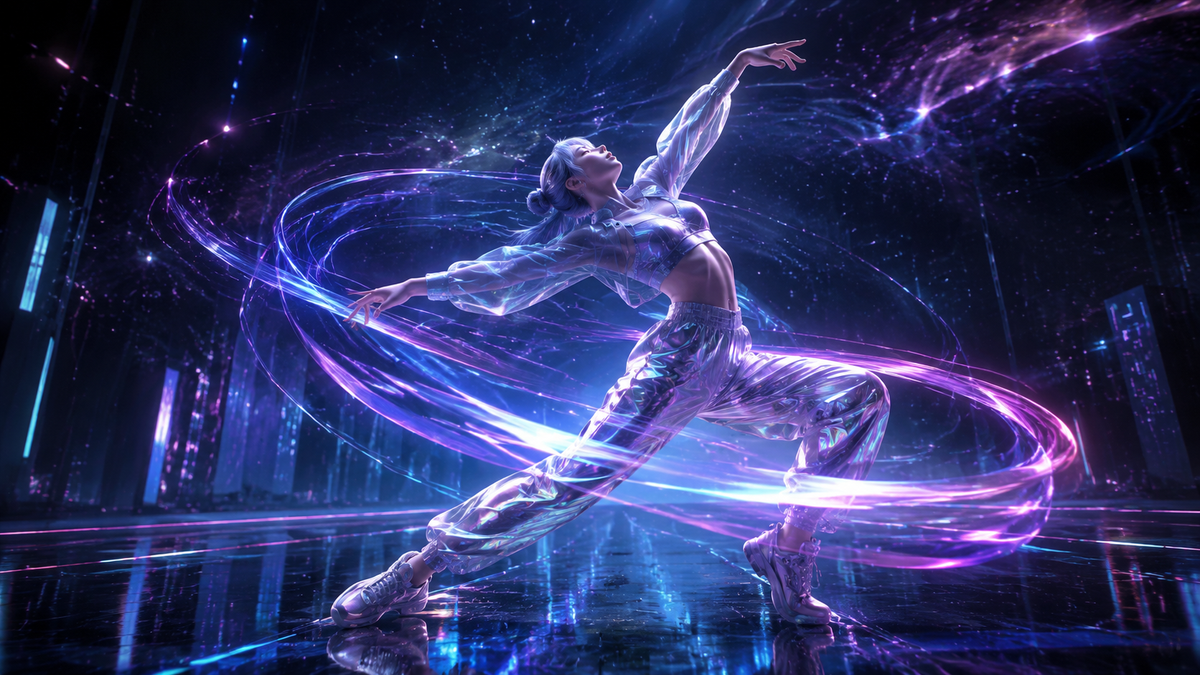
Learning how to create AI dance videos involves using generative artificial intelligence tools to animate static images or apply professional choreography to digital avatars. In 2026, the process has become streamlined through platforms like Mango AI and Perfect Corp, allowing users to upload a single photo and apply "Custom Motion References" to generate realistic, high-definition dance sequences in seconds.
Creating AI dance videos is the process of using generative AI models to transform still photos or text prompts into fluid animations. By leveraging motion transfer technology, users can map complex dance routines onto any character or real-life portrait, resulting in viral-ready content for social media platforms without the need for manual frame-by-frame editing.
- ✓ Use motion reference tools to apply specific choreography to any static image.
- ✓ Leverage real-time filters like the Ma Po Po for instant social media trends.
- ✓ Optimize video quality by using high-resolution source photos and clear lighting.
- ✓ Ensure ethical compliance by using licensed or original character assets.
The Evolution of AI Dance Technology in 2026
The landscape of digital content creation has shifted dramatically this year. As noted by CalMatters in early 2026, generative AI is "eating culture" by narrowing the gap between professional choreography and amateur content creation. What used to require expensive motion-capture suits and months of CGI training is now accessible via smartphone apps. The technology has matured from shaky, "hallucinated" pixels to stable, high-fidelity movements that respect the physics of clothing and hair.
According to research conducted by The Markup, the evaluation of AI-generated dance videos now focuses on "temporal consistency"—the ability of the AI to maintain the subject's identity across every frame. Their 2026 testing suggests that the latest models have reduced visual artifacts by 85% compared to previous iterations, making it nearly impossible for the untrained eye to distinguish between a real dancer and a perfectly rendered AI counterpart in short-form video formats.
Furthermore, the introduction of "Custom Motion Reference" by platforms like Mango AI has revolutionized the workflow. Instead of choosing from a pre-set library of moves, creators can now upload a video of themselves dancing, and the AI will extract that specific motion and apply it to a completely different digital character or a historical photograph. This bridge between human physical expression and digital rendering is the cornerstone of 2026's creative economy.
Step-by-Step Guide: How to Create AI Dance Videos
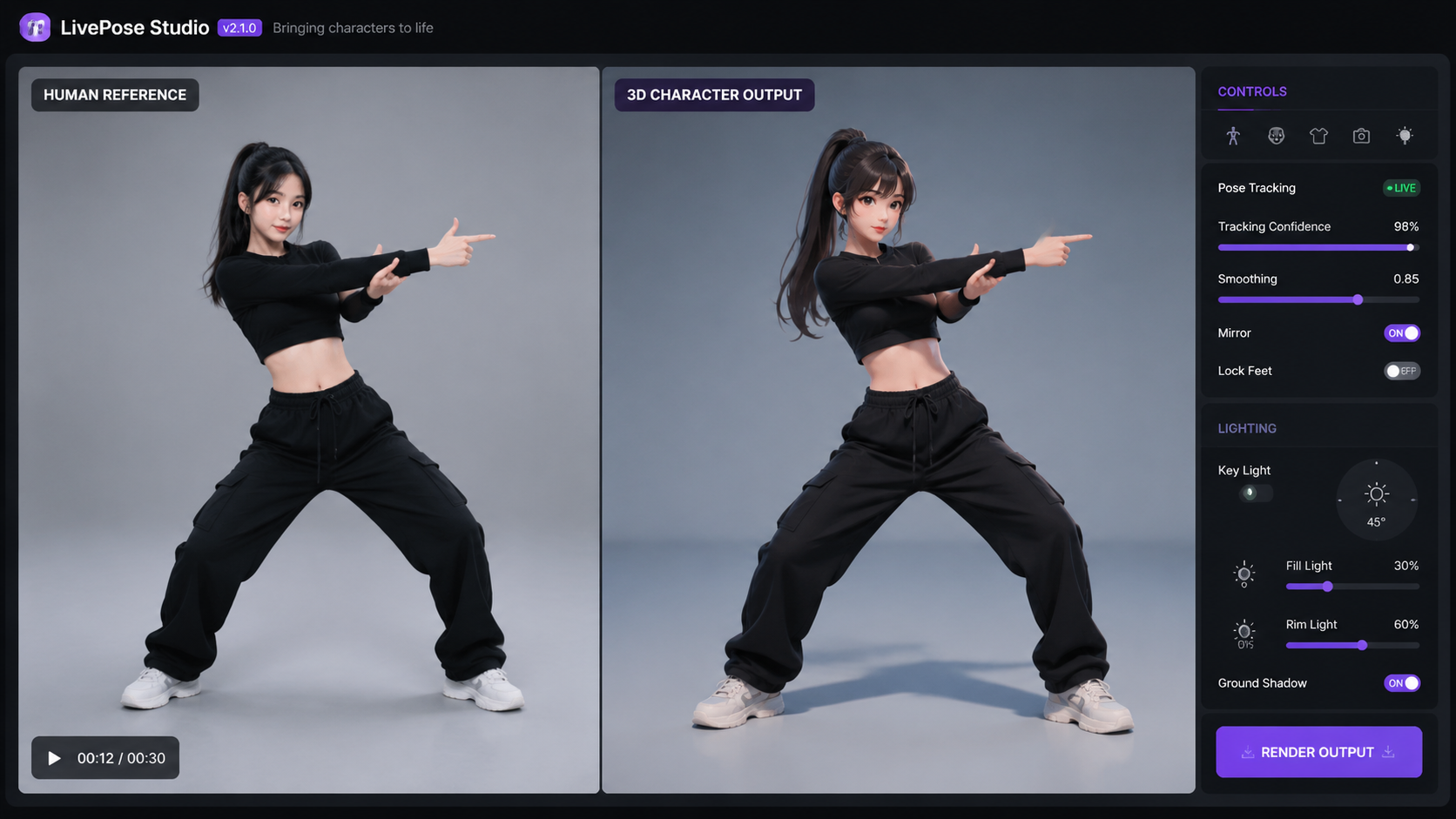
To get started with high-quality animation, follow this standardized workflow used by top creators in 2026. This process ensures that your how to create ai dance videos journey results in professional-grade output every time.
- Select Your Source Image: Choose a high-resolution photo of a person or character. For the best results, use a full-body shot with a neutral background. As Mango AI highlighted in their March 2026 release, the quality of the "still image" directly dictates the clarity of the final animation.
- Choose Your Motion Style: Decide whether you want to use a template or a custom reference. You can select iconic moves (like the viral Ma Po Po filter) or upload a video of a specific dance routine you want the AI to mimic.
- Upload to an AI Generator: Open your preferred AI dance generator (such as Mango AI or Perfect Corp). Upload your source image and the motion reference file.
- Configure Animation Settings: Adjust parameters like "Motion Intensity," "Background Stability," and "Face Preservation." In 2026, these settings allow you to prevent the facial features from warping during high-energy dance moves.
- Generate and Refine: Hit the "Generate" button. Once the preview is ready, use "In-painting" tools to fix any small glitches in the hands or feet, which are common areas for AI to struggle.
- Export and Share: Save the video in 4K resolution at 60fps for maximum impact on platforms like TikTok or Instagram Reels.
Comparing Top AI Dance Tools of 2026
With so many options available, choosing the right software depends on whether you are looking for social media fun or professional-grade production. The following table compares the leading features based on the latest 2026 industry releases.
| Feature | Mango AI (May 2026) | Perfect Corp (Ma Po Po) | Open-Source Models |
|---|---|---|---|
| Primary Focus | Custom Motion & Photo Animation | Viral Filters & Social Trends | Research & Deep Customization |
| Input Type | Photo + Video Reference | Real-time Camera/Photo | Code-based/Prompts |
| Ease of Use | Very High (Drag & Drop) | High (App-based) | Low (Requires GPU) |
| Customization | Extensive Motion Controls | Preset Filter Library | Unlimited (Algorithmic) |
Advanced Techniques for Realistic AI Motion
Achieving a professional look when learning how to create ai dance videos requires more than just clicking a button. One of the most significant breakthroughs in 2026 is the "Temporal Smoothing" algorithm. This feature helps eliminate the "jitter" that plagued earlier AI videos. By applying a smoothing pass, the AI ensures that the character's limbs don't flicker or change shape mid-spin.
Utilizing Custom Motion References
The "Custom Motion Reference" feature, introduced by Mango AI in May 2026, is a game-changer. It allows creators to record a "skeleton" of movement. If you are a professional dancer, you can record your unique style and apply it to a 3D avatar or a 2D photo. This preserves the "soul" of the dance—the subtle timings and weight shifts—while changing the visual representation entirely. This technique is currently being used by major film studios to storyboard complex choreography before hiring live performers.
Mastering Lighting and Texture Consistency
A common mistake is using a source image with flat lighting. To make an AI dance video look "real," the AI needs to understand the contours of the body. Images with dynamic shadows allow the generative engine to better map the 3D space. In 2026, top-tier AI generators now include "Global Illumination" toggles, which automatically adjust the lighting on the subject to match the virtual background you choose, ensuring the subject doesn't look "pasted" onto the scene.
The Impact of Viral Trends: The Ma Po Po Filter Case Study
In May 2026, the "Ma Po Po" filter created by Perfect Corp became a global phenomenon, illustrating just how powerful these tools have become for social engagement. This specific filter used an advanced version of a Generative Adversarial Network (GAN) to map traditional dance movements onto any user in real-time. It wasn't just a static overlay; it was a full-body transformation that adjusted to the user's specific environment.
The success of the Ma Po Po filter highlights a key trend in how to create ai dance videos: accessibility. When the barrier to entry is lowered to a single tap, the volume of content explodes. However, for creators looking to stand out, the lesson is to take these viral foundations and add a layer of personal branding. Using the "Custom Motion Reference" feature mentioned earlier allows you to take a trend and give it a unique twist that the standard filters cannot replicate.
Ethical Considerations and Best Practices in 2026
As CalMatters reported in January 2026, the rise of AI dance has sparked significant debate regarding the "ownership of movement." If an AI can perfectly mimic a dancer's signature style, who owns the rights to that digital performance? When you are learning how to create AI dance videos, it is vital to respect intellectual property. Always ensure you have the rights to the source image you are using, especially if it is a photo of a real person.
Furthermore, transparency is becoming a legal requirement in many jurisdictions. In 2026, social media platforms often require an "AI-Generated" watermark or tag. This builds trust with your audience. Instead of trying to "trick" viewers into thinking a video is real, the most successful creators are those who celebrate the tech, showing the "behind-the-scenes" process of how they transformed a simple photo into a complex dance masterpiece.
What is the best app for creating AI dance videos in 2026?
Mango AI is currently the industry leader for custom animations, while Perfect Corp's tools are superior for viral filters. The choice depends on whether you want to use your own custom choreography or pre-set viral moves.
Can I create an AI dance video from just one photo?
Yes, tools released in 2026 like the Mango AI Dance Generator allow you to upload a single portrait or full-body photo and animate it using a motion reference file or a template.
How do I fix glitches in AI dance videos?
Use the "Temporal Smoothing" or "In-painting" features found in advanced editors. These tools allow you to select specific frames where the AI "hallucinated" and re-render them for a cleaner look.
Is it legal to use AI to make a celebrity dance?
While the technology allows it, using a celebrity's likeness without permission often violates "Right of Publicity" laws. It is best to use original characters, licensed stock photos, or your own image.
Do I need a powerful computer to generate these videos?
No, most 2026 tools are cloud-based. The heavy processing is done on the provider's servers, meaning you can create high-quality dance videos on a standard smartphone or laptop.
Conclusion: The Future of Motion
The ability to create professional-grade dance content is no longer gated by physical ability or expensive equipment. By following this 2026 guide on how to create ai dance videos, you can leverage the latest advancements in motion reference and generative AI to bring any vision to life. As the technology continues to evolve, the focus will shift even further from "how" the video is made to the "creativity" behind the concept itself. Start experimenting with these tools today to stay ahead of the digital curve.



Comments ()