
How to Change Clothes in Video: 2026 AI Editing Guide
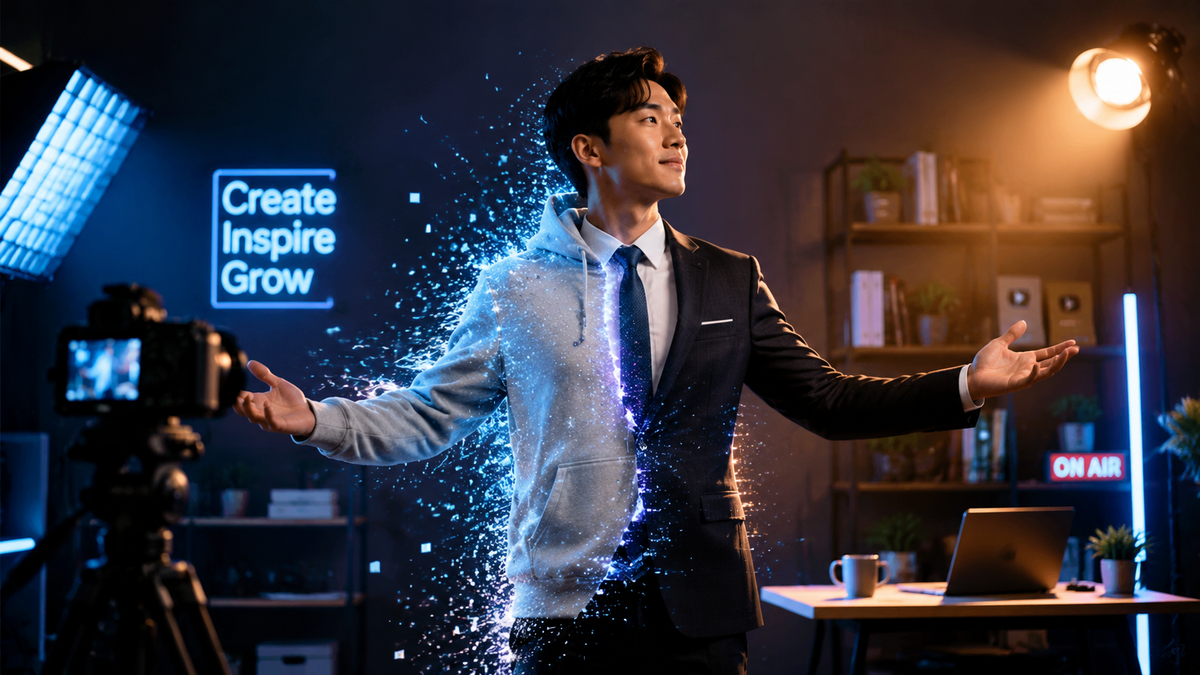
Learning how to change clothes in video using 2026 AI technology involves using generative video-to-video diffusion models to swap garments while maintaining consistent motion and lighting. By uploading your footage to an AI editing platform, you can select specific clothing items and replace them with digital textures or entirely new 3D-rendered outfits in seconds.
AI clothes changing is a video editing process that utilizes neural networks to identify fabric boundaries and replace them with new digital designs. In 2026, this is primarily achieved through temporal consistency algorithms that ensure the new outfit moves naturally with the subject's body, even during high-intensity athletic movements or complex transitions.
- ✓ AI video editing now allows for seamless outfit swaps without the need for manual frame-by-frame masking.
- ✓ Real-time generative tools like Grok Ani and advanced diffusion workflows have revolutionized the speed of digital fashion.
- ✓ High-profile examples, such as Desi Johnson's 2026 Olympic outfit change video, demonstrate the mainstream appeal of this tech.
- ✓ Maintaining temporal consistency is the most critical factor for a realistic AI clothing swap in motion.
The Evolution of Digital Fashion in 2026
As we move through 2026, the landscape of video production has been fundamentally altered by generative AI. What used to require a green screen and a team of VFX artists can now be accomplished on a smartphone. The primary driver behind this shift is the refinement of "Video-to-Video" (Vid2Vid) synthesis, which allows users to alter specific layers of a video—like clothing—without affecting the background or the person's facial expressions. This technology has moved beyond simple filters to sophisticated neural rendering that understands depth, shadow, and fabric physics.
According to 80 Level, the workflow behind changing AI-generated outfits in motion has matured into a streamlined process involving "ControlNets" and "IP-Adapters." These tools allow editors to lock the person's pose while completely regenerating the pixels where the clothing resides. This ensures that as the subject moves, the new digital fabric stretches and folds realistically. This is particularly useful for content creators who want to showcase multiple fashion looks without the physical labor of changing clothes dozens of times during a shoot.
Furthermore, the cultural impact of this technology is undeniable. Just recently, in February 2026, Australian bobsledder Desi Johnson gained international attention at the Olympics with a viral outfit change video. By leveraging advanced AI editing, she was able to transition between her athletic gear and high-fashion looks seamlessly, proving that AI fashion isn't just for tech enthusiasts—it is a powerful tool for personal branding and storytelling on the world's biggest stages.
Step-by-Step Guide: How to Change Clothes in Video
If you are looking to master the art of the digital wardrobe swap, follow these steps to achieve a professional-grade result using current 2026 AI tools.
- Capture High-Quality Source Footage: Record your video in a well-lit environment. Ensure there is a clear contrast between your current clothing and the background. Avoid overly baggy clothes in the original shot, as tighter-fitting garments provide a better "mesh" for the AI to map new textures onto.
- Upload to an AI Video Platform: Use a tool such as Grok Ani or a similar generative video suite. These platforms now feature dedicated "Garment Swap" modules that utilize the latest diffusion models.
- Mask the Area: Use the AI's auto-segmentation tool to highlight the clothing you wish to change. In 2026, most tools can automatically detect shirts, pants, and dresses with 99% accuracy.
- Input Your Prompt or Reference Image: You can either type a text description (e.g., "red silk evening gown with gold embroidery") or upload a photo of a specific outfit you want the AI to replicate.
- Apply Temporal Consistency Settings: Adjust the "Flow Consistency" slider to ensure the outfit doesn't "flicker" between frames. This is the secret to making the change look real rather than like a digital glitch.
- Render and Export: Process the video. Most 2026 cloud servers can render a 15-second outfit swap in under two minutes at 4K resolution.
Comparing AI Clothing Change Methods in 2026
There are several ways to approach a clothing change, ranging from simple color shifts to full generative replacements. The table below compares the most common methods used by professionals today.
| Method | Complexity | Realism | Best For |
|---|---|---|---|
| Color-Changing Textiles (AI-Powered) | Low | High | Changing the hue of existing garments while keeping texture. |
| Generative Diffusion (Vid2Vid) | Medium | Very High | Replacing a t-shirt with a tuxedo or complex gown. |
| 3D Mesh Overlay | High | Ultra High | High-end commercial work and cinematic productions. |
| Neural Style Transfer | Low | Medium | Artistic or "trippy" fashion transitions for social media. |
How to Change Clothes in Video for Social Media Trends
Social media platforms in 2026 are dominated by "instant transitions." The trend started years ago with jump cuts, but it has evolved into "fluid fashion," where a creator's clothes morph as they walk toward the camera. To achieve this, creators are using tools like Grok Ani. As noted by Perfect Corp, these AI companions and editing suites allow for the creation of unique digital identities, where your "AI companion" can actually suggest and apply outfits to your video based on current weather or trending hashtags.
When you are learning how to change clothes in video for platforms like TikTok or Instagram, the key is the "Hook." Start the video in your normal clothes and trigger the change with a gesture—like a snap or a jump. In the AI editor, you will set the "keyframe" at the exact moment of the gesture. The AI then calculates the transition frames, creating a liquid-like effect where the fabric transforms in mid-air. This level of polish is what separates viral 2026 content from the amateur edits of the past.
However, with great power comes responsibility. As the Times of India recently reported in early 2026, there are growing conversations around the ethics of digital appearances. While changing clothes in a video is a creative outlet, parenting coaches and psychologists remind us that the line between reality and digital alteration is blurring. For creators, this means being transparent about the use of AI fashion tools to maintain trust with their audience, especially younger viewers who may not realize the "perfect" outfit they see is a generative masterpiece.
Advanced Workflow: Using AI-Generated Outfits in Motion
For those who want to go beyond simple app presets, the professional workflow involves using stable diffusion pipelines. This method allows for "Zero-Shot" clothing changes, meaning the AI doesn't need to be trained on your specific body. By using a "Depth Map," the AI understands exactly where your torso is in 3D space. This prevents the "floating clothes" effect that plagued earlier iterations of the technology back in 2023 and 2024.
In this workflow, the editor often uses a "latent noise" injection. This allows the new fabric to inherit the lighting of the original scene. If you are standing under a flickering neon light, the AI-generated silk or leather will reflect that neon light accurately. This level of environmental integration is why 2026 AI video editing is indistinguishable from reality to the untrained eye.
Sustainability and the Future of AI Fashion
One of the most significant benefits of learning how to change clothes in video is its impact on sustainability. CNN previously highlighted how AI-powered fashion and color-changing textiles could drastically reduce clothing waste. In 2026, this has become a reality for the "influencer" economy. Instead of purchasing, wearing once, and returning dozens of outfits, creators now buy a few high-quality "base" garments and use AI to skin them with different designs for every video.
This "Digital-First" fashion approach is saving millions of tons of textile waste. High-end designers are now releasing "Digital Skins"—proprietary AI files that fans can purchase and "wear" in their videos. This creates a new revenue stream for brands while eliminating the carbon footprint associated with shipping physical samples. When you change your clothes in a video today, you aren't just performing a trick; you are participating in a global movement toward more conscious consumption.
Moreover, this technology is being used in practical, everyday scenarios. For instance, a student who might have faced a dress code violation—similar to the 2022 incident reported by KPTV where a middle schooler was asked to change—could theoretically use AI overlays in a remote learning or recorded presentation environment to ensure their attire meets institutional standards without needing to physically change. While a niche use case, it demonstrates the versatility of digital wardrobe management.
Technical Challenges and How to Overcome Them
Despite the advancements of 2026, changing clothes in video still presents challenges, primarily "artifacting." Artifacting occurs when the AI loses track of the body's edges, causing the clothes to "melt" into the background. To avoid this, always use a high shutter speed when filming. Motion blur is the enemy of AI segmentation; the sharper each individual frame is, the easier it is for the AI to swap the clothing accurately.
Another common issue is "texture crawling," where the pattern on the clothes seems to move independently of the fabric. To fix this, ensure your AI tool is using "Temporal Warping" or "Optical Flow" analysis. These features lock the texture to the movement of the pixels, ensuring that a plaid shirt's lines stay straight even as the person bends or twists. Professional editors often run a "post-processing pass" to smooth out these jitters, resulting in a flawless final product.
What is the best app for changing clothes in a video in 2026?
In 2026, Grok Ani and similar generative suites are considered top-tier for consumer use due to their integrated diffusion models. For professionals, customized workflows using Stable Diffusion and ControlNet remain the industry standard for high-fidelity results.
Is it legal to use AI to change someone else's clothes in a video?
Legal frameworks in 2026 generally require the consent of the person in the video for any significant AI alterations. Using AI to change clothes without permission can violate "Right of Publicity" laws and platform-specific deepfake policies.
Do I need a powerful computer to change clothes in video?
No, most 2026 tools are cloud-based. While the AI calculations are intense, they are performed on remote servers, meaning you can edit complex outfit swaps on a standard smartphone or laptop with a stable internet connection.
Can AI change clothes in a live stream?
Yes, real-time AI clothing overlays are now available for streamers. These tools use low-latency inference to wrap digital textures over the streamer's body with less than 30ms of delay, making it viable for live broadcasts on platforms like Twitch or YouTube.
How long does it take to learn how to change clothes in video?
With modern AI "one-click" solutions, a beginner can learn the basics in about 15 minutes. However, mastering professional-grade temporal consistency and custom texture mapping typically takes a few weeks of practice with advanced software.



Comments ()