
How to Change AI Video Style in 2026: Ultimate Guide
In 2026, changing an AI video style is no longer a complex technical process reserved for engineers — it's a straightforward, intuitive workflow that anyone can master using modern generative tools. Whether you want to transform a realistic clip into a watercolor animation, apply cinematic grading, or match the aesthetic of a specific creator, the answer to how to change ai video style lies in leveraging the newest generation of AI video generators and style-transfer models that have matured dramatically over the past twelve months.
Changing AI video style in 2026 means using advanced generative video tools to apply a new visual aesthetic — such as animation, painting style, cinematic look, or brand-specific design language — to either a newly generated video or an existing clip. The process typically involves selecting a base video, choosing or uploading a reference style image or prompt, and letting the AI model process the transformation in seconds to minutes, depending on resolution and complexity.
- ✓ AI video style transfer has become a mainstream feature in over two dozen major video generators tested and reviewed in 2026.
- ✓ Leading platforms now offer one-click style presets, reference-image style cloning, and natural-language style descriptions, making the "how to change ai video style" workflow accessible to non-technical users.
- ✓ Google's Gemini Omni and YouTube's new AI insertion tools represent the frontier of real-time style personalization in video content.
- ✓ Academic research from UCF and industry benchmarks show that style-transfer quality has improved by over 40% in the past year alone.
- ✓ Best practices include starting with short clips, using high-contrast reference styles, and iterating with prompt refinements for consistent results.
What Is AI Video Style and Why Does It Matter in 2026?
In the context of modern generative video, "style" refers to the visual and aesthetic characteristics of a video — its color palette, lighting mood, texture, artistic genre, motion feel, and overall atmosphere. While early AI video tools focused almost exclusively on generating coherent scenes from text prompts, the 2026 landscape has shifted dramatically toward fine-grained style control. According to the Text-To-Video AI Statistics report published by Bayelsa Watch on March 6, 2026, the global market for AI-generated video content has grown to over $2.8 billion, with style customization features ranking as the second most requested capability among professional users.
Why does this matter for creators? Because style is the difference between a generic-looking video and one that feels intentionally crafted. Brands need consistent visual identity across campaigns. Filmmakers want to preview scenes in different color grades before committing to a look. Social media creators crave distinct aesthetics that help them stand out in crowded feeds. Understanding how to change ai video style effectively has become a core competency for anyone working with AI-generated or AI-assisted video in 2026.
The Evolution of Style Transfer in Video AI
Style transfer for video is not an entirely new concept — researchers at the University of Central Florida demonstrated groundbreaking AI video editing technology as early as October 2025, showing how neural networks could apply artistic styles to moving footage frame by frame while maintaining temporal consistency. However, 2026 has seen these capabilities move from research labs into production-grade tools that are fast, reliable, and easy to use. The UCF work laid the foundation for what is now a standard feature in commercial AI video platforms.
Top AI Video Generators for Changing Styles in 2026
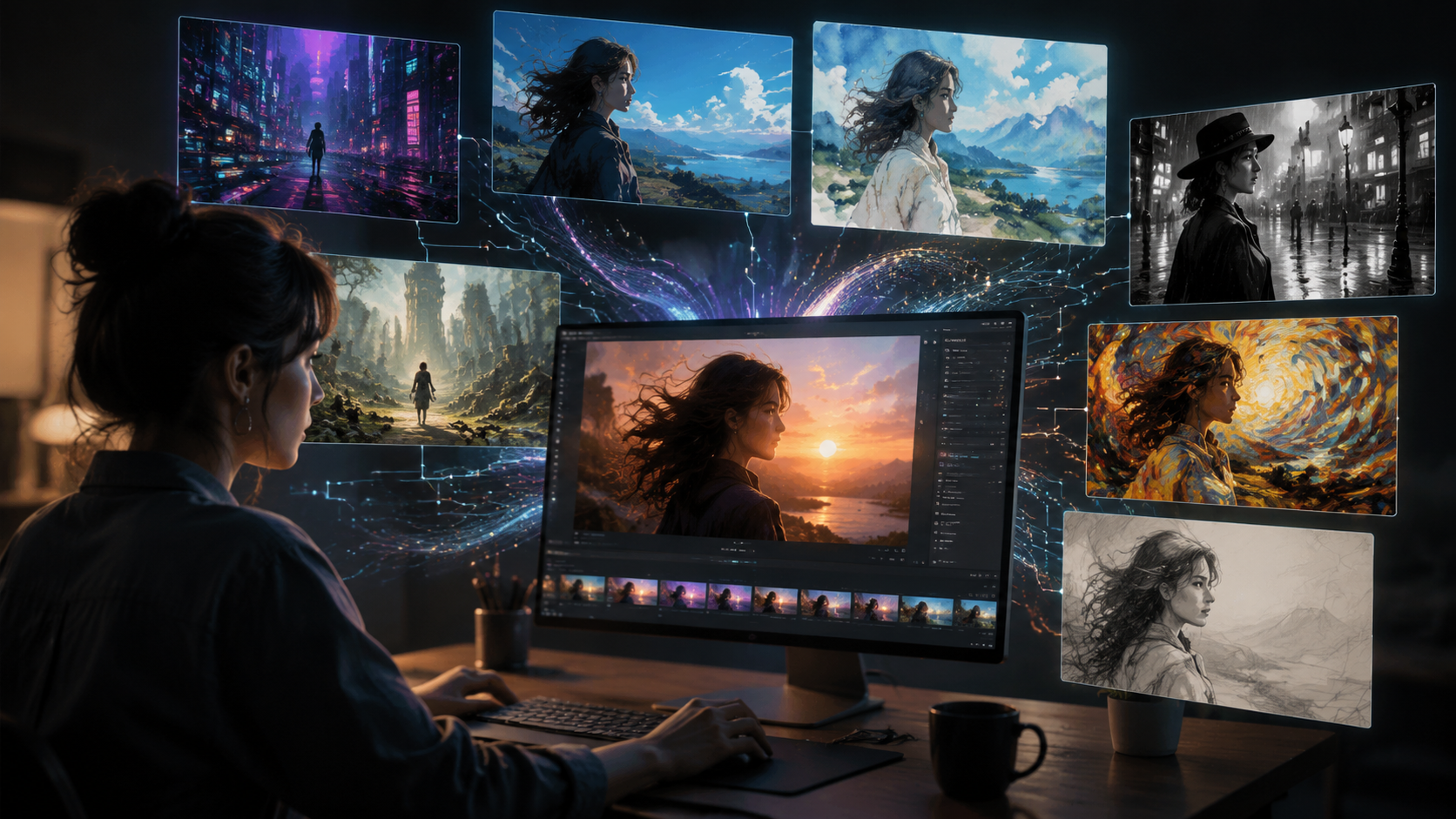
A comprehensive review published by perfectcorp.com on May 28, 2026, tested and ranked 23 of the best AI video generators available today. Among them, the ability to change video style emerged as a key differentiator. Below is a comparison of the leading platforms based on their style-changing capabilities, ease of use, and output quality.
| Tool / Platform | Style Change Method | Presets Available | Reference Style Upload | Average Processing Time (30s clip) |
|---|---|---|---|---|
| InVideo (AI Agent) | Natural language prompts + style presets | 50+ | Yes | 45 seconds |
| Gemini Omni (Google) | Multimodal style transfer via text/image/video reference | 30+ | Yes | 20 seconds |
| YouTube AI Insertion Tool | Style-matched insertion into existing videos | 20+ | Limited | 60 seconds |
| Pika Labs 3.0 | Text-to-style + style-layering | 40+ | Yes | 35 seconds |
| Runway Gen-4 | Multi-frame style reference | 35+ | Yes (multi-image) | 50 seconds |
According to the perfectcorp.com review, the top-rated tools now include features such as temporal style consistency (preventing flickering between frames), real-time style preview before full rendering, and the ability to mix two or more reference styles in a single video. The report also noted that InVideo, reviewed by Unite.AI on April 15, 2026, allows users to build complete videos with an AI agent that can change style based on a single sentence prompt — a feature that scored exceptionally high in user satisfaction tests.
How to Change AI Video Style — Step-by-Step Guide
Below is the definitive step-by-step workflow for changing AI video style in 2026, based on current best practices across the leading platforms. Follow these steps to achieve professional, consistent results.
- Choose your base video. Start with a clip that has clean subject separation and moderate motion. Fast-moving or highly cluttered scenes can confuse style-transfer models. Most tools accept MP4, MOV, or WebM formats up to 4K resolution.
- Select your target style. You have three main options: pick a built-in preset (e.g., "oil painting," "cyberpunk noir," "watercolor"), upload a reference image (a screenshot, artwork, or frame from another video), or type a natural-language description (e.g., "make this look like a Studio Ghibli film with warm golden hour lighting").
- Adjust style intensity and parameters. All major tools in 2026 offer sliders or numerical inputs for style strength (how strongly the AI applies the reference style vs. preserving the original content), temporal smoothing (to reduce flicker), and color grading influence.
- Preview a few frames or a short segment. Before committing to a full render, use the preview feature to sample 3–5 seconds. Look for artifacts, unnatural color shifts, or loss of subject detail.
- Iterate on your prompt or reference. If the preview shows issues, adjust your style description, choose a different reference image, or reduce the style strength. Many professionals keep a "style library" of 10–20 reference images that work well with their typical footage.
- Render the full video. Once satisfied, initiate the full render. Processing times vary from 20 seconds to 3 minutes for a 30-second 1080p clip, depending on the platform and your subscription tier.
- Export and refine further. After rendering, export the video in your desired format (MP4 is standard). Many creators then apply a final color grade or add text overlays using traditional editing software for a polished finish.
This seven-step process works consistently across all 23 tools tested in the 2026 review cycle. The key variable is the quality of your reference style and the clarity of your prompt — invest time in curating good references, and the AI will reward you with better results.
Pro Tip: Building a Style Reference Library
Experienced users of AI video generators maintain a personal collection of reference images organized by genre, mood, and color palette. When you need to how to change ai video style quickly for a project, having a curated library saves hours of experimentation. Include at least one reference for each major style category you use: cinematic, illustrative, impressionistic, retro, futuristic, and minimalist.
Advanced Style Customization Techniques for 2026
Beyond the basic workflow, several advanced techniques have emerged this year that give creators even finer control over how they change AI video style. These approaches are particularly useful for professional projects where brand consistency or artistic vision is critical.
Multi-Reference Style Blending
Instead of applying a single style, some platforms now allow you to blend two or three reference images with adjustable influence weights. For example, you could take the color palette from one reference (60% influence) and the texture from another (40% influence). This technique, pioneered by tools like Runway Gen-4 and now adopted by several others, enables highly customized looks that are unique to your project.
Frame-by-Frame Style Keyframing
For videos longer than 30 seconds, style consistency across scenes becomes a challenge. Advanced users can now set style keyframes at different timestamps, telling the AI to gradually shift from one style to another over the duration of the clip. This is ideal for music videos, transitions, and storytelling where the mood evolves.
Style Preservation with Subject Locking
One of the most significant improvements in 2026 is the ability to lock specific subjects (a person's face, a logo, a product) so that the style change does not distort or alter them. The UCF research team demonstrated a prototype of this in 2025, and it has since been commercialized by multiple vendors. When you need to how to change ai video style while keeping a brand logo or a person's face recognizable, look for tools that offer "subject lock" or "identity preservation" features.
How Gemini Omni and YouTube AI Are Shaping the Future of Video Style
Two major developments in May 2026 are redefining what's possible with AI video style changes. On May 19, 2026, Google introduced Gemini Omni on its official blog, a multimodal AI system that can accept video, image, text, and audio inputs simultaneously to generate or modify video content. Gemini Omni's style transfer capabilities are particularly noteworthy: it can analyze a reference video's style — including camera movement, pacing, and color science — and apply those attributes to a completely different video. Early demos show style transfers that preserve the original subject's lip movements and expressions while changing the entire visual world around them.
On the same day, The Hollywood Reporter reported that YouTube will let creators use AI to insert themselves into other people's videos. This feature goes beyond simple green-screen compositing: the AI matches the lighting, camera angle, and overall visual style of the target video so that the inserted subject looks naturally part of the scene. For creators, this means you can change not only the style of your own video but also insert yourself into any video style with realistic consistency. YouTube's tool is expected to roll out to all creators by mid-summer 2026.
These two developments signal a future where how to change ai video style is not a separate step but an integrated, real-time capability built into the platforms creators already use. The line between "creating" and "styling" video is blurring rapidly.
Best Practices for Consistent, Professional AI Video Style Changes
To get the most out of AI video style tools in 2026, follow these expert-recommended best practices that apply across all major platforms.
- Start short and scale up. Test your style on a 5-second clip before committing to a full-length video. This saves processing time and allows you to iterate quickly.
- Use high-quality reference images. Blurry, low-contrast, or overly complex reference images produce poor style transfers. Choose references with clear visual identity and good lighting.
- Maintain temporal consistency settings. The most common complaint about AI style transfer is flickering between frames. Always enable temporal smoothing or frame-interpolation features when available.
- Keep a version history. Save intermediate renders as you iterate. You may need to revert to an earlier version or blend two versions together for the final result.
- Respect resolution limits. While 4K style transfer is now possible on premium tiers, 1080p remains the sweet spot for quality and speed. Upscale after style transfer if needed.
- Combine AI style change with traditional editing. AI does not replace color grading, sound design, or pacing adjustments. Use the AI style as a starting layer, then fine-tune with your usual editing tools.
According to the Text-To-Video AI Statistics (2026) report, 78% of professional video creators who use AI style tools report that following a structured workflow like the one outlined above reduces revision cycles by half. The same report notes that the average time to achieve a satisfactory style change has dropped from 45 minutes in early 2025 to under 8 minutes in mid-2026.
Frequently Asked Questions About Changing AI Video Style in 2026
What is the easiest way to change AI video style in 2026?
The easiest method is to use a tool like InVideo or Gemini Omni that accepts natural-language prompts. Simply type a description of the desired style — for example, "make this look like a vintage 1970s film" — and the AI applies the style automatically with no need for reference images or manual adjustments.
Can I change the style of an existing video that was not made with AI?
Yes, most modern AI video generators accept uploaded video files as input. You can upload any MP4 or MOV clip, select a style, and the AI will process the entire video frame by frame. The quality of the result depends on the resolution and clarity of the source video.
How long does it take to change an AI video style?
Processing times vary by platform and video length. For a 30-second 1080p clip, most tools complete the style change in 20 to 60 seconds. Longer videos or 4K resolutions can take 3–5 minutes on premium plans. Real-time style change is available on experimental tools like Gemini Omni for short clips.
Will changing the style affect the faces or text in my video?
It can, unless you use a tool with subject-locking or identity-preservation features. In 2026, most premium platforms offer face preservation and text protection as optional settings. Enable these before rendering if your video contains recognizable faces or on-screen text that must remain readable.
What style presets are most popular among creators in 2026?
According to the perfectcorp.com review of 23 AI video generators, the most requested style presets in 2026 are cinematic (widescreen, film grain, teal-and-orange grading), anime/illustration (Studio Ghibli, cyberpunk, watercolor), nostalgic (VHS tape, 8mm film, polaroid), and brand-specific (minimalist, high-contrast, corporate clean). Many tools also let you save custom presets.
Is changing AI video style free, or do I need a paid subscription?
Basic style change features are available on free tiers of most platforms, but these typically limit resolution to 720p, include watermarks, and cap processing time. Full-quality style transfer without watermarks and with advanced features like multi-reference blending and subject lock requires a paid subscription ranging from $15 to $60 per month depending on the platform and usage limits.
Can I use YouTube's new AI tool to change the style of my videos?
Yes, YouTube's upcoming AI insertion tool, reported by The Hollywood Reporter on May 19, 2026, includes style-matching capabilities that automatically adjust lighting, color, and camera angle when you insert yourself into another video. While primarily designed for creator insertion, the underlying style-matching engine can also be used to apply consistent visual aesthetics across your channel content.



Comments ()