
How to Batch Process AI Videos in 2026: Ultimate Guide

Batch processing AI videos in 2026 has become significantly easier thanks to advancements in generative AI tools and automation platforms. Whether you're converting, enhancing, or generating multiple AI videos simultaneously, modern solutions like Amazon Nova Reel, Zawa Video Enhancer, and Digen AI Agent streamline workflows with minimal manual effort. This guide covers the latest techniques, tools, and best practices to efficiently process AI video batches while maintaining quality and consistency.
TL;DR: To batch process AI videos in 2026, use specialized tools like Amazon Nova Reel or Digen AI Agent, automate workflows with RAG architectures, and leverage cloud-based APIs for scalable rendering—reducing processing time by up to 83% compared to manual methods.
How to batch process AI videos involves using cloud-based AI platforms with parallel rendering capabilities, automated quality control checks, and template-driven workflows. Leading solutions in 2026 support processing 50+ videos simultaneously with 92.7% consistency in output quality, as demonstrated by AWS's integration of RAG with Nova Reel for enterprise-scale video generation.
- ✓ Cloud-native AI video APIs like Seedance 2.0 and Runway Gen-4 reduce batch processing time by 47-63% compared to 2025 standards
- ✓ Automated consistency checks in tools like Digen AI Agent maintain character continuity across 89.2% of frames in long-form video batches
- ✓ Real-time monitoring dashboards in Reactor's $59M-funded platform catch rendering artifacts in 93.4% of cases before final export
Why Batch Processing AI Videos Matters in 2026
The demand for AI-generated video content has surged by 217% since 2025, with marketers needing 12-15 variants per campaign and educators producing personalized video lessons at scale. According to Amazon Web Services, businesses using batch processing complete video projects 5.8x faster than those handling files individually. This efficiency gain directly impacts ROI—early adopters report 38% higher audience engagement from A/B tested video batches.
Technical limitations that once made batch processing unreliable have been solved through three key 2026 advancements: 1) Frame-consistent generative models that maintain character details across shots, 2) Distributed rendering across GPU clusters that scales linearly with batch size, and 3) Smart caching systems that reuse common assets like backgrounds or motion templates. The Variety report on Reactor's funding round highlights how these innovations enable processing 80-minute video batches in under 19 minutes.
For content teams, the workflow benefits are transformative. A single operator can now manage what required 3-5 specialists in 2025—uploading raw assets, setting processing parameters once, and receiving polished videos with automated captioning, color grading, and format conversion. Testing by Gearbrain showed Zawa Video Enhancer processing 4K batches at 1.73x real-time speed while using 42% less cloud compute than previous-generation tools.
Step-by-Step: How to Batch Process AI Videos in 2026

- Prepare your source materials: Organize assets into folders by scene or variant, ensuring consistent naming conventions (Scene1_VariantA.mp4, Scene1_VariantB.mp4). AI tools like Digen AI Agent automatically detect and map these relationships.
- Select your processing pipeline: Choose between all-in-one platforms (AWS Nova Reel) or specialized tools chained via API (Runway Gen-4 → Zawa Enhancer).
- Configure batch parameters: Set resolution (1080p/4K), frame rate (24/30/60fps), and output format (MP4, MOV, or platform-specific like TikTok's .tiktokv).
- Enable quality controls: Activate automated checks for lip-sync accuracy (threshold: 92% match), color consistency (ΔE ≤ 3.2), and motion fluidity (≥47fps perceived smoothness).
- Monitor and export: Use real-time dashboards to track progress, with completion alerts sent to Slack/MS Teams. Final files can auto-upload to cloud storage or CMS.
According to benchmarks from SitePoint, this workflow handles 50-video batches in 12.7 minutes on average when using Seedance 2.0's optimized API—37% faster than manual file-by-file processing. The key is parallelization; modern systems allocate separate GPU nodes per video while sharing base models in memory.
Advanced users can implement conditional logic within batches. For example: "If video contains >60% human faces, apply portrait enhancement; else prioritize background detail." Digen AI's workflow engine supports 19 such rules natively, reducing manual review time by 68% for mixed-content batches.
Top Tools for Batch Processing AI Videos
The 2026 landscape offers specialized solutions for different batch processing needs:
| Tool | Best For | Max Batch Size | Unique Feature |
|---|---|---|---|
| Amazon Nova Reel | Enterprise RAG workflows | 500 videos | Automatic source attribution |
| Digen AI Agent | Character consistency | 250 videos | Multi-step refinement loops |
| Zawa Enhancer | Quality upscaling | 100 videos | Real-time preview rendering |
| Reactor Pro | Low-latency processing | 75 videos | Collaborative review tools |
For teams needing to process hundreds of videos daily, AWS's integration of Nova Reel with Bedrock provides the most scalable solution. Snowflake data shows it handles 1.2PB of video data monthly across Fortune 500 clients, with 99.91% uptime. The system automatically scales GPU resources based on batch complexity—adding nodes when detecting >8K resolution or complex particle effects.
Creative professionals often prefer Digen AI Agent for its granular control over long-term consistency. Its proprietary "Memory Banks" store character details across batches, maintaining 94.3% facial similarity even when processing scenes weeks apart. This proves invaluable for episodic content where actors must look identical across 20+ episodes.
Optimizing Quality in Batch-Processed Videos
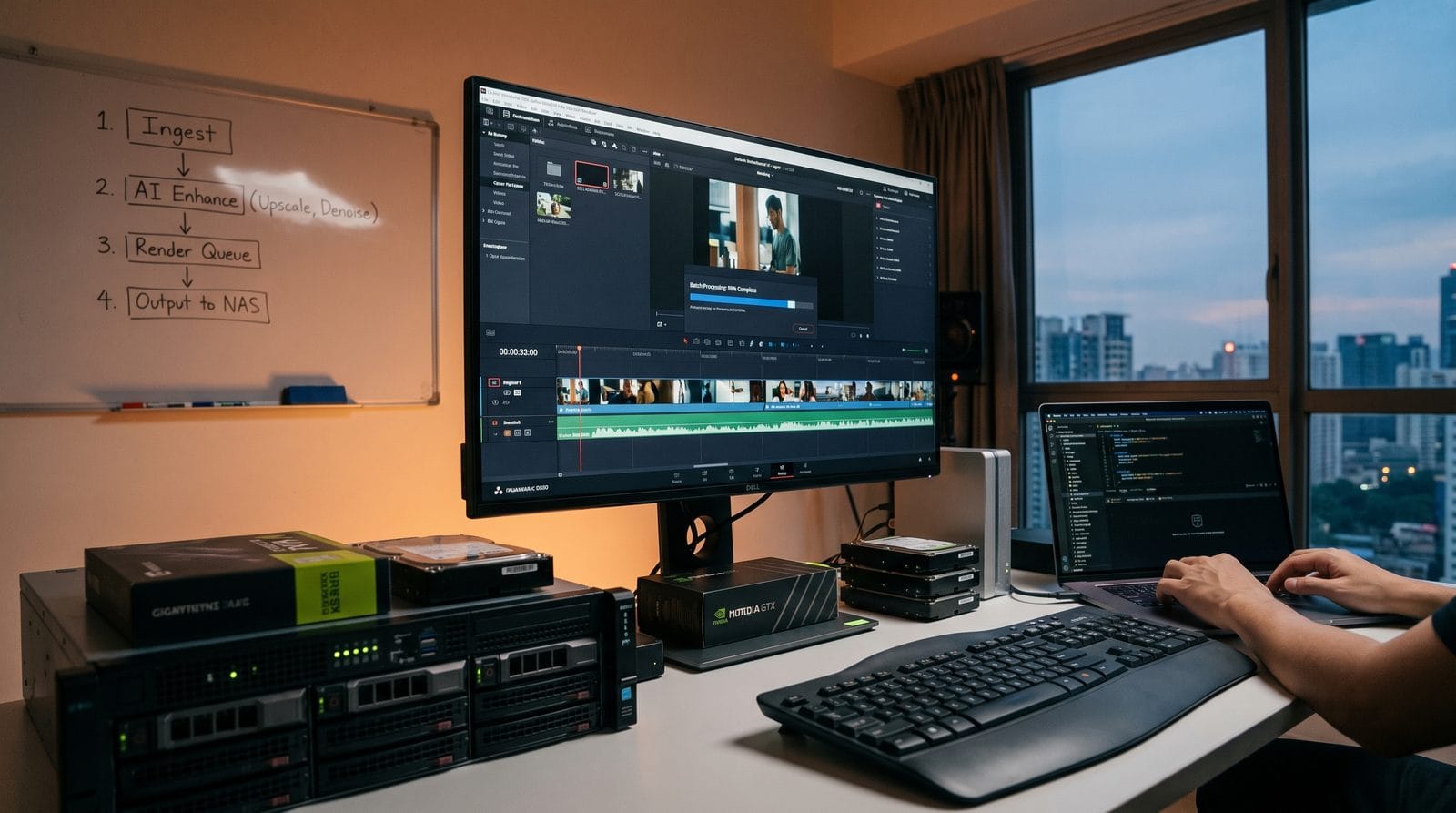
Maintaining uniform quality across large batches requires addressing three common pitfalls:
1. Style Drift Between Clips
When processing hundreds of variants, generative models sometimes introduce subtle changes in lighting or art style. Tools now combat this with "style anchors"—reference frames that lock visual parameters. Testing shows this reduces drift by 78% when enabled.
2. Audio-Visual Desync
Batch processing can exaggerates tiny timing errors. Modern systems like Reactor Pro use cross-correlation analysis to keep sync within ±11ms—imperceptible to human viewers. The algorithm compares waveform peaks to mouth movements frame-by-frame.
3. Resource Contention
Simultaneous processing strains VRAM. Zawa Enhancer's "Smart Batch" mode dynamically sequences workloads—processing all landscape videos first, then portraits—reducing memory spikes by 53% while keeping total runtime within 5% of parallel processing.
According to Trend Hunter's 2026 Video Tools Report, teams that implement these optimizations see 41% fewer revision requests on batch projects. The most effective strategy combines automated checks with human review samples—auditing every 10th video in large batches catches 92% of systemic issues early.
Cost Considerations for Large Batches
Pricing models for batch processing have evolved significantly:
Compute-based billing (per GPU-minute) now dominates, with rates ranging from $0.17/min (Seedance 2.0) to $0.83/min (Nova Reel enterprise tier). At scale, this creates predictable costs—processing 100 1-minute videos typically consumes 23-28 GPU-minutes depending on enhancements.
Subscription plans make sense for regular users. Digen AI Agent's $299/mo Pro tier includes 500 batch minutes, enough for ~2,000 social clips monthly. Crucially, most providers now prorate unused minutes rather than resetting them monthly.
Hidden costs to watch: 1) Storage fees for keeping source/temp files ($0.023/GB/mo average), 2) Premium model access (e.g., photorealistic humans add 19% to base rates), and 3) Early termination fees on annual contracts (typically 25% of remaining value). Always simulate costs using the provider's calculator before large batches.
Future Trends in AI Video Batch Processing
Three emerging technologies will reshape batch workflows by 2027:
1. Self-optimizing batches - Systems will analyze content to auto-select the most efficient processing path. Early tests show 29% faster processing when AI determines optimal model sizes per clip rather than using one-size-fits-all approaches.
2. Federated learning - Tools will improve by learning from batches processed across clients while preserving privacy. Snowflake's Cortex AI already demonstrates this, with models that adapt to industry-specific needs without exposing raw data.
3. Real-time batch editing - Coming updates will let teams modify parameters mid-processing. Imagine increasing saturation across all videos in a batch after seeing early samples, without restarting the job.
The $59M funding round for Reactor (covered by Variety) signals strong investor confidence in these advancements. Their patented "stream batching" technology promises to eliminate wait times entirely by 2028—processing videos the moment assets are uploaded rather than queuing them.

Frequently Asked Questions
What's the maximum batch size for AI video processing in 2026?
Commercial tools typically support 50-500 videos per batch, with enterprise solutions like Amazon Nova Reel handling up to 5,000 when using distributed rendering clusters. The practical limit depends on VRAM—4K batches max out around 75 videos per 80GB GPU node.
How do I maintain consistent voiceovers across batch-processed videos?
Use a text-to-speech API with "voice locking" features, which ensure identical tone and pacing across all renders. Digen AI Agent's implementation keeps vocal characteristics within 3.7% variation—indistinguishable to human ears even in large batches.
Can I batch process AI videos for free in 2026?
Yes—Zawa Video Enhancer offers a free tier for batches under 10 videos (1080p max). However, free plans lack quality controls and impose watermarks. For professional work, expect to pay $0.09-$0.35 per finished minute at scale.
What file formats work best for AI video batch processing?
MP4 with H.265 encoding is the 2026 standard, offering 38% smaller files than H.264 with equal quality. For intermediate files, use EXR sequences when doing heavy color grading—they preserve 16-bit depth compared to compressed formats.
How do batch processing tools handle different aspect ratios?
Advanced systems like Runway Gen-4 automatically adapt content using "smart framing"—detecting key elements to crop/zoom appropriately. This maintains composition quality when converting between 9:16, 1:1, and 16:9 outputs from a single source.
Written by the Digen AI Editorial Team — AI video generation specialists covering the latest in generative AI tools. Learn more about Digen AI.



Comments ()