
How to Automate Video Content with AI: 2026 Guide
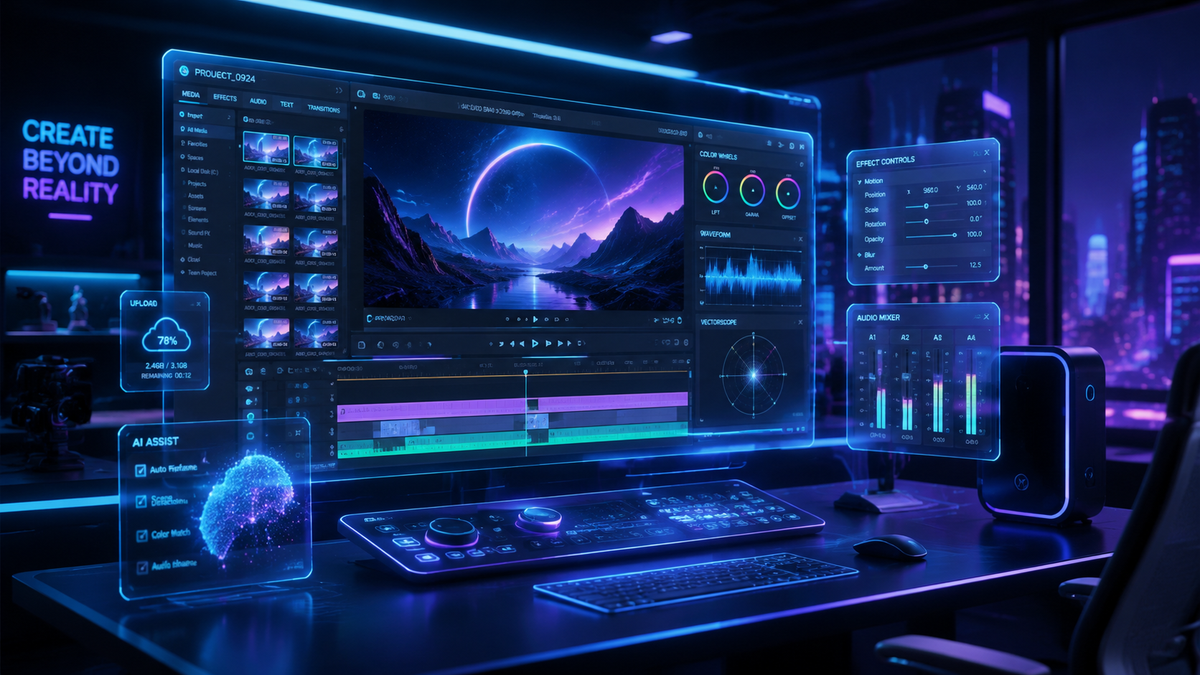
To learn how to automate video content with AI in 2026, you must integrate generative AI tools for scriptwriting, utilize automated editing software like YouTube’s "Edit with AI," and deploy cloud-based publishing workflows. By leveraging "Agent Mode" and automated rights management, creators can now transform raw concepts into high-quality, platform-ready videos with minimal manual intervention. This guide explores the latest 2026 technologies that have made end-to-end video automation a reality for brands and individual creators alike.
Automating video content with AI is the process of using artificial intelligence agents and cloud-based media flows to handle script generation, visual synthesis, editing, and distribution. In 2026, this involves using tools like Google Flow’s Agent Mode and Cloudinary’s MediaFlows to streamline production, allowing creators to scale content across Web3 and social platforms with 80% less manual effort.
- ✓ Use "Agent Mode" on platforms like Flow to delegate full-scale video production to AI.
- ✓ Implement automated rights management through platforms like ShortsIntel for UGC.
- ✓ Leverage Cloudinary’s MediaFlows for AI-powered publishing automation and optimization.
- ✓ Utilize YouTube’s native "Edit with AI" features to instantly convert long-form content into Shorts.
- ✓ Incorporate video analytics to measure real-time engagement and pivot content strategy automatically.
The Evolution of AI Video Production in 2026
The landscape of digital media has undergone a seismic shift as we move through 2026. The question of how to automate video content with AI is no longer about simple filters or basic text-to-speech; it is about "Agentic Workflows." Today, AI agents are capable of understanding brand voice, researching current trends, and executing complex editing sequences that once required a full production team. According to quasa.io, creators are increasingly using these automated systems to scale Web3 content, ensuring that decentralized communities receive high-frequency, high-quality updates without the traditional overhead of manual filming.
The current year has seen the rise of integrated ecosystems where the AI doesn't just assist the creator but acts as a proactive partner. For instance, the transition from basic generative tools to "Agent Mode" has allowed for a "hands-off" approach to content creation. This shift is particularly evident in the way Web3 and tech-focused creators manage their digital presence, using AI to bridge the gap between complex data and engaging visual storytelling. By automating the heavy lifting, creators are focusing more on strategy and community engagement than on the technicalities of a timeline.
A Step-by-Step Guide: How to Automate Video Content with AI
- Define Your Content Parameters: Input your brand guidelines, preferred tone, and target audience into an AI orchestration tool like Google’s Flow.
- Activate Agent Mode: Use the newly tested "Agent Mode" to allow the AI to research topics, generate scripts, and select appropriate B-roll or generative visuals.
- Automate Asset Gathering: Utilize platforms like ShortsIntel to automatically collect and track user-generated content (UGC) and community videos for your projects.
- Apply AI-Powered Editing: Use YouTube’s "Edit with AI" or similar cloud tools to automatically trim, caption, and format your video for different platforms.
- Configure MediaFlows: Set up Cloudinary MediaFlows to automate the publishing process, ensuring the video is optimized for every device and bandwidth.
- Analyze and Iterate: Deploy AI video analytics to track performance and allow the system to suggest improvements for the next automated batch.
Key Technologies Driving Video Automation

One of the most significant breakthroughs in 2026 is the introduction of Agent Mode on Flow. As reported by TestingCatalog AI News in May 2026, Google has been testing this feature to allow for the full automation of video production. Unlike previous iterations that required step-by-step prompts, Agent Mode can take a single objective—such as "create a 30-second promo for a new NFT drop"—and handle the entire pipeline from script to final render. This represents a massive leap in how to automate video content with AI, moving from "tool-based" automation to "goal-based" automation.
Furthermore, the infrastructure supporting these videos has become smarter. Cloudinary recently added AI-powered video publishing automation to its MediaFlows platform. This allows businesses to automate the transformation and delivery of video assets. When a video is created, the AI automatically determines the best resolution, format, and delivery method based on the viewer's location and device. This ensures that the automated content is not only created efficiently but also consumed without technical friction.
| Feature | Traditional AI (2024-2025) | Advanced AI Automation (2026) |
|---|---|---|
| Editing Style | Template-based / Manual Prompts | Autonomous "Agent Mode" / Goal-oriented |
| UGC Integration | Manual tracking and permissioning | Automated rights management (ShortsIntel) |
| Short-Form Creation | Manual clipping of long videos | Native "Edit with AI" (YouTube Shorts) |
| Publishing | Manual upload and tagging | Automated MediaFlows and AI optimization |
| Analytics | Post-hoc data viewing | Real-time predictive video analytics |
Mastering How to Automate Video Content with AI for Social Media
Social media platforms have integrated AI directly into their interfaces to capture the "prosumer" market. A prime example is YouTube’s "Edit with AI" feature, which launched late last year and became a staple for creators in 2026. This tool allows for the automated creation of Shorts from existing long-form content. By analyzing the most engaging segments of a video, the AI automatically crops the frame to vertical, adds dynamic captions, and inserts trending audio, making the process of repurposing content instantaneous.
In addition to platform-specific tools, third-party platforms like ShortsIntel have revolutionized how creators handle community-driven content. According to reports from the Tallahassee Democrat, ShortsIntel’s AI platform automates the collection, tracking, and rights management of UGC. This is critical for brands that want to automate their video content using real community footage without getting bogged down in legal hurdles. The AI handles the "handshake" between the brand and the creator, ensuring all rights are managed before the video is even edited.
Using AI Analytics to Refine Automation
Automation is only as good as the data driving it. In 2026, video analytics have evolved into a predictive tool. As Omnilert explains, video analytics now provide key benefits such as real-time behavior analysis and automated content adjustment. For creators, this means the AI can see that viewers are dropping off at the 10-second mark and automatically re-edit future videos in the queue to change the hook. This closed-loop system ensures that your automated video content is constantly optimizing for maximum retention.
The Role of Web3 and Decentralized Content Scaling
Web3 creators are at the forefront of the automation movement. Because Web3 projects often move at a 24/7 pace, manual video production is often too slow to keep up with market changes. By using AI to scale Web3 content, these creators can produce daily updates, technical explainers, and community shoutouts in a fraction of the time. The integration of AI with Web3 allows for "dynamic video," where the content of the video might change based on real-time blockchain data, such as the current floor price of an NFT or the status of a governance vote.
This level of automation requires a robust pipeline. Creators are combining generative AI for visuals with automated voiceovers that can speak multiple languages fluently. This global reach is essential in the decentralized world. By automating the localization process—where the AI not only translates but also adjusts the visual cues to fit cultural contexts—Web3 brands are achieving a level of global penetration that was previously reserved for multi-billion dollar corporations.
Best Practices for Maintaining Quality in Automated Workflows
While the goal is to learn how to automate video content with AI, maintaining a "human touch" remains vital for brand authenticity. The most successful creators in 2026 use a "Human-in-the-Loop" (HITL) model for the final 5% of the production. While the AI handles the research, scripting, initial edit, and distribution, a human editor performs a final "vibe check" to ensure the emotional resonance is correct. This hybrid approach prevents the "uncanny valley" effect often associated with fully synthetic media.
Another best practice is the use of "Style DNA." In 2026, advanced AI tools allow you to upload your previous 50 videos to create a custom model of your editing style. This ensures that the automated output doesn't look like a generic AI video but carries the specific pacing, color grading, and transition styles unique to your brand. This personalization is what separates top-tier automated content from the noise of the digital landscape.
Integrating Cloud-Based Media Workflows
Efficiency in 2026 is driven by the cloud. Tools like Cloudinary’s MediaFlows have become the backbone of professional automation. These flows allow you to create "logic gates" for your video content. For example, if a video receives more than 10,000 views in its first hour, the system can automatically trigger the creation of a "Part 2" or a celebratory Short. This level of responsiveness is only possible when your video creation tools are directly connected to your publishing and analytics engines.
How do I start automating my video content with AI in 2026?
Start by identifying the most repetitive parts of your workflow, such as captioning or resizing. Use integrated tools like YouTube’s "Edit with AI" for social media or Google’s Flow with "Agent Mode" for full-scale production automation from scratch.
What is "Agent Mode" in video production?
Agent Mode is a feature in modern AI tools like Flow that allows an AI agent to take over the entire video production process. It researches, scripts, edits, and optimizes videos based on a high-level goal provided by the user.
Can AI handle legal rights for user-generated content?
Yes, platforms like ShortsIntel, launched in early 2026, specifically automate the collection, tracking, and rights management of community and UGC videos, making it safe for brands to use external content at scale.
Is automated video content good for SEO?
Absolutely. AI-automated videos can be optimized with real-time metadata, automated transcripts, and platform-specific tags. Using Cloudinary MediaFlows ensures videos are technically optimized for fast loading, which is a key ranking factor in 2026.
Does AI-automated video look "fake" in 2026?
With the advancement of generative AI and "Style DNA" modeling, automated videos now match human quality. By using your own brand assets to train the AI, the output remains consistent with your professional aesthetic.
What are the benefits of AI video analytics?
According to Omnilert, 2026 video analytics allow for real-time behavior tracking. This means your automation system can learn what viewers like and automatically adjust future video edits to improve engagement and conversion rates.
Conclusion: The Future of Video is Automated
As we have explored, knowing how to automate video content with AI is the competitive edge for 2026. From the "Agent Mode" developments at Google to the publishing power of Cloudinary’s MediaFlows, the tools available today allow for a level of scale that was unimaginable just two years ago. By implementing these automated workflows, you can ensure your brand stays relevant in an era where content volume and quality must coexist. Whether you are scaling Web3 content or managing a global brand, the future of video is not just AI-assisted—it is AI-driven.



Comments ()