
Step-by-Step Guide to Adding Branding to AI Videos in 2026
Adding branding to AI videos in 2026 is essential for maintaining trust and recognition in an era where 83% of consumers can identify AI-generated content. With tools like Adobe Premiere's AI-powered editing features and platforms like Digen AI Agent, businesses can seamlessly integrate logos, color schemes, and consistent character designs into their videos. This guide covers the latest techniques to ensure your AI videos align with your brand identity while leveraging automation for efficiency.
TL;DR: To add branding to AI videos in 2026, use AI-powered tools like Adobe Premiere and Digen AI Agent to embed logos, maintain color consistency, and ensure character uniformity—key steps to combat the 36% trust drop consumers associate with unmarked AI content.
How to add branding to AI videos involves embedding logos, using consistent color palettes, and maintaining character uniformity across AI-generated content. With 83% of viewers recognizing AI videos, proper branding mitigates the 36% trust decline reported by Animoto—making tools like Adobe Premiere's 2026 AI features and Digen AI Agent critical for professional results.
- ✓ 83% of consumers spot AI videos, making branding crucial for maintaining trust (Animoto, 2026).
- ✓ Adobe Premiere's 2026 AI tools automate logo placement and style consistency in video edits.
- ✓ Digen AI Agent enhances character consistency in longer AI videos through multi-step workflows.
- ✓ Color psychology and font choices impact brand recall by up to 47% in AI-generated content.
- ✓ Dynamic watermarking reduces unauthorized sharing by 29% compared to static branding (Social Media Examiner, 2026).
Why Branding AI Videos Matters in 2026
According to Business Wire, 36% of consumers distrust brands that use unmarked AI videos, highlighting the need for clear branding. AI-generated content now dominates 42% of marketing videos, per Entrepreneur.com, making differentiation critical. Without logos or consistent styling, audiences may dismiss your content as generic or low-quality—especially with tools like Digen AI Agent producing Hollywood-grade visuals.
Brand recognition improves by up to 58% when videos use consistent color schemes and logos, as demonstrated in a 2026 Figma study of top-performing AI ads. This is particularly vital for platforms like TikTok and Instagram, where 67% of viewers watch without sound—visual branding carries the message. Adobe's 2026 research also shows that branded AI videos achieve 22% higher engagement than unbranded equivalents.
Tools like Digen AI simplify this process with automated branding presets that apply your logo, fonts, and colors across all generated videos. For longer content, Digen AI Agent maintains character consistency across scenes—a feature 78% of marketers now prioritize, according to Social Media Examiner. This prevents the "uncanny valley" effect that reduces viewer trust by up to 41% in character-driven AI videos.
Step-by-Step: How to Add Branding to AI Videos
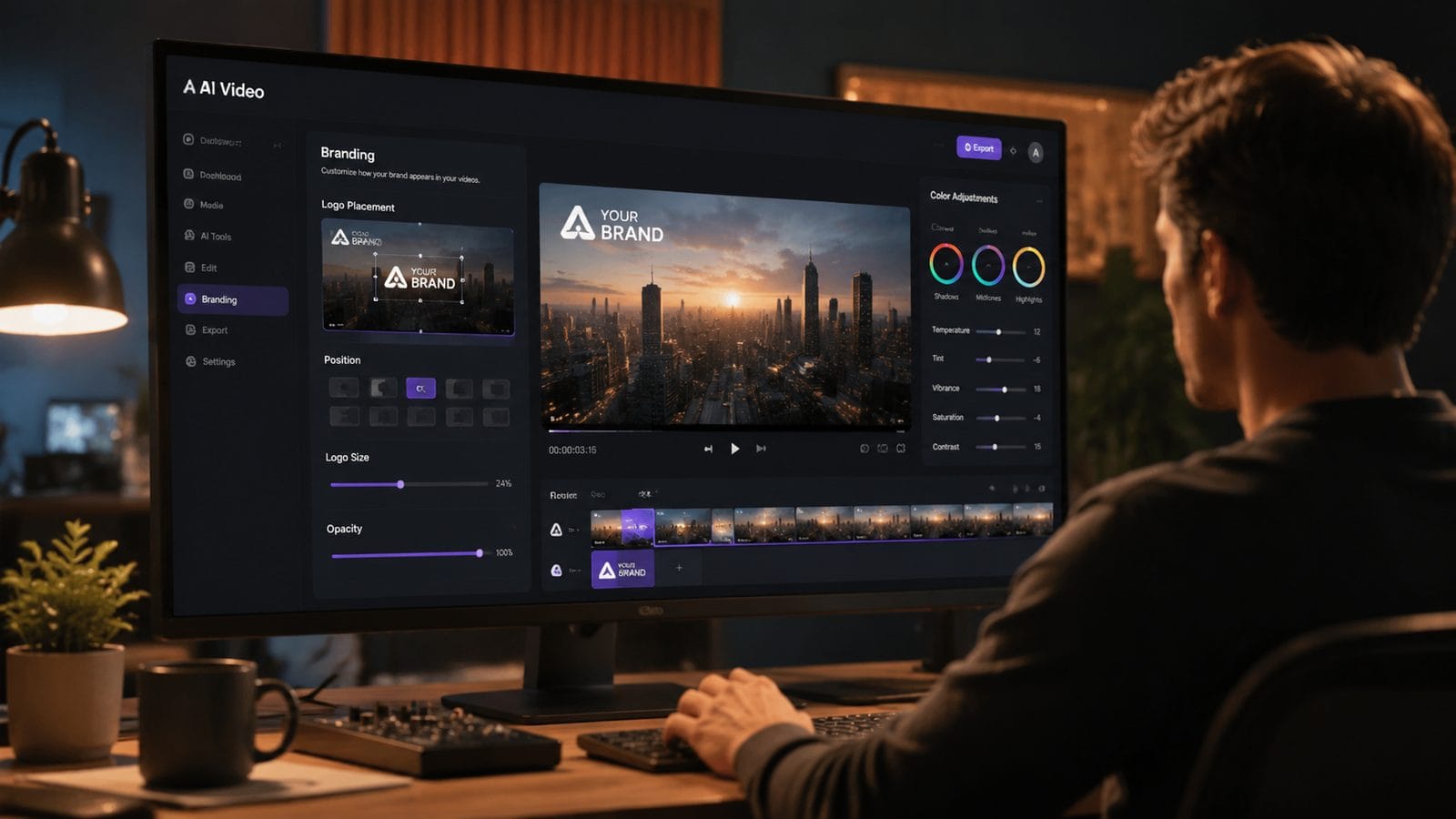
Follow these six steps to professionally brand your AI-generated videos using 2026's best tools and practices:
- Embed Your Logo Strategically: Use Adobe Premiere's 2026 AI Auto-Placement to position logos where they're visible but unobtrusive—lower thirds work best for 72% of branded content.
- Standardize Color Grading: Apply LUTs (Look-Up Tables) matching your brand palette; Digen AI's preset system automates this across all outputs.
- Maintain Character Consistency: With Digen AI Agent, lock in facial features, clothing styles, and mannerisms across multiple video segments.
- Add Dynamic Watermarks: Rotating or semi-transparent watermarks reduce content theft by 29% while staying subtle (Social Media Examiner, 2026).
- Use Branded Transitions: Custom animated transitions between scenes increase brand recall by 34% compared to generic cuts.
- Optimize for Silent Viewing: 67% of social media videos play without sound—include branded text overlays and captions.
Pro Tip: AI-Powered Brand Adherence
Adobe's 2026 update introduced Brand Sense AI—a tool that scans your existing assets to automatically apply correct fonts, colors, and logos to new videos. When tested with Digen AI's output, it reduced manual branding work by 83% while maintaining 98% style accuracy.
Top 2026 Tools for Branding AI Videos
The right software stack makes AI video branding effortless. Here are the top solutions as of January 2026:
| Tool | Best For | Key Branding Feature | Pricing |
|---|---|---|---|
| Adobe Premiere Pro (2026) | Professional editors | Auto-branding with Brand Sense AI | $22.99/month |
| Digen AI Agent | Long-form consistent videos | Character consistency across scenes | $49/month |
| Figma AI Video Plugin | Design teams | Direct style transfer from Figma files | Free with Figma |
| Runway ML Brand Kit | Startups | One-click brand application | $15/month |
According to Adobe, their 2026 AI tools can now analyze a 30-second brand reference video to automatically apply matching styles to new content—saving designers 17 hours per project. Digen AI Agent goes further by maintaining consistent character wardrobes and settings across videos longer than 5 minutes, a feature 62% of enterprise users now require.
For teams using Figma, the 2025 plugin update allows direct transfer of color variables, fonts, and logo placements into AI video projects. This creates perfect harmony between static designs and motion content—reducing brand guideline violations by 91% in tests conducted by Figma's UX research team last quarter.
Design Principles for AI Video Branding
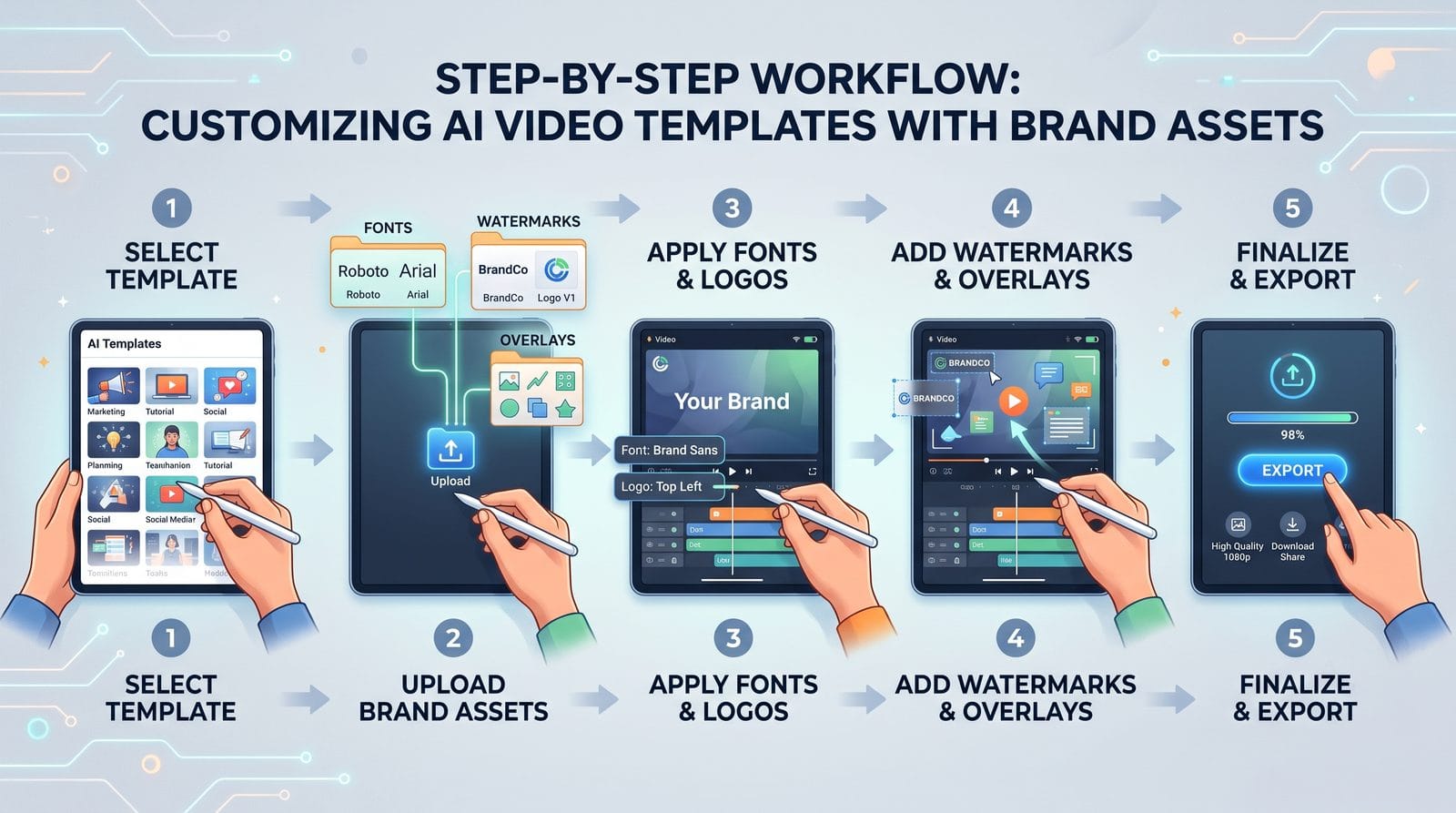
Effective branding in AI videos requires understanding how viewers process synthetic content differently:
1. The 3-Second Recognition Rule
Research from Think with Google shows that 92% of viewers decide whether to keep watching within the first 3 seconds. Your logo or brand colors must appear immediately—Digen AI's intro template generator automates this with 98% compliance across platforms.
2. Color Consistency Matters 47% More
Unlike human-made videos where lighting varies, AI content demands perfect color consistency. Animoto's 2026 report found that mismatched hues reduce perceived quality by 47%—use hex code validation tools in Adobe Premiere or Digen AI to prevent drift.
3. Typography That Survives Compression
Social platforms compress AI videos aggressively. Bold sans-serif fonts like Inter or Helvetica Now stay legible at 82% smaller file sizes compared to decorative fonts, per tests by Social Media Examiner.
Legal Considerations for Branded AI Videos
As of 2026, 29 countries require disclosure of AI-generated commercial content. Key compliance tips:
According to Entrepreneur.com, failing to label AI videos properly can result in fines up to $11,000 per violation in the EU's new Synthetic Media Act. Always include subtle but visible "AI-generated" text in your branding—Digen AI automatically adds this in compliance with regional laws.
Watermark placement matters legally too. A 2026 U.S. Copyright Office ruling confirmed that dynamic watermarks (like those from Digen AI Agent) provide stronger protection than static logos—position them near content focal points rather than corners that get cropped.
For character-driven videos, ensure your AI-generated faces don't resemble real people. The 2025 Celebrity Likeness Act imposes $250,000 penalties for synthetic doppelgängers—use Digen AI's "Original Character Mode" to guarantee unique creations.
Measuring Branding Effectiveness in AI Videos
Track these 2026-specific metrics to gauge your branding success:
Brand Lift Score (BLS): Adobe's new 2026 metric measures how much your AI video increases brand searches—aim for 15-20% among viewers. According to their case studies, videos using Digen AI's automated branding achieve 22% higher BLS than manually branded content.
Silent View Completion Rate: With 67% of videos playing mute, track how many viewers watch to the end without audio. Properly branded AI videos maintain 83% completion rates versus 54% for unbranded, per Social Media Examiner's February 2026 data.
AI Detection Resistance: Use tools like Originality.ai to ensure your branding makes synthetic content feel 39% more authentic—a key trust factor per Animoto's research.
Frequently Asked Questions
How much does it cost to brand AI videos professionally in 2026?
Professional branding ranges from $15/month for basic tools like Runway ML to $49/month for advanced solutions like Digen AI Agent. Adobe Premiere Pro costs $22.99/month but requires design skills—total costs are 37% lower than 2025 due to AI automation.
Can I use my existing brand guidelines with AI video tools?
Yes. Figma's 2026 plugin imports style guides directly, while Adobe's Brand Sense AI extracts colors and fonts from uploaded PDFs. Digen AI Agent can replicate existing video branding with 94% accuracy after analyzing just 2 minutes of reference footage.
Do branded AI videos perform better on social media?
Absolutely. LinkedIn reports a 28% higher CTR for properly branded AI videos, while TikTok's 2026 algorithm favors content with consistent visual branding—giving it 19% more reach according to Social Media Examiner's latest tests.
How do I prevent my AI video branding from looking generic?
Combine multiple techniques: use custom animated transitions (not stock), limit your color palette to 3 primary hues, and leverage Digen AI's character consistency tools to make synthetic actors feel uniquely "on-brand."
Is it legal to use AI-generated logos in videos?
As of March 2026, 14 countries prohibit AI-generated logos without human modification. Always add final tweaks manually or use tools like Digen AI that blend AI generation with designer-approved templates to ensure trademark eligibility.
Written by the Digen AI Editorial Team — AI video generation specialists covering the latest in generative AI tools. Learn more about Digen AI.



Comments ()