
How to Add AI Voiceover to Video: 2026 Step-by-Step Guide
To learn how to add AI voiceover to video in 2026, you simply need to upload your footage to an AI-enabled editor, input your script into the text-to-speech engine, and synchronize the generated audio with your timeline. Modern tools from Google, Microsoft, and Adobe now offer seamless integration, allowing you to generate high-fidelity, emotional narration without the need for external recording equipment.
Adding AI voiceover to video is the process of using synthetic speech technology to convert written scripts into spoken narration directly within a video editing environment. In 2026, this is primarily achieved through cloud-based platforms that utilize neural networks to mimic human prosody, tone, and emotion, significantly reducing production time for creators and advertisers.
- ✓ Seamless integration within major platforms like Google Performance Max and Microsoft Copilot.
- ✓ Real-time synchronization of audio scripts with visual timestamps.
- ✓ Access to diverse, multilingual voice libraries with emotional intelligence.
- ✓ Significant cost reduction compared to hiring traditional voice talent.
Step-by-Step Guide: How to Add AI Voiceover to Video
The landscape of video production has shifted dramatically as of 2026. With the release of advanced tools from major tech players, the process is more automated than ever. Whether you are creating a marketing campaign or a gaming highlight reel, the following steps will help you master the workflow.
- Prepare Your Script: Draft a concise script optimized for the pacing of your video. Ensure that you include cues for pauses or emphasis, which modern AI engines can now interpret through advanced punctuation.
- Select Your AI Voiceover Platform: Choose a tool based on your needs. For example, use Google’s built-in tools for ads, or Adobe’s AI audio suite for professional creative projects.
- Input Text and Choose a Voice: Paste your script into the text-to-speech (TTS) interface. Browse the library for a voice that matches your brand’s persona—ranging from professional and clinical to energetic and conversational.
- Adjust Pitch, Speed, and Emotion: Fine-tune the delivery. In 2026, most tools allow you to toggle "emotional states" like excitement, empathy, or urgency.
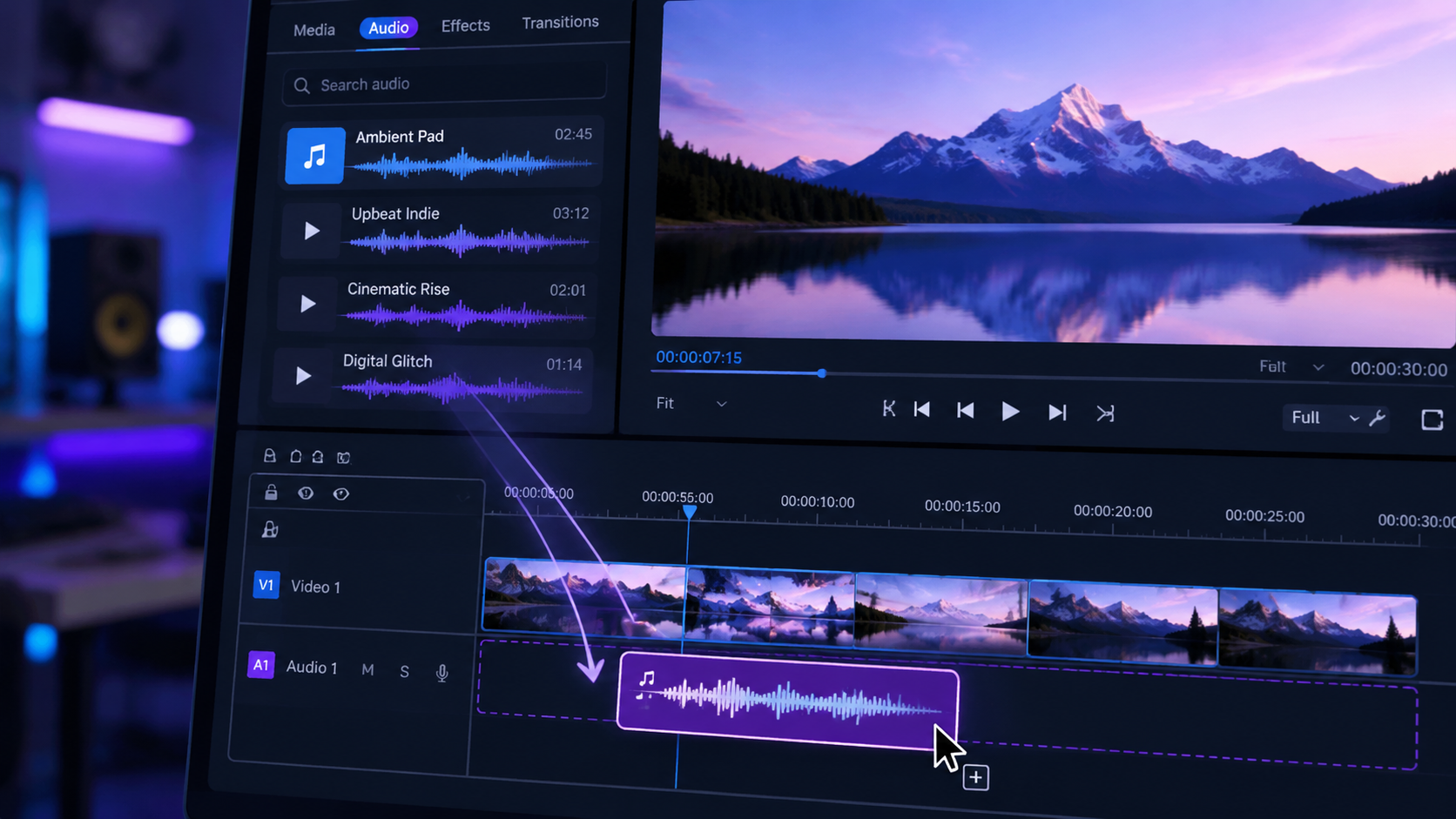
- Sync with Video Timeline: Align the generated audio files with your visual clips. Many platforms now offer "Auto-Sync" features that match the duration of the speech to the length of the scene.
- Export and Review: Listen to the final render to ensure the AI's pronunciation of technical terms or brand names is correct before publishing.
The Evolution of AI Voiceover Technology in 2026
As we navigate through 2026, the technology behind synthetic speech has moved beyond the "uncanny valley." According to eWeek, the latest generation of AI video generators now produces results that are nearly indistinguishable from human narration, thanks to massive leaps in transformer-based audio modeling. This evolution is not just about sound quality; it is about accessibility. Small businesses can now produce high-quality video content that was previously the sole domain of large agencies with massive budgets.
The integration of AI voiceover into the standard creative workflow has been accelerated by major software updates. For instance, Adobe’s new AI audio tools, released in late 2025, now allow users to add soundtracks and voice-overs to videos simultaneously, using the AI to balance the levels between background music and the spoken word automatically. This "smart ducking" ensures that the voiceover is always clear, regardless of the complexity of the audio environment.
The Rise of Performance Max Integration
Advertising has seen the most immediate impact. According to MediaPost, Google announced on March 10, 2026, that it is adding AI voice-overs directly to Performance Max video ads. This allows advertisers to turn static assets or silent video clips into fully narrated commercials with a single click. This feature is designed to increase conversion rates by making ads more engaging across YouTube and the Google Display Network.
Gaming and Real-Time Narration
The gaming industry has also embraced these advancements. MSN reports that Microsoft Copilot and AI voiceover tools have streamlined the 2026 gaming video workflow. Streamers and content creators can now use Copilot to summarize their gameplay and generate a narrated commentary in real-time, allowing for faster upload cycles and more consistent content production for platforms like Twitch and YouTube.
Comparing Top AI Voiceover Tools in 2026
With so many options available, choosing the right tool depends on your specific use case. Some platforms excel in marketing, while others are built for cinematic storytelling. The following table compares the leading solutions available in 2026.
| Platform | Primary Use Case | Key 2026 Feature | Ease of Use |
|---|---|---|---|
| Google Ads (PMax) | Digital Marketing | Automatic narration for ad assets | High (Automated) |
| Microsoft Copilot | Gaming & Productivity | Real-time gameplay commentary | High |
| Adobe Creative Cloud | Professional Editing | AI-driven soundtrack & voice sync | Moderate (Pro features) |
| Specialized TTS Apps | Storytelling/Audiobooks | Deep emotional modulation | Variable |
How to Add AI Voiceover to Video for Marketing
For marketers, the ability to iterate quickly is essential. When you understand how to add ai voiceover to video for your social media campaigns, you unlock the ability to A/B test different tones of voice without re-recording. A study by LA Progressive highlights that using AI voice generators for effective storytelling allows creators to localize content instantly, reaching global audiences in their native languages with localized accents.
Google’s recent rollout is a prime example of this efficiency. As noted by PPC Land, Google's AI voice-over is coming to Performance Max videos with a mandatory opt-out date of March 20, 2026. This move indicates that AI narration is becoming the default standard for digital advertising. Marketers who do not opt out will see their video assets automatically enhanced with high-quality AI voices, emphasizing the search engine's confidence in the technology's ability to drive engagement.
Customization and Control
While automation is a major draw, control remains vital for brand identity. Most 2026 platforms allow users to upload "Voice Skins" or brand-specific voice models. This ensures that while the voice is AI-generated, it maintains the unique sonic branding of the company. You can adjust the "breathiness," "warmth," and "authority" of the voice to ensure it resonates with your target demographic.
Advanced Techniques for Natural Sounding AI Audio
To truly excel at how to add ai voiceover to video, you must look beyond the default settings. The "robotic" stigma of the past is gone, but achieving a truly organic sound still requires a few professional touches. One technique is the use of "Phonetic Spelling." If an AI struggles with a specific brand name or industry jargon, spelling it out phonetically in the script editor can fix pronunciation issues instantly.
Another advanced method involves "Layered Emotion." In 2026, high-end AI audio tools allow you to highlight specific sentences and assign them different emotional weights. For example, you might want the introductory sentence to sound "Welcoming," while the call-to-action at the end should sound "Urgent." This level of granular control is what separates amateur content from professional-grade video production.
Integrating Soundtracks and Effects
Voiceover does not exist in a vacuum. As The Verge reported regarding Adobe's 2025/2026 updates, the synergy between AI voice and AI-generated soundtracks is the new frontier. When you add a voiceover, the software should automatically analyze the frequency of the voice and "carve out" space in the background music. This prevents the audio from sounding muddy and ensures that your message is always the focal point of the video.
Technical Requirements and Best Practices
Before you begin the process of learning how to add ai voiceover to video, ensure your hardware and software are up to date. While much of the processing happens in the cloud, a stable internet connection is required for real-time rendering. Furthermore, always export your audio in high-fidelity formats like WAV or 32-bit float to maintain clarity during the final video compression stage.
It is also important to consider the ethical implications and disclosure. Many platforms in 2026 now include metadata tags that identify the audio as AI-generated. This transparency builds trust with your audience and ensures compliance with evolving digital content regulations. According to industry experts, viewers in 2026 are generally accepting of AI voices, provided the content remains valuable and the audio quality is high.
Frequently Asked Questions
Is AI voiceover better than human voiceover in 2026?
While human voiceover offers unmatched nuance for high-stakes creative projects, AI voiceover is superior for speed, cost-efficiency, and scalability. In 2026, the quality gap has narrowed significantly, making AI the preferred choice for most digital marketing and social media content.
Can I use AI voiceover for YouTube monetization?
Yes, YouTube allows monetized content to feature AI voiceovers, provided the content is original and provides value. In 2026, YouTube’s algorithms are highly sophisticated at identifying high-quality synthetic speech versus low-effort spam, so focus on quality scripts.
How do I make my AI voiceover sound more human?
Use the "Emotional Tagging" features available in modern editors to vary the tone. Additionally, inserting small "natural" pauses (0.2 to 0.5 seconds) between key points can mimic human breathing patterns and improve the overall flow of the narration.
Do I need to pay for a separate AI voice generator?
Not necessarily. Many major video editing suites like Adobe Premiere and marketing platforms like Google Ads now include high-quality AI voiceover tools as part of their standard subscription or service offering as of 2026.
What is the "opt-out" date for Google's AI voiceover?
According to recent reports from PPC Land, advertisers using Google Performance Max have until March 20, 2026, to opt out of the automatic AI voice-over feature if they prefer to use their own audio assets.
Conclusion
Learning how to add ai voiceover to video is no longer a niche skill—it is a fundamental requirement for content creators in 2026. By leveraging the power of tools from Google, Microsoft, and Adobe, you can produce professional-grade videos with compelling narration in a fraction of the time it used to take. As the technology continues to evolve, the focus will shift from "how" to generate the voice to "how" to best use it to tell impactful stories and drive results.



Comments ()