
Gemini Omni AI Video 2026: Future of Generative Content
Gemini Omni AI Video is Google's latest multimodal generative model that can produce video content from any input type—text, image, audio, or video—using an "any-to-any" architecture unveiled at Google I/O 2026. Unlike previous models that required a specific input format, Omni Video accepts a mix of modalities simultaneously and outputs a coherent, context-aware video clip. This breakthrough, first demonstrated in early demos from May 2026, marks the beginning of a new era where creators and enterprises can generate rich video content from virtually any source material.
Gemini Omni AI Video is a generative model developed by Google that allows users to input any combination of text, images, audio, and existing video clips to produce a unified video output. It is part of the broader Gemini Omni "any-to-any" framework, which was officially introduced alongside Gemini 3.5 at Google I/O 2026 and has already been integrated into YouTube Shorts through the "Ask YouTube" feature.
- ✓ Gemini Omni AI Video can generate video from any input type (text, image, audio, video) using an "any-to-any" approach.
- ✓ It was officially debuted at Google I/O 2026, with nine live demos published on Google's blog on May 29, 2026.
- ✓ YouTube integrated Gemini Omni into Shorts via the "Ask YouTube" conversational search feature, announced May 19, 2026.
- ✓ The model is built on a world model that understands physics, scene composition, and temporal coherence for realistic outputs.
- ✓ Enterprise adoption is expected to accelerate content creation, marketing, and training video production.
What Is Gemini Omni AI Video?
Gemini Omni AI Video is the video-generation component of Google’s latest multimodal AI family, first demonstrated in early demos by 9to5Google on May 11, 2026, and officially launched at Google I/O on May 19, 2026. According to Engadget, the model can "generate anything from any input, starting with video," meaning users can feed it a combination of text prompts, still images, audio clips, or even short video snippets, and the model synthesizes a new video that respects the content and style of each input.
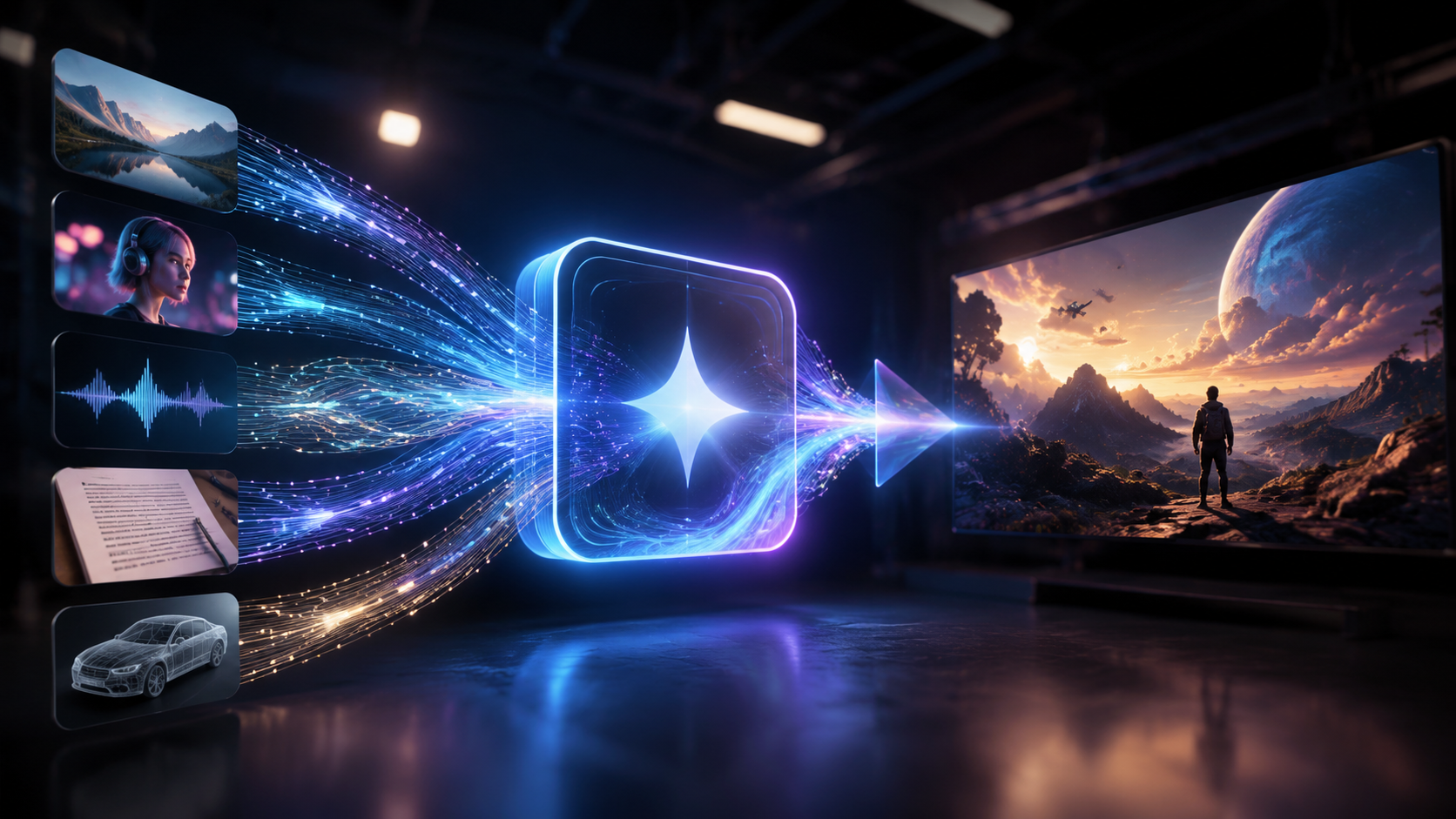
The key innovation lies in the "any-to-any" architecture. Unlike earlier video generators that required a single text prompt, Omni Video processes multiple modal inputs in parallel and fuses them into a coherent timeline. For example, a user could upload a photo of a city skyline, a voice recording describing a sunset, and a text instruction to add moving clouds; Gemini Omni would create a video matching all three cues. VentureBeat reported that Google positioned this model as a transformative tool for enterprises, enabling dynamic video creation without specialized editing skills.
Key Features and Capabilities
Any-to-Any Generation
The standout feature is the ability to accept and combine inputs of any type. According to Mashable, Google's new Omni world model allows the AI to "understand the world" by reasoning about physics, lighting, and object interactions. This means the generated videos are not just interpolated frames but adhere to realistic motion and scene transitions. The model can also upscale low-resolution video or fill in missing frames when given incomplete source material.
Integration with YouTube and Shorts
On May 19, 2026, TechCrunch reported that the "Ask YouTube" feature now uses Gemini Omni for conversational video search and also adds Omni generation capabilities to YouTube Shorts. Creators can describe a short video concept in natural language, and Omni will produce a Shorts-ready clip that matches the description. This integration makes generative video creation accessible to millions of YouTube creators without requiring technical expertise.
Demo Showcase from Google
Google published nine detailed demos of Gemini Omni and Gemini 3.5 on its official blog on May 29, 2026. Among the demos were: generating a cooking tutorial video from a recipe text and photos of ingredients; turning a podcast audio into an animated video with lip-synced characters; and creating a travel montage from mixed holiday photos and music. These demos highlighted the model's versatility and low latency—most video outputs were generated in under 30 seconds.
| Feature | Gemini Omni AI Video | Gemini 3.5 (Video Module) |
|---|---|---|
| Input modalities | Text, image, audio, video (any combination) | Text and image only (no audio/video input) |
| Output resolution | Up to 1080p at 30 fps | 720p at 24 fps |
| World model reasoning | Yes (physics, lighting, occlusion) | Limited (basic scene layout) |
| YouTube Shorts integration | Native (via "Ask YouTube") | Not available |
| Generation speed | 10–30 seconds for 10-second clip | 45–90 seconds |
| Enterprise API availability | Pilot program announced (pricing not disclosed) | Public GA |
How to Use Gemini Omni AI Video (Step-by-Step)
Using generative video models can feel complex, but Gemini Omni streamlines the process. Here is a simple step-by-step guide based on Google's demos and reports:
- Gather your inputs – Collect the text description, images, audio, or any existing video clips you want the final video to include. For best results, ensure high-quality source material (e.g., clear images, crisp audio).
- Access the interface – Gemini Omni is available through Google's AI Studio, the YouTube Creator portal (for Shorts), and via the enterprise API. Choose the platform that fits your workflow.
- Combine inputs in a single prompt – In the interface, upload your media files and write a text instruction describing the desired output (e.g., "Create a 15-second promo video from these product photos with a calm voiceover").
- Select output parameters – Choose resolution, duration (typically up to 60 seconds for free tier), and style preferences (realistic, animated, cinematic).
- Generate and refine – Click "Generate" and wait 10–30 seconds for the first draft. You can provide feedback or modify inputs to refine the video. According to Google's demo blog, the model supports iterative editing by accepting new input on top of the previous output.
This workflow allows anyone from a solo creator to a marketing team to produce high-quality video content in minutes instead of hours.
Real-World Applications and Enterprise Impact
VentureBeat's analysis on May 19, 2026, emphasized that Gemini Omni's "any-to-any" nature is particularly valuable for enterprises that need to repurpose content across formats. For example, a training department could convert a PDF manual (text) and a recorded lecture (audio) into a short instructional video with animated diagrams. Marketing teams can combine product photos, brand music, and a script to generate multiple ad variants for A/B testing.
Another major application is accessibility. Users who are blind or have low vision can describe a scene verbally, upload a descriptive audio file, and Gemini Omni will generate a matching visual video. Google's I/O presentation also highlighted use cases in education, where teachers can input lesson notes and images to create engaging video summaries for students.
According to the 9 demos published by Google, the model also excels at "video interpolation"—filling gaps between frames in slow-motion or time-lapse footage. This is a boon for filmmakers and archivists who want to increase frame rates without re-shooting. The early adoption by enterprise customers (as noted by VentureBeat) suggests that Omni will become a standard tool in content production pipelines within the next 12 months.
The Future of Generative Content with Gemini Omni
The release of Gemini Omni AI Video signals a shift from text-to-video to truly multimodal generation. Its world model, which understands how objects move and interact, opens doors to interactive video creation—where a user could edit a video in real time by speaking new instructions. The integration with YouTube's "Ask YouTube" feature, reported by TechCrunch, hints at a future where search results return AI-generated video summaries tailored to a user's question.
Google's own blog (May 29, 2026) showcased a demo where Omni generated a video from a single still image plus a text description of a sound effect, proving that "any input" literally means any combination. As the model matures, we can expect higher resolutions (4K), longer durations, and real-time generation. Enterprises, in particular, will benefit from reduced production costs and accelerated time-to-market for video content. While pricing details remain unofficial, the VentureBeat report speculated that Google will offer a tiered API model with pay-per-second rates, aligning with enterprise budgets.
Frequently Asked Questions
What exactly is Gemini Omni AI Video?
Gemini Omni AI Video is a generative model from Google that creates video content from any combination of text, images, audio, and existing video clips. It uses an "any-to-any" architecture and was unveiled at Google I/O 2026 with nine public demos.
How is Gemini Omni different from other video generators?
Unlike most video generators that require a single input type (usually text), Gemini Omni accepts multiple modalities at once and merges them into one output. It also includes a world model that ensures realistic physics and scene coherence.
When was Gemini Omni AI Video released?
Google debuted the model at Google I/O on May 19, 2026, and early demos appeared on May 11, 2026 via 9to5Google. A detailed demo showcase was published on Google's blog on May 29, 2026.
Can I use Gemini Omni AI Video on YouTube?
Yes. TechCrunch reported on May 19, 2026 that YouTube's "Ask YouTube" feature, powered by Gemini Omni, now allows creators to generate Shorts directly from conversational queries or mixed media inputs.
Is Gemini Omni AI Video available for businesses?
VentureBeat confirmed that Google unveiled an enterprise API as part of the Omni launch. A pilot program started in May 2026, and while pricing has not been publicly disclosed, the model is designed for content creation, marketing, and training workflows.
What input formats does Gemini Omni support?
According to Engadget and Google's demos, it supports text, images (JPEG/PNG), audio (MP3/WAV), and video (MP4). Users can combine any of these in a single generation request.
How long does it take to generate a video?
Google's demos showed generation times of 10–30 seconds for a 10-second clip. Longer or higher-resolution videos may take up to a minute, depending on input complexity.



Comments ()