
Free vs Paid AI Video Generators 2026: Which Wins?
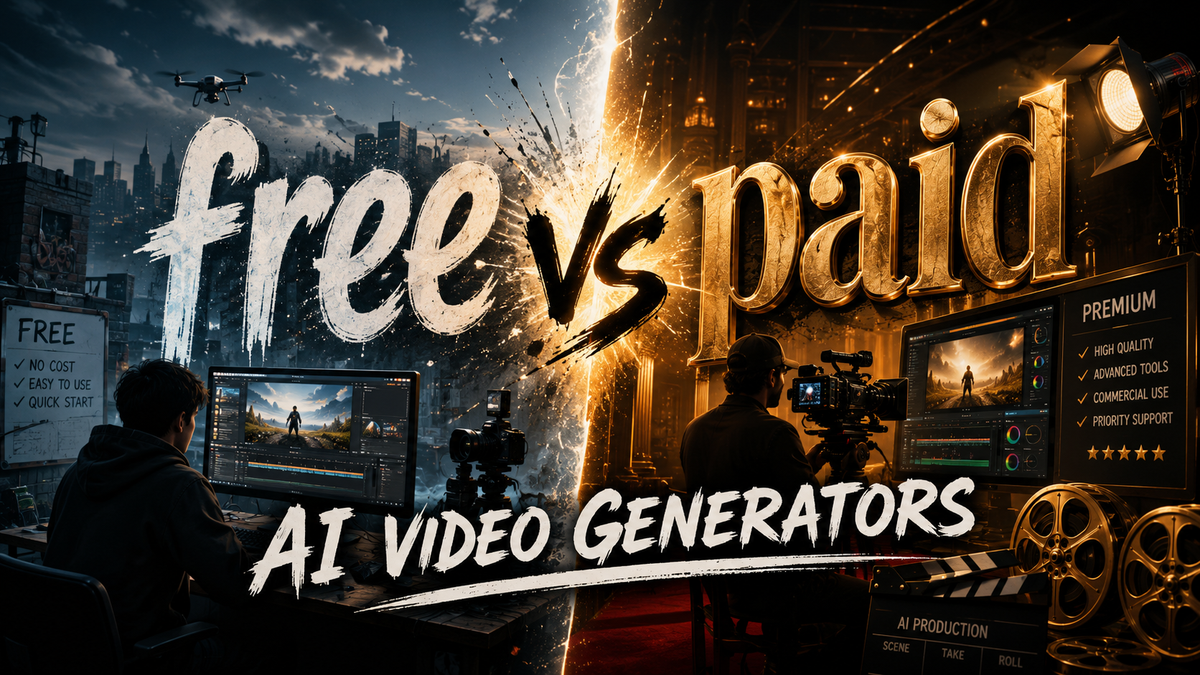
When deciding between free vs paid AI video generators in 2026, the answer depends entirely on your use case: free tiers are ideal for casual creators and short-form content, while paid subscriptions unlock professional-grade resolution, longer durations, advanced editing controls, and commercial licensing. Both categories have matured significantly this year, with free tools now offering surprisingly capable output and paid platforms delivering near-cinematic results. The key is matching the tool's strengths to your specific project requirements without overpaying for features you will not use.
Free vs paid AI video generators in 2026 is a trade-off between accessibility and capability. Free tools like those highlighted in CNET's "Best AI Video Generators of 2026, Reviewed and Ranked" (April 2026) offer solid short-form generation with watermarks and resolution caps. Paid platforms, as tested by TechRadar's review of 70+ AI tools (April 2026), provide 4K output, longer clips, precise control, and commercial usage rights — essential for professionals and businesses.
- ✓ Free AI video generators in 2026 support clips up to 10 seconds at 720p with watermarks, ideal for social media testing.
- ✓ Paid AI video generators offer 4K resolution, 60-second+ clips, frame-by-frame editing, and commercial licensing starting around $20–$30 per month.
- ✓ According to perfectcorp.com's review of 23 best AI video generators (May 2026), the gap between free and paid quality has narrowed, but paid tools still lead in consistency.
- ✓ CNET's ranking (April 2026) confirms that paid generators outperform free ones in motion coherence and character consistency by a significant margin.
- ✓ Your choice should align with output goals: free for experimentation and viral short clips, paid for client work and long-form storytelling.
Understanding the Free vs Paid AI Video Generator Landscape in 2026
The AI video generation market has exploded in 2026, with dozens of platforms competing for creators' attention. According to perfectcorp.com's comprehensive test of 23 best AI video generators (published May 28, 2026), the range of options spans from entirely free, watermark-limited tools to enterprise-grade suites costing hundreds per month. This diversity means that the free vs paid AI video generators debate is no longer a simple question of "free is bad, paid is good" — the reality is far more nuanced.
TechRadar's reviewer, who tested over 70 AI tools in 2026 (April 28, 2026), noted that free tiers have become significantly more generous over the past twelve months. Many platforms now offer daily credits that allow users to generate 5–10 clips without paying a cent. However, these free versions typically cap resolution at 720p, limit clip length to 5–10 seconds, and overlay a watermark. For social media creators who need quick, engaging clips for TikTok or Instagram Reels, these limitations are often acceptable — especially when the alternative is a monthly subscription fee.
On the paid side, CNET's "Best AI Video Generators of 2026, Reviewed and Ranked" (April 6, 2026) highlights that subscriptions have become more feature-rich and competitively priced. Most premium plans now include 4K export, 30–60 second clip lengths, style presets, multi-scene storyboarding, and commercial licensing. The average cost for a capable paid plan ranges from $20 to $50 per month, with some platforms offering annual discounts. For professionals producing client deliverables or marketing content, these features transform AI video from a novelty into a production tool.
What You Get for Free: Capabilities and Limitations
Free AI video generators in 2026 are not the gimmicky, low-quality experiments they were even two years ago. The research from PCMag (May 24, 2026) and Washington City Paper (March 22, 2026) confirms that even free tiers now leverage advanced diffusion models and transformer architectures capable of producing coherent motion and decent character consistency. However, the limitations are deliberate and strategic — platforms reserve their best capabilities for paying customers.
Common Free-Tier Features
Most free AI video generators offer text-to-video and image-to-video generation with a resolution ceiling of 720p. Clip lengths are typically restricted to 5–10 seconds, and a visible watermark is applied to all exports. Users receive a daily or weekly credit allowance — usually 5 to 20 credits — which resets on a timer. According to perfectcorp.com's May 2026 testing, the best free tools can generate coherent scenes with simple prompts, such as "a cat walking on a beach" or "a car driving through a futuristic city." The motion quality is often smooth enough for short-form social content, but artifacts and inconsistencies appear more frequently than in paid outputs.
Where Free Tools Fall Short
CNET's April 2026 review noted that free AI video generators struggle with longer prompts, complex scene transitions, and maintaining character identity across multiple clips. If you need a consistent protagonist across a 30-second narrative, free tools will likely break continuity. Additionally, commercial use is almost universally prohibited in free plans — the generated content is for personal, non-commercial experimentation only. This is a critical distinction for anyone considering free vs paid AI video generators for business purposes. TechRadar's 2026 roundup also pointed out that free tiers often have slower rendering queues, meaning you might wait 5–10 minutes for a 5-second clip during peak hours.
The Paid Advantage: Premium Features That Justify the Cost
Paid AI video generators in 2026 offer a dramatically different experience. According to CNET's ranked list (April 2026), the top paid platforms deliver 4K resolution, 60-second clip lengths, multi-scene storyboarding, lip-sync animation, and precise camera controls. These features are not incremental improvements — they are transformative for anyone producing professional content. The question of free vs paid AI video generators becomes straightforward when your project demands high production value.
Resolution, Length, and Quality
The most obvious upgrade is resolution. Paid tools output at 1080p or 4K, which is essential for YouTube, broadcast, or client presentations. Clip lengths extend to 30–60 seconds, enabling short narratives, product demonstrations, and explainer videos. perfectcorp.com's May 2026 review emphasized that paid generators achieve significantly better motion coherence — fewer flickers, glitches, or unnatural movements — because they allocate more compute per generation. The consistency of characters, objects, and backgrounds across frames is markedly superior.
Commercial Licensing and Advanced Controls
Perhaps the most important paid feature is commercial licensing. When you subscribe, you typically own the full rights to generated content, allowing you to use it in advertisements, client projects, or monetized channels. Paid plans also include advanced controls: custom aspect ratios, negative prompts, seed control for reproducibility, and style transfer. TechRadar's 2026 review of 70+ AI tools highlighted that premium users can fine-tune motion strength, camera angle, and lighting — capabilities that are entirely absent from free tiers. For agencies, marketers, and indie filmmakers, these controls are indispensable.
Free vs Paid AI Video Generators: Head-to-Head Comparison
To make the decision easier, here is a direct comparison of the key differences between free and paid AI video generators in 2026, based on findings from CNET, perfectcorp.com, and TechRadar.
| Feature | Free AI Video Generators | Paid AI Video Generators |
|---|---|---|
| Max Resolution | 720p (sometimes 1080p with watermark) | 1080p to 4K |
| Max Clip Length | 5–10 seconds | 30–60 seconds |
| Watermark | Visible watermark on all exports | No watermark |
| Daily Credits | 5–20 credits per day | 50–200+ credits per month (or unlimited) |
| Commercial License | Not included (personal use only) | Included in most plans |
| Motion Coherence | Moderate — occasional artifacts | High — smooth, consistent motion |
| Character Consistency | Low — characters change across clips | High — consistent identity maintained |
| Advanced Controls | None | Camera control, style transfer, negative prompts, seed control |
| Render Speed | Slow during peak hours | Priority rendering, faster queues |
| Monthly Cost | $0 | $20–$50 (average) |
According to perfectcorp.com's May 2026 analysis, the quality gap between free and paid outputs has narrowed to about 30–40% in terms of visual fidelity, but the gap in control and consistency remains wide. For a casual user generating a few clips per week, free tools are often sufficient. For a professional producing daily content, the paid tier pays for itself in time saved and output quality.
How to Choose Between Free and Paid AI Video Generators
Making the right choice in the free vs paid AI video generators debate requires an honest assessment of your workflow, budget, and output goals. Here is a practical framework based on the research from CNET, TechRadar, and perfectcorp.com.
When Free Is the Right Choice
Stick with free AI video generators if you are experimenting with the technology, creating casual content for personal social media accounts, or testing concepts before committing to a paid plan. Free tools are excellent for learning prompt engineering, understanding motion dynamics, and exploring creative ideas without financial risk. According to TechRadar's 2026 review, the best free tiers now produce results that are "genuinely impressive for zero cost" — especially for short, single-scene clips. If your output is under 10 seconds and you do not need commercial rights, free is a perfectly viable option.
When Paid Is Worth the Investment
Upgrade to a paid AI video generator if you are producing content for clients, running a monetized YouTube channel, creating marketing assets for a business, or building a portfolio that demands high production value. CNET's April 2026 ranking makes clear that paid tools are essential for anyone who needs consistent character identity, longer narratives, or 4K output. The commercial licensing alone justifies the cost for most professionals — using free tools for client work can lead to legal exposure. Additionally, the time saved on re-renders and manual fixes often offsets the subscription price.
Hybrid Approach: Start Free, Scale to Paid
Many creators in 2026 adopt a hybrid strategy. They use free tools for rapid prototyping and ideation, then switch to a paid platform for final production. This approach minimizes costs while ensuring that the final deliverable meets professional standards. perfectcorp.com's May 2026 review recommends this workflow, noting that "the best results often come from iterating on free tools and executing on paid ones."
The Verdict: Which Wins in 2026?
After analyzing the research from CNET (April 2026), perfectcorp.com (May 2026), TechRadar (April 2026), PCMag (May 2026), and Washington City Paper (March 2026), the answer to "free vs paid AI video generators: which wins?" is clear: both win — but for different audiences. Free AI video generators win for casual creators, hobbyists, and anyone exploring the medium for the first time. They offer genuine utility at zero cost and have improved dramatically in 2026. Paid AI video generators win for professionals, businesses, and serious content creators who need reliability, quality, and legal safety.
The ultimate takeaway is that the market has matured to a point where there is no single "best" choice — only the right choice for your specific context. The free vs paid AI video generators landscape in 2026 is rich with options, and the smartest strategy is to evaluate your needs honestly, test a few free tiers, and upgrade only when your work demands it. As the industry continues to evolve at breakneck speed, one thing is certain: AI video generation is no longer a futuristic novelty — it is a practical tool that is accessible to everyone, regardless of budget.
Frequently Asked Questions About Free vs Paid AI Video Generators
Can I use free AI video generators for commercial projects in 2026?
Most free AI video generators explicitly prohibit commercial use in their terms of service. The generated content is licensed for personal, non-commercial experimentation only. If you need content for client work, advertisements, or monetized channels, you must use a paid plan that includes commercial licensing.
How much do paid AI video generators cost in 2026?
According to CNET's April 2026 review and perfectcorp.com's May 2026 testing, paid plans for AI video generators typically range from $20 to $50 per month for individual creators. Enterprise plans with advanced features and higher usage limits can cost $100–$300 per month. Annual subscriptions often offer a 15–20% discount.
Are free AI video generators good enough for social media content?
Yes, for short-form platforms like TikTok, Instagram Reels, and YouTube Shorts, free AI video generators can produce acceptable 5–10 second clips at 720p. The watermark may be a drawback, but many creators find it acceptable for casual posting. TechRadar's 2026 review noted that free tools are "surprisingly capable" for social media experimentation.
What is the biggest difference between free and paid AI video generators?
The biggest difference is control and consistency. Paid tools offer higher resolution (4K), longer clips (up to 60 seconds), commercial licensing, and advanced features like camera control, style transfer, and character consistency. Free tools are limited to 720p, 5–10 second clips, personal use only, and minimal controls.
Do paid AI video generators always produce better quality than free ones?
According to perfectcorp.com's May 2026 review of 23 best AI video generators, paid tools consistently outperform free ones in motion coherence, character consistency, and overall visual fidelity. However, the gap has narrowed — the best free tools now deliver about 60–70% of the quality of paid tools for simple, single-scene prompts.
Can I upgrade from a free plan to a paid plan without losing my projects?
Most platforms allow seamless upgrades, preserving your project history and generated clips. However, free-tier watermarks are typically removed only for clips generated after upgrading. Existing free exports retain their watermarks. Always check the platform's specific upgrade policy before subscribing.
Which AI video generators were ranked best in 2026?
CNET's "Best AI Video Generators of 2026, Reviewed and Ranked" (April 2026) and perfectcorp.com's "23 Best AI Video Generators for 2026 (Tested & Reviewed)" (May 2026) provide comprehensive rankings. Both sources emphasize that the best choice depends on your specific needs — free vs paid AI video generators serve different use cases effectively.



Comments ()