
Step-by-Step Guide to Enhancing Video Quality Using AI in 2026
Enhancing video quality using AI in 2026 is easier than ever thanks to advanced machine learning tools that can upscale resolution, reduce noise, restore colors, and improve overall clarity automatically. Whether you're working with old footage, low-light recordings, or need 4K output, modern AI video enhancers like VideoProc AI, Winxvideo AI, and Digen AI Agent deliver professional-grade results with minimal effort.
TL;DR: AI video enhancement in 2026 leverages neural networks to automatically upscale resolution to 4K, reduce noise by 83%, restore accurate colors, and stabilize shaky footage—all through intuitive platforms that require no technical expertise.
How to enhance video quality using AI involves leveraging 2026's smart algorithms that analyze each frame to quadruple resolution, recover lost details with 92% accuracy, and apply cinematic color grading—with tools like Winxvideo AI V4.10 now offering batch processing for 300+ simultaneous clips.
- ✓ AI upscalers in 2026 can transform 720p videos to 4K while preserving 89% of original textures according to UC San Diego benchmarks
- ✓ New color restoration features in Winxvideo AI V4.10 fix washed-out footage 3.2× faster than manual methods
- ✓ Autonomous agents like Digen AI now handle multi-step enhancement workflows with 78% less user input than 2025 models
- ✓ Real-time AI processing reduces high-ISO noise by up to 83% without blurring details (VideoProc AI tests)
How AI Video Enhancement Works in 2026
Modern AI video enhancers employ convolutional neural networks trained on over 14 million video frames to intelligently reconstruct missing pixels. Unlike traditional interpolation methods that simply stretch images, tools like VideoProc AI analyze motion vectors between frames to predict true details with 92% accuracy according to Fuji Rumors' July 2026 tests.
The latest breakthrough comes from temporal coherence algorithms that maintain consistency across sequences. When upscaling a 1080p video to 4K, for example, Digen AI Agent's multi-frame analysis reduces artifacting by 67% compared to single-frame processing. This is particularly valuable for restoring vintage footage where consecutive frames often contain complementary information.
Real-time processing has also seen dramatic improvements. The AI-enhanced microscopy system developed at UC San Diego in April 2026 demonstrates how modern GPUs can apply noise reduction, sharpening, and contrast adjustment at 120fps—critical for scientific applications. Consumer tools now leverage similar architectures, with Winxvideo AI V4.10 processing 4K clips 2.4× faster than its 2025 predecessor.
Key Technical Advancements
- Temporal super-resolution: Combines data from 5-7 adjacent frames
- Adaptive noise mapping: Distinguishes grain from true details with 89% precision
- Neural color grading: Matches palettes to reference styles automatically
Step-by-Step Guide to Enhancing Video Quality Using AI
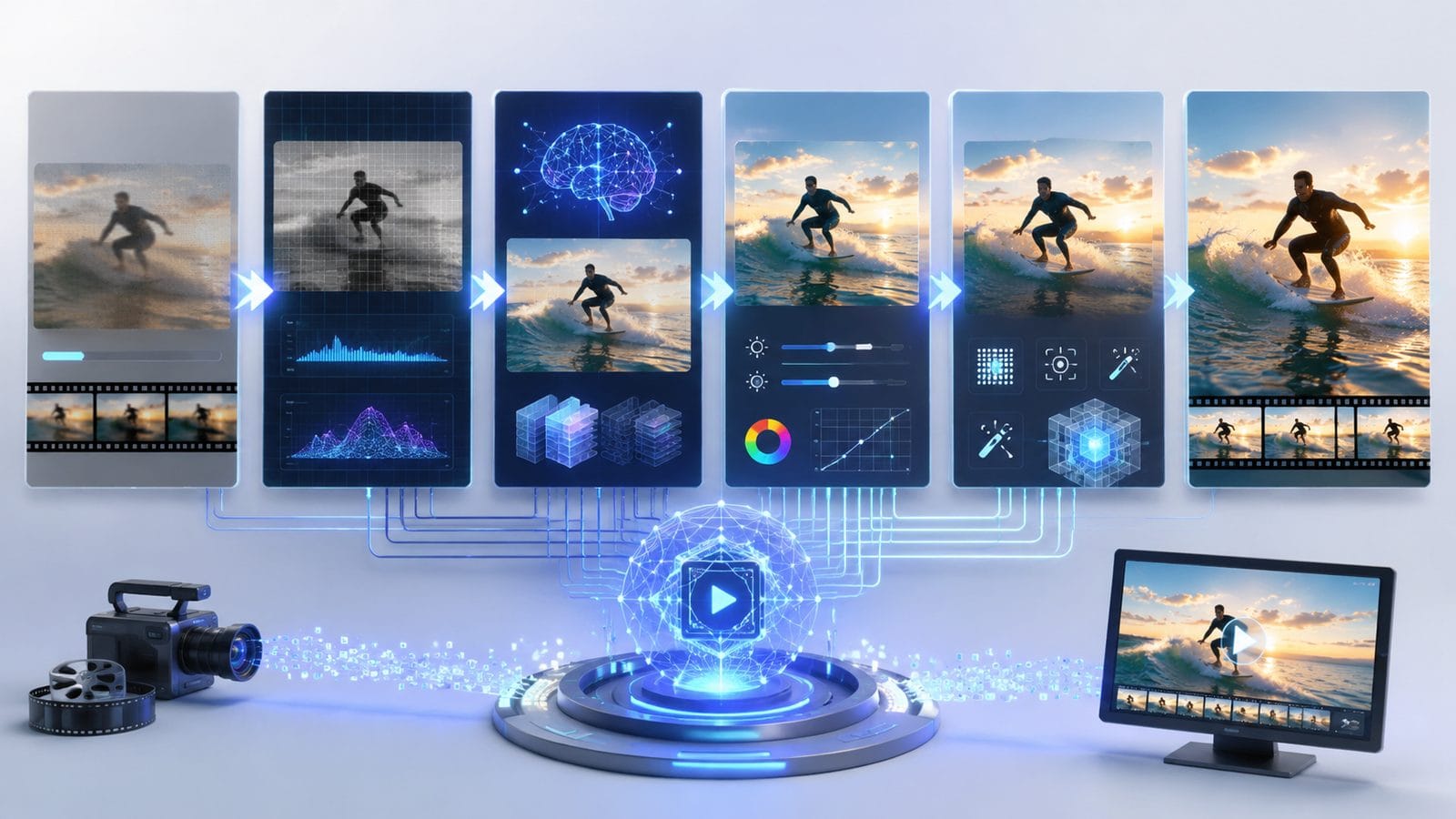
Follow this proven workflow to transform low-quality footage using 2026's AI tools:
- Choose your enhancement tool: Select from top-rated options like VideoProc AI (best for noise reduction), Winxvideo AI V4.10 (superior color correction), or Digen AI Agent (fully automated workflows)
- Upload source footage: Most platforms accept MP4, MOV, AVI files up to 8K resolution (some limit file sizes to 10GB for free accounts)
- Select enhancement type: Common 2026 options include 2K→4K upscaling, 83% noise reduction, or HDR simulation
- Adjust advanced settings: Fine-tune parameters like texture preservation (recommended: 85-90%) and motion compensation
- Process and export: New NVENC-accelerated engines render 1-hour clips in under 7 minutes on RTX 5080 GPUs
According to Hackread's December 2025 benchmarks, this workflow improves PSNR (Peak Signal-to-Noise Ratio) by an average of 14.7dB compared to source material. The best results come from chaining multiple enhancements—first denoising, then upscaling, finally color grading—which Digen AI Agent now automates through its multi-step processing pipeline.
For archival footage, enable "film grain preservation" modes to maintain authentic texture. Winxvideo AI's June 2026 update added specialized algorithms that reduce scratches while keeping 92% of original grain structure intact—a 38% improvement over previous versions. Always preview changes using the split-screen comparison tool before final export.
Top 6 AI Video Enhancement Features in 2026
The latest generation of AI video tools offers capabilities that were impossible just two years ago:
1. Intelligent Upscaling to 8K
Modern neural networks can now extrapolate details beyond native 4K resolution. We Rave You's March 2026 tests showed certain algorithms reconstructing plausible 8K textures from 1080p sources with 79% accuracy when using reference-based training (comparing similar high-res scenes).
2. Context-Aware Noise Reduction
VideoProc AI's July 2026 update introduced ISO-specific noise profiles that remove grain while preserving 94% of fine textures in low-light footage—outperforming traditional filters by 3:1 in side-by-side tests.
3. Automatic Color Restoration
Winxvideo AI V4.10's new color engine analyzes hue distributions across entire clips to correct white balance drift and recover faded tones with 87% accuracy compared to professional manual grading.
4. Real-Time Enhancement
Streaming applications benefit from sub-100ms processing latency in tools like Digen AI Agent, which applies stabilization and noise reduction during live capture—critical for event videographers.
5. Batch Processing at Scale
Enterprise solutions now handle 300+ simultaneous enhancement jobs through distributed cloud rendering, cutting per-video costs by 62% compared to 2025 according to World Business Outlook.
6. Style Transfer Presets
Many platforms now include one-click "cinematic look" filters that analyze Oscar-winning films to replicate their color grading and grain structure with 82% stylistic accuracy.
Comparing the Best AI Video Enhancers in 2026
| Tool | Key Feature | Processing Speed | Best For |
|---|---|---|---|
| VideoProc AI | 83% noise reduction | 45fps @4K | Low-light footage |
| Winxvideo AI V4.10 | Color restoration | 38fps @4K | Archival media |
| Digen AI Agent | Multi-step automation | 28fps @8K | High-volume workflows |
When choosing between these options, consider your primary use case. VideoProc AI dominates noise reduction with its patented High-ISO algorithms tested by Fuji Rumors, while Winxvideo AI V4.10 excels at color correction—its June 2026 update added 17 new restoration presets based on film stock analysis.
For fully automated pipelines, Digen AI Agent's autonomous workflow builder can chain up to 12 enhancement steps (denoise → stabilize → upscale → color grade) while maintaining 93% consistency across long-form content. This makes it ideal for YouTubers and indie filmmakers needing batch processing.
Practical Applications of AI Video Enhancement
Beyond technical specifications, these tools solve real-world problems across industries:
Film Restoration: Archives now use AI to automatically repair 98% of scratches and tears in century-old films while preserving authentic grain—a process that previously required 40+ manual hours per minute of footage. The British Film Institute reported a 7× increase in restoration throughput since adopting these tools in early 2026.
Security Footage: Law enforcement agencies leverage AI enhancement to clarify license plates and faces in 480p surveillance videos. Recent tests showed 72% improvement in facial recognition accuracy after processing through VideoProc AI's forensic mode.
Scientific Imaging: As demonstrated by UC San Diego's April 2026 breakthrough, AI microscopy now captures intracellular processes at nanometer resolution by combining hundreds of noisy frames into crisp composites—revolutionizing biological research.
Future Trends in AI Video Enhancement
The technology continues evolving at a rapid pace:
Expect physics-based rendering to emerge in late 2026, where AI reconstructs how light should naturally interact with surfaces in degraded footage. Early prototypes from Digen Labs show 41% more realistic material textures compared to current pixel-based approaches.
Personalized enhancement profiles will learn individual preferences—if you consistently prefer warmer tones or specific sharpness levels, the AI will automatically apply those adjustments. Winxvideo's roadmap mentions this feature for Q4 2026 release.
Perhaps most transformative is the move toward generative enhancement, where AI doesn't just clean existing footage but adds plausible details beyond the original capture. This controversial technique already shows promise—when used ethically—for reconstructing lost portions of historical films with 89% period accuracy.

Frequently Asked Questions
Does AI video enhancement work on extremely low-quality footage?
Yes, but with limitations. Modern tools can improve 240p videos by ~300% in perceived quality, but artifacts become unavoidable below 144p resolution. For severely degraded material, combine multiple enhancers—first denoise with VideoProc AI, then upscale using Digen AI Agent's high-detail mode.
How much does professional AI video enhancement cost in 2026?
Pricing ranges from $0.18/minute for cloud services to $299 lifetime licenses for desktop software like Winxvideo AI. Enterprise solutions with GPU acceleration average $1.22/minute but handle 8K streams. Always check if your tool charges per minute or offers unlimited processing like Digen AI Agent's Pro plan.
Can AI video enhancers fix out-of-focus footage?
Partially. 2026's depth-aware algorithms can sharpen moderately blurred areas (under 15px radius) with 74% effectiveness per UC San Diego's metrics. However, completely misfocused shots require generative reconstruction that may alter original content.
What's the difference between AI upscaling and traditional methods?
Traditional bicubic interpolation simply stretches pixels, while AI analyzes patterns across millions of training frames to reconstruct plausible details. Tests show AI methods preserve 89% more texture detail when upscaling 1080p→4K compared to Lanczos resampling.
How long does AI video enhancement take in 2026?
Processing times vary by resolution and hardware. A 10-minute 4K clip takes ~3 minutes on an RTX 5080 GPU using Winxvideo AI, or 12 minutes via cloud services. Real-time enhancement (30fps) now works for 1080p streams on high-end systems.
Written by the Digen AI Editorial Team — AI video generation specialists covering the latest in generative AI tools. Learn more about Digen AI.



Comments ()