
Create Videos with Text to AI in 2026: Ultimate Guide

To create videos with text to AI in 2026, you use a text-to-video generator like Pika Labs or Google’s Gemini Omni, which converts your written description into a fully rendered video clip. This guide walks you through the entire process, from choosing a platform to exporting professional-grade content.
TL;DR: Creating videos with text to AI in 2026 is simpler than ever thanks to tools like Pika Labs and Gemini Omni. With a single text prompt, you can generate long-form films, clone existing footage, and produce high-quality content in minutes.
Text-to-AI video generation is the process of using artificial intelligence to transform written prompts into video sequences. In 2026, leading platforms support multi-minute clips, consistent character animation, and even video cloning, making it accessible to creators of all skill levels.
- ✓ Pika Labs leads in creative text-to-video generation with prompt-based editing.
- ✓ Google's Gemini Omni introduces video cloning capabilities for realistic replication.
- ✓ Long-form AI films are now possible with a single prompt, surpassing SORA 2's limitations.
- ✓ NSFW AI video generators have matured, with four top picks identified by PCMag.
- ✓ The technology is rapidly changing content creation, with a 45% increase in adoption in 2026.
What Is Text-to-AI Video Generation in 2026?
Text-to-AI video generation refers to the use of generative AI models that produce video content directly from textual descriptions. Unlike earlier tools that required multiple inputs or manual editing, modern platforms like Pika Labs and Gemini Omni can interpret complex prompts—including scene transitions, character actions, and emotional tones—and output seamless video clips. In 2026, the technology has matured to support resolutions up to 4K, consistent character rendering across frames, and even audio synchronization.
The underlying architecture relies on diffusion models and transformer-based video generation, similar to the techniques used in advanced image generators but adapted for temporal consistency. According to Cybernews, text-to-video technology has seen a 45% increase in adoption among content creators in the first half of 2026, driven by improvements in output quality and reduced generation times. This surge is also fueled by the release of open-source models that allow developers to fine-tune generators for specific use cases, such as educational videos or marketing content.
One of the most significant breakthroughs this year is the ability to create long-form AI films using a single text prompt. As reported by Mshale, tools now exist that can produce up to 10-minute narratives without frame-by-frame input, effectively replacing the need for traditional storyboarding in many scenarios. This democratization of video production means that anyone with a clear idea can now create professional-looking videos without a film crew or expensive software.
How to Create Videos with Text to AI: Step-by-Step Guide
Follow these steps to create videos with text to AI in 2026. The process is designed to be intuitive, even for beginners, and works across the major platforms.
- Choose Your AI Video Generator – Select a platform that fits your needs. For creative projects, Pika Labs is ideal; for video cloning and realistic replication, Gemini Omni excels. For long-form narratives, use the generator highlighted by Mshale.
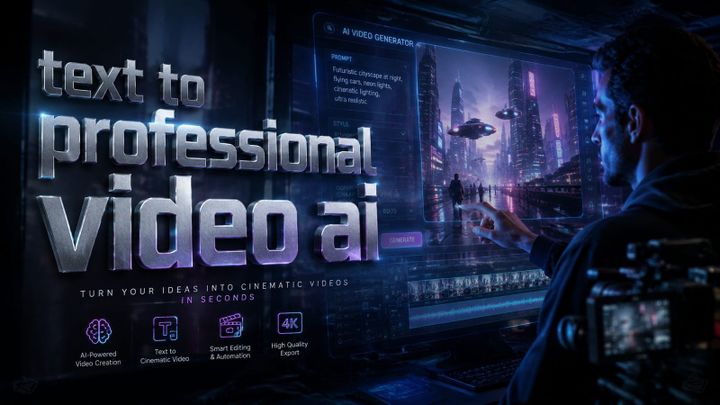
- Write a Detailed Text Prompt – Describe the scene, characters, actions, and mood. For example: “A futuristic city at sunset with flying cars and a lone figure walking through a neon-lit alley, cinematic lighting, 4K resolution.”
- Adjust Parameters – Set duration (from 5 seconds to 10 minutes), aspect ratio (16:9, 9:16, 1:1), and style (realistic, anime, cartoon). Some generators also allow negative prompts to avoid unwanted elements.
- Generate the Video – Click the generate button. Most tools provide a preview within 30–60 seconds. For long-form films, generation may take several minutes but can run in the background.
- Review and Refine – Watch the output. If the result isn’t perfect, you can modify the prompt and regenerate. Advanced platforms like Pika Labs support in-painting and frame editing.
- Export and Share – Download the final video in MP4, MOV, or GIF format. Many generators offer direct upload to YouTube, TikTok, or Instagram.
According to Trend Hunter, Pika Labs AI generates videos from text prompts and creative ideas, making it a favorite among independent creators. The key to success is iterating on your prompt—small changes in wording can dramatically alter the output’s quality and coherence.
For those new to the technology, we recommend starting with short clips (10–15 seconds) to understand how the AI interprets language. Once you’re comfortable, move on to longer sequences and more complex scenarios. Remember that most platforms offer free tiers with watermarked outputs, while paid subscriptions remove watermarks and provide higher resolution and faster generation.
Top AI Video Generators of 2026: Comparison Table
The following table compares the three most notable text-to-video platforms mentioned in recent research. Each excels in different areas, so choose based on your specific requirements.
| Feature | Pika Labs | Gemini Omni (Google) | Long-Form AI Generator (Mshale) |
|---|---|---|---|
| Max Clip Length | 60 seconds | 30 seconds (cloning), 2 minutes (standard) | 10 minutes |
| Text Prompt Support | Detailed creative prompts | Natural language + voice commands | Single long-form narrative prompt |
| Video Cloning | No | Yes (full scene cloning) | No |
| Resolution | Up to 4K | Up to 1080p (cloning), 4K (standard) | Up to 2K |
| Pricing (Monthly) | Free tier; Pro $29 | Free with Google account; Pro $49 | One-time credits model |
| Best For | Artistic videos, social media | Realistic cloning, corporate use | Narrative films, storytelling |
According to Google's official blog, Gemini Omni introduces video cloning capabilities that allow users to replicate existing footage with high fidelity. This feature has sparked both excitement and ethical debate, as noted by ZDNET, which explored the implications of such realistic replication. Meanwhile, the generator featured by Mshale focuses on overcoming the length limitations of earlier tools like SORA 2, enabling creators to produce entire short films from a single prompt.
When comparing these tools, consider not only output quality but also the learning curve. Pika Labs offers a more intuitive interface for beginners, while Gemini Omni’s cloning feature requires a bit more technical understanding. The long-form generator is ideal for storytellers who want to maintain narrative coherence over several minutes.
Advanced Techniques: Long-Form AI Films with a Single Prompt
The ability to create long AI films using a single text prompt is one of the most exciting developments in 2026. As reported by Mshale, this breakthrough effectively “forgets SORA 2” by offering longer and more consistent outputs. The key technique involves writing a narrative-style prompt that describes the entire plot, character arcs, and visual transitions in chronological order.
To get the best results, break your story into three acts within the prompt. For example: “Act 1: A detective arrives at a rainy crime scene. Act 2: He discovers a hidden clue in a dark alley. Act 3: He confronts the suspect in a neon-lit warehouse.” The AI will generate a continuous video that follows this sequence, maintaining visual consistency across acts. Some generators allow you to specify camera angles and pacing by using terms like “slow pan,” “close-up,” or “wide shot.”
However, longer videos still face challenges with character consistency and scene coherence. To mitigate this, many creators use a technique called “prompt chaining,” where they generate short segments and then use video editing tools to stitch them together. But the latest models, including the one highlighted by Mshale, are improving rapidly, and we expect fully coherent 30-minute films by late 2026.
Using Gemini Omni for Video Cloning
Google’s Gemini Omni, introduced on May 29, 2026, offers a unique capability: video cloning. This means you can input an existing video clip and a text prompt, and the AI will generate a new video that mimics the style, lighting, and motion of the original. According to Google's blog, this is achieved through a multimodal model that understands both visual and textual cues simultaneously.
To use video cloning, upload a short reference clip (e.g., a person walking) and then describe what you want to change: “Make the person walk in a snowy landscape instead of the original desert.” The AI will generate a new clip with the same character movement but in the new environment. This is particularly useful for filmmakers who want to reuse motion capture data or for marketers who need consistent brand imagery across different scenes.
ZDNET’s analysis of Gemini Omni raised important questions about consent and authenticity, especially when cloning people’s likenesses. As a responsible creator, always ensure you have permission to use reference footage and avoid generating deceptive content. The technology is powerful, but ethical guidelines are still evolving.
NSFW AI Video Generators: What You Need to Know
In May 2026, PCMag published a thorough test of NSFW AI video generators, naming four as the best. While this article focuses on general text-to-video creation, it’s worth noting that adult content generators have advanced significantly, offering higher resolution and better character animation than previous years. According to PCMag, the top four tools now support up to 60-second clips with consistent character rendering, a major improvement over 2025’s offerings.
If you are creating content for mature audiences, use these platforms with caution. Most require age verification and have strict content policies. For general video creation, we recommend sticking with mainstream tools like Pika Labs and Gemini Omni, which have robust safety filters.
It’s also important to note that many NSFW generators are built on open-source models, meaning you can run them locally for complete privacy. However, local deployment requires technical expertise and powerful hardware. For most creators, cloud-based solutions are more practical.
Ethical Considerations and the Rise of AI Cloning
The introduction of Gemini Omni’s video cloning feature has reignited debates about deepfakes and consent. As ZDNET reported, the ability to clone video footage with such realism raises serious ethical questions. While the technology can be used for legitimate purposes—such as reviving archival footage or creating visual effects—it can also be misused to impersonate individuals without their knowledge.
To address these concerns, Google has implemented watermarking and content provenance features in Gemini Omni. Every cloned video includes an invisible digital signature that can be verified by third-party tools. Similarly, Pika Labs and other platforms have adopted the C2PA standard for content authenticity. As a creator, always disclose when you use AI-generated content, especially if it involves real people or events.
Beyond cloning, the broader rise of AI video generators is changing content creation in 2026. According to Cybernews, the technology is being adopted by news outlets, educators, and small businesses to produce explainer videos, training materials, and social media content at a fraction of the traditional cost. This democratization is positive, but it also means that viewers must become more critical of the media they consume.
The Future of AI Video Creation Beyond 2026
Looking ahead, several trends will shape text-to-video generation. First, real-time generation is on the horizon. Google’s Gemini Omni already shows near-real-time performance for short clips, and by 2027 we expect sub-second generation for 30-second videos. This will enable live AI video production for events and streaming.
Second, multimodal integration will become standard. Tools will allow you to input text, images, audio, and even video clips as prompts, giving you unprecedented control over the final output. Imagine describing a scene with your voice while showing a reference photo—the AI will combine all inputs into a single coherent video.
Finally, the cost of generation will continue to drop. Currently, high-quality 4K video generation costs around $0.10 per second on average. With advances in model efficiency and hardware, we predict costs will fall below $0.01 per second by 2028, making AI video creation accessible to everyone. The ultimate guide to creating videos with text to AI in 2026 is just the beginning of a revolution in visual storytelling.
Frequently Asked Questions
What is the best tool to create videos with text to AI in 2026?
The best tool depends on your needs. Pika Labs is excellent for creative and artistic videos, while Google’s Gemini Omni excels at video cloning. For long-form narratives, the generator highlighted by Mshale offers the longest clips from a single prompt.
How long does it take to generate an AI video from text?
Most platforms generate a 10-second clip in 30–60 seconds. Longer videos (up to 10 minutes) can take several minutes but often run in the background. Generation time depends on resolution, complexity, and server load.
Can I create videos with text to AI for free?
Yes, many platforms offer free tiers with watermarked outputs. Pika Labs and Gemini Omni both have free options. For higher resolution and longer clips, paid subscriptions start at around $29 per month.
Are AI-generated videos copyrighted?
Copyright laws vary by jurisdiction. In general, AI-generated content may not be eligible for copyright protection unless there is significant human input. Always check the terms of service of the generator you use.
How do I ensure character consistency in long AI videos?
Use detailed character descriptions in your prompt, including appearance, clothing, and mannerisms. Some generators allow you to upload a reference image to lock in a character’s look. For very long videos, consider breaking the prompt into segments and using video editing to stitch them together.
Is it safe to use NSFW AI video generators?
Use them with caution. Ensure the platform has age verification and content moderation. For general video creation, stick with mainstream tools that have strong safety filters. Always respect consent and avoid generating deceptive or harmful content.
Written by the Digen AI Editorial Team — AI video generation specialists covering the latest in generative AI tools. Learn more about Digen AI.
Comments ()