
Create AI Video from Photo Free: Best Tools for 2026
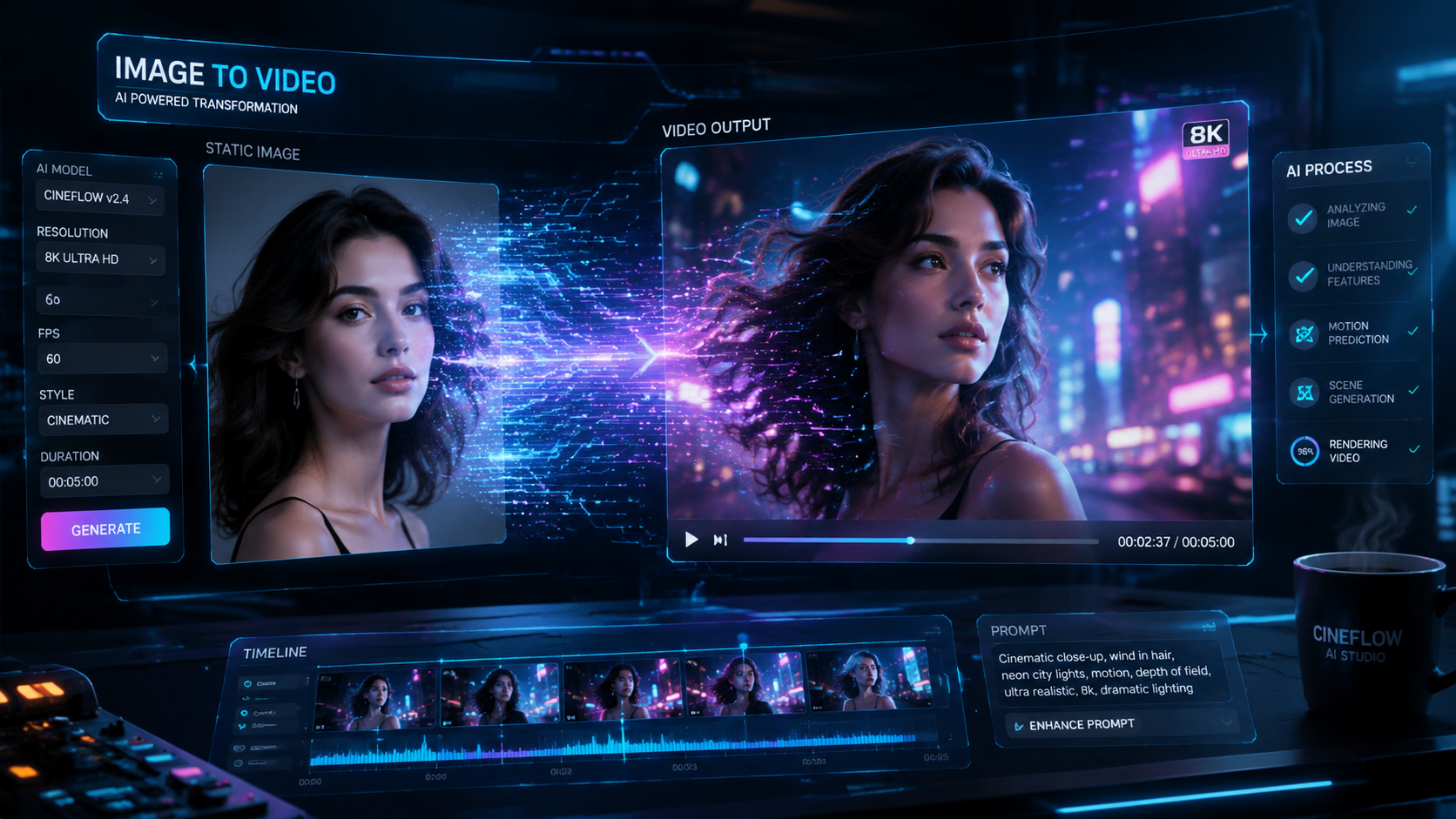
To create AI video from photo free in 2026, you can utilize advanced generative platforms that transform static images into dynamic animations, talking portraits, or cinematic clips using motion-diffusion technology. Most top-tier tools offer a free tier or daily credits that allow users to upload an image and apply AI-driven motion brushes or voice synchronization to generate high-quality video content without any initial cost.
An AI video generator is a sophisticated software tool that uses neural networks to interpret the visual data of a static photograph and predict motion frames, effectively turning a still image into a video. In 2026, these tools have evolved to include specialized features like AI talking photos and viral dance filters, making professional-grade animation accessible to everyone for free.
- ✓ Most 2026 AI tools offer free daily credits for transforming photos into high-definition videos.
- ✓ Advanced features now include "AI Talking Photos" and "Viral Dance Filters" for social media.
- ✓ According to CNET, the latest AI video generators have significantly reduced rendering times compared to previous years.
- ✓ No coding or animation skills are required; simply upload a photo and describe the desired motion.
How to Create AI Video from Photo Free: A Step-by-Step Guide
The process of turning a still image into a moving masterpiece has become incredibly streamlined. Whether you are looking to animate a family portrait or create a viral marketing clip, the workflow remains consistent across the most popular platforms of 2026. By leveraging the latest generative models, you can achieve cinematic results in just a few clicks.
Following the latest trends reported by PC Tech Magazine, the integration of "AI Talking Photo" technology has become a primary use case for creators. This allows for the synchronization of a static face with any audio file, creating a realistic spokesperson or a fun greeting for social media. Here is the standard procedure to get started with these free tools.
- Select Your Tool: Choose a reputable platform such as those reviewed by TechRadar or CNET in their 2026 roundups. Ensure the platform supports "Image-to-Video" or "Talking Photo" features.
- Upload Your Source Image: Select a high-resolution photo with clear subjects. For talking photos, a front-facing portrait works best.
- Define the Motion: Use a "Motion Brush" to highlight specific areas you want to move (like clouds or hair) or upload an audio file for lip-syncing.
- Adjust Settings: Set the duration, motion intensity, and aspect ratio (e.g., 9:16 for TikTok/Reels or 16:9 for YouTube).
- Generate and Download: Hit the generate button. Once the AI finishes rendering, preview your video and download it to your device.
Top Rated Tools to Create AI Video from Photo Free in 2026
As we navigate through 2026, the landscape of AI video generation has become more competitive than ever. Major tech reviewers like TechRadar, having tested over 70 AI tools this year, note that the gap between free and paid software is narrowing. Users now have access to high-fidelity motion synthesis that was previously reserved for professional studios.
The Rise of AI Talking Photos and Viral Filters
One of the most significant developments this year is the democratization of specialized animation. According to Dailyhunt, free AI video generator tools are now focusing heavily on animated talking photos. This technology uses deep learning to map facial expressions onto a static image, allowing the "photo" to speak naturally with realistic blinking and head movements.
Furthermore, Perfect Corp has highlighted the popularity of the "Ma Po Po" filter and similar AI dance filters. These tools allow users to upload a single photo of themselves and have the AI generate a full-body dance video. This trend has dominated social media platforms in May 2026, proving that create ai video from photo free capabilities are no longer just for utility, but for massive creative expression.
Comparison of Top AI Video Generators 2026
To help you decide which platform fits your needs, we have compiled a comparison of the leading tools based on recent reviews from CNET and PC Tech Magazine.
| Tool Category | Primary Feature | Free Tier Availability | Best For... |
|---|---|---|---|
| Talking Photo AI | Lip-sync & Facial Animation | 5 Free Credits Daily | Presentations & Greetings |
| Motion Diffusion AI | Cinematic Background Motion | Unlimited with Watermark | Landscape & Art Animation |
| Viral Dance AI | Full Body Motion Mapping | Ad-Supported Free Exports | Social Media Trends |
| Generative Video Suites | Text-to-Video & Image-to-Video | Trial Period (10 Videos) | Professional Content Creators |
Why You Should Use AI to Animate Your Photos
The shift toward video content is undeniable. In 2026, static images often fail to capture the attention of audiences accustomed to dynamic feeds. By choosing to create ai video from photo free, you are essentially breathing life into your digital assets, making them more engaging and shareable. According to CNET's 2026 review of AI video generators, these tools are now essential for small businesses and influencers who lack the budget for traditional videography.
Moreover, the psychological impact of a moving image is much higher than that of a still one. Studies show that video content generates up to 1200% more shares than text and static images combined. By utilizing free AI tools, you can tap into this high-engagement medium without investing in expensive camera gear or complex editing software like After Effects.
The Impact of Generative AI on Visual Storytelling
Visual storytelling has been revolutionized by the ability to add context and emotion to a single frame. For instance, a photo of a historical figure can now be turned into a talking educator, or a landscape photo from a vacation can be transformed into a sweeping cinematic drone shot. This level of creativity was unthinkable just a few years ago, but in 2026, it is the standard.
Advanced Features: Beyond Simple Animation
When you look to create ai video from photo free, you aren't just limited to basic movements. The 2026 generation of AI models includes "Director Mode," which allows users to control camera angles—such as pans, tilts, and zooms—within the generated video. This means you can take a flat photo and create a 3D-like experience where the camera appears to move through the environment.
Understanding Motion Brushes and Regional Control
Modern tools now offer "Regional Animation." Instead of the whole photo moving in a chaotic way, you can use a digital brush to paint over the specific areas you want to animate. For example, if you have a photo of a person standing by a waterfall, you can paint the water to flow downward while keeping the person perfectly still. This level of precision is what sets the 2026 tools apart from the experimental versions of the past.
Integrating Audio for Realistic Talking Portraits
As mentioned by PC Tech Magazine, the integration of AI voice synthesis with photo animation has reached "uncanny" levels of realism. Users can either record their own voice or use an AI voice generator to provide the script. The AI then analyzes the phonemes in the audio and adjusts the mouth shape of the photo in real-time. This is particularly useful for educational content, where a "talking head" video is much more effective than a simple text-over-image slide.
Best Practices for High-Quality AI Video Generation
While the AI does most of the heavy lifting, the quality of your output depends significantly on the input. To get the best results when you create ai video from photo free, you should follow a few technical guidelines. First, always use high-contrast images where the subject is clearly separated from the background. This helps the AI understand the depth of the scene.
Second, avoid images with complex patterns or cluttered backgrounds, as these can sometimes cause "hallucinations" in the video—where the AI creates strange artifacts or melting effects. According to TechRadar's 2026 testing, the most successful AI videos come from photos with a singular, clear focal point. Finally, keep your animations short. Most free tools excel at 3 to 10-second clips; longer videos often require more advanced (and usually paid) processing power to maintain consistency.
The Future of AI Photo-to-Video Technology
Looking ahead past 2026, we can expect even deeper integration with Virtual Reality (VR) and Augmented Reality (AR). The ability to create ai video from photo free is just the beginning. Experts predict that soon, we will be able to turn a single 2D photo into a fully explorable 3D environment. For now, the tools available provide an incredible playground for creators to experiment with motion and sound.
The accessibility of these tools is a testament to the rapid pace of AI development. As CNET noted in their May 2026 report, the "democratization of digital creation" is now complete, as the barriers to entry—both financial and technical—have effectively vanished. Whether for fun, education, or business, the power to animate the world is now in the palm of your hand.
Frequently Asked Questions
Is it really possible to create AI video from photo free?
Yes, many platforms in 2026 offer free tiers, daily credits, or ad-supported models that allow users to generate high-quality videos from photos without a subscription. Some features might include a watermark on the free version.
Which is the best tool for AI talking photos in 2026?
According to recent reports from PC Tech Magazine and Dailyhunt, tools specializing in "Talking Photo" technology are the best for this specific task, offering seamless lip-syncing and realistic facial expressions.
How long does it take to generate an AI video?
In 2026, most AI video generators can process a 5-second clip from a photo in under 60 seconds, depending on the complexity of the motion and the server load of the platform.
Do I need a powerful computer to use these tools?
No, most 2026 AI video tools are cloud-based. All the heavy processing is done on the provider's servers, so you only need a standard web browser or a mobile app with an internet connection.
Can I use the videos I create for commercial purposes?
This depends on the tool's terms of service. While many allow commercial use for paid subscribers, free tier users may be restricted to personal use or required to credit the software.
What is the viral Ma Po Po filter mentioned in the news?
The Ma Po Po filter is a popular AI dance animation tool highlighted by Perfect Corp in May 2026, which allows users to turn a static photo into a viral dancing video using pre-set motion templates.



Comments ()