
How to Create 4K Videos with AI Tools: 2026 Guide
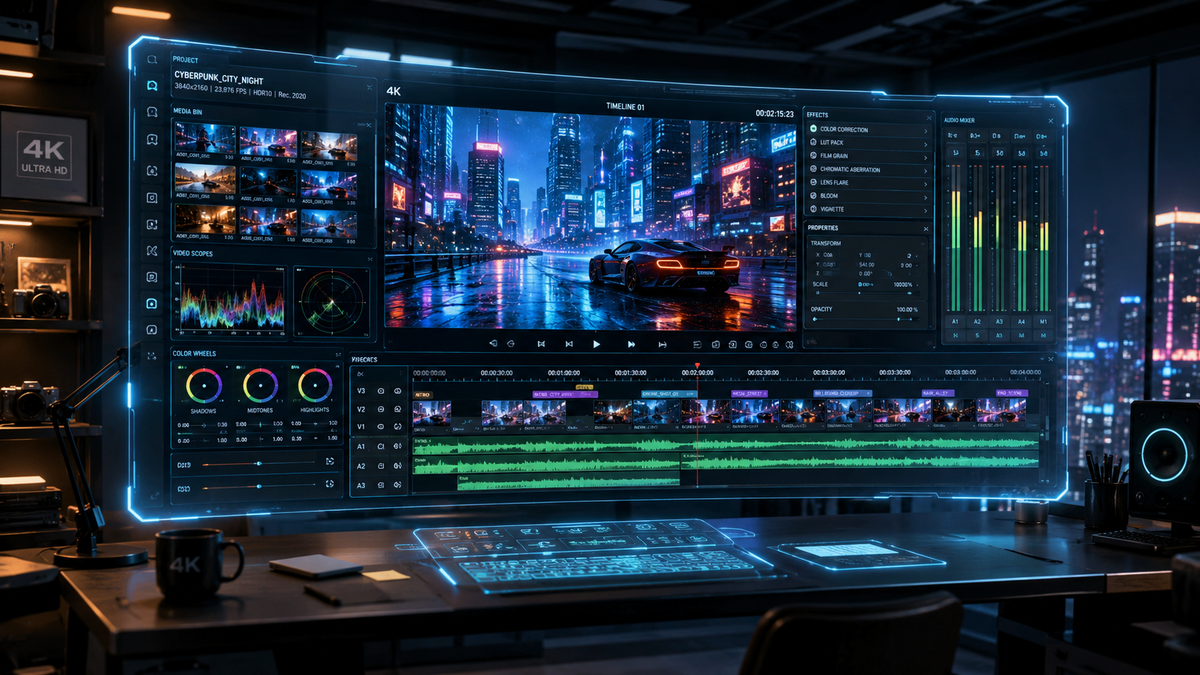
To create 4k videos with ai tools in 2026, you must utilize high-fidelity generative models like Google Veo 3.1 or Adobe Firefly Video, which now support native 4K upscaling and consistent frame generation. The process involves inputting a detailed text prompt or reference image into an AI video platform, selecting "Ultra HD" or "4K" output settings, and applying temporal consistency filters to ensure professional-grade resolution. By leveraging hardware acceleration from NVIDIA RTX GPUs and tools like LTX-2, creators can now generate cinema-quality footage directly on their local machines or via cloud-based interfaces.
AI 4K video creation is the process of using deep learning models—such as Google’s Veo 3.1 or NVIDIA’s LTX-2—to generate or upscale high-definition video content at 3840x2160 resolution. In 2026, this technology emphasizes "Ingredients to Video" workflows, allowing users to maintain visual consistency across cinematic sequences using reference images and advanced temporal upscaling.
- ✓ Google Veo 3.1 now supports 4K upscaling for both horizontal and vertical video formats.
- ✓ NVIDIA RTX acceleration via LTX-2 allows for real-time 4K AI video generation on local PCs.
- ✓ Adobe Firefly Video has introduced unlimited generations and improved cinematic control for professionals.
- ✓ 2026 workflows focus on "Consistency, Creativity, and Control" rather than just raw generation.
How to Create 4K Videos with AI Tools: A Step-by-Step Guide
The landscape of video production has shifted dramatically as of early 2026. High-resolution output is no longer a luxury reserved for massive server farms; it is now accessible to individual creators through optimized workflows. Whether you are using cloud-based platforms or local hardware acceleration, the following steps represent the gold standard for producing Ultra HD content.
- Select Your AI Video Model: Choose a platform that supports native 4K or high-quality upscaling. As of January 2026, Google Veo 3.1 and Adobe Firefly are the leading cloud options, while ComfyUI with LTX-2 is the preferred choice for local RTX-powered workstations.
- Define Your Visual Ingredients: Use the "Ingredients to Video" approach. Upload a high-resolution reference image to set the style, color palette, and character consistency. This reduces the randomness often found in text-to-video generation.
- Craft a Descriptive Prompt: Input a detailed prompt focusing on lighting (e.g., "volumetric cinematic lighting"), camera movement (e.g., "slow dolly zoom"), and specific textures to give the AI enough data to fill in 4K details.
- Configure Output Settings: Select the 4K resolution (3840x2160) and aspect ratio. If using Google Veo 3.1, you can specifically choose vertical 4K for social media or cinematic wide for film projects.
- Apply Temporal Upscaling: If your initial generation is in 1080p, use a dedicated AI upscaler like the ones integrated into NVIDIA’s latest ComfyUI upgrades to bring the footage to 4K without losing detail or introducing "hallucinations."
- Refine and Iterate: Use "In-painting" or "Region Control" tools to fix specific areas of the frame while keeping the rest of the 4K sequence intact.
The Evolution of 4K AI Video in 2026

As we move through 2026, the ability to create 4k videos with ai tools has moved past the experimental phase into a standardized professional requirement. According to the NVIDIA Blog (January 2026), the integration of LTX-2 models has significantly reduced the latency of high-resolution video generation, allowing creators to preview 4K frames in near real-time. This leap is largely due to the massive parallel processing power of modern RTX GPUs, which now handle the complex math of diffusion transformers more efficiently than ever before.
Furthermore, the focus has shifted from "quantity" to "consistency." In previous years, AI video often suffered from "morphing" or "boiling" artifacts where pixels would shift unnaturally between frames. The latest updates to Google’s Veo 3.1, released in January 2026, specifically address this by using advanced temporal consistency algorithms. These algorithms ensure that a character’s face or a background object remains identical across a 10-second 4K clip, which is essential for professional filmmaking and high-end advertising.
NVIDIA RTX and Local 4K Generation
For many professionals, privacy and cost-efficiency are paramount. The NVIDIA RTX platform has become the cornerstone for local 4K AI video production. By using ComfyUI upgrades released in early 2026, users can bypass cloud subscription fees and generate high-bitrate 4K content directly on their hardware. This is particularly useful for studios working with sensitive IP that cannot be uploaded to third-party servers.
Google Veo 3.1: The New Standard for Web-Based 4K
Google’s Veo 3.1, launched in mid-January 2026, represents a massive leap in accessibility. According to Ars Technica, the model can now create vertical 4K videos from simple reference images, making it a favorite for social media marketers. The "Ingredients to Video" feature allows users to provide the "DNA" of a video—such as a specific art style or a brand mascot—and the AI generates a coherent 4K sequence that adheres strictly to those parameters.
Comparing Top AI Video Tools for 4K Production
Choosing the right tool depends on your hardware, budget, and specific project needs. Below is a comparison of the leading technologies available in 2026 for those looking to create 4k videos with ai tools.
| Feature | Google Veo 3.1 | Adobe Firefly Video | NVIDIA RTX (LTX-2) |
|---|---|---|---|
| Max Resolution | 4K (Upscaled/Native) | 4K Optimized | Native 4K |
| Platform | Cloud (Google Labs) | Cloud (Creative Cloud) | Local PC (RTX GPU) |
| Key Strength | Consistency & Control | Integration with Premiere | Speed & Privacy |
| Best For | Social Media/Marketing | Professional Editing | Indie Filmmakers/Devs |
| Latest Update | Jan 13, 2026 | Dec 16, 2025 | Jan 5, 2026 |
Advanced Techniques to Create 4K Videos with AI Tools
To achieve true 4K quality that doesn't look "processed," professional creators are using multi-stage workflows. Instead of relying on a single "Generate" button, they use a combination of tools. For instance, a creator might use Adobe Firefly to generate a base cinematic sequence and then use NVIDIA’s LTX-2 powered upscalers to refine the textures of skin, fabric, and environments. This hybrid approach ensures that the final output meets the rigorous standards of 4K displays.
According to Adobe (December 2025), the introduction of "unlimited generations" for Pro users has changed the creative process. Creators can now iterate hundreds of times on a single scene to find the perfect lighting and motion. This iteration is vital for 4K video, as the high resolution makes even small AI errors more visible. By generating multiple versions and using "Video-to-Video" refinement, users can polish their content until it is indistinguishable from traditionally shot footage.
The Role of Reference Images in 4K Fidelity
One of the most significant breakthroughs in 2026 is the use of high-resolution reference images to guide the AI. As reported by The Times of India, Google’s updated Veo tool uses these images as a blueprint for the 4K generation. If you provide a 4K photograph of a landscape, the AI uses the actual pixel data from that photo to inform the textures of the generated video, resulting in much higher realism than text-only prompts could ever achieve.
Hardware Requirements for Local 4K AI Workflows
If you plan to create 4k videos with ai tools locally, your hardware specifications are critical. In 2026, NVIDIA recommends at least 24GB of VRAM to handle the LTX-2 models at 4K resolution. This allows the AI to store more frames in memory simultaneously, which is the secret to maintaining smooth motion and high detail density. Local generation also provides the advantage of "unlimited" length, provided you have the disk space to store the massive 4K raw files.
Ethical Considerations and Best Practices
With the power to generate hyper-realistic 4K video comes the responsibility of ethical usage. Most major platforms, including Google and Adobe, have integrated invisible watermarking (such as Content Credentials or SynthID) into their 4K outputs. These marks identify the content as AI-generated, which is becoming a legal requirement in many jurisdictions as of 2026. When you create 4K videos with AI tools, it is best practice to be transparent with your audience about the use of generative technology.
Furthermore, the "Creativity and Control" aspect of tools like Veo 3.1 is designed to augment human artists, not replace them. The most successful 4K AI videos of 2026 are those that combine human cinematography principles—like the rule of thirds and intentional color grading—with the generative power of AI. Using AI as a "super-powered assistant" rather than a total replacement leads to more unique and emotionally resonant content.
Can I create 4K videos with AI tools for free?
While some platforms offer limited free trials, high-resolution 4K generation usually requires a subscription or high-end local hardware. Google Veo 3.1 and Adobe Firefly offer tiered pricing, while NVIDIA’s LTX-2 is free to use if you own a compatible RTX GPU.
What is the best AI tool for 4K video in 2026?
The "best" tool depends on your needs: Google Veo 3.1 is superior for consistency and vertical social content, Adobe Firefly is best for integration into professional editing workflows, and NVIDIA RTX/LTX-2 is the top choice for local control and speed.
Does AI video look real in 4K?
Yes, as of 2026, AI-generated 4K video has reached a level of realism where it is often indistinguishable from real footage in controlled environments. Tools like Veo 3.1 have significantly reduced artifacts through better temporal consistency.
How long does it take to generate a 4K AI video?
On a high-end PC with NVIDIA RTX acceleration, a 5-second 4K clip can take between 2 to 5 minutes to generate. Cloud-based services may vary based on server load but generally offer similar turnaround times for "Ultra" quality settings.
Can I upscale my old 1080p AI videos to 4K?
Absolutely. Tools like the 2026 ComfyUI upgrades and Adobe’s latest video models include dedicated "Super Resolution" features specifically designed to upscale lower-resolution AI video to 4K while adding realistic detail.
In conclusion, the ability to create 4k videos with ai tools has become a cornerstone of the digital economy in 2026. By choosing the right model—whether it be Google's Veo 3.1 for its creative "ingredients" or NVIDIA's LTX-2 for raw local power—creators can produce stunning, professional-grade content that was previously impossible without a Hollywood budget. As these tools continue to evolve, the barrier between imagination and high-definition reality continues to disappear.



Comments ()