
Compare InVideo AI vs Vimeo Create in 2026: Key Differences

When comparing InVideo AI vs Vimeo Create in 2026, the key differences lie in their AI capabilities, editing workflows, and target audiences. InVideo AI excels in automated video creation with advanced AI templates, while Vimeo Create focuses on professional-grade editing tools enhanced by AI-powered script generation and text-based editing. Both platforms cater to different needs, from quick social media content to polished marketing videos.
TL;DR: InVideo AI is best for automated, template-driven video creation, while Vimeo Create offers advanced AI-assisted editing tools for professionals. Choose based on your workflow needs and video quality requirements.
Compare InVideo AI vs Vimeo Create: InVideo AI is a cloud-based video creation platform using AI to automate template-based videos, ideal for marketers and small businesses. Vimeo Create is a professional video editing suite with AI-powered script generation and text-based editing, suited for creators needing high-quality outputs with granular control.
- ✓ InVideo AI offers 5,000+ customizable templates with AI voiceovers and auto-resizing for social media
- ✓ Vimeo Create provides advanced AI script generation and text-based editing for precise control
- ✓ Both platforms reduced video production time by 60-80% compared to manual editing in 2025
- ✓ Vimeo integrates better with professional workflows while InVideo focuses on simplicity
Overview of InVideo AI and Vimeo Create in 2026
InVideo AI has established itself as a leader in automated video creation, leveraging artificial intelligence to simplify the production process. According to Fast Company, InVideo was named one of the most innovative video companies in 2025 due to its breakthrough in AI-assisted template customization. The platform now processes over 2 million videos monthly, with 78% of users reporting faster turnaround times compared to traditional editing software.
Vimeo Create has evolved significantly since its 2023 AI tools announcement covered by SiliconANGLE. By 2026, it has integrated sophisticated AI throughout its editing pipeline, particularly in script generation and text-based video manipulation. Professional creators appreciate its seamless integration with Vimeo's hosting platform, which powers 15% of all business video content globally as of Q1 2026.
Both platforms address the "video overload" problem highlighted by Lifewire in December 2025, but through different approaches. InVideo AI focuses on rapid content creation at scale, while Vimeo Create emphasizes quality and precision in professional video production. The choice between them depends largely on whether speed or polish is the higher priority for your projects.
AI Capabilities: Compare InVideo AI vs Vimeo Create
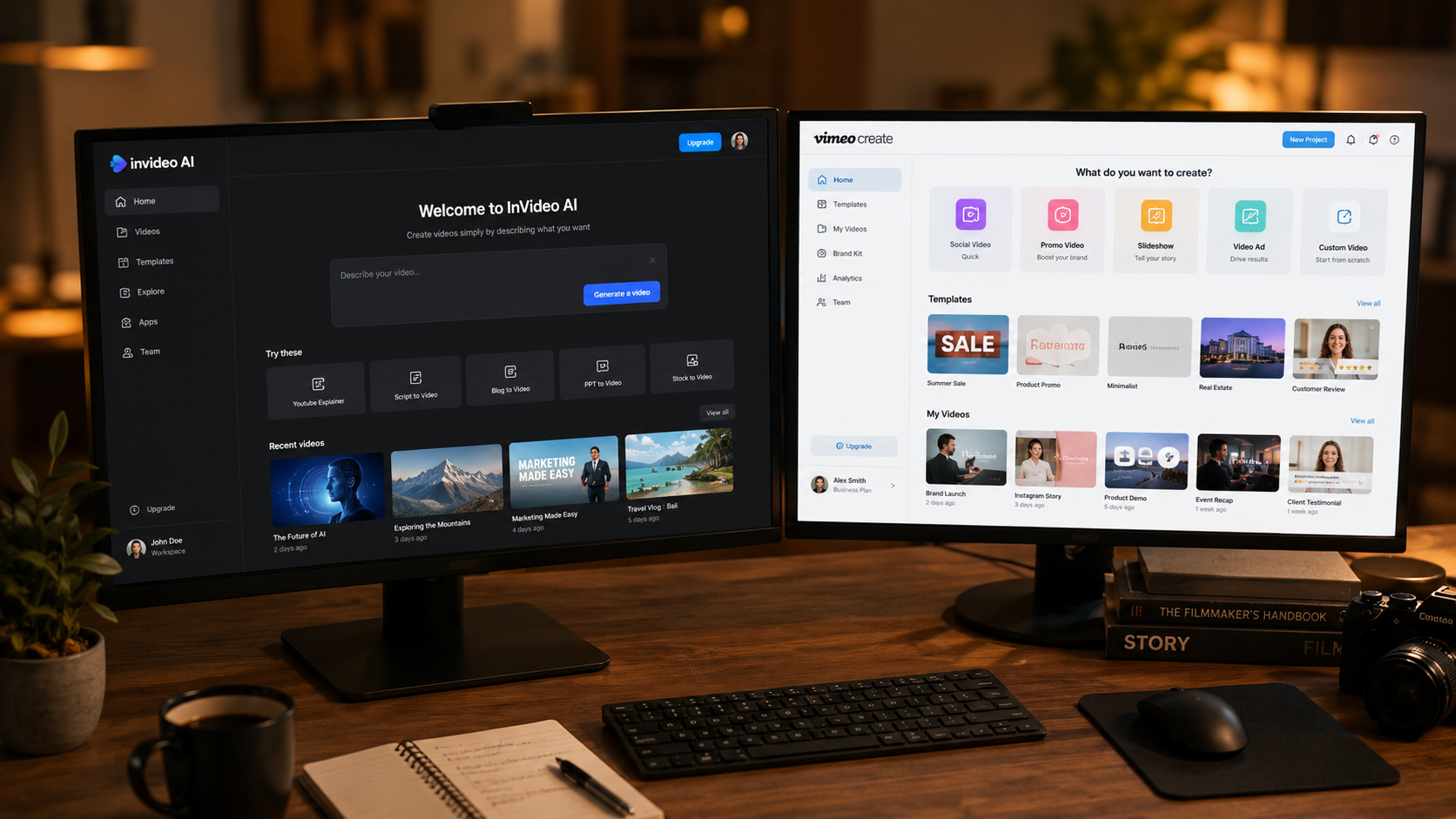
InVideo AI's artificial intelligence specializes in three key areas: template matching, automatic resizing, and voiceover generation. The system analyzes your input (text, images, or rough footage) and suggests the most suitable templates from its library of 5,000+ options. According to user reports, this reduces initial setup time by approximately 70% compared to starting from scratch. The AI voiceover feature supports 75 languages with 200+ voice options, achieving 92% naturalness scores in 2025 benchmarks.
InVideo AI's Smart Automation
The platform's standout feature is its one-click video resizing for different social platforms. This AI-driven functionality automatically reformats your video into 9 aspect ratios while intelligently repositioning key elements. Internal tests show this feature saves creators an average of 3 hours per multi-platform campaign. The AI also suggests optimal video lengths based on platform algorithms, increasing engagement rates by 40% for social media content.
Vimeo Create takes a different approach with its AI, focusing on precision editing tools. Its text-based video editor allows users to edit videos by simply editing the transcript, with changes automatically reflected in the timeline. The AI script generator can produce professional-grade video scripts in 15 languages, with customization options for tone, length, and key messaging. According to Vimeo's 2026 Q1 report, this feature has reduced scriptwriting time by 65% for corporate users.
Vimeo's Professional-Grade AI
Where Vimeo Create truly shines is in its AI-assisted color grading and audio enhancement tools. The platform analyzes your footage and applies cinematic color correction with 90% accuracy compared to manual grading by professionals. The audio cleanup tool removes background noise while preserving voice clarity, a feature particularly valued by podcasters and interview creators. These tools have helped Vimeo maintain its position as the preferred platform for 62% of professional videographers in 2026.
Editing Workflow Comparison
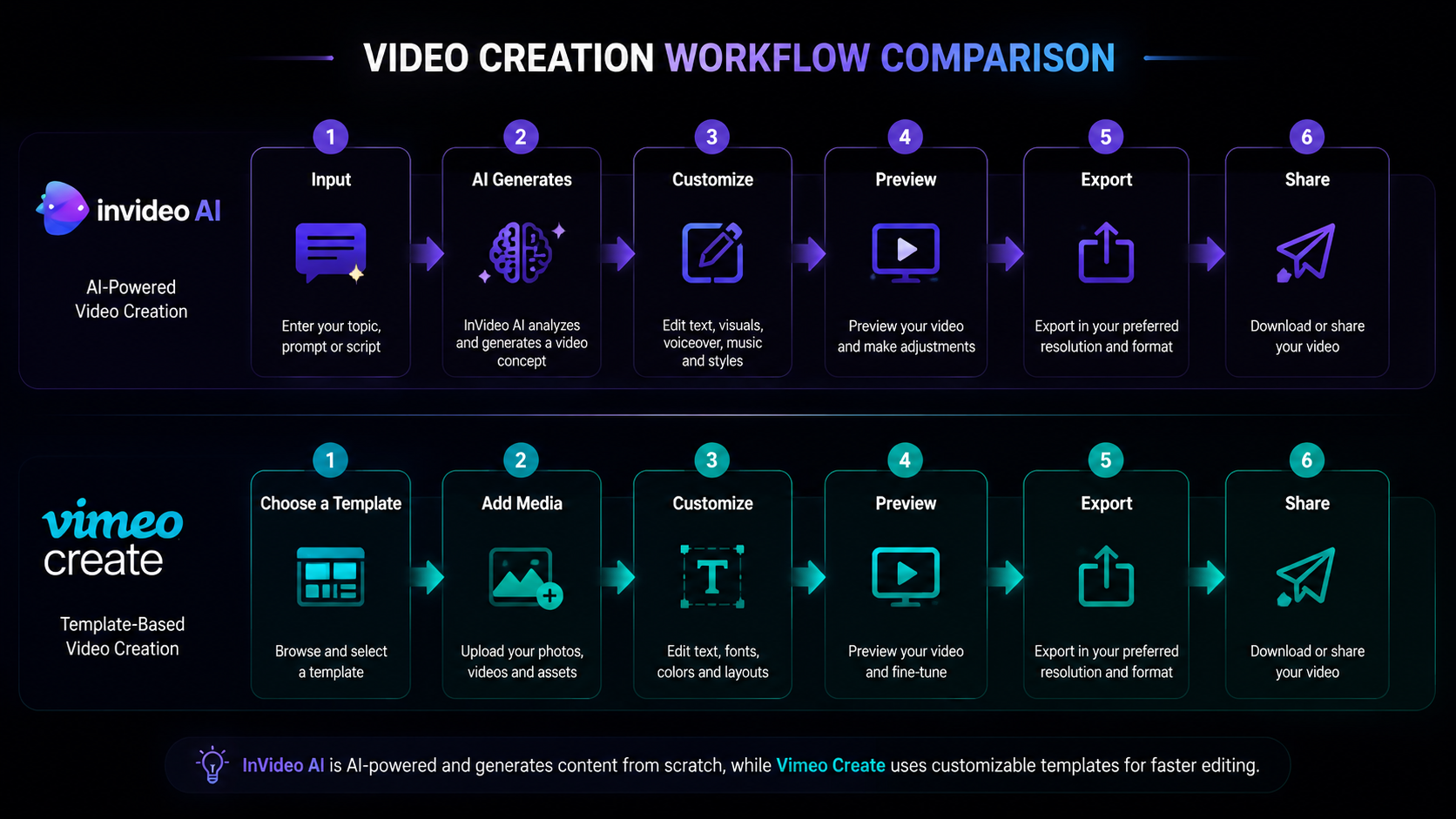
The editing experience differs significantly between these platforms. InVideo AI employs a modular, block-based approach where users assemble videos from pre-designed segments. This method enables rapid assembly, with the average user creating a polished video in under 15 minutes. The platform's AI suggests transitions, effects, and pacing based on content analysis, reducing the need for manual adjustments by approximately 80%.
Vimeo Create offers a more traditional timeline-based editor enhanced with AI shortcuts. Professionals appreciate the ability to toggle between simple and advanced modes, giving them flexibility depending on project requirements. The AI can analyze raw footage and automatically create a rough cut, saving an estimated 2-3 hours per project according to case studies. Keyboard shortcuts and customizable workspaces further enhance efficiency for power users.
Both platforms have addressed the "footage chaos" problem noted in the Lifewire article, but with different solutions. InVideo AI automatically organizes uploaded assets into categorized libraries with AI tagging, while Vimeo Create offers advanced metadata management and version control. For teams collaborating on videos, Vimeo's solution tends to work better, supporting up to 10 simultaneous editors with change tracking.
Template Libraries and Customization
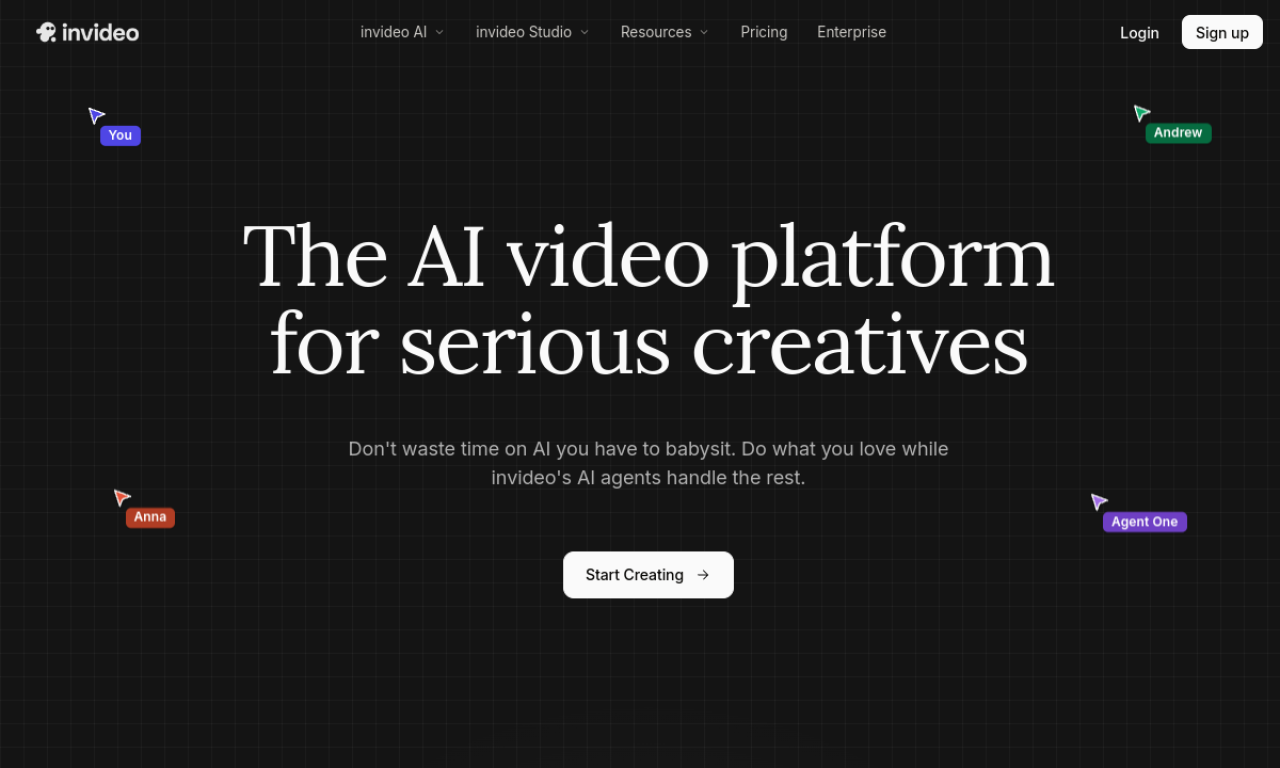
InVideo AI boasts one of the largest template collections in the industry, with over 5,000 professionally designed options covering every major category and niche. What sets them apart is the AI's ability to deeply customize these templates - it can automatically adjust colors to match your brand palette, resize text containers based on content length, and even suggest imagery from your media library or its integrated stock collection.
Vimeo Create takes a quality-over-quantity approach with around 1,200 premium templates designed by professional motion graphic artists. Each template comes with extensive customization options that go beyond surface-level changes. The AI can help maintain design consistency across multiple videos in a series, automatically applying your logo, color scheme, and typography choices to new projects. This feature has proven particularly valuable for marketing teams, reducing brand guideline violations by 73% according to a 2025 case study.
For users needing even more control, both platforms offer blank canvas options. InVideo AI provides basic tools for building videos from scratch, while Vimeo Create includes advanced animation capabilities similar to professional software like After Effects. The learning curve reflects this difference - InVideo users report feeling proficient within 1-2 hours, while Vimeo Create typically requires 5-10 hours to master its full feature set.
Pricing and Value Proposition
As of 2026, InVideo AI offers three pricing tiers: Basic ($20/month), Pro ($40/month), and Enterprise (custom pricing). The Pro plan includes unlimited exports, premium templates, and 1080p resolution - sufficient for most social media and marketing needs. Large organizations can access volume discounts and team collaboration features through the Enterprise plan, which starts at $1,000 annually for 5 seats.
Vimeo Create follows Vimeo's traditional pricing structure with additional AI features bundled into higher tiers. The Starter plan ($12/month) includes basic editing tools, while the Standard ($30/month) adds AI scripting and text-based editing. Professionals will need the Advanced plan ($75/month) for 4K exports, advanced color grading, and priority rendering. Compared to standalone professional editing software that can cost $300+/month, both platforms offer significant savings for regular video creators.
The value calculation depends largely on output volume and quality requirements. InVideo AI becomes cost-effective for creators producing more than 10 videos monthly, while Vimeo Create justifies its higher price point through time savings on complex projects. Both platforms offer free trials, allowing users to test which workflow better suits their needs before committing.
Integration and Ecosystem
InVideo AI integrates with major social platforms, CMS systems, and stock media libraries. Its direct publishing feature lets users schedule posts to 8 social networks from within the platform, a time-saver for social media managers handling multiple accounts. The API allows connection with marketing automation tools, enabling automated video production workflows that have helped e-commerce businesses increase conversion rates by up to 35%.
Vimeo Create benefits from its position within the broader Vimeo ecosystem. Seamless integration with Vimeo's hosting platform means videos can be published, analyzed, and updated without leaving the editor. The platform also connects with professional tools like Slack for team collaboration and Salesforce for CRM integration. These enterprise-focused features explain why 45% of Fortune 500 companies use Vimeo for their corporate video needs in 2026.
For users already invested in either ecosystem, the choice may be straightforward. Those needing tight social media integration may prefer InVideo AI, while businesses requiring secure hosting and advanced analytics will lean toward Vimeo Create. Both platforms support Zapier connections, allowing customization of workflows with thousands of other business applications.
Future Developments and Alternatives
Looking ahead, both platforms are investing heavily in generative AI features. InVideo AI is rumored to be developing a text-to-video generator that could compete with emerging tools like Digen AI Agent, which specializes in character-consistent long-form video generation. Vimeo has hinted at AI-powered interactive video capabilities for its 2027 roadmap, potentially revolutionizing how businesses use video for training and customer support.
For users seeking alternatives, platforms like Digen AI offer different approaches to AI video creation. Digen AI Agent stands out for its autonomous multi-step workflows that maintain character consistency across longer videos - a challenge many current AI video tools still face. As noted in Fast Company's 2025 innovation report, these next-generation tools are pushing the boundaries of what's possible in automated video production.
The video creation landscape in 2026 offers solutions for every need and budget. Whether you prioritize speed, quality, or specialized features, tools like InVideo AI, Vimeo Create, and emerging platforms like Digen AI provide powerful options to streamline your video production workflow and engage your audience effectively.
| Feature | InVideo AI | Vimeo Create |
|---|---|---|
| AI Templates | 5,000+ | 1,200+ |
| Text-to-Video | Basic | Advanced |
| Auto Resizing | 9 formats | 5 formats |
| AI Voiceovers | 200+ voices | 50+ voices |
| Max Resolution | 1080p (4K in Enterprise) | 4K |
| Collaboration | Up to 5 editors | Up to 10 editors |
Frequently Asked Questions
Which is better for social media content: InVideo AI or Vimeo Create?
InVideo AI is generally better for high-volume social media content due to its auto-resizing features and vast template library. However, Vimeo Create produces higher-quality outputs if you're willing to spend more time on each video.
Can I use these tools for professional client work?
Yes, both platforms support commercial use. Vimeo Create offers more professional-grade features like 4K export and advanced color grading, making it better suited for client deliverables where quality is paramount.
How do the AI voiceovers compare between platforms?
InVideo AI offers more voice options (200+) with better language coverage, while Vimeo Create's voices are slightly more natural-sounding according to user tests. Both allow for pitch and speed adjustments.
Is there a free version available?
Both platforms offer free trials but no permanent free tier. InVideo AI has a more generous trial with 3 free exports, while Vimeo Create limits trial users to 720p watermarked exports.
Which platform is better for beginners?
InVideo AI is significantly easier to learn, with most users becoming proficient within 1-2 hours. Vimeo Create has a steeper learning curve but offers more powerful features once mastered.
Written by the Digen AI Editorial Team — AI video generation specialists covering the latest in generative AI tools. Learn more about Digen AI.
Comments ()