
10 Best Cheap AI Video Editing Tools to Use in 2026
Finding the best cheap AI video editing tools in 2026 is essential for creators who want to produce professional-grade content without the enterprise-level price tag. As artificial intelligence has matured, high-end features like generative fill, automated color grading, and neural scene detection have become accessible through affordable subscription models and even robust free tiers. By leveraging these tools, you can reduce your editing time by up to 80% while maintaining a cinematic quality that previously required a dedicated post-production team.
Cheap AI video editing tools are software applications that utilize machine learning and neural networks to automate complex video production tasks at a low cost. These tools typically offer features like AI-driven transcript editing, automatic captioning, and background removal, making professional video creation accessible to hobbyists and small businesses for less than $20 per month.
- ✓ AI-driven automation now allows for "text-based editing," where deleting a word in a transcript removes the corresponding video clip.
- ✓ Modern cheap AI video editing tools often include generative AI features for expanding frames or creating b-roll from scratch.
- ✓ Cloud-based processing ensures that even creators with low-end hardware can render 4K AI-enhanced videos.
- ✓ Most top-rated tools in 2026 offer a "freemium" model with significant utility before a paid upgrade is required.
How to Choose and Use Cheap AI Video Editing Tools
Selecting the right software depends heavily on your specific workflow. Whether you are a YouTuber needing quick cuts or a social media manager requiring vertical content optimization, the market in 2026 offers specialized solutions for every niche. According to PCMag, the best video editing software we've tested for 2026 prioritizes user interface simplicity alongside powerful backend algorithms, ensuring that "literally anyone can use" these programs effectively.
If you are new to the world of AI-assisted production, follow these steps to get started with your chosen tool:
- Upload and Transcribe: Import your raw footage into the tool. Most AI editors will automatically generate a timestamped transcript.
- Text-Based Rough Cut: Scan the transcript and delete filler words (like "um" and "ah") or entire sections. The AI will automatically ripple-delete the video segments.
- Apply AI Enhancements: Use tools for "Neural Reframe" to turn horizontal footage into vertical clips, or "AI Audio Clean" to remove background noise.
- Generate B-Roll: Use text-to-video prompts to fill gaps in your footage where you may have missed a shot.
- Export and Optimize: Choose your target platform, and let the AI adjust the bitrate and resolution for the best performance on YouTube, TikTok, or Instagram.
Top 10 Affordable AI Editors Compared
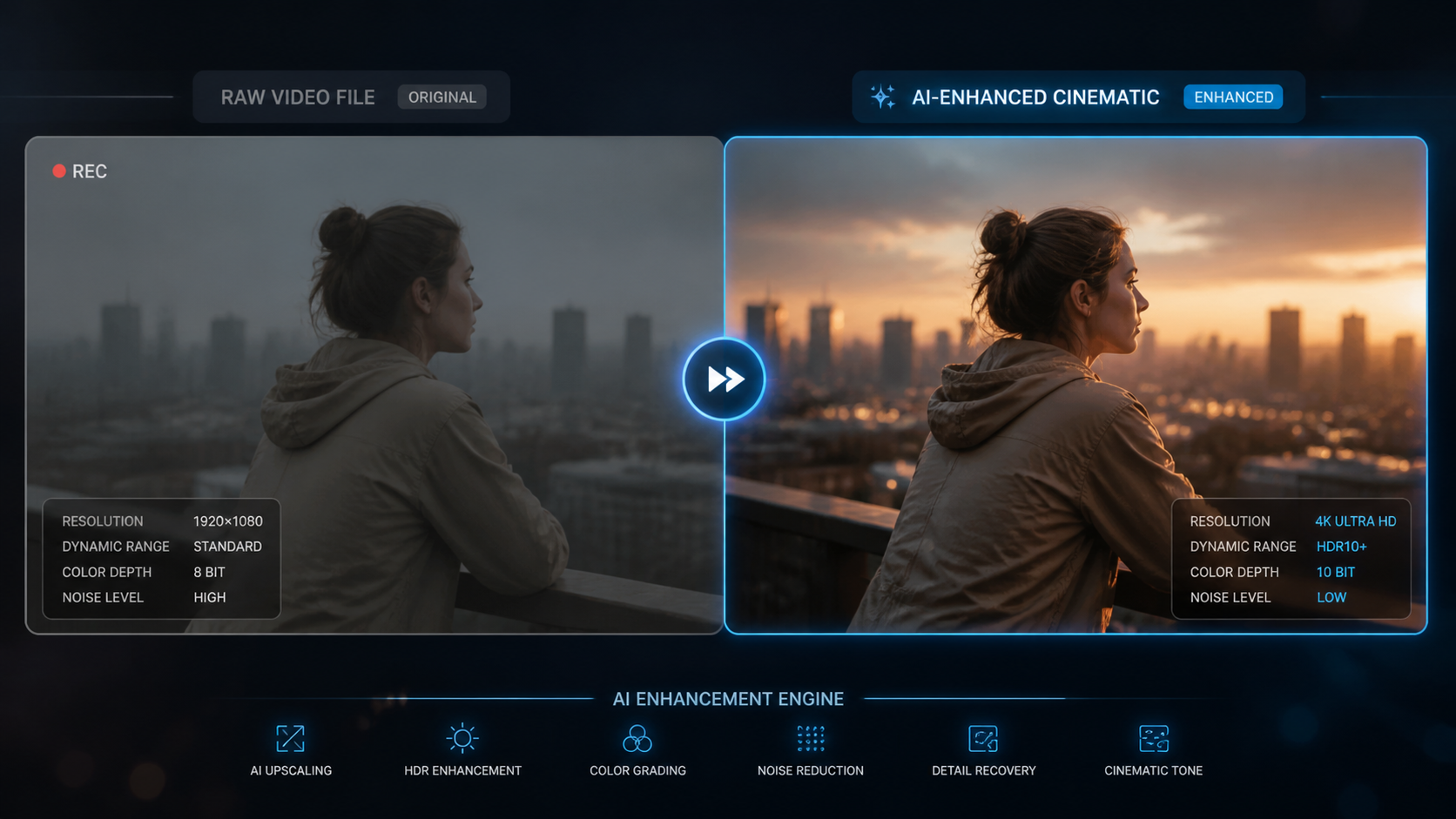
To help you decide which platform fits your budget, we have compiled a comparison of the leading cheap AI video editing tools based on their 2026 feature sets and pricing structures. As noted by TechRadar in their review of over 70 AI tools this year, the gap between "prosumer" and "professional" software has almost entirely vanished.
| Tool Name | Best For | Key AI Feature | Monthly Price (Est.) |
|---|---|---|---|
| CapCut Desktop | Social Media | Auto-Captions & Trends | Free / $9.99 |
| Descript | Podcasters | Underdub & Overdub | $12.00 |
| InVideo AI | Quick Content | Text-to-Video Generation | $15.00 |
| Wondershare Filmora 15 | Beginners | AI Copilot Editing | $19.99 |
| DaVinci Resolve (Free) | Color Grading | Magic Mask | Free |
| Clipchamp | Windows Users | AI Auto-Composer | Included with M365 |
| Runway Gen-3 | Visual Effects | Frame Interpolation | $12.00 |
| Adobe Premiere Elements | One-time Purchase | Smart Trim | $99 (Flat) |
| Veed.io | Web-based Editing | Eye Contact Correction | $18.00 |
| Pictory | Blog-to-Video | Automatic Summarization | $19.00 |
1. CapCut: The King of Cheap AI Video Editing Tools
CapCut has maintained its dominance in 2026 by offering a suite of AI features that were once exclusive to high-end desktop suites. Owned by ByteDance, it integrates seamlessly with social media trends, providing users with "one-tap" viral templates. Its AI background removal and auto-captions are widely considered the most accurate in the low-cost category.
According to Cybernews, CapCut’s 2026 update introduced "Predictive Viral Analysis," an AI tool that suggests edits based on current global viewing patterns. This makes it an invaluable resource for creators who need to stay relevant without spending hours on market research. The desktop version now supports 8K proxies, ensuring that even cheap AI video editing tools can handle high-resolution assets.
Advanced Script-to-Video Capabilities
One of CapCut's standout features is its script-to-video generator. Users can input a prompt, and the AI will write a script, select stock footage, add a voiceover, and generate captions in under two minutes. While other tools offer this, CapCut’s library of licensed music and assets makes it the most cost-effective "all-in-one" solution for 2026.
2. Descript: Revolutionizing Text-Based Editing
Descript has fundamentally changed how we think about video editing. Instead of looking at a timeline of waveforms, you edit your video as if you were editing a Word document. If you delete a sentence from the transcript, the video follows suit. This "text-based" workflow is the hallmark of modern cheap AI video editing tools designed for efficiency.
In 2026, Descript’s "Underdub" feature has become a fan favorite. It allows users to replace their video background with AI-generated environments that react to the lighting of the original subject. Furthermore, their "Overdub" technology can now clone a user's voice with just 30 seconds of training data, allowing for seamless corrections of script errors without re-recording.
Collaborative AI Workflows
Descript also excels in team environments. Its cloud-native architecture allows multiple editors to work on the same transcript simultaneously. The AI tracks changes and can even suggest "highlights" for social media clips, automatically identifying the most engaging parts of a long-form interview or podcast.
3. InVideo AI: The Power of Generative Video
InVideo AI represents the shift toward generative content. As highlighted by PerfectCorp in their 2026 review of the 22 best AI video generators, InVideo allows users to create entire videos from a single text prompt. This is particularly useful for businesses that need to produce high volumes of explainer videos or ad creative on a tight budget.
The 2026 version of InVideo includes an "AI Video Stylist" that can transform the aesthetic of any clip—turning a sunny day into a cinematic noir scene or a cartoon animation. This level of control, combined with a massive library of over 10 million stock media elements, cements its place among the top cheap AI video editing tools for marketing professionals.
Customizable AI Avatars
InVideo has also integrated realistic AI avatars that can "speak" your script. Unlike the robotic versions of the past, the 2026 avatars feature micro-expressions and natural body language, making them suitable for corporate training and educational content where a human presenter isn't available for filming.
4. DaVinci Resolve: Professional Power for Free
While DaVinci Resolve has a "Studio" version, its free tier remains the most powerful piece of software in the "cheap" category. Blackmagic Design has continued to pack the free version with "Neural Engine" features. According to Amateur Photographer, the 2026 free version of Resolve is "literally a program anyone can use" to achieve Hollywood-level color and sound.
Key AI features in the free version include the "Magic Mask," which allows for effortless rotoscoping of subjects, and "Voice Isolation," which uses machine learning to remove even the most stubborn background noise. For those looking for cheap AI video editing tools that don't sacrifice professional depth, Resolve is the industry standard.
AI-Driven Color Matching
One of the most difficult tasks for beginners is matching colors between different cameras. Resolve’s AI Color Match analyzes clips from multiple sources and automatically aligns their color profiles, saving hours of manual grading. This feature alone makes it a top contender for independent filmmakers in 2026.
5. Wondershare Filmora 15: The Beginner's Edge
Filmora has long been a favorite for those who find Premiere Pro too daunting. In 2026, Filmora 15 has integrated an "AI Copilot" that sits alongside the user, offering suggestions on transitions, music beats, and even suggesting when a clip might be too long. It is the definition of user-friendly cheap AI video editing tools.
The "AI Smart Cutout" tool has been refined to handle complex textures like hair and transparent objects, which were previously difficult for budget software. As Digital Camera World notes, the ability to "retouch, fix, and enhance" video frames with AI is now a standard expectation for software in this price bracket, and Filmora delivers this with a simple drag-and-drop interface.
Automated Music Ducking and Sync
Filmora’s AI also handles the audio landscape with precision. The "Auto Beat Sync" aligns your footage to the rhythm of your chosen track automatically, while "AI Audio Ducking" ensures that background music never overpowers the speaker's voice. These automated touches provide a level of polish that usually requires years of editing experience.
Frequently Asked Questions
What are the best cheap AI video editing tools for beginners?
CapCut and Filmora 15 are widely considered the best for beginners due to their intuitive interfaces and extensive libraries of templates. These tools guide users through the editing process with AI suggestions, making it easy to produce high-quality results without prior experience.
Can I get professional results with a free AI video editor?
Yes, tools like the free version of DaVinci Resolve offer professional-grade AI features such as magic masking and voice isolation. While some advanced features are locked behind a paywall, the free versions are often sufficient for high-quality YouTube and social media production.
Do cheap AI video editing tools require a powerful computer?
Many modern AI editors like Veed.io and InVideo AI are cloud-based, meaning the heavy processing happens on their servers rather than your hardware. This allows users with basic laptops or tablets to edit complex AI-enhanced videos without performance lag.
Is text-to-video technology included in these affordable tools?
Yes, by 2026, most affordable editors like InVideo and CapCut have integrated generative AI that can create video clips from text prompts. This feature is becoming a standard part of the "cheap" software ecosystem to help creators fill gaps in their footage.
Are these AI tools safe for commercial use?
Most paid subscriptions for these tools include commercial licenses for the AI-generated content and stock media provided. However, always check the specific terms of service, especially for "free" tiers, to ensure you have the rights to monetize your videos on platforms like YouTube.
The Future of Affordable Video Production
As we move through 2026, the definition of "cheap" continues to evolve. We are seeing a shift where the cost is measured more in subscription accessibility than in the hardware required to run the software. The democratization of these tools means that the barrier to entry for high-quality storytelling has never been lower. According to recent industry trends reported by PCMag, the integration of AI is not just about speed; it is about expanding the creative possibilities for those who previously lacked the technical skill to execute their visions.
Whether you choose a dedicated generative tool like Runway or a comprehensive editor like DaVinci Resolve, the key is to experiment. The best cheap AI video editing tools are those that disappear into your workflow, allowing your creativity to take center stage while the machine handles the tedious technicalities of the craft.



Comments ()